

Introduction: The Rise of AWS SageMaker in Modern AI Development
Building AI models used to mean writing tons of code and waiting forever. But in 2026, things are much simpler. Amazon SageMaker has become the go to platform for teams that want to build, train, and deploy machine learning models without the headache. As the AWS AI/ML landscape expands, SageMaker brings everything together in one place. You get tools like SageMaker Studio for your development environment, Autopilot for automated model building, and Pipelines to manage your whole workflow.
The problem? There is so much information out there. Between all these features and the constant updates, it is easy to get lost. You need a clear, trusted guide that shows you what matters and what to do next. That is exactly what this article is for.
We will walk through the core components of AWS SageMaker, share best practices, and help you make smart choices for your projects. Whether you are a software engineer, an engineering manager, or just starting your AI journey, you will find practical steps here. And if you want to explore more ways to build without coding, check out our guide on top no‑code machine learning platforms to see how SageMaker fits into the bigger picture.
By the end, you will have a solid overview of AWS SageMaker and a clear starting point for your own AI work. Let’s dive in.
What Is AWS SageMaker? A Deep Dive into Core Components
Simply put, AWS SageMaker is a fully managed service that handles the heavy lifting of machine learning.
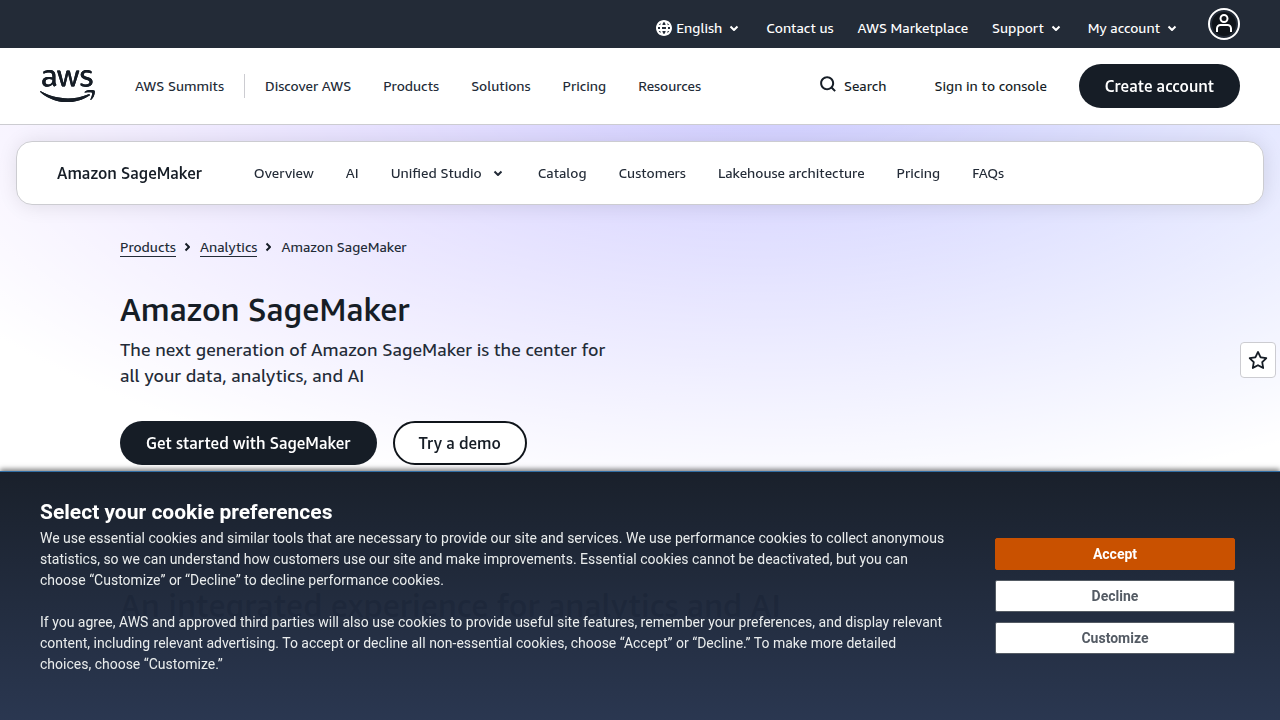
You focus on building models, not managing servers. A thorough introduction to its core capabilities shows just how many tools are available under one roof.
The core components form a complete toolkit.
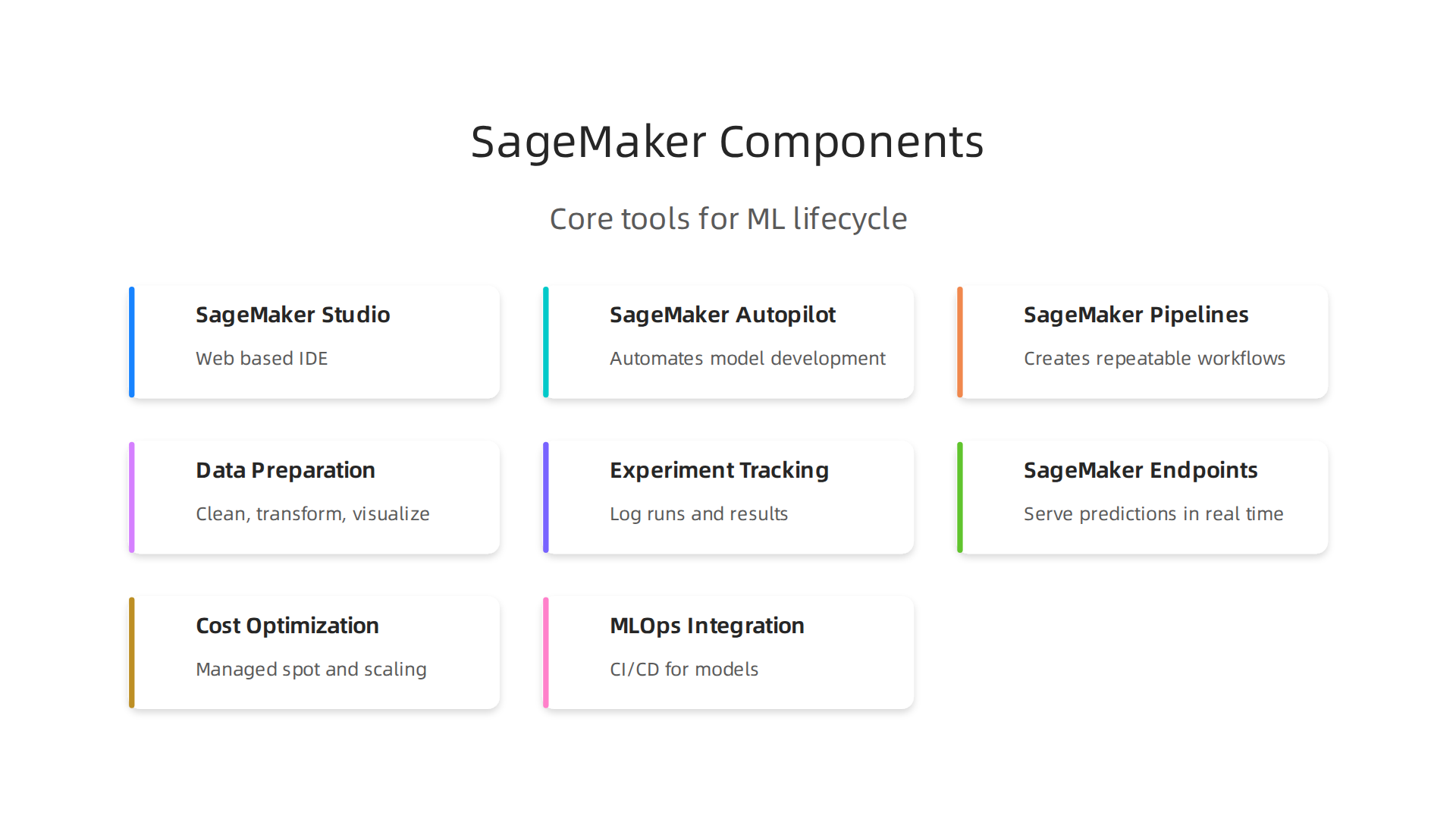
SageMaker Studio is your web based IDE for data preparation and model building. In 2026, it offers deeper collaboration features that make teamwork smoother. Next, SageMaker Autopilot automates model development by trying different algorithms to find the best fit for your data. Finally, SageMaker Pipelines creates repeatable workflows that cover the entire ML process, from data prep to deployment.
These tools turn raw data into a working model. You can scale without adding extra team members. Together, they make building AI models faster and simpler than ever. For a broader look at how no code options fit in, check out our guide on top no code ML platforms.
SageMaker Studio: The Integrated Development Environment
Think about the last time you had to build a machine learning model. You probably juggled a dozen tools: one for data prep, another for training, a separate notebook for testing. It gets messy fast. That’s why AWS built SageMaker Studio. It’s a single, web-based development environment that covers every step of the ML workflow.
Studio gives you a unified place to prepare data, write code, train models, and deploy them. Instead of switching between different apps, you stay inside one IDE that works like JupyterLab but with way more power. The AWS AI/ML landscape in 2026 calls it a fully integrated environment, and that’s exactly what it is.
Collaboration is a big deal here.

Your team can share notebooks, see each other’s work in real time, and keep everyone on the same page. You don’t have to pass files around or worry about version conflicts. That saves hours every week.
Studio also hooks into other AWS services like S3 for data storage and Lambda for serverless functions. This integration means you can pull in data, run pipelines, and monitor models without leaving the interface. It’s all connected.
If you’re exploring ways to simplify your ML workflow even further, check out our roundup of top no-code machine learning platforms for 2026.
SageMaker Autopilot and Automated ML
Studio gives you a powerhouse workspace. But what if you are still unsure which algorithm is best for your data? Or how to tweak the settings so your model actually performs well? That is where SageMaker Autopilot comes in.
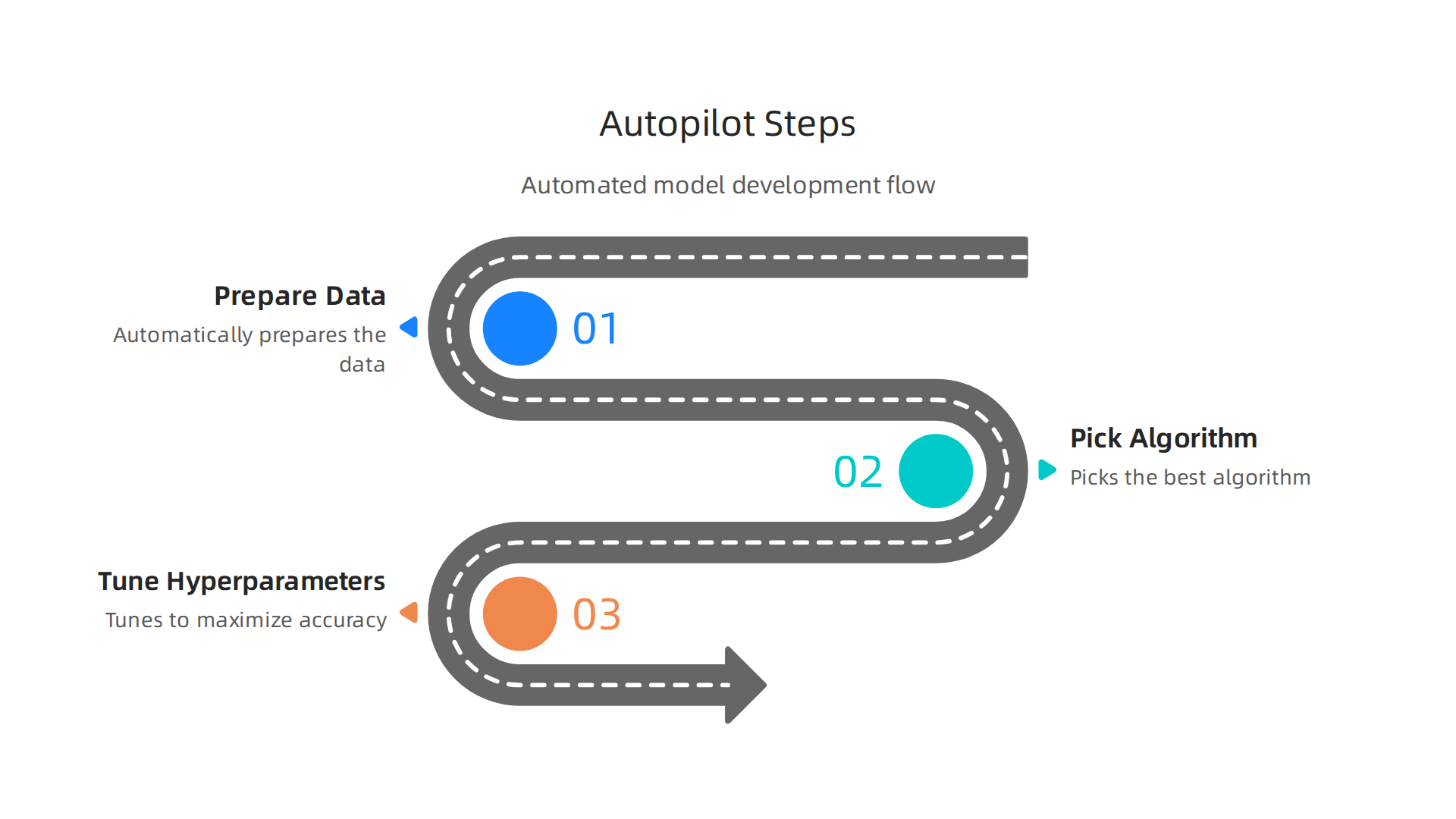
Autopilot automates the heavy lifting of building a machine learning model. You just give it your data, and it automatically prepares the data, picks the best algorithm, and tunes the hyperparameters to maximize accuracy.
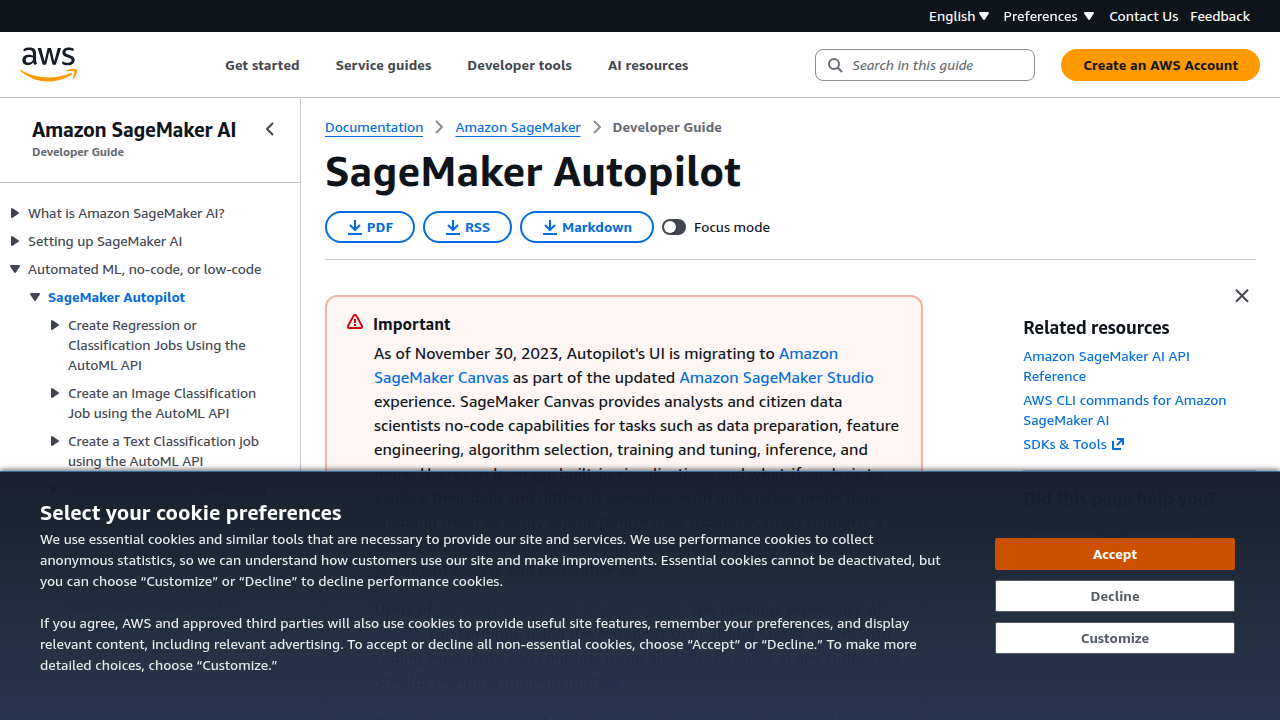
The official AWS documentation describes it as a feature set that simplifies and accelerates the ML workflow, and that’s exactly what it does.
For many common use cases, Autopilot is a game-changer for speed. If you need to predict customer churn, forecast sales, or automate document classification, Autopilot can take that from an idea to a working model in a fraction of the usual time. You do not have to be a machine learning expert to get great results.
This aligns with the growing trend of no-code and low-code ML tools. If you are curious about other platforms that put this power in your hands, check out our roundup of the top no-code machine learning platforms for 2026.
AI Development Best Practices on AWS SageMaker
So you have seen how Autopilot can speed things up. But to build trustworthy models over the long haul, you need a structured machine learning lifecycle. That means setting up solid data pipelines, tracking your experiments, and making every workflow reproducible.
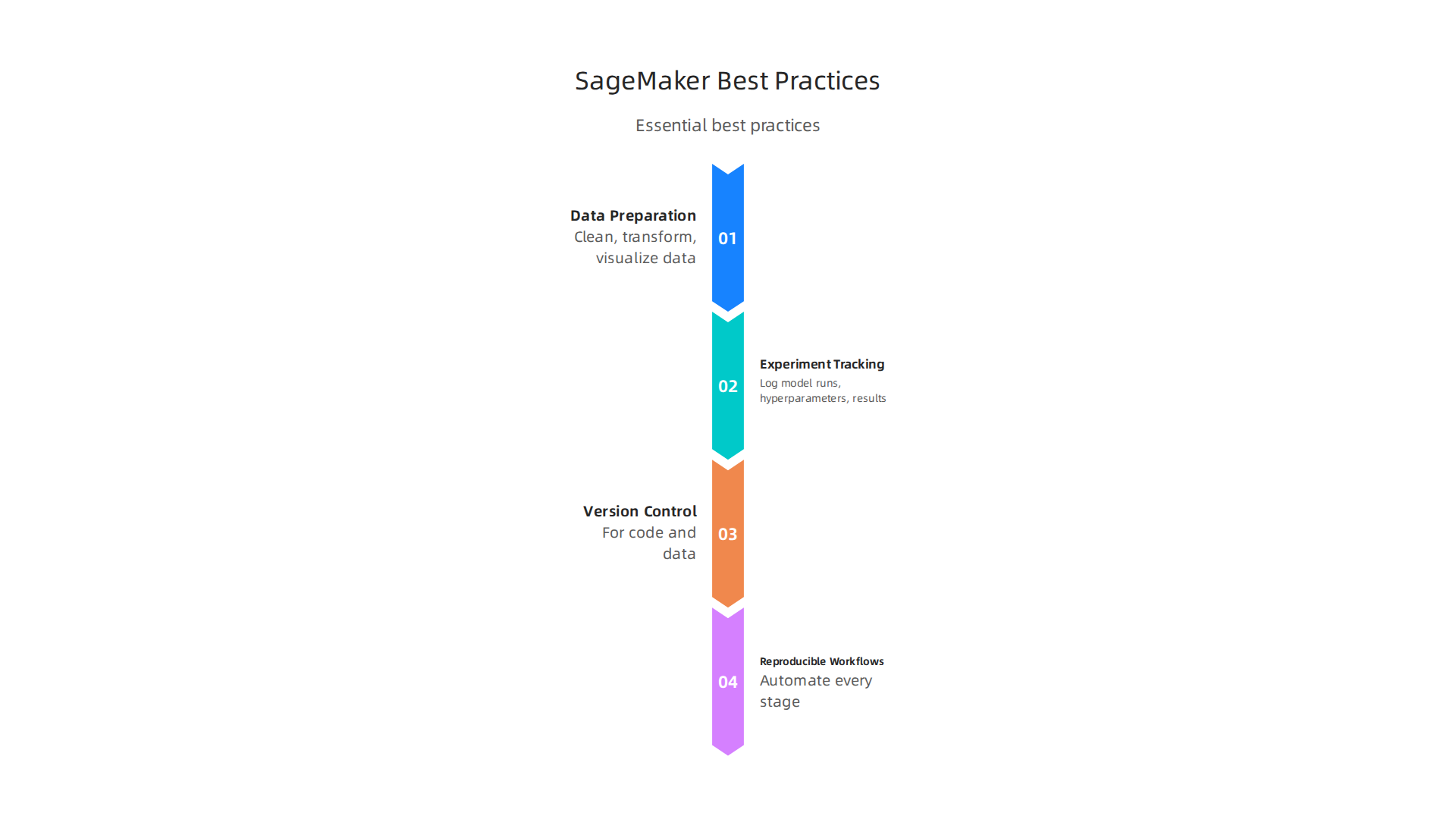
Start with data preparation. AWS SageMaker offers tools like Data Wrangler and SageMaker Canvas to clean, transform, and visualize your data before training. The AWS documentation for data preparation explains how to import and prepare datasets directly inside the service. Getting this step right prevents costly errors later.
Next, use experiment tracking to log your model runs, hyperparameters, and results. This makes it easy to compare different approaches and know exactly what worked. Pair that with version control for your code and data.
One best practice is to keep your workflows reproducible. Use SageMaker Pipelines or infrastructure as code to automate every stage, from data prep to deployment. According to Mission Cloud’s guide on Amazon SageMaker best practices, choosing the right instance size and setting up clear training routines can save time and cloud costs.
For a broader view of how automation fits into the bigger picture, check out our coverage of no-code machine learning platforms for 2026. It ties directly into the no-code solutions you already explored with Autopilot.
Remember: a structured approach turns ad hoc experiments into reliable, production-ready AI.
Data Preparation and Feature Engineering
Now let’s get into the nitty-gritty of cleaning and shaping your data. This step often makes or breaks your model.

AWS SageMaker gives you two powerful tools to handle it: SageMaker Data Wrangler and SageMaker Feature Store.
Data Wrangler lets you import, clean, and transform data without writing much code. You can spot missing values, fix outliers, and create new features in a visual interface. The AWS documentation on data preparation walks you through the whole process inside SageMaker Canvas. That saves hours of manual scripting.
Once your data is clean, use the Feature Store to store, share, and reuse features across projects. This keeps your work consistent and cuts down on rework. For example, you can create a feature for "average purchase amount" once and use it in every model.
Data quality checks are a must. Set up automated pipelines to validate your data before training. According to Mission Cloud’s best practices guide, building transformation pipelines early helps you catch errors before they blow up your training costs.
For a deeper look at how no-code tools like Data Wrangler fit into your workflow, check out our guide on no-code machine learning platforms for 2026. It covers similar automation ideas that pair perfectly with SageMaker’s feature engineering tools.
Model Training, Tuning, and Evaluation
Once your data is clean and your features are in place, it is time to train your model. This is where AWS SageMaker really shines. You do not have to manage servers or worry about infrastructure. SageMaker handles all of that for you.
With managed training jobs, you just pick your algorithm, point to your data, and let SageMaker spin up the right resources. It automatically provisions, scales, and shuts down instances when training finishes. That alone saves hours of DevOps work.
To get the best performance from your model, use automatic hyperparameter tuning. SageMaker runs dozens of training jobs in parallel, testing different combinations of parameters until it finds the ones that work best. You can track every experiment with SageMaker Experiments, which keeps a clear record of what you tried and what worked.
Here is the thing about 2026. Distributed training has gotten even faster and easier. SageMaker now spreads large training jobs across multiple GPUs with less manual setup. And if you want to save money, use spot instances. They can slash your training costs by up to 90% while training completes just as fast.
For a complete list of training and tuning best practices, check out the Mission Cloud guide on Amazon SageMaker. It covers choosing the right instance type and avoiding common pitfalls.
If you want to build deep expertise with SageMaker, consider earning the AWS DevOps certification in 2026. It covers the exact skills you need to run training pipelines like a pro.
Deploying and Managing Models in Production with SageMaker
Your model is trained and tuned. Now comes the real test: getting it into production where users can actually use it. AWS SageMaker makes this step straightforward with a few powerful options.
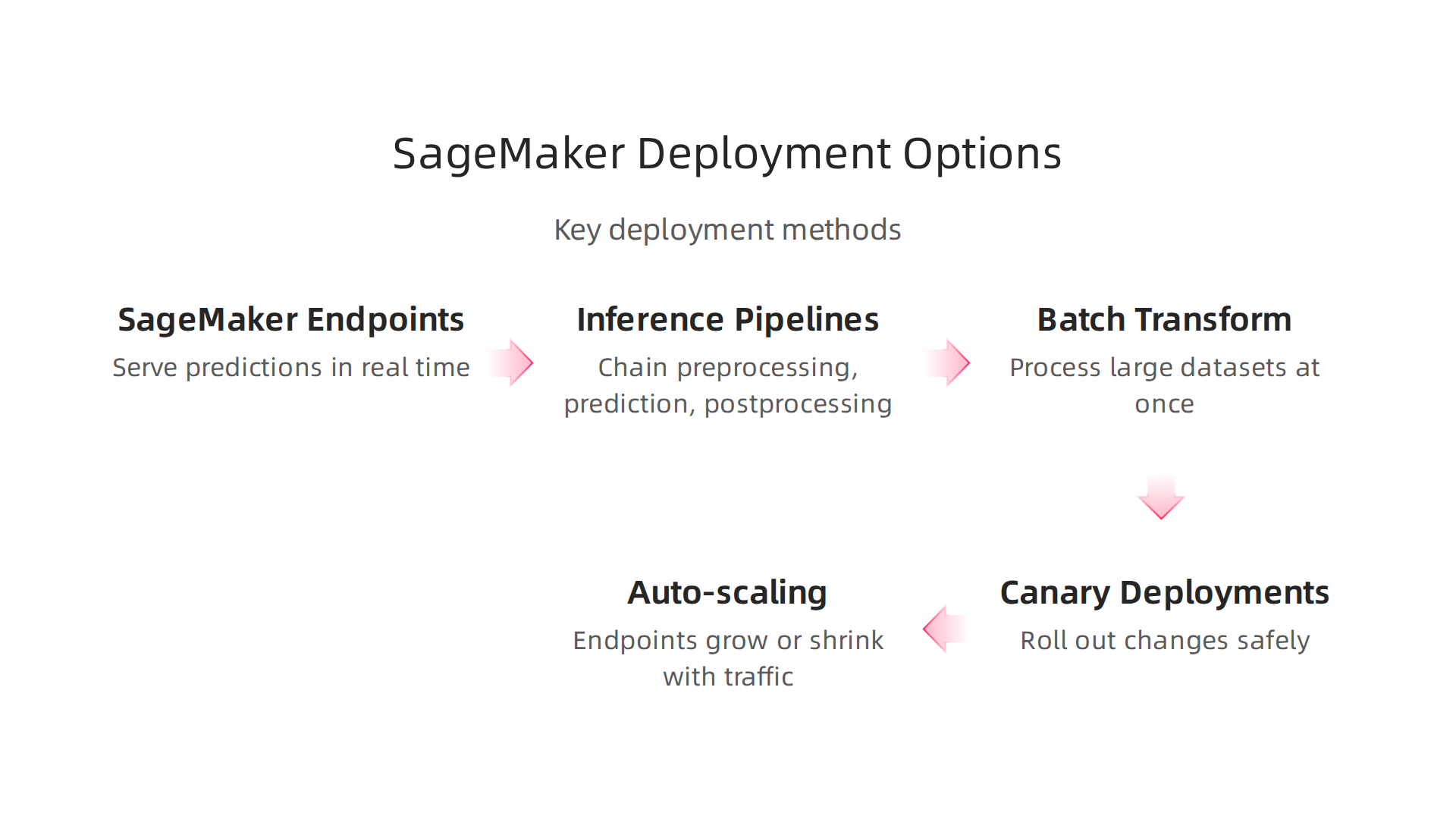
You can serve predictions in real time using SageMaker endpoints. These are fully managed HTTPS endpoints that scale automatically based on traffic. You just deploy your model, and SageMaker handles the rest.
For more complex workflows, use inference pipelines. They chain together preprocessing, prediction, and postprocessing steps. That means you can send raw data in and get ready-to-use results out without writing extra glue code.
If you do not need instant responses, batch transform is perfect. You point to a large dataset, and SageMaker processes it all at once. This works great for nightly reports or one-off analysis.
Now, how do you roll out changes safely? SageMaker supports canary deployments. You shift a small percentage of traffic to a new model version first. If it performs well, you ramp up. If something goes wrong, you roll back instantly. This cuts the risk of bad predictions reaching all your users.
Auto-scaling is another must. Configure auto-scaling policies so your endpoints grow during peak hours and shrink when traffic drops. As the AWS documentation explains, this helps you pay only for what you need. Many teams cut endpoint costs in half with simple scheduled scaling, as noted in the nOps SageMaker pricing guide.
You can also save money by using multi-model endpoints or serverless inference for workloads that do not need always-on capacity. The CloudZero guide highlights that serverless options are great for variable traffic.
Finally, keep track of your models with model versioning. SageMaker lets you register, version, and manage multiple models in one place. That way you always know which version is live and what changed.
For teams exploring simpler deployment options, check out our guide on top no code machine learning platforms. It covers tools that let you deploy models without deep infrastructure knowledge.
Cost Optimization and Scaling for SageMaker Workloads
In this overview of SageMaker cost optimization, we will look at the main levers you can pull to reduce spending while keeping your models running smoothly. Running ML in production can get expensive fast. But with a few smart strategies, you can keep your AWS SageMaker costs under control without sacrificing performance.
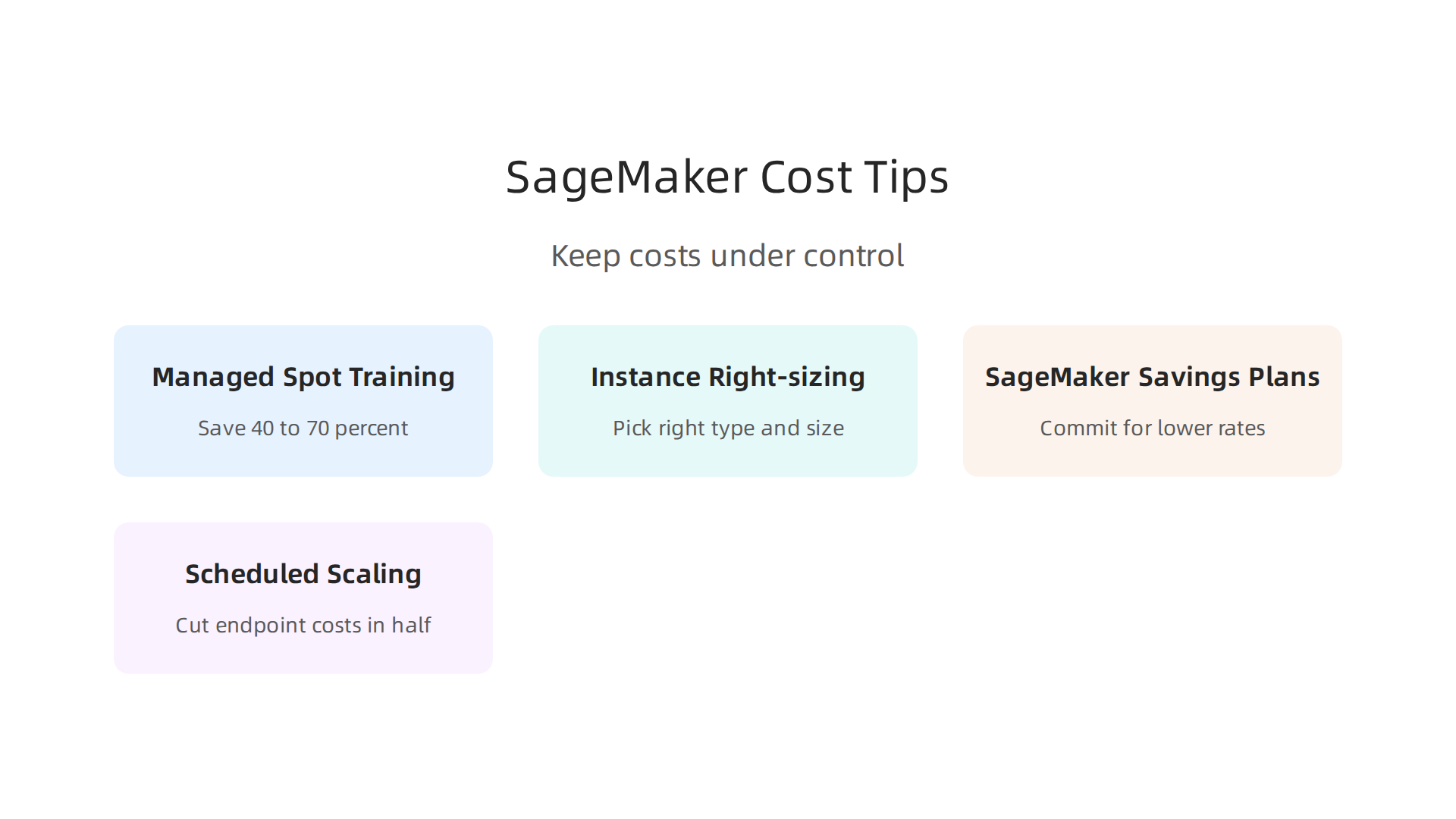
One of the biggest savings opportunities is managed spot training. Spot instances use spare AWS compute capacity at a steep discount. According to the Wring blog, you can save 40 to 70 percent on training costs by using spot instances. The trade-off? Your training job might be interrupted if AWS reclaims the capacity. So spot training is best for fault-tolerant workloads. For stealth AI workloads that run as background batch jobs, spot instances are a perfect fit.
Instance right-sizing is another must. Many teams start with oversized instances. The AWS documentation on inference cost optimization explains how to pick the right instance type and size for your specific workload.
For example, Graviton-based instances often deliver better price-performance for many machine learning tasks.
SageMaker Savings Plans let you commit to a consistent amount of compute usage (measured in dollars per hour) in exchange for lower rates. But as the Concurrency Labs guide warns, you should not commit to a Savings Plan if you have long periods with no deployed compute capacity. The discount only helps if you actually use the compute.
Here is where trade-offs between cost and performance come in. Do you need real-time responses with low latency? Then you likely need always-on endpoints with more expensive instances. For batch processing or non-critical workloads, you can use cheaper instances or schedule endpoints to shut down when not needed. The nOps pricing guide notes that teams running daytime-only workloads often cut endpoint costs in half with simple schedule-based scaling.
For deep dives into managing AWS costs as part of your career growth, the AWS DevOps certification path covers cost management best practices that apply to SageMaker and beyond.
The key is matching your infrastructure to your actual needs. There is no one-size-fits-all. But by combining spot training, right-sized instances, Savings Plans, and smart scaling, you can get the most out of SageMaker without blowing your budget.
MLOps and CI/CD Integration with AWS SageMaker
Now that you know how to keep costs down, it’s time to make your machine learning workflows repeatable and reliable. That is where MLOps comes in. MLOps is like DevOps for ML. It helps you automate everything from training to deployment. And AWS SageMaker gives you several ways to set this up without writing tons of custom code.
Native AWS services are a great starting point. You can use AWS CodePipeline and AWS CodeBuild to build end-to-end CI/CD pipelines for your models. SageMaker Pipelines also lets you define the full ML workflow as code. The official AWS MLOps page explains how these services work together to automate integration and deployment.
You get a single place to manage data preprocessing, training, testing, and deployment.
A key part of MLOps is model registry and lineage tracking. With the Amazon SageMaker Model Registry, you can store different versions of your models, track their metadata, and promote approved versions to production. As the Caylent guide points out, the Model Registry lets you control which model goes live and keep a full history of changes. This makes audits and rollbacks much easier.
For automated retraining pipelines, you can set up triggers that retrain your model when new data arrives or when performance drops. SageMaker Pipelines combined with Amazon EventBridge lets you schedule retraining jobs or react to events. This keeps your model fresh without manual intervention.
You are not limited to AWS tools. Many teams use third-party CI/CD platforms like CircleCI. The CircleCI blog on machine learning CI/CD with SageMaker shows how you can integrate SageMaker model training and deployment into your existing CI/CD pipeline. This is helpful if your team already uses CircleCI for application code.
Want to make your MLOps setup even simpler? Some of the best tools let you build pipelines with little to no code. Check out our roundup of top no-code machine learning platforms and prompt engineering tips for 2026 to see how you can speed up your MLOps workflow without deep programming.
By using SageMaker’s native MLOps features or connecting third-party tools, you make your ML processes consistent, auditable, and scalable. This is the next step after cost optimization to run a truly production-grade AI system.
AWS SageMaker vs. Competitor AI Development Tools
You have learned how to automate your ML pipelines with SageMaker. Now you might wonder: is SageMaker the best choice for your team?

In 2026, you have several strong options. Let’s compare AWS SageMaker with Google Vertex AI, Azure Machine Learning, and Databricks.
Pricing
Pricing varies a lot between platforms. SageMaker charges for compute instances, storage, and data processing. Google Vertex AI uses a pay-as-you-go model with per-second billing. Azure Machine Learning bills by compute hours and managed endpoints. Databricks uses DBUs (Databricks Units) for compute and storage. According to CloudOptimo’s comparison, SageMaker can be more cost-effective if you already run other AWS services because you avoid data transfer fees. For large-scale workloads, each platform offers discounts for reserved capacity.
Ease of Use
If you are new to ML, Google Vertex AI might feel easier. It has a clean interface and strong AutoML features. As the Articsledge comparison notes, "all three offer strong AutoML, but Vertex AI is arguably the most feature-rich." SageMaker is powerful but has a steeper learning curve because of its many options. Azure Machine Learning integrates tightly with Microsoft tools, so it is a natural fit for Windows shops. Databricks shines for teams already using Apache Spark.
Feature Parity
All four platforms cover the full ML lifecycle: data preparation, training, tuning, deployment, and monitoring. However, they differ in AI services. SageMaker excels at integration with AWS ecosystem services like SageMaker Ground Truth for data labeling. Google Vertex AI has strong pre-built models for vision and natural language. Azure ML offers built-in fairness and interpretability tools. Databricks focuses on collaborative notebooks and big data pipelines.
Ecosystem Integration
The biggest factor is your current cloud provider. If you already use AWS, SageMaker is a no-brainer because everything works together. As a TechTarget analysis points out, "AWS SageMaker offers extensive flexibility, scalability, and strong AWS service integration." Google Vertex AI works best if you use Google Cloud or Kubernetes. Azure ML is ideal for companies committed to Microsoft 365 and Azure. Databricks is cloud-agnostic but best on AWS or Azure.
Which One Should You Pick?
There is no single winner. Choose SageMaker if you are deep in the AWS ecosystem. Choose Vertex AI if you want the easiest AutoML. Choose Azure ML if you are a Microsoft shop. Choose Databricks if you need heavy data engineering with ML.
If you want to explore no-code ML options that work across platforms, check out our guide on top no-code machine learning platforms and prompt engineering tips for 2026. It can help you build models without deep coding, no matter which cloud you use.
H2: Expert Tips for Maximizing Developer Productivity with SageMaker
Choosing AWS SageMaker is a great first step. But how do you really get the most out of it? In 2026, the difference between a good ML workflow and a great one comes down to a few smart habits. Here are some expert tips to boost your productivity.
First, set up CI/CD pipelines early. You do not want to train and deploy models by hand every time. Automating these steps saves hours. As the team at CircleCI explains, you can integrate SageMaker model training and deployment into a CI/CD pipeline for faster, more reliable releases. This is a game changer for team collaboration.
Second, use SageMaker Projects and the Model Registry. These tools help you manage model versions and metadata. According to the experts at Caylent, the Model Registry lets you automate model deployment with CI/CD. This keeps your team on the same page and stops "works on my machine" issues from slowing you down.
Third, tap into community resources. The official AWS samples on GitHub are full of real-world examples for MLOps. They show you how to set up version control and infrastructure as code. Learning from these templates is much faster than starting from scratch.
Finally, do not forget that you can pair SageMaker with no code solutions for rapid prototyping. If you want to test an idea fast without writing a ton of code, check out our guide on top no-code machine learning platforms and prompt engineering tips for 2026. It helps you move quickly no matter which tools you are using.
By focusing on automation, version control, and community resources, you can turn SageMaker into a true productivity engine for your team.
Conclusion: Building the Future with AWS SageMaker
We have covered a lot of ground. From the core building blocks like Studio and JumpStart to smart automation and cost control, AWS SageMaker gives you a complete toolkit for machine learning. In 2026, with AI moving faster than ever, the platforms you choose really matter.
What makes AWS SageMaker stand out? According to a detailed comparison by TechTarget, SageMaker offers deep integration with the broader AWS ecosystem. This is a huge advantage if your team already uses AWS services. The platform also excels in flexibility and scalability, as noted by developers on DEV Community, making it a strong fit for everything from small experiments to large production workloads.
But picking a platform is just the start. The real magic comes from how you use it.
Here are the big takeaways to remember:
- Use the full stack. Do not just train models. Use features like Pipelines, Model Registry, and Autopilot to streamline your workflow.
- Think about MLOps from day one. Automate, version, and monitor everything. This turns machine learning from a one time project into a reliable engine.
- Keep costs in check. Use Savings Plans and Spot Instances to avoid surprises on your bill.
- Keep learning. The field shifts fast. To stay sharp in 2026, make continuous education a habit. Explore resources like online certifications for software engineering that help you stay ahead.
AWS SageMaker is a powerful tool, but you are the one who makes it sing. Start small, experiment often, and build systems that can grow with you. The future of AI is not just about algorithms. It is about the smart, sustainable workflows you build around them.
Summary
This article is a practical guide to using AWS SageMaker in 2026, showing how the platform combines tools for development, automation, and production-grade machine learning. It walks through core components like SageMaker Studio, Autopilot, Pipelines, Data Wrangler, and the Feature Store, and explains how each fits into the ML lifecycle from data preparation to deployment. You’ll learn hands-on best practices for training, hyperparameter tuning, distributed workloads, and cost control — including spot instances and Savings Plans — plus deployment patterns such as real‑time endpoints, batch transform, and canary rollouts. The guide also covers MLOps integration with CI/CD, model registries, and automated retraining, and compares SageMaker to competing cloud ML platforms to help you choose the right tool. By the end, readers will have actionable steps to build reproducible workflows, lower cloud costs, and move models safely into production while taking advantage of SageMaker’s AWS ecosystem integrations.