

Introduction
Have you ever read code an AI assistant wrote and felt a little uneasy? Like something is off, but you cannot quite put your finger on it?

You are not the only one. In 2026, AI coding tools are everywhere. The numbers tell the story. According to the latest research, 84% of developers now use or plan to use AI tools in their development process. But here is where it gets interesting. Only 29% of developers actually trust the output those tools produce.
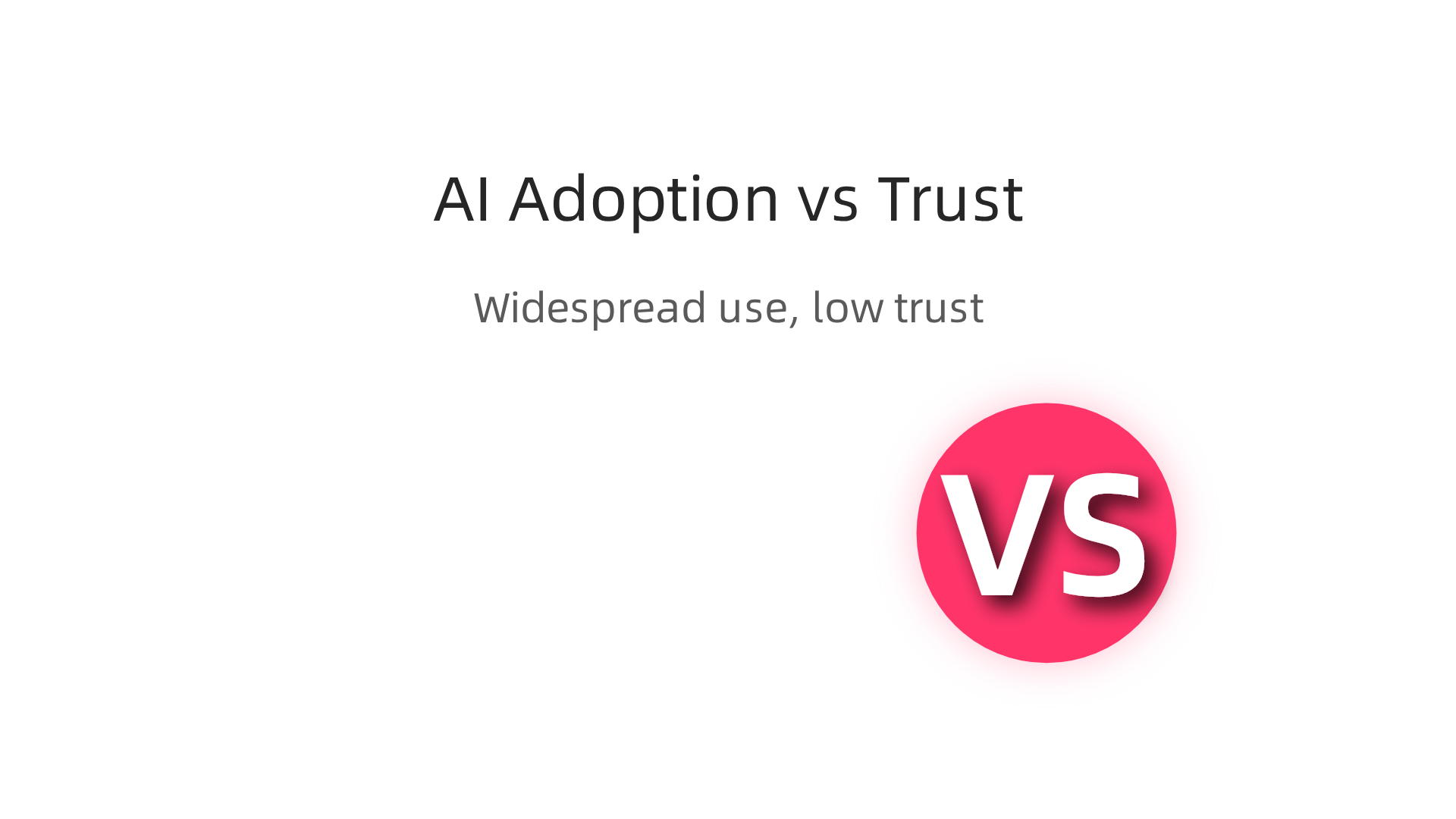
That is a giant gap. We are using AI at record rates, but we do not fully trust what it gives us.
This gap is what many developers call the AI to human challenge. It is the disconnect between what an AI generates and what a real person can confidently understand, verify, and use. The tools are amazing. They can write entire functions, refactor messy code, and even suggest test cases. But if you cannot quickly make sense of what the AI produces, its value drops fast.
Think about it this way. An AI might spit out a perfect solution, but if you stare at it for 20 minutes trying to figure out how it works, you just lost all the time you thought you saved.
So how do you fix this? How do you turn questionable AI outputs into code you actually trust?
In this article, we break it down step by step. You will learn practical ways to make AI outputs clearer, build better workflows for reviewing generated code, and use prompt engineering to get results that feel more human from the start. We will also look at no-code AI platforms that simplify the whole process.
The goal is simple. Help you use AI in your daily work without losing the confidence that comes from truly understanding what your tools are doing.
If you want to stay current on how AI is reshaping software development, consider subscribing to The Deep View Newsletter.
It delivers clear, daily updates so you never fall behind.
The Evolution of AI in Software Development
So how did we get here in just a few years? The shift has been dramatic. AI in development jumped from simple autocomplete tools to context-aware code generation almost overnight. This rapid change is a big reason why many developers feel the ai to human trust gap. According to recent surveys, 84% of developers now use or plan to use AI coding tools, but only 29% fully trust what they produce. That gap is a direct result of how fast the technology moved.
Think about the milestones. First came GPT-based assistants that could understand natural language. Then tools like GitHub Copilot showed up, offering real-time code suggestions inside your editor. Soon after, purpose-built AI for testing and debugging appeared. Each step made the outputs more powerful but also harder to verify quickly. The technology evolved faster than our ability to build good review habits.
Understanding this evolution helps you set better expectations. You realize that AI is not magic. It is a tool that requires human judgment and clear prompts. That is where prompt engineering becomes your secret weapon. If you want to learn how to craft better prompts and explore no code ai options, check out our guide on top no-code machine learning platforms and prompt engineering tips for 2026.
The pace of change is not slowing down. To stay ahead and make sense of these fast developments, consider subscribing to The Deep View Newsletter. It gives you clear daily updates so you never miss what matters.
How AI is Transforming the Developer Workflow
So what does this mean for your daily work? AI now touches every stage of the development cycle. You can use it for planning tasks, writing code, reviewing pull requests, and even making architectural decisions.
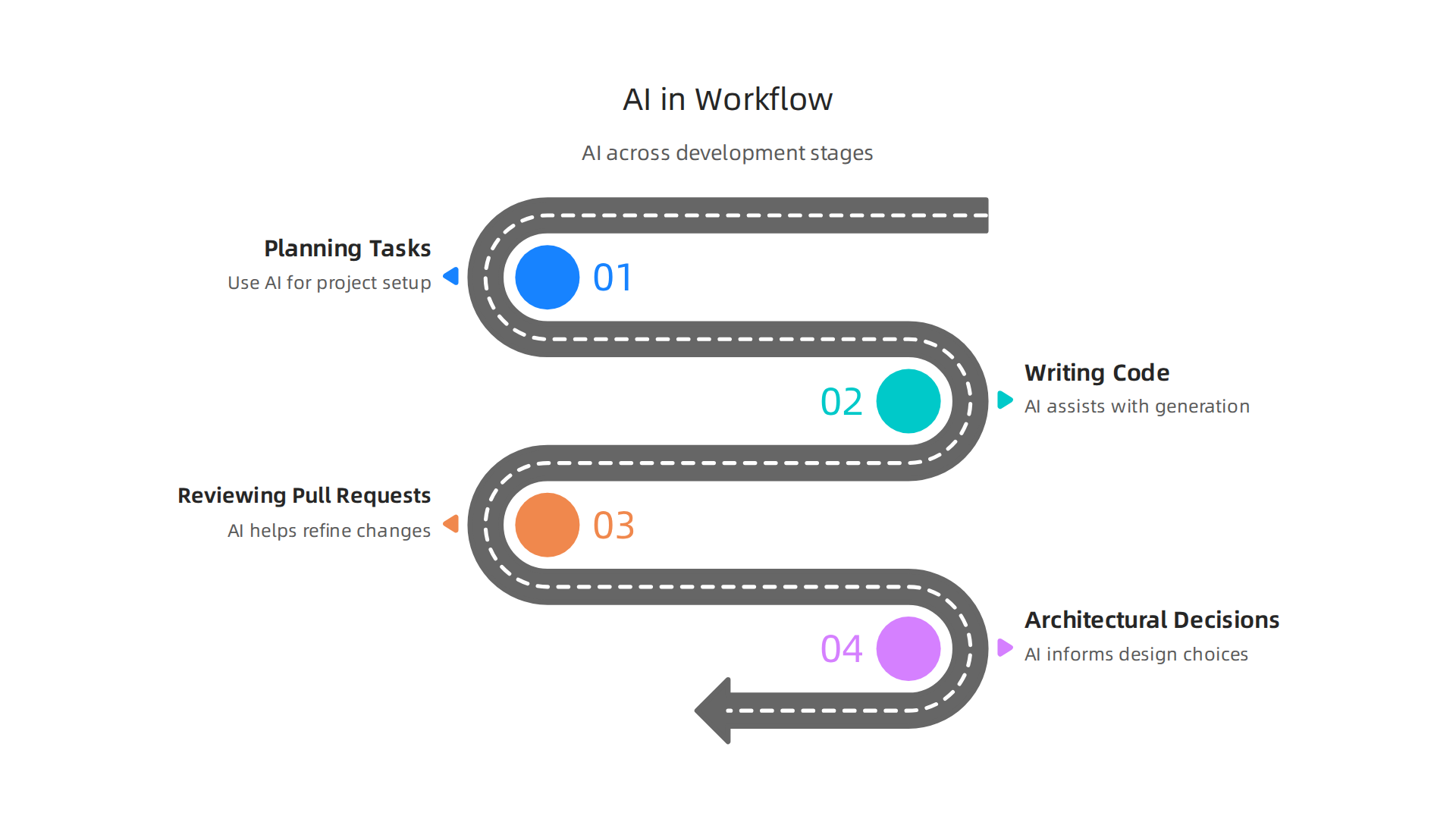
The key is to think of AI as a collaborator, not a replacement. A human always needs to review and refine what the AI produces.

This is where structured workflows make a big difference. Following proven collaboration models helps reduce friction and improve output quality. As discussed in a guide on AI-human development collaboration models, teams that adopt clear review and refinement steps get better results.
The ai to human handoff matters more than the code itself.
Prompt engineering is a big part of making that handoff smooth. When you write better prompts, you get better AI output that needs less fixing. If you want to learn how to craft those prompts and explore no code ai options, check out our guide on top no-code machine learning platforms and prompt engineering tips for 2026.
The best developers in 2026 treat AI like a junior teammate. You guide it, check its work, and learn together. That is how you bridge the trust gap and build software faster.
To stay on top of these fast changes in your workflow, get clear daily updates from The Deep View Newsletter.
H3: Prompt Engineering Best Practices
Here is the simple truth. Better prompts give you better code. If you ask a vague question, you get a vague answer. The same goes for AI.
To get useful suggestions, you need to be specific and give context. Include comments that explain what you want the code to do. Add existing code snippets so the AI understands your style. Set explicit constraints like "use Python 3.11" or "keep this function under 20 lines."
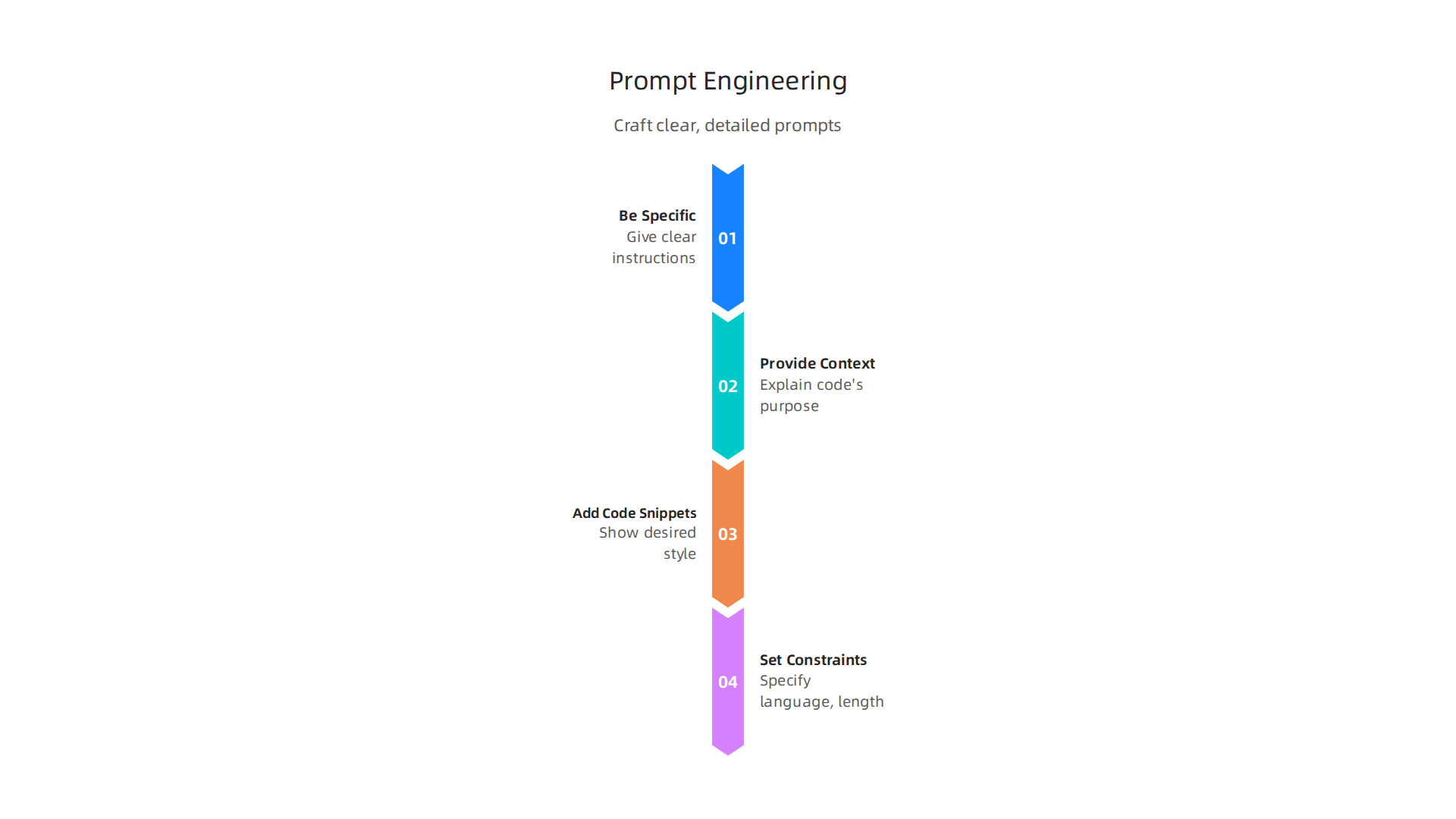
This helps avoid the communication gaps that often derail human AI collaboration. As one guide on human AI collaboration highlights, clear instructions are key to making the ai to human handoff work well.
Treat your prompt like a quick chat with a teammate. The more context you give, the less time you waste fixing bad output later. Tools like Cluely AI can help refine prompts, but the basics stay the same. Be clear. Be direct. Show examples.
For more hands on help with writing strong prompts and exploring no code ai options, check out our guide on top no-code machine learning platforms and prompt engineering tips for 2026.
Reviewing and Refining AI Suggestions
Once the AI sends back its suggestion, the real work begins. AI generated code is just a first draft. It often needs manual adjustments for style, security, and the specific logic of your project.
This human review step is a key part of any strong ai to human collaboration. Simply trusting the output is a common trap highlighted in research on human AI collaboration challenges.
Instead, treat it like code from a junior teammate. Run tests. Use static analysis tools. Get a peer review.

These habits turn raw AI suggestions into solid, production ready code. For more hands on help with refining your prompts and workflows, check out our guide on top no code machine learning platforms and prompt engineering tips for 2026.
Want to stay ahead of the curve on how AI is changing development? Get clear daily AI updates from The Deep View Newsletter.
AI for Testing, Debugging, and Documentation
The same human oversight from reviewing code applies to using AI for tests, bug fixes, and docs. AI tools can now generate unit tests and suggest debugging steps automatically. They can also turn your code into readable documentation. This saves a ton of time. However, the quality and accuracy of these outputs vary. You have to check for missing edge cases and wrong assumptions. The 2026 lineup of AI developer tools highlights how many testing tasks are now automated, but human interpretation is still needed.
This is a clear example of the ai to human challenge. You must read and adjust what the AI produces. To build these skills, consider exploring online certifications for software engineering. And if you want daily updates on AI tools for development, subscribe to The Deep View Newsletter.
Automated Test Generation
AI can generate test cases from your code in seconds. But it often misses edge cases or creates brittle tests that fail for the wrong reasons. This is a classic ai to human challenge: the tool saves time, but you still need to think critically. The best practice is simple. Let AI handle the bulk, then manually design tests for your most important paths. As the 2026 lineup of AI developer tools notes, automated testing is powerful but not perfect. To write better AI test prompts, explore this guide on no-code machine learning and prompt engineering. And for daily updates on the latest in AI testing, check out The Deep View Newsletter.
Documentation Assistants
Nobody enjoys writing documentation. But AI can now generate docstrings, READMEs, and even architecture diagrams straight from your code. That saves hours.
Here’s the catch. Quality varies a lot. AI might generate something that looks correct but misses context or uses wrong terminology. The ai to human dynamic is clear here: let the tool draft, then you review and polish. To get good results, you need solid prompt engineering skills. For example, telling the AI to "document the purpose of each function in plain language" works better than a generic generate command. If you want to sharpen your prompts, check out this guide on no-code machine learning and prompt engineering. And as GitHub developer discussions show, tools like Claude Code excel at explaining code clearly, which is exactly what you want for documentation. But always verify. For daily updates on the latest AI tools that help with documentation and more, subscribe to The Deep View Newsletter.
Navigating the AI Tool Landscape
Hundreds of AI coding assistants exist in 2026. Picking the right one comes down to your programming language, team size, and the job you need done. Some tools are great for autocomplete, others for debugging. When comparing options, look at accuracy, how well the tool fits your IDE, cost, and how clearly it communicates its reasoning. As developers on GitHub point out, tools like Claude Code stand out because they explain errors step by step.
That clear communication is the ai to human factor. When a tool shows its logic, you can trust it more. You can also improve results with smart prompt engineering. And for teams new to AI, no code ai platforms offer a gentler start. If you want a structured learning path, this guide on choosing web development classes helps. Stay ahead by subscribing to The Deep View Newsletter for daily AI tool updates.
Key Features to Evaluate
When comparing tools in 2026, zero in on a few critical features. Context awareness is a must. The tool should understand your full codebase, not just the file you are editing. Multi-language support is vital if your team works in Python, JavaScript, and Go.
The real differentiator is the ai to human experience. Look for tools that show inline explanations and confidence scores. As the LogRocket power rankings show, this transparency cuts friction. You trust the suggestions more.
Security filtering is also non-negotiable. The Checkmarx 2026 review notes that strong guardrails prevent vulnerabilities before they hit production.
If visual builders suit your style better, explore our guide on no-code machine learning platforms.
Want to track which tools keep innovating? Subscribe to The Deep View Newsletter for clear daily AI updates.
Comparing Top Assistants
GitHub Copilot, Tabnine, and Amazon CodeWhisperer lead the pack in 2026, but each has a distinct strength. Copilot is great for speed. Tabnine prioritizes privacy. CodeWhisperer fits AWS users best. Newer tools like Claude Code excel at debugging. The right pick really depends on the ai to human experience you want. Do you just want autocomplete or a true pair programmer? Good prompt engineering helps you get the best results from any tool.
Pricing is another big factor. Options range from free tiers for individuals to enterprise licenses for teams. You must evaluate total cost of ownership. For a detailed feature breakdown, see the Checkmarx review of top developer tools.
If you prefer visual builders instead of heavy coding, check out our guide on no-code machine learning platforms.
Want to track which AI tools are really innovating? Subscribe to The Deep View Newsletter for clear daily AI updates.
The ‘AI to Human’ Challenge: Bridging Communication Gaps
Picking the right assistant is only half the battle. The real challenge is understanding what the AI actually means. AI outputs often lack context or clear reasoning. You end up spending time interpreting suggestions. This gap between AI to human communication is both technical and conceptual. According to research on human-AI collaboration, communication gaps and trust deficits are common obstacles Voltage Control. Researchers at Carnegie Mellon are actively working to eliminate these gaps so AI tools can become trusted coworkers CMU LTI.

The key is to treat AI suggestions as starting points, not final answers. You need good prompt engineering to guide the model and always review the output yourself. Blind trust leads to bugs and bad decisions. For a different approach to AI building, check our guide on no-code machine learning platforms. And if you want to stay ahead of AI trends, subscribe to The Deep View Newsletter for daily updates.
Understanding AI Reasoning
Here’s the thing: Most AI code assistants are black boxes. The model spits out a suggestion, and you are left guessing why it chose that approach. This lack of transparency makes the ai to human communication gap even harder to bridge. Without knowing the reasoning, trust suffers and you waste time testing bad ideas. Researchers at Carnegie Mellon are working to eliminate these gaps so AI tools become true teammates CMU LTI. Luckily, new tools are emerging that explain their thinking. Some now highlight the relevant context behind a recommendation. That simple change turns a guess into a conversation. To build these skills, learning how to train and deploy models with AWS SageMaker in 2026 can show you how AI models reason from the ground up. And for daily insights into the latest AI tools, subscribe to The Deep View Newsletter.
Overcoming the ‘Black Box’ Problem
Trusting a black box is hard. That trust gap is the core of the ai to human challenge. Researchers point out that communication gaps and trust deficits hold teams back Key Challenges of Human-AI Collaboration. You can fight this by using prompt engineering to ask for reasoning, running small experiments, and validating against known tests. On a team level, pair programming with AI and periodic audits reduce risks. Tools like Cluely AI are emerging to make AI thinking visible. For more on no code AI and prompt engineering, explore top no-code machine learning platforms and prompt engineering tips for 2026. Stay ahead of the curve with The Deep View Newsletter.
Ethical Considerations and Trust in AI-Generated Code
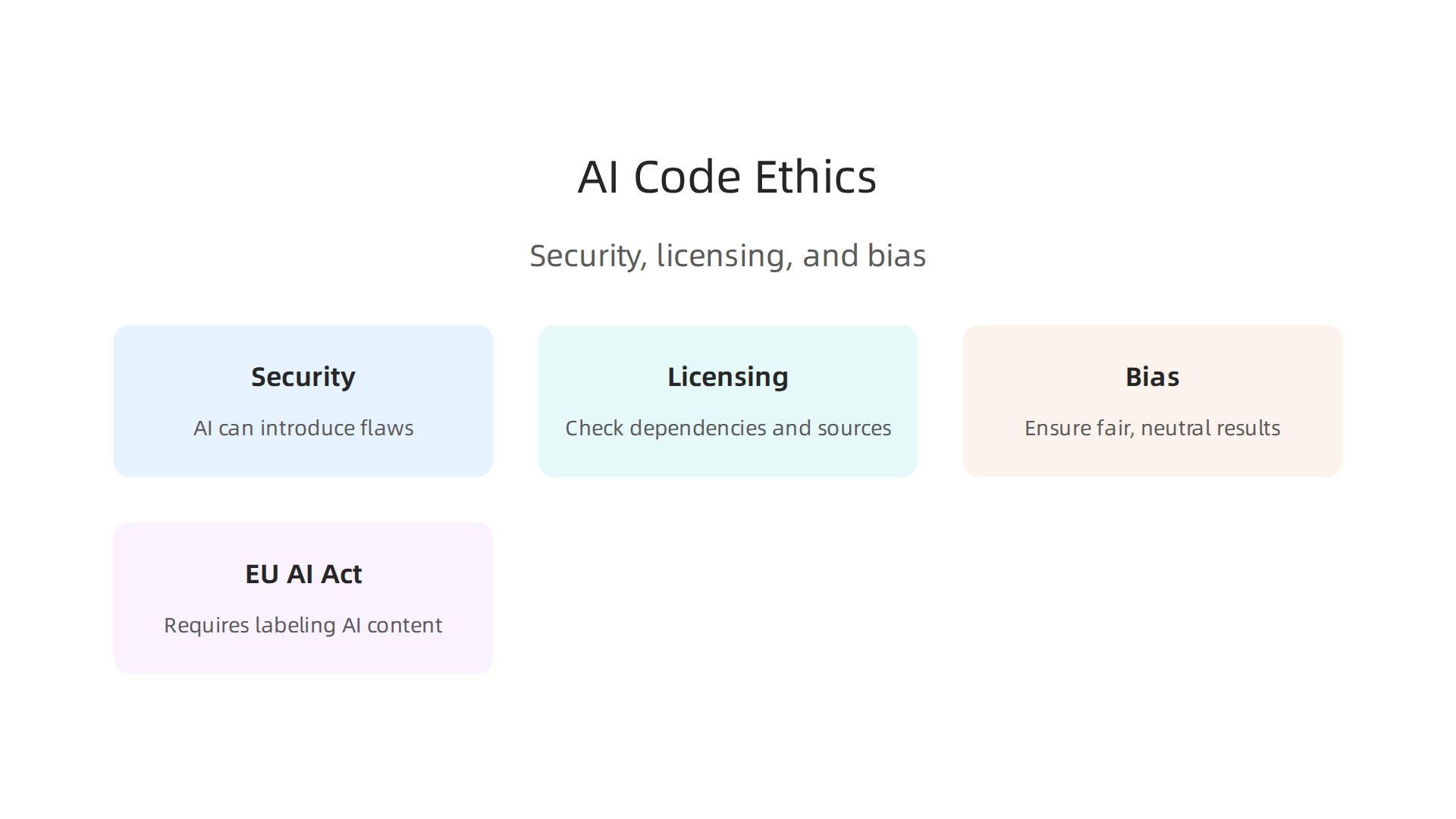
Using AI to write code is fast, but it comes with real responsibilities. Without proper oversight, AI generated code can introduce security vulnerabilities, license violations, or biased outputs.

Research on the ethics of programming with generative AI shows that transparency and accountability are critical
Ethics of Software Programming with Generative AI. As one guide puts it, code from AI tools is not automatically better than human written code, it needs just as much review Chapter 3 Ethics of Using AI.
That is where the ai to human dimension matters most. Ethical responsibility means you must ensure the final code meets quality and compliance standards. By 2026, new rules like the EU AI Act require clear labeling of AI generated content The 2026 EU AI Act and AI-Generated Code. This pushes teams to adopt rigorous testing and human review workflows.
Trust is built when you pair AI speed with human judgment. Always check for hidden biases, verify that dependencies are properly licensed, and run security scans. For teams scaling up, learning secure cloud practices is also key. Check out how modern engineering teams handle cloud operations in Your AWS Console Isn’t Enough Anymore: What You Need for Cloud Operations in 2026.
Staying informed on these ethical shifts is easier with daily updates. Get clear, curated insights on AI in tech from The Deep View Newsletter.
Future Trends: What’s Next for AI in Development?
So what comes next? The future of AI in development is already taking shape in 2026, and it looks a lot different than what we saw just a year ago. Experts agree that AI and machine learning are no longer experimental add ons. They are now core to how software gets built Software Development Trends 2026: Enterprise Technology.
One of the biggest shifts is that AI is becoming proactive. Instead of waiting for you to type a prompt, tools now suggest architectural changes and spot design flaws before you even write a line of code. This makes the ai to human interaction feel more like a conversation with a senior engineer who is always watching your back.
Multimodal AI is another game changer. These systems combine code, diagrams, natural language, and even voice. You can sketch an idea on a whiteboard, snap a photo, and watch AI translate it into working software. The ai to human barrier keeps getting thinner, which means skills like prompt engineering and comfort with no code ai platforms become essential.
Further out, AI may start handling project management tasks, like tracking progress, estimating effort, and assigning work. But here is the thing: human decision making remains irreplaceable. You bring context, empathy, and strategic thinking that no algorithm can copy.
To thrive in this landscape, focus on learning how to guide AI effectively. Explore platforms that teach prompt engineering and no code ai workflows. For a deeper dive into these skills, check out Top No-Code Machine Learning Platforms and Prompt Engineering Tips for 2026.
And for daily curated insights that cut through the noise, The Deep View Newsletter delivers clear, actionable news on AI and tech every day.
Real-World Case Studies: AI in Action
All this talk of future trends is exciting, but real companies are already using AI to bridge the ai to human gap. Take a midsize fintech firm that rolled out cluely ai to help its developers generate unit tests. They struggled at first because the tool kept suggesting tests for edge cases that didn’t exist. The fix? They trained their team on prompt engineering basics. Once developers learned to describe the context clearly, the AI output became useful. The result was a 40% drop in manual test writing time.
Another example: a retail startup adopted a no code ai platform for its product managers. Instead of waiting for engineers to build simple data models, non technical staff could use drag and drop tools to predict inventory needs. The key was setting clear boundaries around what the AI could do alone versus what required a human review. As one expert notes, AI generated code needs just as much human oversight as code written by people Ethical Considerations in AI Code Generation. This kind of structured ai to human collaboration built trust across the whole team.
If you want to see how teams are deploying these workflows today, check out this guide on AWS SageMaker in 2026 for a hands on example. And to keep learning from real world cases like these, The Deep View Newsletter delivers daily, practical AI insights straight to your inbox.
Case Study: Automated Testing at Acme Corp
Acme Corp used AI to generate unit tests for a legacy codebase. They hit 80% coverage in half the time. But the AI missed critical business logic in some areas. That is where the ai to human balance comes in. Every test needed human validation to match real requirements. As experts note, AI-generated code needs just as much review as human-written code Ethical Considerations in AI Code Generation. Teams that succeed invest in prompt engineering to set clearer context from the start. If you want to sharpen your own prompting skills, this guide on prompt engineering tips for 2026 has practical advice.
Case Study: AI Pair Programming at Startup X
Startup X rolled out AI pair programming across its whole team. The result? 30% faster feature delivery. But speed alone wasn’t enough. They invested heavily in prompt engineering training to improve AI output quality and cut down on back-and-forth edits. Even with better prompts, the team still needed human review to catch subtle bugs and business logic gaps. That ai to human balance kept code quality high. For more on refining your prompts, check out this guide on prompt engineering tips for 2026. As experts note, AI-generated code requires just as much oversight as human-written code Ethical Considerations in AI Code Generation. Want daily AI insights to stay ahead? Subscribe to The Deep View Newsletter for clear, curated updates.
Summary
This article explains the