Introduction
Infrastructure as Code (IaC) keeps changing fast. In 2026, teams need to build and manage cloud resources without getting stuck in manual setups. That’s where AWS CDK comes in. It lets you define your cloud infrastructure using the same programming languages you already know, like TypeScript, Python, or Java. Instead of writing long YAML templates, you write real code that describes your servers, databases, and networks.

This approach boosts productivity and cuts down on errors.
The official AWS CDK guide explains how CDK turns your code into CloudFormation stacks, handling deployments and rollbacks automatically.
It’s become a go-to tool for AWS Amazon teams because it feels natural to developers and reduces the learning curve. In fact, the CDK community is highly active, with over 150 pull requests in early 2026 alone, bringing new features for services like EKS and ECS.
Whether you’re working on a project cloud setup, exploring laravel cloud deployments, or just want to manage your AWS resources more efficiently, CDK has something for you. This guide covers the core concepts, the growing ecosystem, best practices, and the future trends shaping AWS CDK in 2026. If you want to stay on top of AI and cloud developments daily, check out The AI Newsletter Worth Reading. It delivers clear, practical updates straight to your inbox. For more on AWS innovations, also read our aws re:Invent 2026 key announcements piece.
What Is AWS CDK? Core Concepts and Architecture
At its heart, AWS CDK is an open-source framework that lets you define your cloud infrastructure using the same programming languages you already know. Think of it as a smart translator. You write your infrastructure logic in TypeScript, Python, Java, or another supported language, and CDK turns that code into CloudFormation templates behind the scenes. This means you get the power of programming constructs like loops, conditionals, and functions while managing your AWS resources. It feels more natural than writing long YAML files by hand.
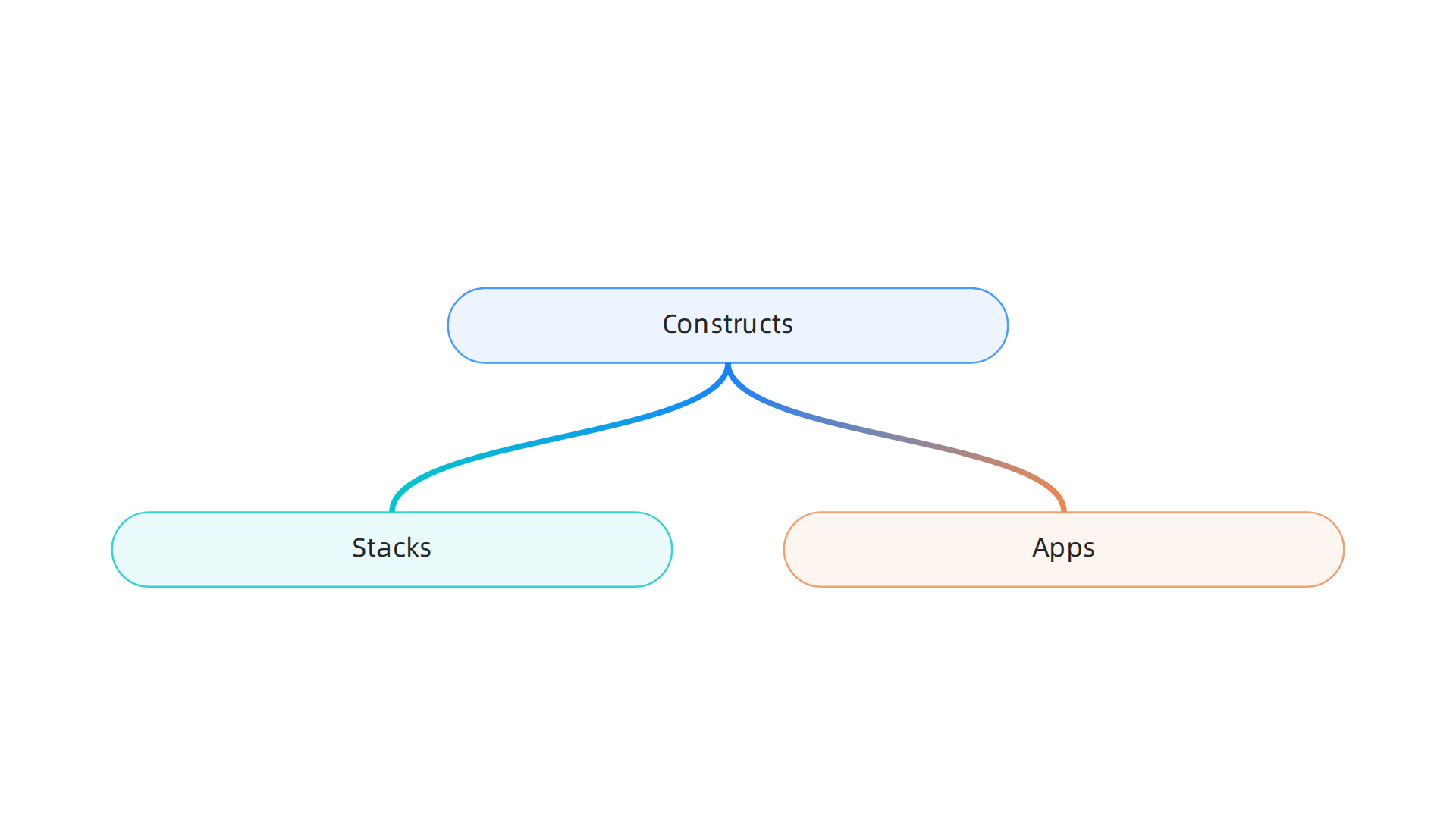
The framework is built on three main building blocks: constructs, stacks, and apps.
-
Constructs are the core of CDK. They represent a cloud resource or a group of resources. You can use low-level constructs (called L1) that map directly to AWS CloudFormation resources, or higher-level constructs (L2 and L3) that come with sensible defaults and less code. For example, an L2 construct for an S3 bucket sets up encryption, versioning, and access policies automatically. The AWS CDK Community Update: Jan/Feb 2026 highlights how the community contributed over 150 pull requests, adding new constructs for services like EKS and Bedrock.
-
Stacks are the deployment units. Each stack maps to a CloudFormation stack and contains a set of constructs that are deployed together. You can have multiple stacks in one project, each representing a different environment like development, testing, or production.
-
Apps are the top-level containers that hold one or more stacks. You define your app, add stacks to it, and then synthesize everything into a CloudFormation template.
Here’s a simple example: you write a Python class that extends Stack. Inside, you add an S3 bucket construct and a Lambda function construct. When you run cdk synth, CDK generates a CloudFormation template. Then cdk deploy pushes that template to AWS and provisions all the resources. This process is repeatable, version-controlled, and easy to review.
One big advantage is that you can apply software engineering best practices to your infrastructure. You can write unit tests for your constructs, run code reviews, and share reusable patterns across your team. For more on how these workflow improvements fit into the bigger picture, check out our guide on developer experience in 2026.
AWS CDK also integrates tightly with AWS CloudFormation. This means you get built-in rollback on errors, resource dependency management, and change sets. In early 2026, AWS introduced express mode, which cuts deployment time by up to four times by skipping extended stabilization checks. That’s a huge win for teams iterating quickly on their project cloud or laravel cloud setups.
So whether you are managing a simple web app or a multi account aws amazon infrastructure, CDK gives you a structured, code driven way to build and maintain it all. The architecture is clean enough for beginners but flexible enough for advanced use cases like platform engineering.
Key Benefits of Using AWS CDK Over Traditional IaC
So why would you pick AWS CDK over writing raw YAML or using another tool like Terraform? The benefits stack up quickly, especially for teams who already write code for a living.
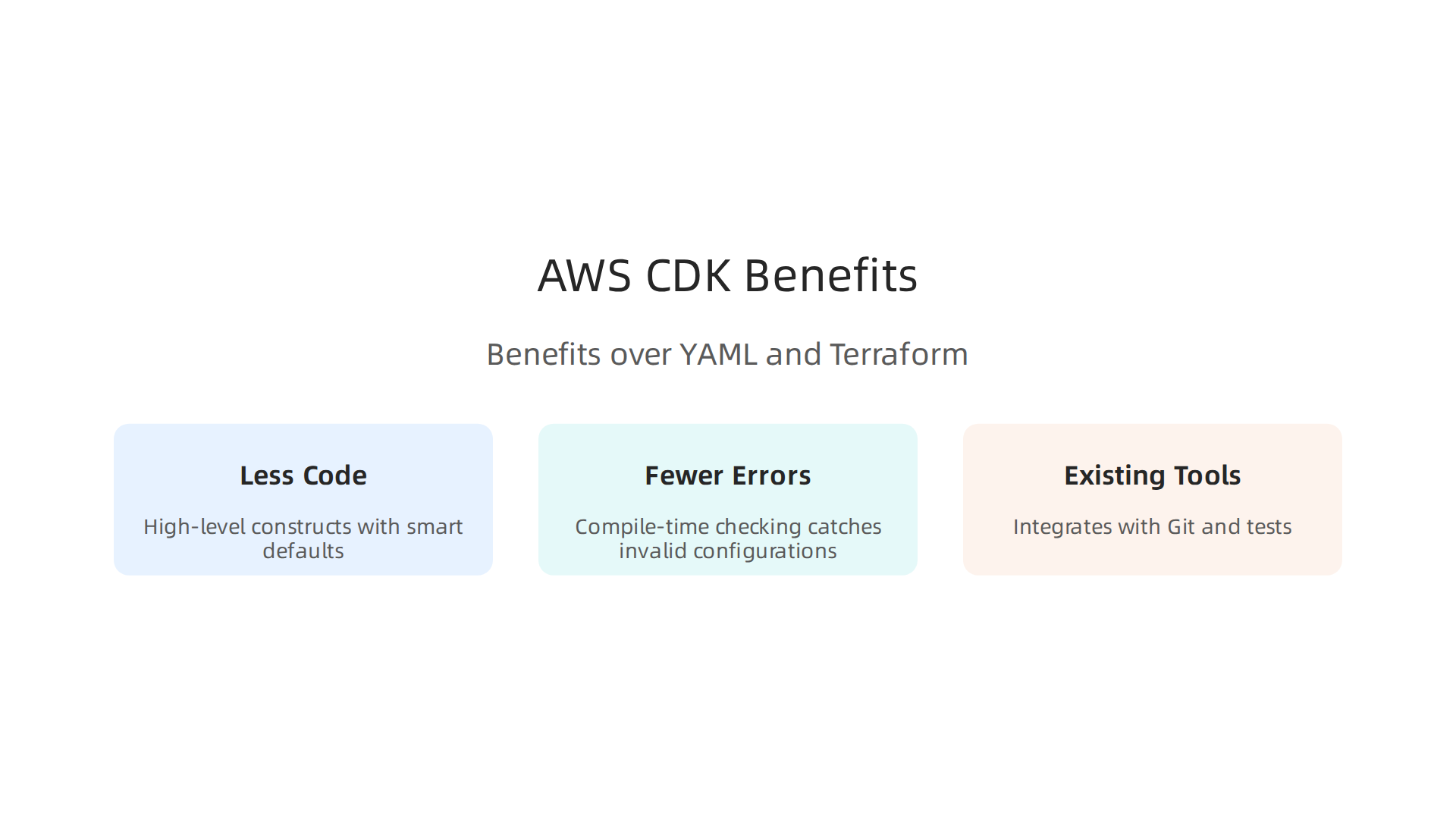
You write less code, and the code you write does more. High-level constructs (L2 and L3) come with smart defaults out of the box. You don’t need to configure encryption, logging, or security groups from scratch every time. An L2 S3 bucket construct sets up best practices automatically. That means you ship features faster and spend less time reading documentation. According to the Best practices for scaling AWS CDK adoption within your organization guide, enterprises use these reusable constructs to enforce security policies and compliance across teams without extra effort.
Fewer errors make it to production. Because you write infrastructure in a real programming language, you get compile-time checking. Typos, missing properties, and invalid configurations get caught before you ever run a deployment. Compare that to YAML, where a single indentation mistake can fail a stack after minutes of waiting. Your IDE also helps with autocomplete, inline documentation, and syntax highlighting. Teams adopting CDK report fewer rollbacks and more confidence during releases.

Your existing tools and workflows work with CDK. You use Git for version control. You write unit tests with frameworks like Jest or pytest. You run code reviews on pull requests. All of this applies to your infrastructure code too. That integration with testing frameworks improves the whole developer experience. For more on how these workflow improvements are changing the engineering landscape, check out the AWS re:Invent 2026 announcements coverage on our site.
One more thing. If you want to stay ahead of fast-moving changes in cloud infrastructure and AI tools, there is a daily resource that delivers exactly that. The AI Newsletter Worth Reading gives you clear, practical updates so you never miss what matters for your stack.
The AWS CDK Ecosystem: Libraries, Construct Hub, and Community
AWS CDK is not just a single tool. It is a whole ecosystem built around reusable infrastructure components. The heart of this ecosystem is the Construct Hub, a central place where you can discover constructs built by AWS, third-party companies, and the open-source community.
The Construct Hub is your starting point for finding ready-made infrastructure. It hosts thousands of open-source construct libraries that work with AWS CDK, CDK for Terraform, and CDK for Kubernetes. You can browse the Construct Hub to find libraries for services like monitoring with Datadog, security with Aqua Security, and databases with MongoDB.
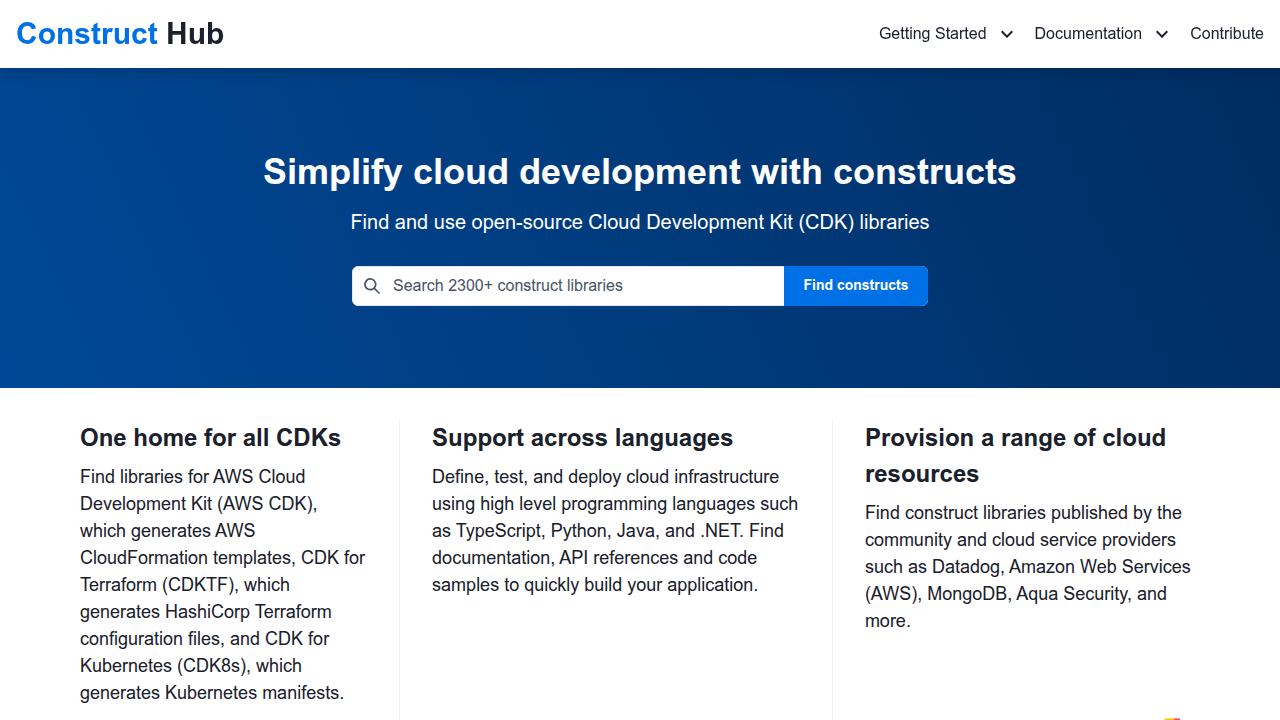
Instead of writing everything from scratch, you pull in a community-validated construct and move on to the harder problems. This saves your team days of boilerplate work on every project.
Third-party libraries extend CDK far beyond AWS services. The AWS documentation on AWS CDK constructs shows how you can use constructs from the AWS Construct Library, but the community has gone further. Libraries on the Construct Hub let you manage Kubernetes manifests through cdk8s, define Terraform resources through CDKTF, and add observability layers with Datadog constructs. That means your team can use one consistent programming model across AWS, Kubernetes, and third-party services. You write the same patterns whether you are deploying a Lambda function or a monitoring dashboard.
Tools like projen and cdk8s expand the ecosystem even more. Projen helps you scaffold and manage CDK projects with built-in best practices for CI/CD, testing, and dependency management. Cdk8s lets you define Kubernetes applications using the same construct model, so your team can use familiar CDK patterns for container orchestration. The projen documentation for CDK construct libraries includes a dedicated project type for building and publishing your own reusable infrastructure. This makes it simple to share internal best practices across your whole organization.
For teams looking to improve their overall developer workflow, understanding the broader engineering technology trends in 2026 is a natural next step. The CDK ecosystem keeps growing, and staying current with where the community is heading helps you make smarter infrastructure choices every day.
Best Practices for Production‑Ready AWS CDK Applications
So you have built an AWS CDK application. It works on your laptop. But is it ready for production? Not yet. Production‑ready apps need structure, testing, and clear practices. Here are the best practices that real teams use in 2026.
Organize your code with shared construct libraries and clear separation of concerns. Instead of putting everything in one giant stack, break your infrastructure into reusable constructs. Group related resources together. For example, create a VpcStack and a DatabaseConstruct that can be shared across projects. The AWS CDK libraries organization shows how AWS itself structures modules by service. Follow that pattern. When you need the same pattern in multiple places, extract it into a library. This keeps your code clean and makes it easier for new team members to understand.
Implement comprehensive testing using CDK assertions and snapshot testing. The fastest way to catch mistakes is to test your infrastructure code the same way you test application code.

CDK provides assertion utilities that let you check if a stack creates the expected number of resources. Snapshot testing goes further: it compares your generated CloudFormation template against a stored snapshot. If you accidentally change something, the test fails. Teams run these tests in CI pipelines to catch issues before deployment. The tips on building CDK construct libraries include practical advice on structuring tests for maximum coverage.
Follow naming conventions, tagging strategies, and version control practices. Consistent resource naming saves hours of debugging. Decide on a pattern like {Project}-{Environment}-{Resource} and stick to it. Tag every resource with at least Project, Environment, Owner, and CostCenter. This makes cost tracking and incident response much easier. For version control, treat your CDK code like any other application code. Use feature branches, pull requests, and semantic versioning for your shared libraries. Improving your overall developer experience in 2026 means applying these software engineering best practices to your infrastructure as well.
Following these practices turns a working prototype into a reliable system that your team can maintain and scale. The field keeps evolving though. If you want to stay current with the latest in cloud and AI trends without the noise, The AI Newsletter Worth Reading delivers clear daily updates that help you make smarter decisions.
Integrating AWS CDK with CI/CD Pipelines
Now your CDK code is well organized and tested. The next step is automating deployments so every commit goes through the same reliable process. That is where continuous integration and continuous delivery (CI/CD) pipelines come in. The best part is that AWS CDK has a built in solution called CDK Pipelines that makes this surprisingly easy.
CDK Pipelines creates a self-mutating pipeline. When you define your pipeline using the CDK Pipelines module, the pipeline can update itself automatically as your infrastructure code changes. This means you never have to manually update pipeline configuration. The official guide on continuous integration and delivery using CDK Pipelines explains how to set this up step by step.
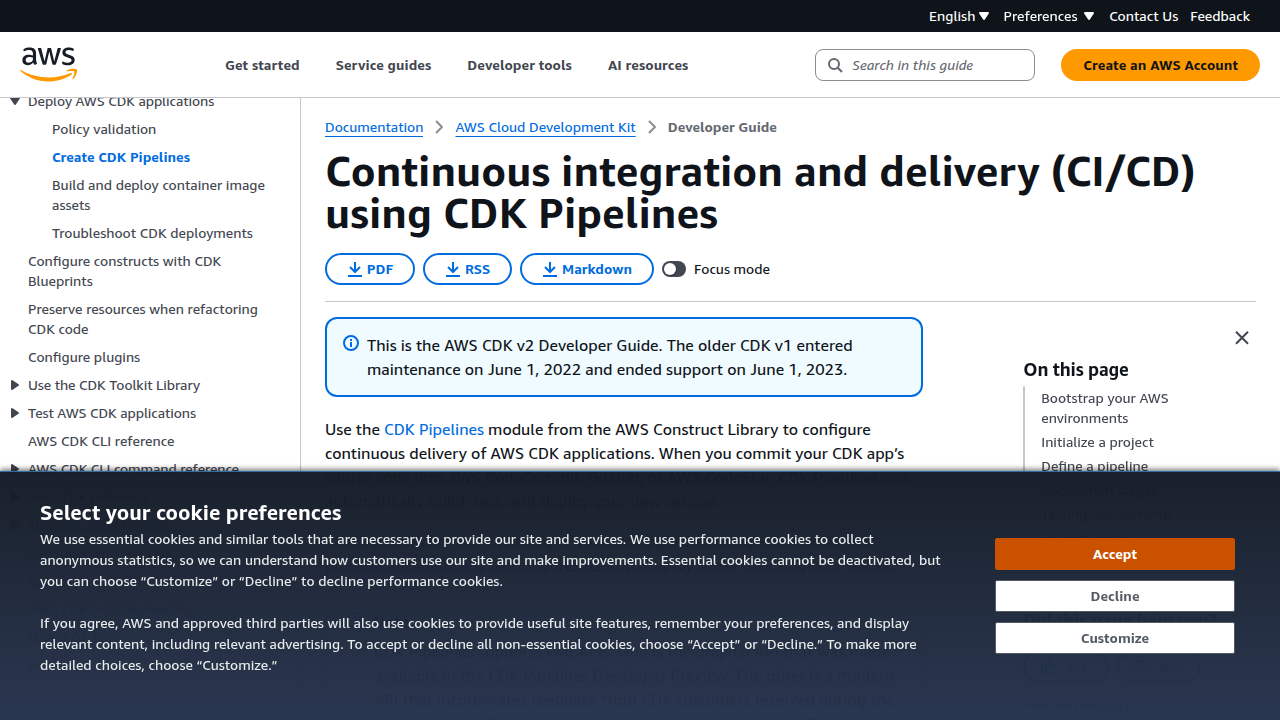
You define the pipeline, add stages, and the rest happens automatically.
CDK integrates with many CI/CD tools. While CodePipeline is the most natural choice on AWS, you are not stuck with it. The CDK Pipelines module works with GitHub Actions, GitLab CI, and Jenkins too. This flexibility means your team can keep using the tool they already know. A great real world example is the CI/CD pipeline for .NET Lambda functions with AWS CDK Pipelines blog post, which walks through setting up stages with manual approval for production.
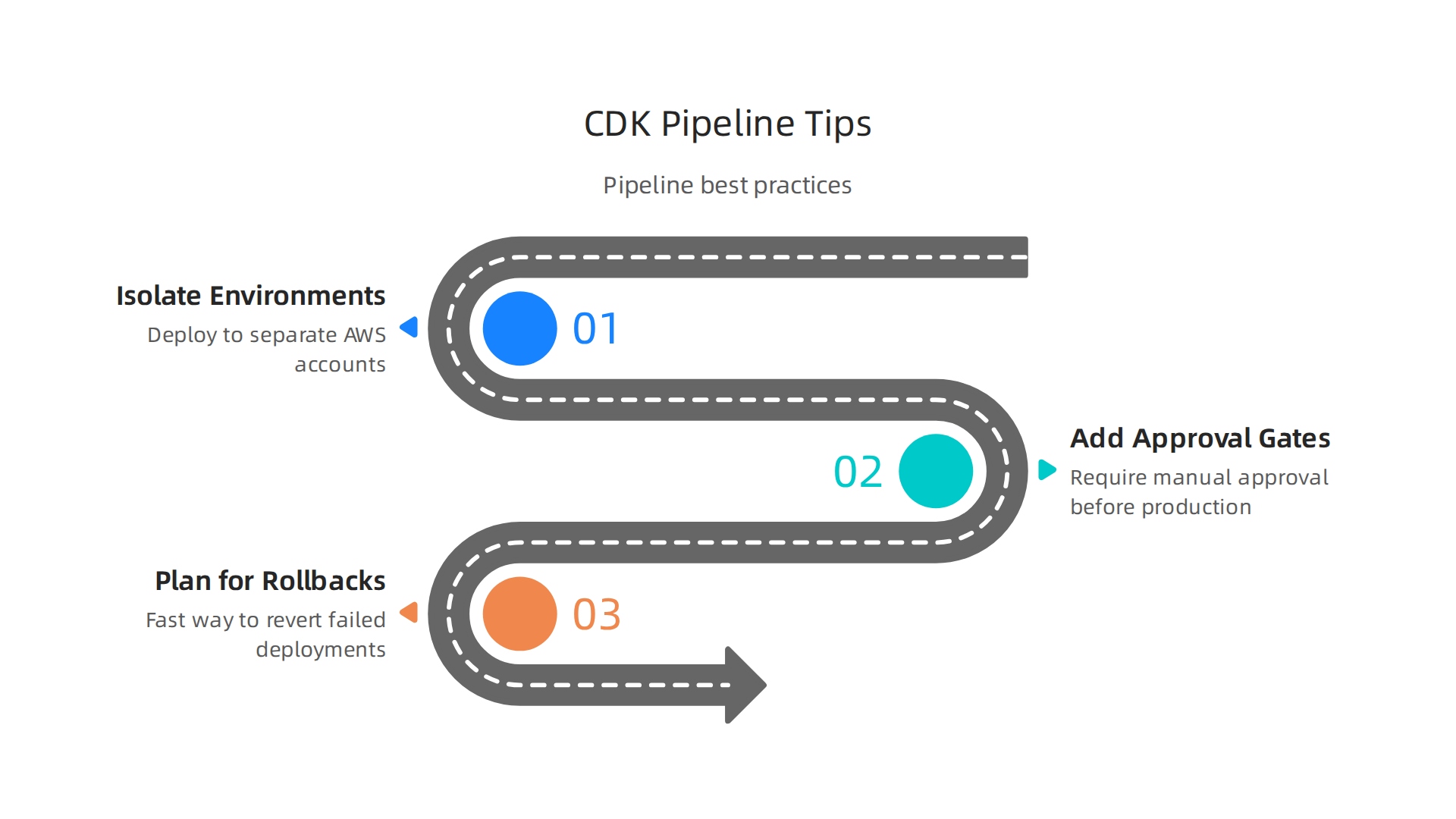
**Follow these best practices for production pipelines:
**
- Isolate environments. Deploy to separate AWS accounts or accounts for development, testing, and production. This prevents accidents in one environment from affecting another.
- Add approval gates. Before deploying to production, require a manual approval step. This lets a senior engineer review the change before it goes live.
- Plan for rollbacks. If a deployment fails, you need a fast way to revert. CDK Pipelines makes rollback straightforward by redeploying the previous version.
These practices turn your pipeline into a reliable, hands off system. Want to see how other engineering teams are building smarter cloud workflows? Check out our guide on cloud operations in 2026.
Security and Compliance Considerations for CDK Deployments
Now that your pipeline is running smoothly, you cannot ignore security. Every deployment brings risk if your AWS CDK code does not follow security best practices. The good news is that CDK includes built-in tools to help you stay safe and compliant without extra hassle.
Start with least-privilege IAM policies. When you define roles and permissions in your CDK stacks, always give the minimum access needed. The iam.PolicyStatement construct lets you specify actions and resources with precision. This reduces the blast radius if something goes wrong. To level up your DevOps skills, check out how the AWS DevOps certification still matters in 2026 for mastering these security principles.
Automate compliance checks in every deployment. You can use tools like cdk-nag to enforce rules before your pipeline deploys anything. cdk-nag checks your CDK code against well-known security frameworks and flags violations early. The prescriptive guidance on setting up a CI/CD pipeline with security checks shows how to include a dedicated security stage in your pipeline. This catches misconfigurations before they reach production.
Encrypt everything by default. CDK makes it easy to add encryption for data in transit and at rest. Use the aws_kms.Key construct to create customer managed keys for your S3 buckets, DynamoDB tables, and other resources. The CDK Pipelines module even supports cross-account keys for encrypted artifact buckets, which is critical when deploying across multiple environments.
Security is not a one-time setup. It is a continuous habit. Stay on top of the latest security trends and CDK best practices by subscribing to The AI Newsletter Worth Reading. It delivers daily insights on cloud security, AI, and infrastructure so you never miss a crucial update.
AWS CDK vs. Terraform CDK vs. Pulumi: A 2026 Comparison
Now that you know how to secure your CDK deployments, it’s time to look at the bigger picture. Which infrastructure as code (IaC) tool should your team use in 2026? Three options lead the conversation: AWS CDK, Terraform (and its now deprecated CDK for Terraform), and Pulumi. Each takes a different approach, and the right choice depends on your cloud strategy, team skills, and how much you value multi-cloud flexibility.
AWS CDK stays the best bet for AWS-only teams. It offers deep native integration with all Amazon Web Services. You get a mature construct library with L1, L2, and L3 abstractions that cut the amount of code you write. If your entire infrastructure lives inside AWS, CDK gives you the fastest onramp, automatic rollback through CloudFormation, and built-in testing. The tradeoff is that you are locked into AWS. There is no official way to manage resources in other clouds with the same tool.
Terraform CDK (CDKTF) was a bridge that no longer exists. HashiCorp deprecated CDKTF in December 2025. It let you write Terraform configurations in programming languages like TypeScript and Python, but it is no longer maintained. If you were considering CDKTF for multi-cloud work, the better path now is either pure Terraform with HCL or Pulumi. Terraform itself remains strong for multi-cloud, compliance-heavy environments. Its HCL language is declarative, and its plan and apply workflow with state management is mature. The Spacelift comparison of AWS CDK vs. Terraform explains how Terraform supports over 100 providers and works well for platform teams that need a single workflow across multiple clouds.
Pulumi gives you real programming languages for multi-cloud IaC. If your team already writes TypeScript, Python, Go, C#, or Java, Pulumi lets you use those same languages to define infrastructure. No DSL to learn. No context switching. Pulumi calls AWS APIs directly, supports over 80 providers, and includes built-in policy-as-code. It is a strong choice for developer-heavy teams that move fast and need to manage resources across AWS, Azure, Google Cloud, and SaaS platforms. The detailed guide on Terraform vs. Pulumi vs. AWS CDK shows that Pulumi also reduces external tooling dependencies because it packs secrets encryption and policy rules right into the platform.
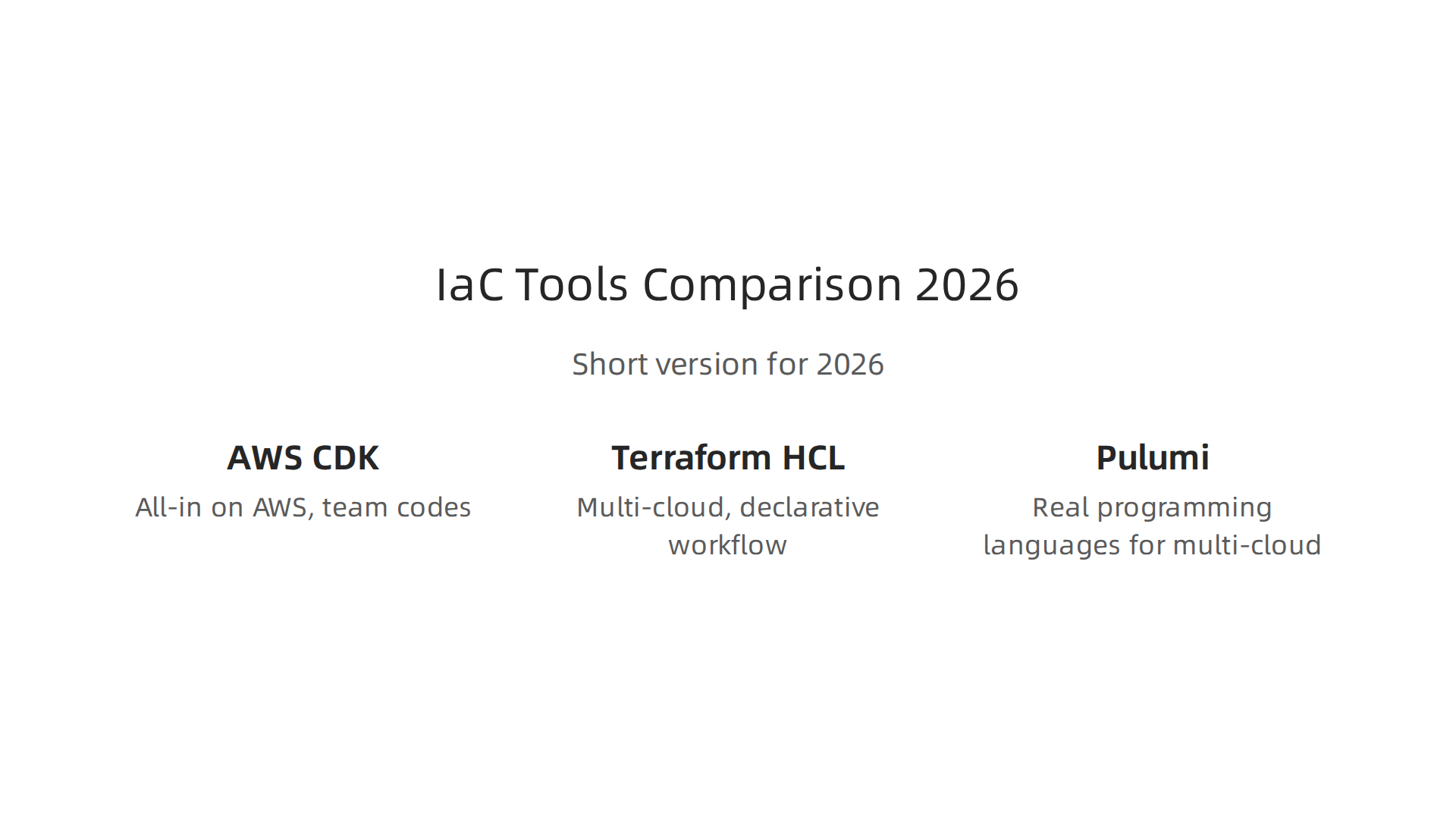
**Here is the short version for 2026:
**
- AWS CDK if you are all-in on AWS and your team codes. You get the richest abstractions for serverless and containers.
- Terraform (HCL) if you are multi-cloud, compliance-driven, and prefer a declarative workflow.
- Pulumi if you want real programming languages for multi-cloud infrastructure and want built-in governance.
No single tool wins across every situation. The best choice comes down to your team’s languages, your cloud footprint, and how much you value native integration versus portability. To explore how these decisions fit into broader engineering workflows, check out this practical developer experience 2026 roadmap that covers tool selection and team productivity.
AWS CDK and AI: Code Generation, Optimization, and Automation
One of the biggest changes in how teams use AWS CDK in 2026 is the rise of AI-powered tools. Amazon Q Developer, AWS’s AI assistant, can now generate CDK code straight from natural language prompts.

You describe what you need like "create a VPC with public and private subnets across three availability zones" and Amazon Q writes the CDK constructs for you. This cuts down the time you spend looking up API docs and writing boilerplate. It also helps newer team members contribute to infrastructure without knowing every CDK pattern by heart.
This works well because CDK synthesizes to CloudFormation templates. A detailed look at how CDK generates CloudFormation templates shows why this architecture makes it easier for AI to reason about your infrastructure.
AI also helps with optimization and drift detection. Tools can scan your CDK stacks and suggest cheaper resource types, right-size instances, or flag configurations that break best practices. When your deployed infrastructure drifts from the CDK template, AI-powered analysis spots the differences and suggests fixes. This keeps your cloud environment closer to what your code describes. For a broader look at how AI assistants reshaping developer workflows, the trend goes well beyond CDK.
Automated refactoring is another emerging use case. AI tools can review your existing CDK code and suggest better construct patterns, move you from L1 to L2 constructs, or clean up deprecated APIs. Testing also gets a boost. AI can generate unit tests for your CDK stacks and integration tests for the CloudFormation outputs. This means you catch configuration errors before you deploy.
If you want to stay on top of how AI is changing developer workflows every day, a focused AI newsletter can help. The Deep View Newsletter delivers clear daily AI updates to your inbox. Check out The AI Newsletter Worth Reading for practical insights on tools like Amazon Q and broader trends affecting software engineering.
Advanced Topics: Multi‑Environment and Cross‑Account CDK Patterns
Once you have your core stack working, you need to handle multiple environments like dev, staging, and prod. The best practice is to keep these environments in separate AWS accounts. This gives you clear isolation so that experiments in dev never break production. You can set this up with a static approach where each environment has its own CDK app, or a dynamic approach where a single app uses context to switch between environments. A detailed breakdown of static vs dynamic stack creation helps you choose the right pattern based on team size and how often you spin up ephemeral environments.
Cross-account deployments require careful IAM setup. The usual pattern is to have one central "tools" account that holds your CI/CD pipeline. That pipeline assumes a cross-account IAM role in each target account (dev, staging, prod) to deploy stacks. The target account also has a CloudFormation execution role that limits what resources can be created. This keeps permissions tight. AWS provides a solid reference architecture for cross-account and cross-region deployment using GitHub Actions and AWS CDK that walks through setting up these roles.
To make your configuration dynamic, use CDK Context. You can store environment-specific values like instance sizes, database names, or VPC CIDR blocks in the cdk.json file under the context key. Then your stack code reads this.node.tryGetContext('envName') to pull the right settings. You can also pass context values through the command line with --context env=prod. This keeps your infrastructure code identical across environments while the config changes. It’s a clean separation of concerns that reduces mistakes.
If your team is adopting multi-account strategies, you might also want to check out this guide on context engineering for agile and DevOps teams to make your deployments even smoother.
Summary
AWS CDK lets teams define AWS infrastructure using familiar programming languages instead of long YAML templates, turning code into CloudFormation stacks for repeatable, versioned deployments. This article explains CDK’s core building blocks—constructs, stacks, and apps—and shows how high‑level constructs reduce boilerplate while enabling compile‑time checks and unit testing. You’ll learn how the Construct Hub and tools like projen and cdk8s expand reuse across AWS, Kubernetes, and third‑party services, and how CDK Pipelines automates safe CI/CD with cross‑account patterns and approval gates. The guide covers production best practices: modular construct libraries, naming and tagging conventions, snapshot testing, and security measures like least‑privilege IAM, cdk‑nag, and default encryption. It compares CDK with Terraform and Pulumi so you can pick the right tool for your cloud strategy, and describes emerging AI features—automatic CDK code generation, drift detection, and automated refactoring—that speed tasks and reduce errors. After reading, you’ll know how to structure, test, secure, and automate CDK applications for multi‑environment production use in 2026.