
The world of cloud computing is massive and still growing. In 2026, experts say the global cloud market will be worth over a trillion dollars and keep growing much larger in the years to come Cloud Computing Market Size And Share Report, 2026-2033. For engineering teams, this means a lot of power is available, but also a lot of choices.
Many teams struggle to match what their business needs with the right cloud services examples. It can be tricky to know which tool or platform is best.

You might wonder if you should use specialized tools like SAP Cloud solutions for your business software, or tiny pieces of code that run only when needed, like AWS Lambda. It’s also vital to pick the right service for things like keeping your data safe, such as with Azure Backup. Sometimes, it feels tough to really take command of your cloud strategy. Making the wrong choice can waste time and money.
This guide is here to help you understand the main types of cloud services. We will show you practical cloud services examples and clear ways to decide what’s best for your projects. Our goal is to make it easier for your team to pick the right tools and keep your projects running smoothly.
Want to stay on top of other tech trends? Get clear daily AI updates from The Deep View Newsletter to make smart choices about technology and stay ahead. Learning how to make Strategic Choices for Developer Tools and Cloud Platforms in 2026 is more important than ever.
When we talk about cloud services, one of the most important types is "compute." Compute services are basically the raw processing power you need to run your applications and programs. Think of it as having many computers ready for you to use over the internet. These are core cloud services that handle the heavy lifting for many tasks Core Cloud Services.
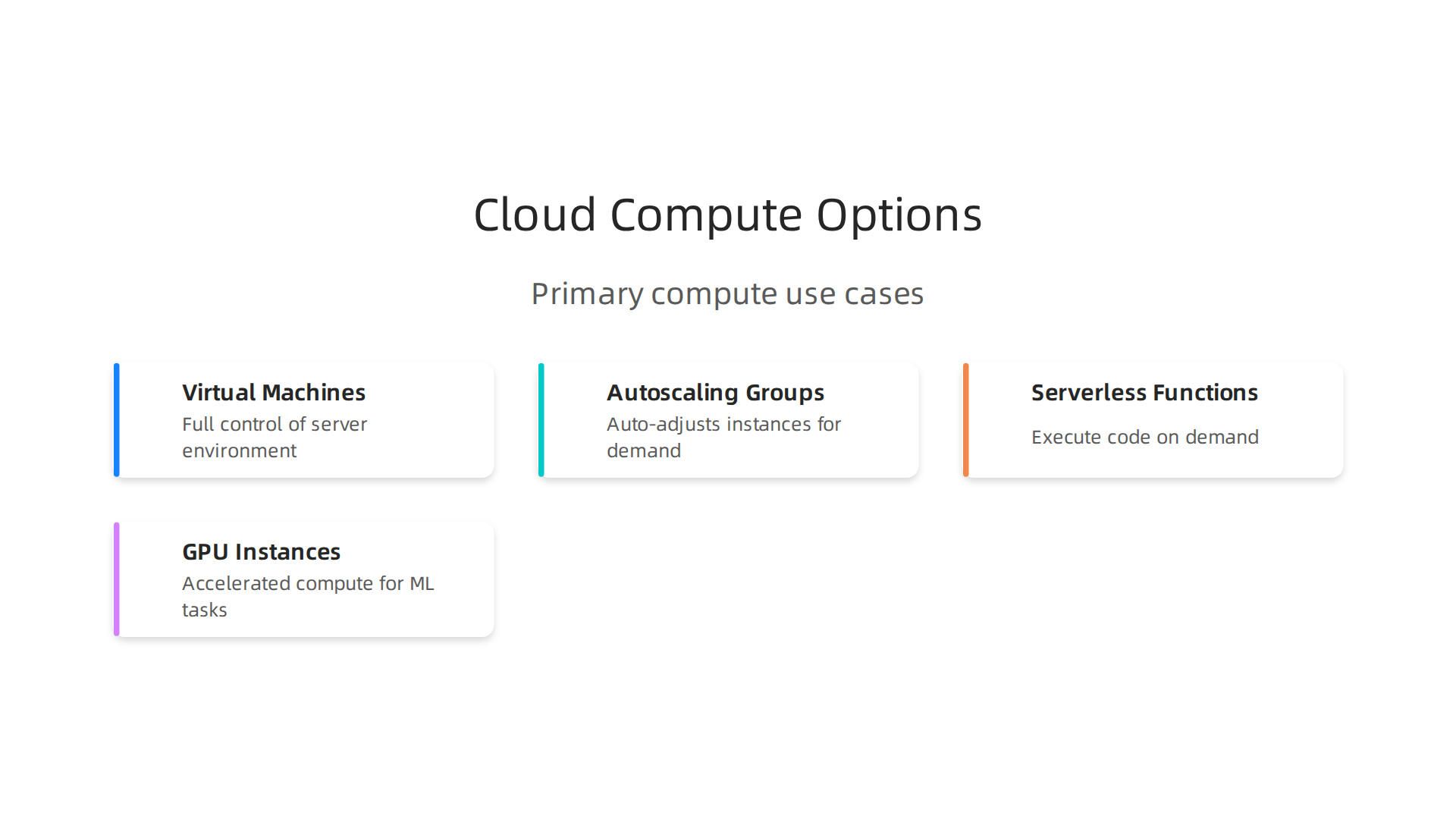
Let’s look at some key cloud services examples in compute.
Virtual Machines (VMs)
Virtual Machines, or VMs, are like having your own computer in the cloud. You get to pick the operating system and install your software, just as you would on a physical computer. With VMs, you have a lot of control over the settings. They are a good choice for applications that need to run all the time, or for tasks where you need very specific software setups. Many companies use them for big business applications or for testing new tools.
When to use VMs:
- You need full control over the server environment.
- Your application has a steady workload that runs 24/7.
- You need to install specialized software that requires specific system settings.
The main benefits are high control and often a more predictable cost if your usage is constant. The drawback is you have more "operational overhead," meaning you have to manage and update the software yourself.
Managed Compute Services: Autoscaling Groups and Serverless
These options offer less hands-on management, which can be great for your team.
- Autoscaling Groups: Imagine your website suddenly gets many visitors. An autoscaling group automatically creates more VMs to handle the extra traffic, then shrinks back down when things are quiet. This helps your app stay fast without you having to constantly watch it. These are good cloud services examples for websites or apps with changing demands.
- Serverless Functions: With serverless options like AWS Lambda, you don’t even think about servers. You just upload your code, and it runs only when needed. For example, your code might run only when a new picture is uploaded to your website. You pay only for the exact time your code is running. This reduces operational overhead even more and can save money if your code only runs now and then.
When to use managed compute:
- You want less work managing servers.
- Your application’s usage changes a lot (autoscaling groups).
- You have small pieces of code that run only for specific events (serverless, like AWS Lambda).
These services offer great flexibility and help you better command cloud resources.
GPU Instances
For special kinds of work, regular computer processors aren’t enough. GPUs (Graphics Processing Units) are like super-fast calculators that are excellent at doing many complex math problems at once. This makes them perfect for things like Artificial Intelligence (AI) and machine learning.
When to use GPU instances:
- You are training AI models or running machine learning tasks.
- You need to process large amounts of data very quickly, like image or video analysis.
Using GPUs gives you huge performance boosts for these specific tasks, but they generally cost more. When deciding which compute option is best, teams should carefully consider factors like performance needs, how much control they want, how predictable the costs are, and how much "operational overhead" they are willing to take on.

Learning how engineering teams evaluate technology services to prevent failures can help you make the right choice for your projects.
After picking the right compute power, the next big thing you need to think about in the cloud is how to store your data. Just like you have different kinds of computers for different jobs, you also need different ways to save and store your information. This is where cloud storage services come in, offering various options depending on what you need to keep and how quickly you need to get to it. Cloud storage is a key part of cloud services examples because almost every application needs to save data.
Storage services: object, block, and archival storage (examples and cost trade-offs)
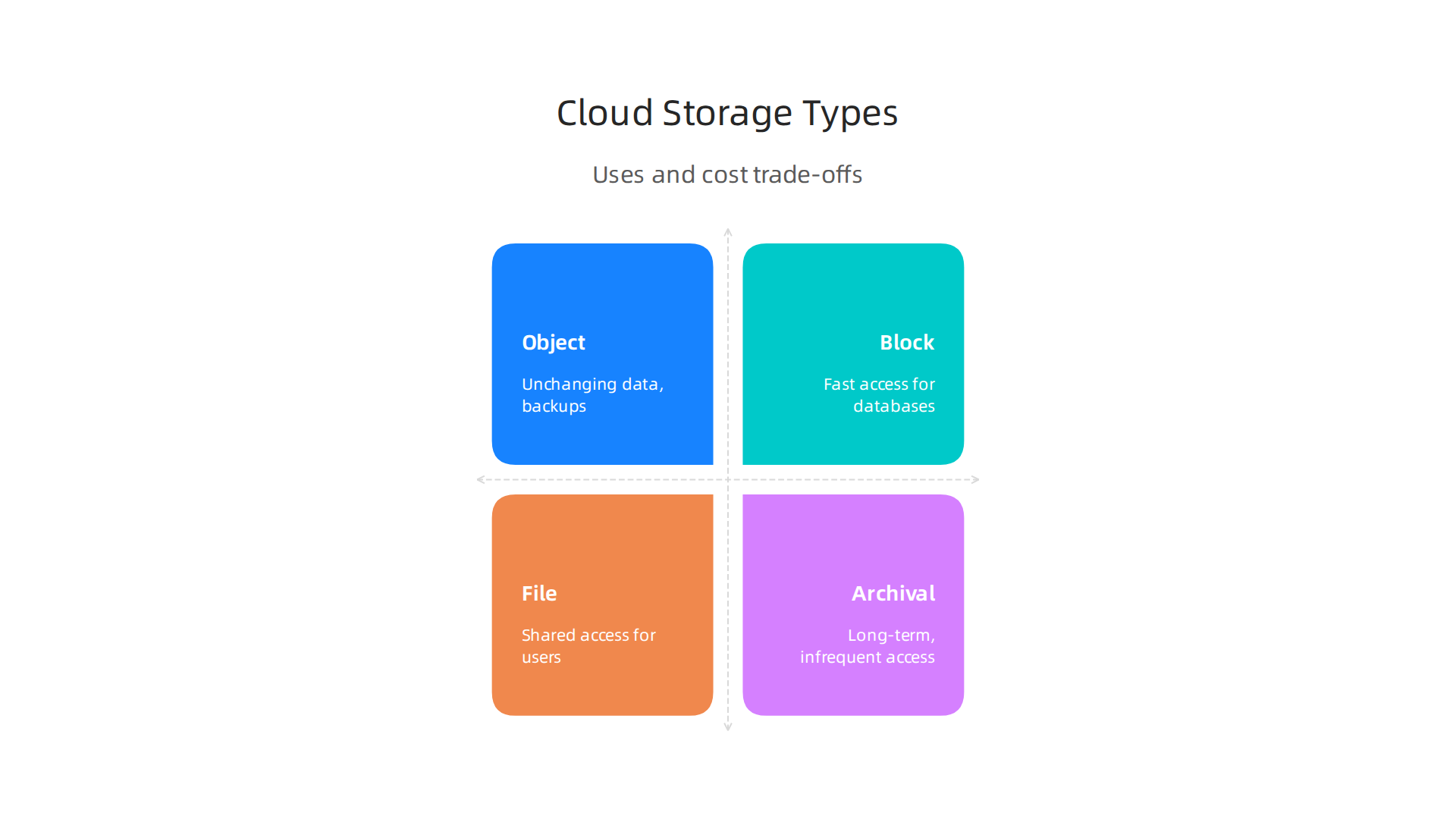
Cloud storage helps you keep all your digital files safe and ready to use. There are a few main types of cloud storage, each with its own benefits and best uses. Generally, cloud storage can be broken down into object, block, and file storage, along with a special type called archival storage Cloud storage – Wikipedia.
Object Storage
Think of object storage like a giant digital closet where you can throw in any kind of file you want: pictures, videos, documents, or even backups of whole websites. Each file, or "object," gets a special ID, and you don’t have to worry about where it’s actually stored on a server. It’s great for big files that don’t change often.
Examples: Amazon S3 (Simple Storage Service) is a very common example. You might use it to store all the photos from your phone, or for a company to keep website files, customer data, or large backups.
When to use it:
- Storing lots of unchanging data, like user-uploaded photos, video files, or backups.
- Building data lakes for big data analysis.
- Hosting static websites.
Trade-offs: Object storage is usually very cheap and can hold a huge amount of data. It’s also very reliable. The main thing is that it’s not the fastest for getting to single pieces of data right away, like a computer program needs to save and load quickly. It has higher latency, meaning a slight delay before data starts to move.
Block Storage
Block storage is more like a hard drive inside a computer. It breaks data into fixed-size "blocks" and stores them without any extra information about what the data is. This kind of storage works best for specific applications, like databases, that need to read and write small pieces of data very, very fast.
Examples: Amazon EBS (Elastic Block Store) and Azure Disk Storage are common examples. When you set up a Virtual Machine in the cloud, it often uses block storage as its main hard drive.
When to use it:
- For databases that need quick access to information.
- For the main drives of virtual servers (VMs).
- Applications that require very low latency and high throughput (how much data can move at once).
Trade-offs: Block storage is much faster than object storage and has lower latency. However, it’s typically more expensive, and you usually have to attach it to a specific compute instance. It also requires more hands-on management.
File Storage
File storage works just like the shared folders you might have at work or on your home computer. It organizes data into files and folders, and multiple users or applications can access the same files at the same time. This is very useful for teams who work on shared projects.
Examples: Amazon EFS (Elastic File System) or Azure Files are good examples of cloud-based file storage. Many businesses use these for shared documents or central storage for applications.
When to use it:
- Shared files and folders across many users or applications.
- Content management systems.
- Home directories for cloud-based workplaces.
Trade-offs: File storage is user-friendly because it’s familiar. It offers good performance and allows multiple connections. It’s generally more expensive than object storage but can be cheaper than block storage, depending on usage.
Archival Storage
Archival storage is for data you don’t need to access often, maybe only once a year or even less. Think of it like a deep storage vault. It’s the cheapest option, but it takes a long time (hours or even days) to get your data back when you need it. This makes it perfect for long-term backups or data that needs to be kept for legal reasons.
Examples: Amazon Glacier and Azure Archive Storage are services designed for this purpose. You might use them to store old financial records, long-term legal documents, or very old project files. Consider using this for long-term backups, perhaps in conjunction with services like Azure Backup.
When to use it:
- Long-term data retention for compliance or regulatory needs.
- Infrequently accessed backups.
- Historical data that might be needed in the future but not quickly.
Trade-offs: It’s the most cost-effective storage for data you don’t need often. The biggest drawback is the high retrieval time and sometimes a cost for retrieving data.
Choosing the right type of cloud storage means thinking about how fast you need to get your data, how much data you have, and how much you’re willing to pay.
Each type of storage offers different levels of durability (how likely your data is to be safe over time) and performance. Making smart choices here can help you better manage and build a web portal or any other cloud application.
Keeping up with all the different cloud services and how they work can be a challenge, especially with new developments happening all the time. Getting quick updates on AI and other tech trends can help you make better decisions for your projects.
Get clear daily AI updates from The AI Newsletter Worth Reading.
After you figure out where to keep your files, the next big thing for many cloud applications is managing the actual information itself. This is where cloud providers offer special services called "managed databases and data services." These services help you store, organize, and use your data without you having to worry about setting up or taking care of the database servers yourself. They are great examples of how cloud services make complex tasks easier.
Think of it like this: instead of buying and fixing your own filing cabinets, the cloud company gives you a ready-to-use system that keeps your information safe and works smoothly.
Managed Relational Databases (RDBMS)
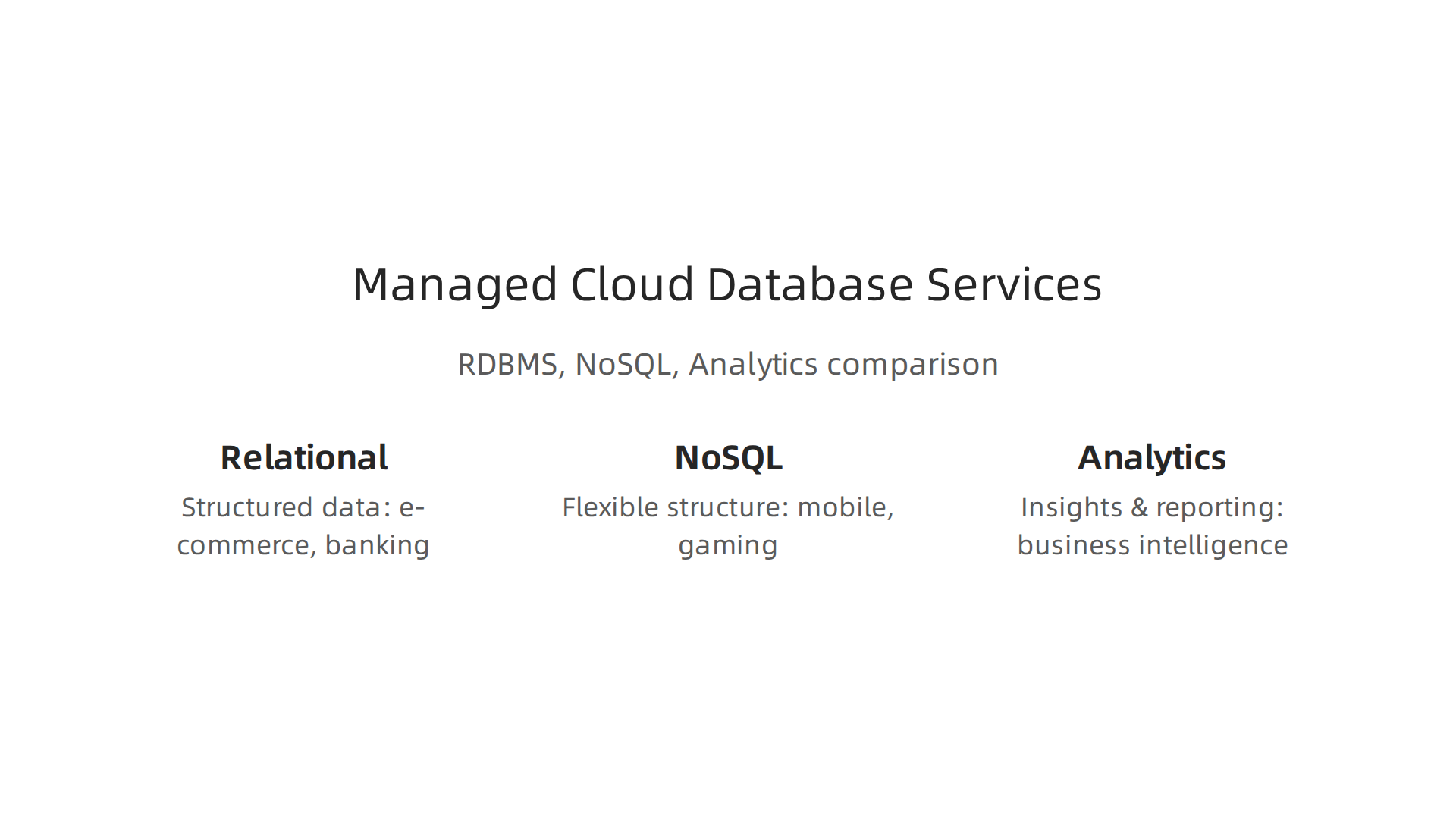
A relational database stores information in tables, like how you might organize data in a spreadsheet. Each table has rows and columns, and different tables can be linked together. This makes it easy to keep things neat and ensure your data is always correct.
Examples:
Many companies use relational databases for everyday tasks. Think of online stores needing to keep track of customers, orders, and products. Common cloud services examples include Amazon RDS (which works with popular database types like MySQL and PostgreSQL), Azure SQL Database, and Google Cloud SQL. Sometimes, special business software like SAP Cloud might use these types of databases too.
When to pick them:
- If your data has a clear structure, like customer names, addresses, and order numbers.
- For applications where you need to make sure every piece of data is accurate and linked correctly, such as banking or e-commerce sites.
- When you need to run complex searches or reports on your data.
Operational Considerations:
Cloud providers handle the hard work. They take care of daily backups, so you don’t lose data. They also make it easy to "scale" your database, meaning it can grow bigger or smaller as your needs change. For very important apps, they can set up "replication," which means having copies of your database in different places. This makes it faster to get data and keeps things running even if one part has a problem. All these managed features help reduce your operational cost.
NoSQL Databases
NoSQL databases are different because they don’t force your data into strict tables. They are more flexible, which is great for new kinds of apps that handle lots of different types of information. "NoSQL" stands for "Not only SQL," meaning they offer other ways to store data besides the traditional table method.
Examples:
You’ll find these databases used in mobile apps, social media, and online gaming. Amazon DynamoDB, Azure Cosmos DB, and Google Firestore are good examples. These are popular cloud services examples because they can handle huge amounts of data and many users at once.
When to pick them:
- When your data doesn’t have a fixed structure, like user profiles with varied information or blog posts with different tags.
- For applications that need to grow very big and handle many users at the same time, like a popular app with millions of users.
- When you need very fast read and write speeds for simple data tasks.
Operational Considerations:
NoSQL databases are often easier to scale out, meaning you can add more database servers to handle more data. This makes them good for a command cloud setup where workloads can change a lot. The cloud provider still manages backups and keeping the database available.
Analytics and Data Warehouse Services
These services are like giant data libraries built for finding insights from huge amounts of information. They are not for everyday app use but for looking back at past data to see trends or make business decisions.
Examples:
Common cloud services examples here are Amazon Redshift, Google BigQuery, and Azure Synapse Analytics. These are used by companies to understand customer behavior, track sales trends, or figure out what products might be popular next.
When to pick them:
- For business intelligence and reporting, where you need to analyze sales, marketing, or customer data over time.
- When you have very large amounts of data (often called "big data") and need to run complex reports quickly.
- For finding patterns that help your business grow.
Operational Considerations:
These services are designed for heavy analysis, so they are fast at answering big questions about your data. The cloud provider handles all the complex parts, like making sure the data is stored in a way that allows for quick searches. They also deal with operational cost by letting you pay for what you use. They also often tie into other services for data loading, like moving data from a regular database or an AWS Lambda function.
Choosing the right database for your project is a big decision.
With managed services, cloud providers handle the hard work of maintenance, backups, and scaling, letting you focus more on building your application and less on keeping the servers running. To make the best choices for your team, it’s helpful to understand how engineering teams evaluate technology services to prevent failures.
Choosing how to run your applications is another big decision, much like picking the right database. It’s helpful to know how engineering teams evaluate technology services to prevent failures. Two popular ways to run your code in the cloud today are "serverless" and "containers." These options offer different ways to manage your code, helping you build powerful apps without having to deal with the actual servers yourself.
Serverless Functions (FaaS)
Think of serverless functions, also known as Functions as a Service (FaaS), like tiny pieces of code that only wake up and run when needed. You write your code, upload it to the cloud, and the cloud provider handles everything else. You don’t need to worry about servers at all. The cool part is, you only pay for the time your code is actually running. When it’s not running, it costs nothing.
Examples:
A great example of serverless technology and a popular choice among cloud services examples is AWS Lambda. Google Cloud Functions and Azure Functions are other well-known options. These are often used for small tasks, like sending an email after a customer signs up or resizing an image when it’s uploaded.
Things to know:
- Cold Starts: Sometimes, if your function hasn’t run in a while, it might take a moment to "wake up" the first time it’s called. This is called a "cold start" and can cause a small delay. In 2026, cold start latency can range from 100 milliseconds to over 10 seconds, depending on the cloud provider and the complexity of the function Serverless Computing vs Containerization.
- Scaling: Serverless functions scale automatically. If suddenly a million people try to use your function, the cloud handles it all without you lifting a finger.
Managed Containers and Orchestration
Containers are like small, self-contained packages for your code. Each package holds your application code and everything it needs to run, like special settings or helper programs. This makes sure your app works the same way everywhere, whether it’s on your computer or in the cloud. You still have servers running these containers, but the cloud provider helps you manage them.
Examples:
For managed containers, popular cloud services examples include Amazon Elastic Container Service (ECS), Azure Kubernetes Service (AKS), and Google Kubernetes Engine (GKE). These services let you run your containers without dealing with the underlying machines directly.
Orchestration Patterns:
When you have many containers, you need a way to manage them all. That’s where "orchestration" comes in. Tools like Kubernetes help you control how containers start, stop, connect, and handle problems. It’s like having a conductor for your container orchestra.
Cost Models and Practical Guidance
Choosing between serverless and containers often comes down to how your application behaves.
- Cost: Serverless is usually cheaper for workloads that run only sometimes or for short bursts. If your app has very steady, always-on tasks, containers can be more cost-effective because they run at a high and constant utilization Serverless vs Containers: Where the Bill Surprises You (2026). For instance, if your workload runs less than 30% to 40% of the time a container would need, serverless is cheaper Serverless vs. Containers: A 2026 Decision Framework.
- Scaling: Both can scale, but serverless does it automatically, while with containers, you might need to set up rules for when to add more power.
- Vendor Lock-in: Containers often give you more flexibility to move your app between different cloud providers or even to your own data center. This can help reduce "vendor lock-in," meaning you’re not stuck with just one cloud company.
- Workload Type: Serverless works best for intermittent tasks, while containers are better for consistent, long-running applications. The performance difference can be significant, with serverless being more efficient for tasks that start and stop often Performance Benchmarking of Serverless vs. Container-Based ….
Many businesses use a mix of both. This "hybrid architecture" is often seen as the clear winner in 2026, combining the best parts of each for a flexible and strong "command cloud" setup. Whether you are using services like SAP Cloud or managing your own applications, knowing these options helps you choose smart. Things like azure backup are still important for all your cloud resources, ensuring your data is safe regardless of your compute choice.
To stay on top of the rapidly changing world of cloud technology and AI, consider reading specialized newsletters that offer deep insights.
The tech world keeps moving fast. For daily, clear updates on AI and broader tech trends that affect software engineering, you’ll want to read The AI Newsletter Worth Reading.
After choosing how your applications will run, the next big step is making sure they can talk to the world and do it quickly and safely. This is where networking, edge, and CDN services come into play. These are important cloud services examples that help connect your apps and make them perform well for everyone.
Networking, edge, and CDN services: connectivity and performance examples
Think of your application in the cloud like a house. You need good roads for people to visit it, and you need to make sure those roads are safe and fast. In the cloud, this means setting up your network just right.
Virtual Private Clouds (VPCs)
A Virtual Private Cloud, or VPC, is like having your own private, secure part of the internet inside a bigger cloud. You get to decide who can get in and out, and how different parts of your app talk to each other. This keeps your application separate from other users on the cloud, which is a key part of cloud security.
Load Balancing
When lots of people try to use your app at the same time, it can get very busy. A "load balancer" is like a traffic cop that directs incoming requests to different copies of your app. This stops any one part of your app from getting too overwhelmed, making sure everyone has a smooth experience. It’s a vital piece of good web performance that keeps things running smoothly.
Content Delivery Networks (CDNs)
Have you ever wondered how a website loads super fast even if you’re on the other side of the world from where it’s hosted? That’s often thanks to a Content Delivery Network, or CDN. CDNs store copies of your website’s content, like pictures and videos, in many places around the globe. When someone visits your site, the CDN delivers the content from the closest spot. This greatly speeds things up and makes your app feel quick and responsive.
Edge Computing for Speed
For apps where every tiny bit of time matters, like real-time gaming or systems that need to react instantly, "edge computing" is a big help. Edge computing means running parts of your application very close to your users. This often happens on smaller servers at the "edge" of the network, far from the main cloud data centers. Doing this reduces the time it takes for information to travel back and forth, making apps feel almost instant. Many complex "command cloud" setups use edge computing for tasks that need quick action.
Securely Connecting On-Premises and Cloud
Many businesses still have their own computer systems in their offices, which are called "on-premises" systems. They often need these systems to talk securely with their new apps in the cloud. Common ways to do this include using Virtual Private Networks (VPNs) for secure, encrypted tunnels. Another option is using dedicated lines that offer faster and more reliable connections. Ensuring this connection is secure is a top priority for any business, whether they are building a web portal with strong security or managing enterprise software like SAP Cloud.
In 2026, it is more important than ever to have strong security around all your cloud connections. Best practices for cloud IAM (Identity and Access Management) include not just using multi-factor authentication, but also giving people only the permissions they truly need, as explained in the Cloud IAM Best Practices 2026 guide.
It’s also advised to replace old, long-lasting passwords or keys with temporary ones and to require strong extra steps to prove who you are for all human accounts, especially those that can make big changes. These ideas are central to Cloud IAM Security Best Practices for 2026. These measures help protect your data and applications across all your cloud resources.
In 2026, it is more important than ever to have strong security around all your cloud connections. Best practices for cloud IAM (Identity and Access Management) include not just using multi-factor authentication, but also giving people only the permissions they truly need, as explained in the Cloud IAM Best Practices 2026 guide. It’s also advised to replace old, long-lasting passwords or keys with temporary ones and to require strong extra steps to prove who you are for all human accounts, especially those that can make big changes. These ideas are central to Cloud IAM Security Best Practices for 2026. These measures help protect your data and applications across all your cloud resources.
Beyond simply connecting your applications, keeping them safe and running well requires careful management. This means handling who can do what, watching everything that happens, and making sure costs don’t get out of control.

These are all crucial cloud services examples that help businesses big and small.
Security, identity, and cloud management services: IAM, monitoring, and cost control
Making sure only the right people can get to your cloud applications is a top priority. This is where identity and access management, or IAM, comes in.
Identity and Access Management (IAM)
IAM is like the security guard and key master for your cloud. It decides who gets to come in and what they can do once they are inside. The best way to use IAM is to follow the rule of "least privilege." This means giving each user or application only the exact permissions they need to do their job, and nothing more. For example, if someone only needs to view a file, they shouldn’t be able to delete it.
Experts say it’s vital to use multi-factor authentication (MFA) for everyone. This adds an extra step, like a code from your phone, to prove you are who you say you are. Also, it’s a good idea to use temporary access keys instead of ones that last forever. This makes your cloud much safer against attacks, a key part of good cloud security best practices. Many platforms like AWS and Azure offer ways to manage these settings easily.
Logging and Monitoring (Observability)
Imagine having security cameras and alarms all over your cloud. That’s what logging and monitoring services do. They keep track of everything happening in your applications and cloud setup. If something goes wrong, like an app crashing or someone trying to access something they shouldn’t, these services tell you right away. This is often called "observability" because it lets you see and understand what your system is doing at all times.
For complex setups, sometimes called a "command cloud," being able to quickly see issues is a huge deal. Services like cloud native SIEM help collect and analyze all this data to spot threats faster. This helps fix problems quickly, which is important for keeping users happy and data safe.
Cost Control and Governance
While cloud services offer great power, it’s easy for costs to get out of hand if you’re not careful. Cloud management services include tools to help you keep track of what you’re spending. You can set limits, get alerts when spending goes too high, and even turn off unused resources automatically. This helps businesses manage their budget and use their cloud resources wisely. For large enterprise systems like those running on SAP Cloud, smart cost governance is essential.
Compliance and Automated Security Scanning
Many businesses have to follow certain rules and laws about how they handle data. This is called "compliance." Cloud providers offer tools to help you meet these rules. They also have services that can automatically scan your applications and settings for security weaknesses. This is like having a robot security guard that constantly checks for holes in your defenses. For example, some tools can check if your AWS Lambda functions or your Azure backup setups meet security standards automatically. This makes it much easier to stay safe and follow the rules without a lot of manual work. A good example of this is ensuring your data is always encrypted, a core practice in cloud security.
Understanding these different kinds of cloud services and using them well is key to success in 2026. They help make your applications secure, reliable, and cost-effective.
Want to keep up with all the fast changes in tech, including AI’s role in security?
The AI Newsletter Worth Reading
Moving applications to the cloud is a big step for many businesses. It means taking your software and data from where it is currently stored, like on your own computers, and putting it onto cloud servers.

This move is called cloud migration. There are a few main ways to do this, each with its own good points and bad points.
Migration strategies and implementation patterns: lift-and-shift, replatforming, and refactoring
When you decide to move your applications to the cloud, you need a plan. This plan often falls into one of three main ways: "lift-and-shift," "replatforming," or "refactoring."
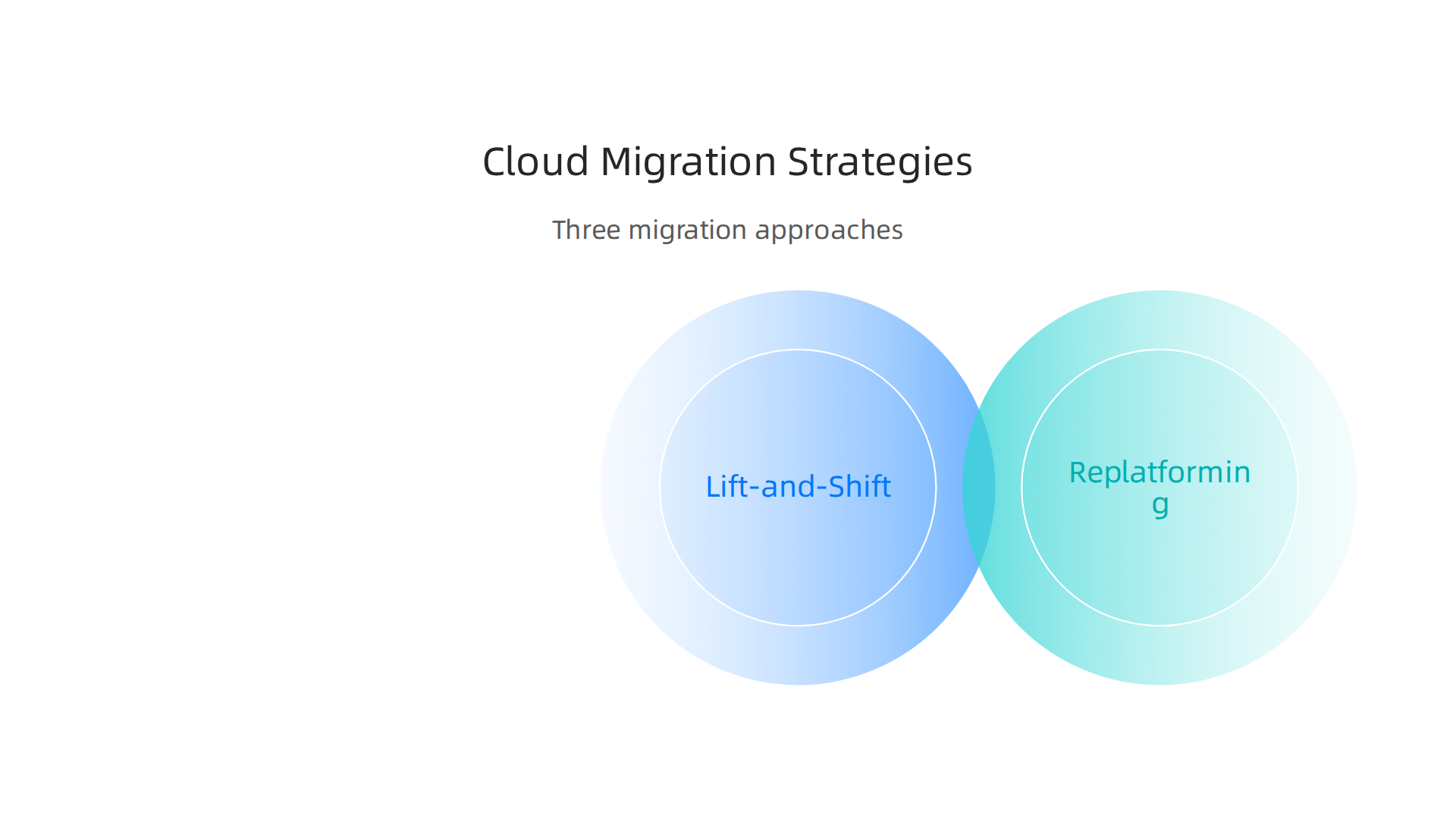
Choosing the right way depends on how fast you want to move and how much you want to change your applications.
Lift-and-Shift (Rehost)
This is the quickest and often the easiest way to move. It means taking your applications as they are and moving them directly to the cloud without making many changes. Imagine moving a whole house without changing anything inside. This method is fast and has a low risk because you are not rewriting code. It helps you get to the cloud quickly. For example, some companies use this method as part of their Azure Cloud Migration strategies. The downside is that your applications might not use all the special features of the cloud right away, which could lead to some technical debt later on.
Replatforming
With replatforming, you move your applications to the cloud, but you also make some small changes to help them work better there. Think of it like moving your house, but also updating the kitchen to fit your new space better. You might change the database your application uses to a cloud-based one, for instance. This takes a bit more time than lift-and-shift but gives you better performance and can lower future technical debt. This approach is often seen as a way to modernize enterprise workloads, according to experts discussing Top 10 Cloud Migration Strategies for Enterprise IT in 2026.
Refactoring (Rearchitecting)
This is the most involved way to migrate. It means you rebuild parts of your application from scratch to truly use all the smart features the cloud offers. This could involve breaking a big application into many smaller pieces called microservices, which run more efficiently in the cloud. It’s like building a brand new, custom-designed house in your new location. This method takes the most time and money upfront. However, it results in applications that are fully optimized for the cloud, very flexible, and have very little technical debt. It also lets you use powerful cloud services examples like serverless computing. For complex projects, like moving to Kubernetes, this can be a comprehensive approach, as described in a Kubernetes Migration Strategy Guide.
Choosing Your Migration Path
Deciding which migration way to use is a big choice. You need to think about a few things:
- Your applications: Are they simple or very complex? How old are they?
- Time and money: How fast do you need to move, and how much can you spend?
- Your goals: Do you want quick wins, or are you aiming for long-term savings and new features?
Experts agree that a good cloud migration starts with a detailed check of what you have. You need to know your current costs, how important each application is, and what technical issues you might have. This helps you pick the right way to move each part of your business to the cloud, as highlighted in the Cloud Migration in 2026 playbook. Careful planning helps you avoid problems and make the most of your move. Understanding these steps can help engineering teams decide how to evaluate technology services to prevent failures.
After your applications are in the cloud, it’s super important to watch them closely. This is called monitoring and observability. It helps you know if everything is working right. Cloud providers offer special tools, which are good cloud services examples, to help you do this.
These tools gather three main things:
- Logs: These are like diaries for your applications. They record every action and error.
- Traces: These show the journey of a request through different parts of your system, especially in complex setups like with aws lambda functions.
- Metrics: These are numbers that tell you how well your applications are doing, like how busy they are or how fast they respond.
Engineering teams need to set up these tools to look for important signs. For instance, they should watch how much computer power is being used or if too many errors are happening. When something goes wrong, alerts can tell the team right away. This way, issues can be fixed fast. Knowing how to use an AWS status guide for engineering teams is key to responding quickly.
Staying updated on all the new tech helps you manage your cloud systems better. Get clear daily AI updates from The AI Newsletter Worth Reading.
Okay, so we’ve talked about keeping an eye on your cloud apps. But what if you don’t want all your apps in just one cloud? That’s where hybrid and multi-cloud come in.
Many businesses in 2026 use a mix of clouds, or even their own data centers mixed with a cloud. This is called hybrid or multi-cloud. It’s helpful if you need to keep some data on your own servers for strict rules. Or, you might want to use the best parts of different cloud providers to reduce lock-in, which is a big trend according to Cloud Migration Strategy: How To Build a Future-Proof …. For instance, you could use specific cloud services examples like AWS lambda for quick tasks on Amazon’s cloud, and maybe Azure backup services on Microsoft’s cloud. Some companies even use SAP cloud solutions in their mix.
However, managing many clouds can get tricky. You need special tools to help you "command cloud" environments easily. Tools like Azure Arc, for example, help manage things across different places. Learning about building cloud infrastructure with code can also help make managing different clouds simpler.
Summary
This guide walks engineering teams through the main cloud services and practical choices you’ll face when building or moving applications to the cloud. It explains compute options (VMs, autoscaling, serverless, GPUs), storage types (object, block, file, archival) and their cost/performance trade‑offs, plus managed databases, analytics, and runtime patterns (serverless vs containers). You’ll also get clear guidance on networking, edge/CDNs, IAM and observability (logs, traces, metrics), migration strategies (lift‑and‑shift, replatforming, refactoring), and hybrid/multi‑cloud management. The article shows when each service fits typical workloads, highlights common operational risks (like cold starts and vendor lock‑in), and gives rules of thumb for cost decisions. After reading, teams will be better equipped to pick the right cloud services, plan migrations, secure and monitor systems, and control cloud spend.