

It can be tough when you need to find important information online, but it’s scattered across many different places. Imagine trying to log into one system for your work schedule, another for your benefits, and yet another for company news. It’s a common problem in 2026 for many groups: how to give people one easy spot to find all the services and data they need, just for them.
This is where a web portal comes in. You might think of it as just another website, but its true website meaning is much more powerful. Unlike a regular website that shows everyone the same pages, a web portal is a special kind of online platform. It offers a secure, personalized space where users can access specific content, tools, and information that is important to them alone. For example, a student portal shows grades and class schedules, while a customer portal lets you check orders and get support. A web portal is "a secure digital platform that gives users centralized access to content, applications, services, and information, all through a personalized interface," as defined by one source in 2026.
This guide will help you understand why these specialized online hubs still matter so much today.
We will give you a clear, practical roadmap to build your own effective web portal. We will cover everything you need to know, from the basic ideas and how to plan its structure, to how to design it, keep it safe, and make sure it runs well every day. We will also look at how modern tools, like efficient cloud app development services and strong back end development services, play a big part. Plus, we’ll see how new ideas in AI solution development can make these portals even smarter and more helpful.
Stay updated on the latest tech changes. Get clear daily AI updates with The AI Newsletter Worth Reading.
A web portal is more than just a regular website. Think of it as a special online home built just for a certain group of people. Instead of showing the same information to everyone, a web portal gives each user a personal view based on who they are.
For people building these systems, a web portal is a secure web application that lets many users get to specific information, documents, and tools after they log in. This means the content they see is just for them, making things much clearer and easier to use than a public site that everyone sees.
A good way to understand a web portal better is to look at its main types.
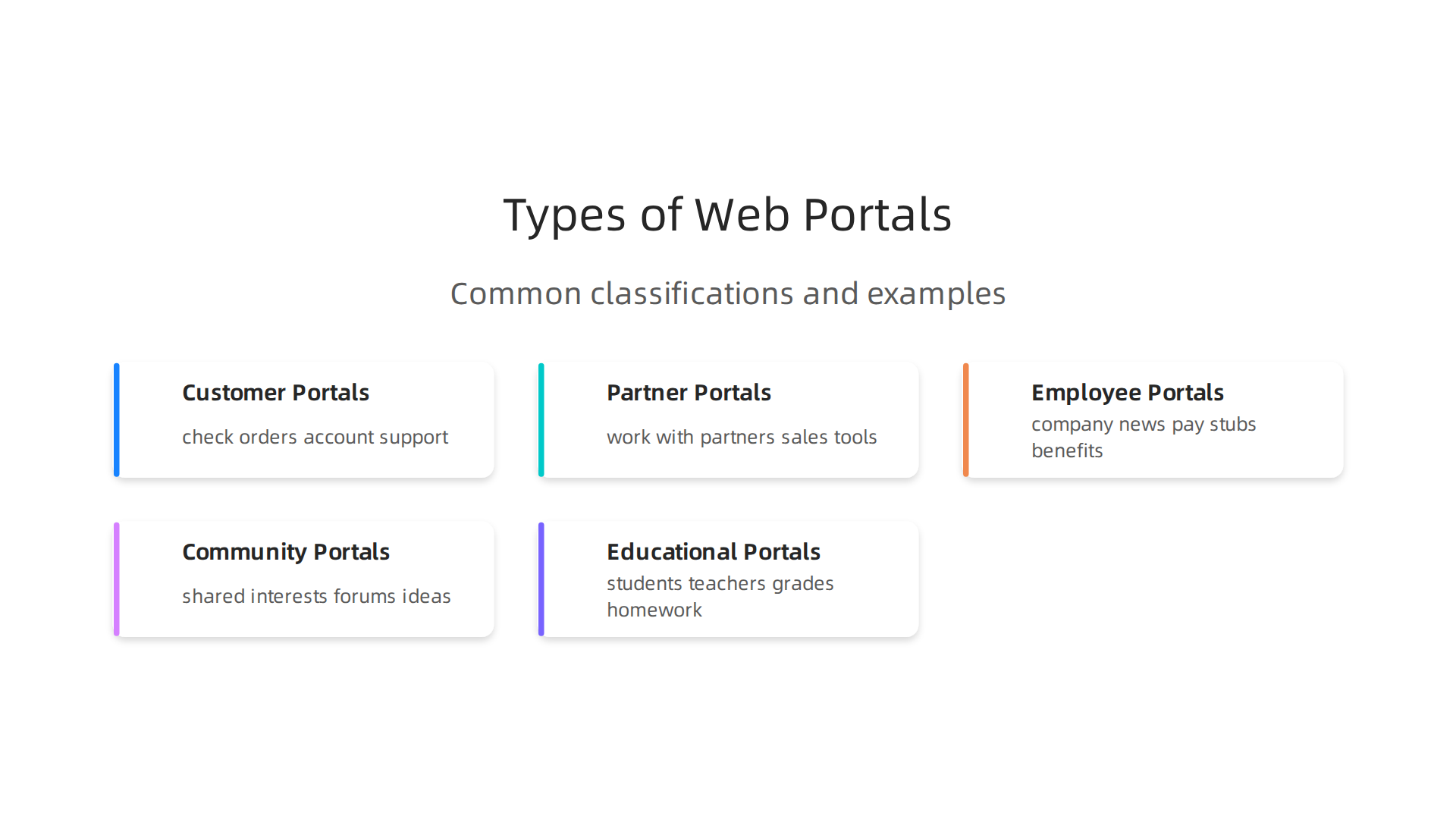
Each kind of web portal helps a different group of users, but they all share the core idea of giving personalized access.
Different Types of Web Portals
Web portals can be very different, serving various needs. Here are some common types you’ll find in 2026:
- Customer Portals: These are for your clients or customers. They can log in to check their orders, view their account details, get support, or manage their services. It’s like a personalized help desk and account manager all in one place. An example might be a banking portal where you check your money.
- Partner Portals: Businesses use these to work with their partners. For instance, a company might give its sellers access to sales tools, training materials, or important documents through a partner portal. This helps everyone work together smoothly.
- Employee Intranets/Portals: These are for people who work at a company. Employees can find company news, access their pay stubs, manage their benefits, or connect with co-workers. It helps everyone stay informed and productive. A web portal is "a secure, centralized online platform that delivers personalized, role-based content and services" to its specific users, according to Progress Software
What is a Web Portal? Definition, Types and Benefits.
- Community Portals: These bring together people with shared interests. Think of online forums or groups where members can share ideas, ask questions, and get help. These can be important for building strong user communities.
- Educational Portals: Schools and colleges use these for students and teachers. Students might check grades, get homework, or sign up for classes. Teachers can post assignments and communicate with students.
No matter the type, building a great web portal means understanding these groups of users and giving them exactly what they need in one easy-to-reach place. Learning how to create these specialized websites can be very helpful for your career. If you’re keen on expanding your skills in this area, you might consider how to choose the best web development class online in 2026. This kind of learning can set you up to build powerful, user-focused platforms.
A web portal gives businesses real advantages by making things easier and more personal for its users. Knowing these benefits helps companies decide what features to build into their portals.
How Portals Bring Business Value
A well-made web portal can greatly help a business in a few key ways:
- Better User Engagement: When people use a portal, they get content and tools just for them. This makes them want to visit more often and stay longer. For example, a customer portal that shows past orders and offers special deals keeps customers interested. Companies often track things like how long users stay on a page or how many pages they visit in one session to see if their portal is engaging enough. These kinds of numbers show how much users really connect with the site 10 Website Engagement Metrics To Track & Analyze.
- Stronger Self-Service: One big plus of a web portal is that it lets users help themselves. Instead of calling a support team, customers can log in to find answers to common questions, change their account info, or track a package. This saves businesses money because they don’t need as many support staff, and users feel happier because they can solve problems quickly on their own. This is a core part of what a good web portal provides.
- Increased Operational Efficiency: For companies, portals help make daily work smoother. Employee intranets, for instance, put all important company news, documents, and tools in one place. This makes it easier for staff to find what they need, work together, and get things done faster. Partner portals help businesses and their partners share information and manage projects more easily, leading to fewer delays and better teamwork. These platforms are much more than just a regular website meaning for general information; they are tools designed for productivity. Companies track their portal’s success by looking at things like user login rates and how often users complete important tasks How to Measure Customer Portal Success: KPIs & Benchmarks.
Thinking About Features and Trade-offs
When teams build a web portal, they often have to make important choices. It’s like finding the right balance for a puzzle.

- Features vs. Cost and Complexity: Adding more cool features to a portal can make it more useful, but it also costs more money and time to build and keep running. Teams need to decide which features are most important for their users. This often involves careful planning of the strategic website software design for engineering teams. For complex systems, using advanced technologies like cloud app development services or specialized back end development services can manage this complexity, but it also adds to the expense.
- Performance vs. User Experience: A beautiful web portal with lots of pictures and interactive tools might load slower. Builders need to make sure the portal works fast enough so users don’t get frustrated, while still looking good and being easy to use.
- Security vs. Ease of Use: Making a portal very secure is super important, especially if it handles private information. But sometimes, too many security steps can make it hard for users to log in or use the portal easily. Finding the right balance ensures users are safe without making their experience too difficult. Sometimes, bringing in ai solution development for smart security features can help here, balancing protection with convenience.
Understanding these choices helps teams create portals that bring the most value without too many problems. As the tech world keeps changing, staying updated on the latest trends, like those in AI, is key for any software professional.
Get clear daily AI updates from The AI Newsletter Worth Reading.
To build a truly great web portal, you first need to really understand the people who will use it. This means doing some user research. It’s like being a detective to figure out what users want and need. You can do this with simple methods like talking to people directly in interviews or sending out short surveys to many users. You can also watch how they use similar tools. This kind of research helps collect information about what future users need, their habits, and any problems they have Multi-user centered design: acceptance, user experience, user research and user testing.
After gathering information, a helpful step is to create "personas." Think of personas as make-believe characters that stand for different types of users. For example, if you’re building a customer web portal, you might have "Sarah the Shopper" who just wants to track orders, and "Mark the Manager" who needs detailed reports. Each persona describes who they are, what they do, what they need the portal for, and what problems they might have. They help everyone on the team remember who they are building for Multi-Role UX: The 2026 Guide to Platform Design.
Once you know your users well, you can start organizing the information on the web portal. This is called information architecture, or IA. It’s like making a map or a blueprint for all the content. Good IA helps users find what they need easily without getting lost. It includes deciding how pages are linked, what categories to use, and how the main menu should look.
To build good IA, teams often use methods like "card sorting" or "tree testing." Card sorting asks users to group topics in a way that makes sense to them. Tree testing checks if users can find items in a menu structure without seeing the full design. This helps make sure the portal’s layout matches how users think and navigate the information architecture User Research Methods: 13 Techniques and How to …. For complex portals, this foundational design work is key, sometimes even influencing the choice of cloud app development services or back end development services needed to support the structure. The better the IA, the less likely users will feel like the website meaning is confusing or hard to navigate. Making smart choices for tools and platforms is part of this strategic design Strategic Choices for Developer Tools and Cloud Platforms in 2026.
It’s also worth noting that in 2026, some advanced portals are even looking at ai solution development to help personalize IA based on user behavior, but for most web portals, solid manual research and testing are still the best way to start. Understanding how users will move through your portal from the start saves a lot of trouble later.
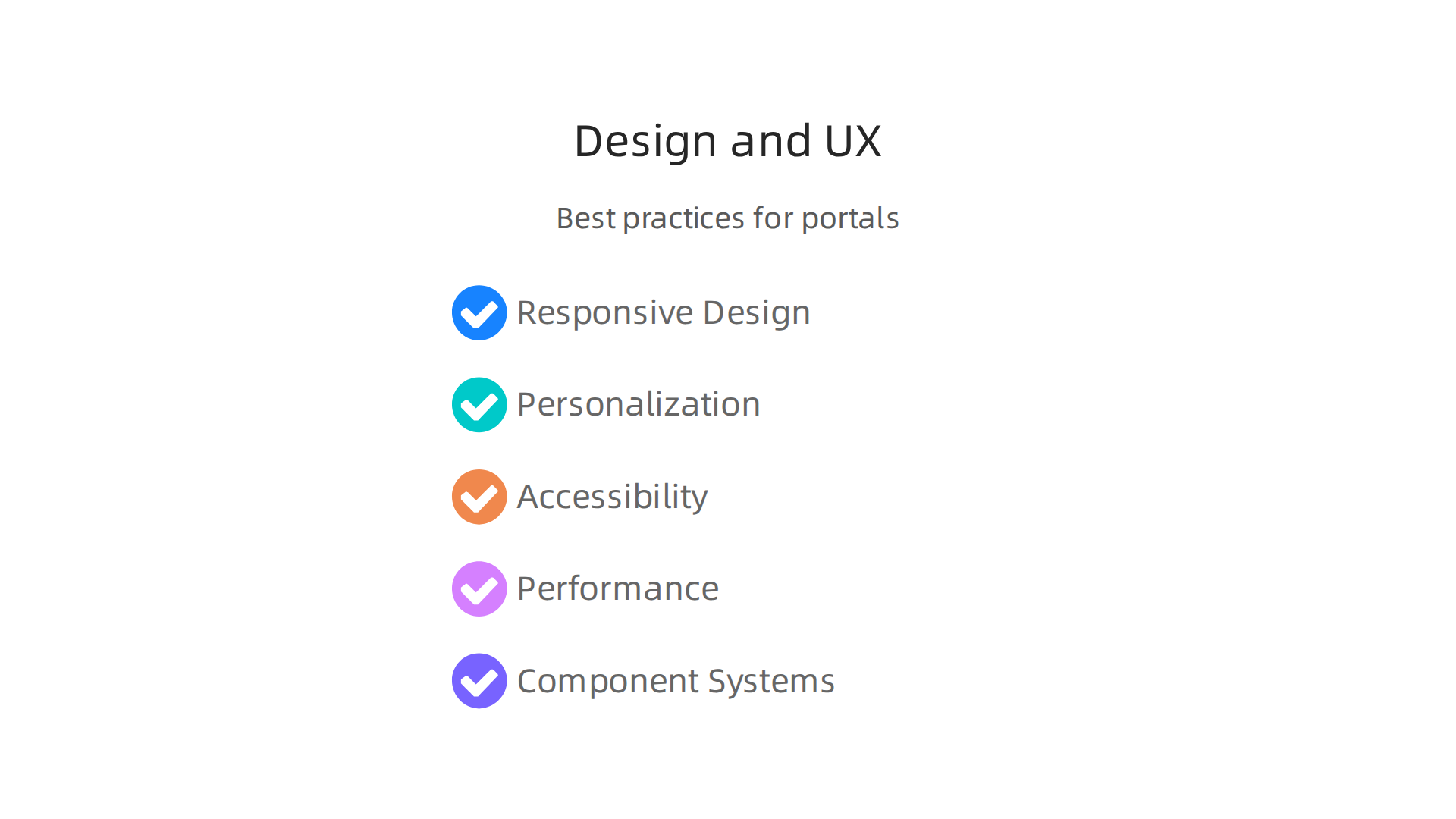
Design and UX best practices for portals
Once you know how users think and navigate, the next step is to build a great-looking and easy-to-use web portal.
This means focusing on its design and user experience (UX). A good design ensures that the portal works well for everyone, no matter how they access it.
First, your web portal needs to be "responsive." This means it should look good and work smoothly on any device, whether it’s a big computer screen, a tablet, or a small smartphone. Users should not have to pinch or zoom to see things. Making a responsive design helps ensure the true website meaning of accessibility is met for all users. This careful planning helps avoid common user frustrations and makes the portal enjoyable to use.
Another key part of great design is personalization. Imagine a portal that knows what you need even before you ask! For example, a customer portal could show your most recent orders right away. This makes the experience feel special and efficient. While some advanced systems use AI solution development to personalize content automatically, even simpler forms of personalization can make a big difference.
Accessibility is also very important. A good web portal should be usable by everyone, including people with disabilities. This means using clear fonts, good color contrast, and making sure the portal can be used with a keyboard instead of just a mouse. It’s about making sure no user is left out.
Finally, performance matters a lot. No one likes a slow website. Your web portal needs to load quickly and respond fast to clicks and commands. This often depends on solid back end development services and how the entire system is built, sometimes even using cloud app development services to handle many users at once. Quick load times and smooth interactions keep users happy and engaged.
To help with all this, many teams use "component-driven design systems." Think of this as building blocks for your portal. Instead of designing each page from scratch, you use ready-made parts like buttons, menus, and forms that all look and work the same way. This makes building the portal faster and keeps its look and feel consistent across all pages. It also makes updates easier later on. These systems ensure that every part of the user experience is well-thought-out and cohesive, which is a key part of modern UX design, as detailed in the UX Research Cheat Sheet.
Staying updated on these best practices is vital for any professional in software engineering.
Get clear daily AI updates from The AI Newsletter Worth Reading.
When you build a great-looking and easy-to-use web portal, you also need to think about how it’s put together on the inside. This is called its architecture. The way you build a web portal affects how well it grows, how easy it is to change, and how many people it can serve at once. There are a few main ways to build these systems.
Monolithic Architecture
Imagine your whole web portal as one big block. This is a "monolith." All the parts of the portal, like the user login, the shopping cart, and the product pages, are bundled together in a single large program.
- When it fits: This way of building is often simpler to start with, especially for smaller projects. It’s like having one big kitchen that does everything.
- Challenges: But as your web portal gets bigger, making changes can be hard. If one small part breaks, the whole thing might stop working. It also gets harder to make it faster or handle many users if all parts are stuck together. Think of it as everyone needing to use the same oven at once.
Microservices Architecture
Now, imagine breaking that big block into many small, independent parts. Each part is a "microservice." One microservice might handle user accounts, another might manage products, and another might process orders. These small parts work together but can also run on their own.
- When it fits: This is great for larger, more complex web portals that need to grow a lot. If you need to make one part faster, you can just work on that small piece without touching the rest. If one microservice has a problem, others can keep running. Many experts believe microservices architecture is the best, most future-proof choice for big company portals because it helps with growth and making changes quickly Developing Web Portal: Best Technology Stack & ….
- Benefits: It’s like having many smaller kitchens, each with its own special task. This makes it easier to handle many orders at once and quickly try out new recipes in just one kitchen. This approach helps with the scalability of web applications, as discussed in different Architectural Patterns.
Headless Portals
A "headless" web portal separates what users see (the "head" or front-end) from the core functions and data (the "body" or back-end). The front-end can be a website, a mobile app, or even smart speakers. The back-end just provides the information and services.
- When it fits: This is useful when you want to show your portal’s content or services in many different ways or on many different devices without rebuilding the core logic each time. It gives you a lot of freedom in how your portal looks and feels on different platforms.
Important Integrations
No matter which architecture you pick, your web portal will need to talk to other systems. This is called integration.
- Identity Management: This is about knowing who is using your portal. It involves things like user logins and making sure people can only see what they are allowed to see. Strong security measures like multi-factor authentication (where you need more than one way to prove it’s you) are very important for scalable B2B web portals.
- APIs (Application Programming Interfaces): These are like messengers that let different software programs talk to each other. Your web portal might use APIs to get information from another company’s service or to connect with your own internal tools. Good APIs are key for smoothly connecting your portal to other services and making it work well Enterprise Web Portal Architecture: Best Practices.
- Third-Party Services: Often, a web portal uses tools from other companies, like payment systems, customer support chats, or special data tools. Integrating these services means your portal can do more without having to build everything from scratch.
Choosing the right architecture is a big decision. It depends on what your web portal needs to do now and how much you expect it to grow in the future. It’s smart to think about these strategic choices for developer tools and cloud platforms in 2026 early on.
Choosing the right way to build your web portal is only the first step. You also need to make sure it’s safe to use, follows all the rules, and runs really fast. Let’s look at how to handle these important parts.
Security, compliance, and performance considerations
Making sure your web portal is secure and fast is just as important as how it’s built.

No one wants to use a website that feels slow or puts their information at risk.
Keeping your web portal safe
Security is about protecting your web portal from bad guys and keeping user data private. Think of it like a very strong lock and a friendly bouncer for your online space.
- Who are you? (Authentication): This is how your web portal knows it’s really you. It’s when you log in with a username and password. Good portals use strong ways to check your identity, like multi-factor authentication, where you need more than one piece of proof to get in.
- What can you do? (Authorization): Once the portal knows who you are, it decides what you’re allowed to see or do. A normal user might see their profile, but an admin user can change many things. This helps keep sensitive information safe and ensures users only access what they need. This kind of careful planning is key for any enterprise web portal architecture.
- Data Protection: This means keeping all the information on your web portal safe from prying eyes. This involves using special codes to scramble data (encryption) both when it’s stored and when it’s moving across the internet. Protecting data is a must for building secure, scalable, and interactive online platforms.
- Following the Rules (Compliance): Many types of web portals, especially those dealing with personal or health information, must follow strict rules and laws. This is called compliance. It means your web portal needs to meet certain standards to avoid problems and keep users’ trust. Thinking about security from the start is part of the important key development decisions for any custom web portal. For specific guidance on protecting cloud applications, you might look into Cloud Native SIEM Elevates AI-Powered Cloud Security 2026.
Making your web portal super fast
Nobody likes waiting for a website to load. A slow web portal can make people leave. Here are ways to make sure your portal is quick and responsive:
- Caching: Imagine your web portal has a smart assistant who remembers the answers to common questions. When someone asks the same question again, the assistant gives the answer right away, instead of looking it up every time. Caching works like this, saving copies of things that are often viewed so they can load faster.
- Edge Delivery: This is like having mini-warehouses for your portal’s content all around the world. When someone visits your website, the content comes from the closest mini-warehouse, which makes it load much faster than if it had to travel from one main spot far away.
- Load Testing: This is like checking how many people your web portal can handle at a big party without things getting messy. You test it to see how well it works when many users are online at the same time. This helps you fix problems before they happen in real life. These practices are part of what makes a developer portal scalable. If you’re looking into ways to make web portals more efficient, exploring Strategic Website Software Design for Engineering Teams can offer more ideas.
By paying close attention to security, compliance, and performance, you can create a web portal that not only looks great and works well but also keeps users happy and safe.
Want to stay on top of the latest tech trends affecting web portals and all areas of software development?
The AI Newsletter Worth Reading delivers clear daily AI updates directly to your inbox.
Even a web portal that is built well, secure, and fast needs constant care to stay that way. Think of it like a beautiful garden; it needs regular tending to keep weeds away and flowers blooming. This is where deployment, DevOps, and ongoing maintenance come in. These practices ensure your portal continues to work smoothly and reliably, even as it grows and changes.
Deployment, DevOps, and maintenance at scale
Keeping a web portal running well means having smart ways to update it and fix problems. This is especially true for big web portals that many people use every day. It involves using automated tools and clear plans.
How to keep your portal running smoothly
- Automatic Updates (CI/CD Pipelines): Imagine you have a robot helper that takes new changes to your web portal’s code, checks them, and then puts them live on the internet. This is what CI/CD (Continuous Integration/Continuous Delivery) pipelines do. They automate the process of building, testing, and sending out new updates. This helps developers add features faster and with fewer mistakes. For example, keeping builds quick, ideally under 10 minutes, is a top CI/CD best practice in 2026, according to experts in the field The Ultimate Guide to CI/CD Pipelines for Web Apps. Setting up a good pipeline is key for cloud app development services.
- Watching Everything (Observability): This means having special tools that let you see exactly what your web portal is doing at all times. Are users happy? Is it slowing down? Are there any errors? Observability helps you spot problems before they become big issues. It’s like having many eyes and ears on your website’s meaning and health.
- Fix-It Guides (Runbooks): When something goes wrong, you need a clear step-by-step guide on how to fix it. These guides are called runbooks. They help your team quickly solve common problems, like when a part of the website stops working.
- Emergency Plans (Incident Response): Sometimes, unexpected big problems happen. An incident response plan is like a fire drill for your web portal. It tells everyone what to do, who to call, and how to get things back to normal as fast as possible. This is very important for back end development services, which keep the portal working behind the scenes. You can find more useful information about how to monitor and respond to cloud incidents in an AWS Status Guide for Engineering Teams.
Smart ways to work as a team
- Teams Working Together (Cross-Functional Teams): Building and maintaining a web portal isn’t just one person’s job. It takes different experts working together. This includes people who design how it looks, people who write the code, and people who test it to make sure it works. These teams share ideas and solve problems faster. This approach boosts developer experience in 2026 by improving collaboration.
- New Feature Plans (Release Strategies): How do you add new features to your web portal without breaking anything? Release strategies are plans for how to roll out updates. Sometimes, you might release new features to a small group of users first to see how they react. Other times, you might push out small updates frequently.
- Cleaning Up Code (Managing Technical Debt): Imagine taking a shortcut when building a house; it might save time now, but you’ll have to fix it later. In software, this is called technical debt. It’s about code that isn’t perfect but works for now. Smart teams plan time to clean up this "debt" so the web portal stays easy to update and doesn’t get too complicated over time. This makes future AI solution development and other advanced features easier to integrate.
By using these clear steps and working together, teams can make sure their web portal not only launches successfully but also stays strong, safe, and useful for everyone for many years to come.
Summary
This article explains what a web portal is, why organizations still need them in 2026, and how to plan, design, build, secure, and operate one effectively. It walks through common portal types—customer, partner, employee, community, and educational—and the business benefits such as higher engagement, stronger self-service, and operational efficiency. The guide covers user research, personas, and information architecture to make content findable, then moves into UX best practices like responsive design, accessibility, and component-driven systems. It compares architectures (monolithic, microservices, headless) and highlights key integrations such as identity management and APIs. Security, compliance, data protection, and performance techniques like caching and edge delivery are explained, along with CI/CD, observability, runbooks, and incident response for ongoing operations. The article also notes where cloud, DevOps, and AI tools fit into trade-offs and long-term strategy so teams can choose the right stack and processes. After reading, you’ll understand the major decisions, practical steps, and trade-offs required to design, deploy, and maintain a user-focused web portal.


