
Introduction
Generative AI platforms are changing how we build software. In 2026, the shift is happening faster than most people expected. According to AI adoption data, the use of generative AI in development jumped from 33% in 2023 to over 70% in 2024. That is one of the fastest adoption curves we have seen in technology. More than 84% of developers now use or plan to use AI tools in their work. For a closer look at how these tools fit into daily workflows, check out our roundup of AI tools for developers in 2026.
But here is the thing: jumping on the trend without a clear plan can backfire. Many teams bring in AI tools without thinking about security, cost, or how the tools fit their workflow. That is why this guide exists. We put together a research-backed framework for evaluating, integrating, and scaling generative AI platforms. We looked at industry surveys, talked to experts, and studied real-world case studies. Our goal is to help engineering leaders like you make smart decisions.

If you want to stay ahead of the curve, you need good information. That is why we recommend The AI Newsletter Worth Reading. It delivers daily, clear updates on AI and tech so you do not miss what matters.
We will cover key generative AI platforms worth your attention, including options like AWS Lex for conversational AI, Airtable AI for data workflows, and the best AI presentation makers. But first, let us walk through the framework that will help you choose wisely.
The Current Landscape of Generative AI in Development
The numbers tell a clear story. Generative AI platforms are no longer experimental tools for early adopters. They have become standard equipment for development teams across the globe.
In 2026, more than 84% of developers either use AI tools or plan to start using them soon. That is a massive jump from just a couple of years ago. The shift is real, and it is happening faster than most of us expected.
But here is the thing most teams miss. Not all generative AI platforms solve the same problems. The market has split into two broad categories. First, you have general-purpose tools that handle many tasks at once. ChatGPT leads this group with over 40% of all AI tool downloads according to detailed market data. Second, you have specialized platforms built for specific jobs.
Some tools focus purely on code completion. Others help with test generation, documentation, or debugging workflows. You can find platforms like AWS Lex for building conversational experiences and Airtable AI for automating data work. There are even dedicated tools for creating presentations, making the best AI presentation maker a category of its own.
This variety is actually good news. It means you can find a tool that fits your exact needs rather than forcing a one-size-fits-all solution onto your team.
Enterprise adoption backs up this trend. Over 65% of organizations now use generative AI in at least one business function. That is more than double the rate from just a year ago. Teams are moving fast, but moving with a clear plan is what separates real progress from wasted effort.
If you want to understand which companies are leading this charge, take a look at our overview of the top 10 AI companies defining 2026. It gives you a solid picture of the major players shaping the development landscape right now.
Next, we will get into a practical framework that helps you evaluate these platforms without getting lost in the hype. You will learn exactly what questions to ask and what signals matter most for your team.
Boosting Developer Productivity: Evidence and Benefits
Before we dive into a framework for picking the right tool, let us look at what the research actually says. The numbers around generative AI platforms sound impressive, but are they real?
The short answer is yes, but with some caveats. A controlled study of GitHub Copilot found that developers completed simple coding tasks about 55% faster. That is a huge jump. You can read the full breakdown in this analysis of AI coding tools and developer productivity. Speed is the most obvious win, but it is not the only one.
Other peer-reviewed work shows average productivity gains between 15% and 20% across a wide range of tasks. That number comes from a study involving over 100,000 developers. It confirms that most teams see real improvements, even if the gains are not always as dramatic as the 55% figure.
Here is the killer benefit that does not get enough attention. Developers spend less time on boring project management work and more time actually coding.

A study from MIT Sloan found that when developers had access to generative AI, they shifted their focus toward core development. They reduced time spent on meetings, status updates, and other non-coding tasks. That change alone boosts morale and makes the work more satisfying.
And it is not just about speed. Code quality also gets better. AI tools catch common mistakes, enforce style guides, and suggest better patterns. Fewer bugs make it to production. That means less time fixing things later and more time building new features.
But here is the thing. Not every study shows pure gains. Some research, including a longitudinal study across 400 engineering organizations, found more modest improvements. Median pull request throughput went up by under 8% in many cases. And another study from METR actually found that AI caused tasks to take 19% longer for experienced developers in some situations.
So what explains the difference? It comes down to how you use the tools. Teams that set clear guidelines, choose the right generative AI platforms for their specific workflows, and train their developers properly see the big wins. Teams that just turn on a tool and hope for the best get mixed results.
Developer satisfaction is a big part of this picture. When repetitive tasks like writing boilerplate code, fixing lint errors, or generating unit tests get automated, developers feel less burnout. They can focus on the interesting problems. That is a win for retention and team health.
If you want to see how personal AI tools are reshaping the way developers work every day, check out this look at personal AI assistants reshaping developer workflows in 2026. It connects the productivity data to real team practices.
The bottom line is clear. Generative AI platforms can deliver serious productivity gains, but only when paired with smart adoption. The evidence supports both the optimism and the caution. Your job is to find the approach that works for your team.
Want to stay ahead of the latest AI tools and their real impact on development? The AI Newsletter Worth Reading gives you clear daily updates so you never miss an important shift.
A Principled Approach to Integrating AI Tools
So the research is clear. Generative AI platforms can boost productivity and satisfaction. But only if you adopt them the right way. Throwing a tool at your team without a plan is a recipe for mixed results.
Here is a structured path that works for real engineering teams. It has four steps: assess bottlenecks, pilot tools, establish governance, and scale.
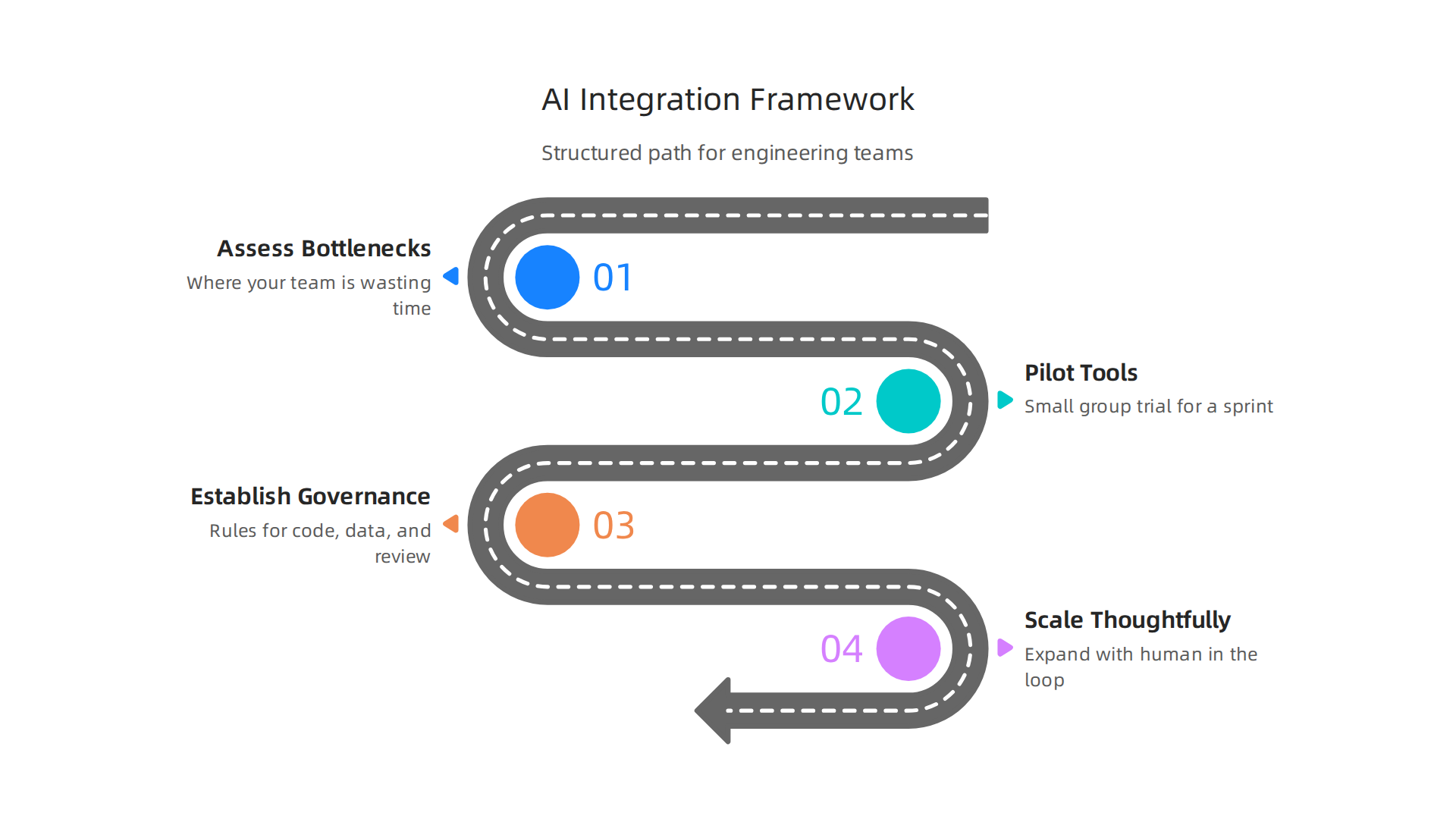
Following this order keeps you from jumping too fast into something you do not fully understand yet.
Step one is to assess your bottlenecks. Where is your team actually wasting time? Is it writing boilerplate? Debugging repetitive issues? Managing status updates? The answer tells you which kind of generative AI platform might help. For example, if your team spends hours on busywork like generating documentation or formatting code, a tool focused on those tasks makes more sense than a general purpose assistant. This 2026 guide to generative AI in software development covers how to match specific workflows to the right AI capabilities.
Step two is to pilot tools with a small group. Do not roll out a new platform to your whole engineering org at once. Pick two or three developers who are curious and technically strong. Let them use the tool for a sprint or two. Watch what happens. Do they actually ship faster? Do they catch more bugs? Do they enjoy the work more? The answers from this small trial tell you way more than any vendor demo ever could.
Step three is the one most teams skip: establish governance early. You need rules about when AI generated code can go into production without human review. You need guidelines for which data can be fed into external models. You need a process for reviewing AI suggestions before they get merged. This is not about slowing things down. It is about protecting quality and security from day one. Teams that set up internal AI policy early avoid painful surprises later.
Step four is to scale thoughtfully. Once your pilot shows clear wins and your governance framework is in place, you can expand to more teams. But keep the human in the loop. Human in the loop validation is not optional. AI can suggest a great pattern or it can suggest something that looks right but introduces a subtle security hole. A developer needs to review every AI generated change before it reaches production. That rule never goes away.
Governance also covers which tools you let your team use. You might allow certain generative AI platforms for code generation but block others for data processing. You might use tools like AWS Lex for building conversational interfaces while requiring AirTable AI for no code internal tools. The point is to have clear categories so developers know what is approved and what is not.
One smart move is to create a shared document that lists every generative AI platform your team can use, what it is for, and who owns the review process. That document becomes your reference point as you scale.
For engineering leaders who want a practical roadmap, this developer experience roadmap for engineering teams breaks down the integration process from assessment to full adoption.
The teams that get the best results from generative AI are not the ones with the fanciest tools. They are the ones with the clearest process. Assess first. Pilot second. Govern third. Scale fourth. That sequence turns a trendy tool into real, lasting productivity.
Navigating Security, Bias, and Reliability Concerns
A solid governance process is a great start. But it only works if your team understands the three big risks that come with every generative AI platform: security, bias, and reliability.
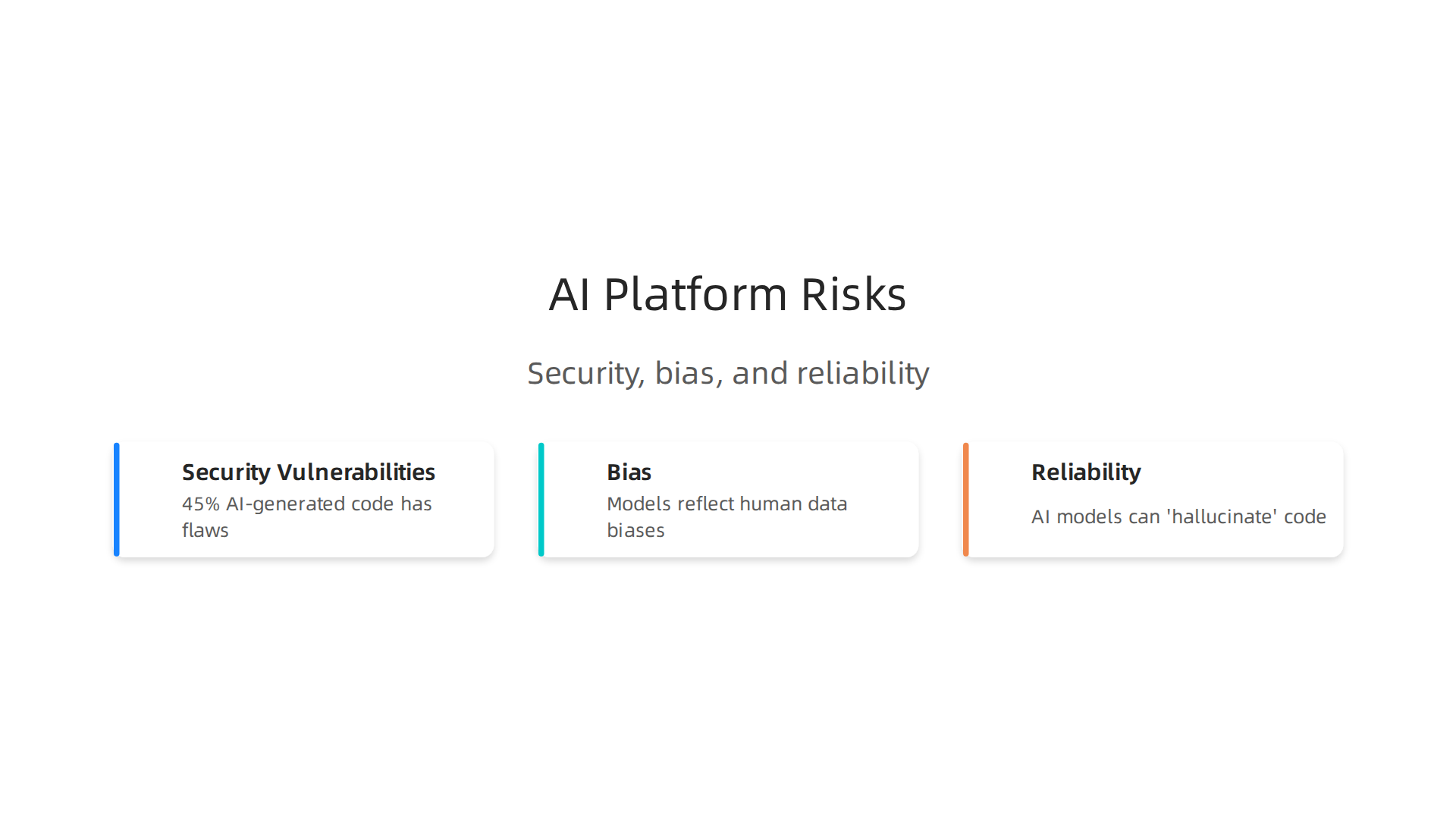
Let’s walk through each one so you know what to watch for.
Security vulnerabilities are the most urgent concern. Research shows that about 45% of AI-generated code contains security flaws. That is a big number. The models learn from public code, and some of that code has security mistakes baked in. So the AI can repeat those mistakes without knowing any better. Common flaws include SQL injection risks, cross-site scripting, and even missing authentication checks. A developer who trusts the AI output without reviewing it can accidentally ship vulnerable code. That is why every engineering team needs a strong code review process for AI-generated suggestions.

The AI generated code security risks report from Veracode explains just how common these flaws really are.
Bias is trickier to spot. Generative AI platforms train on massive datasets. Those datasets reflect human biases. If the training data contains certain patterns like overusing a specific coding style or favoring one approach over another those biases show up in the generated code. This can lead to code that works but is not inclusive or does not handle diverse user scenarios well. For example, a model might generate testing scripts that skip edge cases important to accessibility. The fix is to audit outputs for bias. Use diverse test cases and ask developers to question whether the AI’s suggestions might be missing something.
Reliability is the third big risk. AI models sometimes "hallucinate." They invent code that looks correct but does not actually work. They can generate fake library names, imaginary functions, or dependencies that do not exist. This is especially dangerous if the model suggests a package that sounds official but is actually a hallucinated name. You need to test every AI-generated snippet before putting it into production. Automated tests and static analysis help catch some issues, but human review is still your best safety net.
The good news is that these risks are manageable. The teams that succeed treat AI as an assistant, not an authority. They double-check security, watch for bias, and verify reliability every single time. If you want to go deeper on building a safe AI workflow, check out this guide on how to bridge the AI to human gap in your code.
Staying informed about the latest AI risks and best practices is also important. One way to keep up is to subscribe to The Deep View Newsletter. It delivers clear, daily AI updates that help you and your team stay ahead of security and quality issues.
Measuring ROI and Long-Term Impact
So you know the risks. But what about the rewards? Measuring the return on investment from generative AI platforms is where the real business case comes in. The numbers look good on paper, but the trick is tracking the right metrics over time.
Let’s start with what most teams see first: productivity gains. Studies show that developers using generative AI tools finish isolated coding tasks about 55.8% faster. A broader look at the data suggests average productivity improvements land around 15 to 20 percent. But those gains depend heavily on how experienced the developer is and how well the AI fits the workflow. The key is not just speed. It is also about what developers spend their time on. Research from MIT Sloan found that when developers have access to a generative AI tool, they do more core coding work and less project management. That shift alone can make a big difference in how much value a team delivers each sprint.
To really measure ROI, you need to look beyond raw speed.
lyzing data charts, focusing on measuring impact and return on investment.](https://softwareengineeringnewstoday.com/wp-content/uploads/2026/07/weblish-inline-73096.jpg)
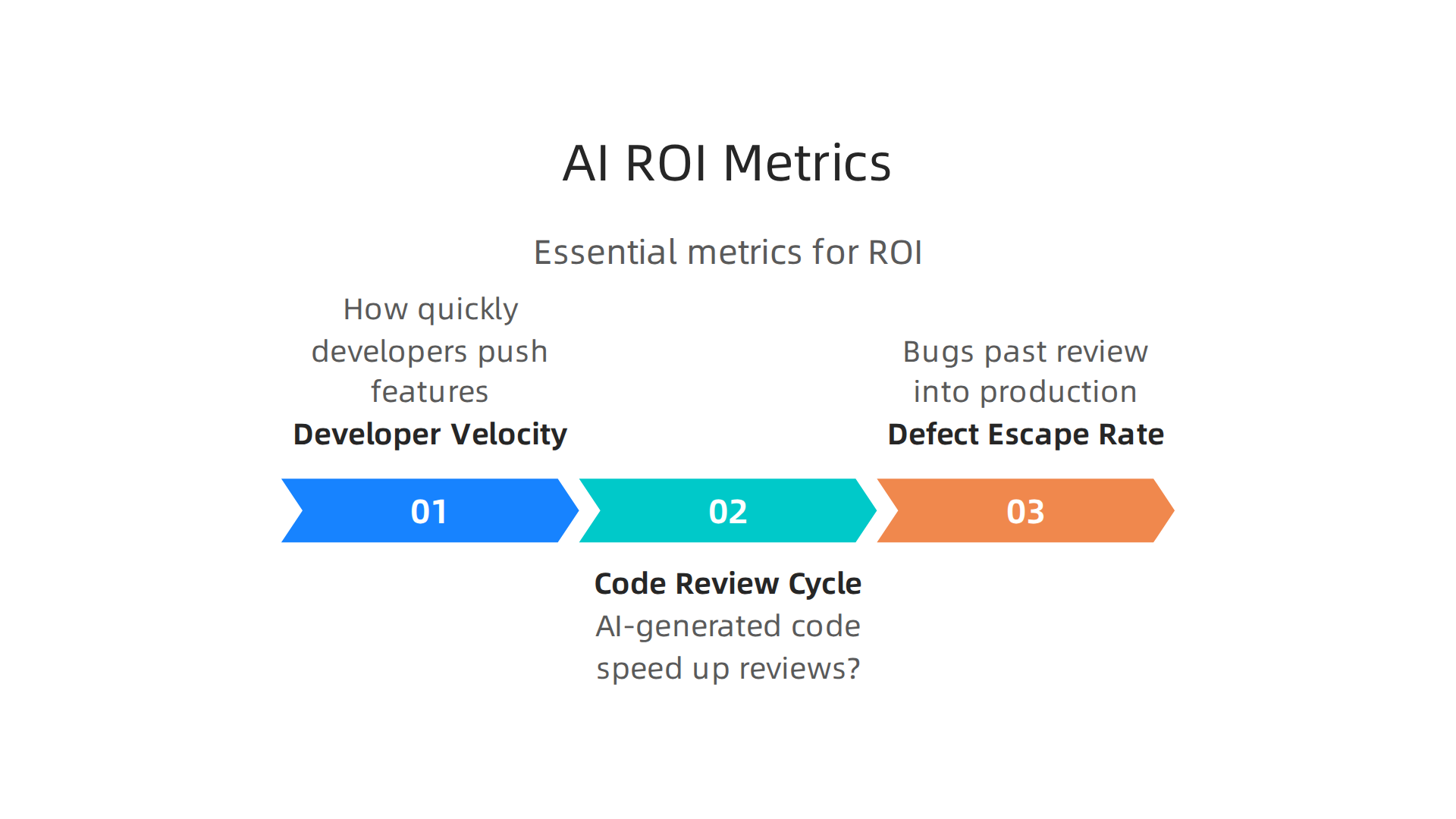
A few key metrics matter most:
- Developer velocity – How quickly do developers push features from idea to deployment?
- Code review cycle time – Does AI-generated code speed up or slow down reviews?
- Defect escape rate – How many bugs make it past review into production?
Elite teams using AI tools see weekly active usage above 80 percent and pull request cycle times under eight hours. They also maintain low code turnover ratios, meaning the code they produce stays in the system longer without needing rework. That is real long-term value. It is not just about writing more code faster. It is about writing better code that lasts.
The real strategic payoff comes when generative AI platforms integrate directly into your CI/CD pipelines and testing frameworks. When AI suggestions get tested automatically as part of your build process, you catch hallucinations and security flaws early. That reduces the time between writing code and shipping it to production. It also makes code easier to maintain down the road because AI tools can help enforce consistent patterns across your entire codebase.
But there is an important caveat. Not every team sees the same results. A study from 2026 found that some developers actually took longer with AI tools. The reported 19 percent slowdown happened among experienced open-source developers who spent extra time verifying and fixing AI output. That tells us ROI depends on how you use the tool, not just whether you use it at all.
If you want to build a strong measurement framework for your team, start by tracking these metrics before and after adopting AI. Compare developer velocity and defect rates over several months. That gives you a real baseline, not just a guess.
For a deeper look at how elite engineering teams build workflows around AI, explore this guide on developer experience 2026. It covers practical strategies for setting up the kinds of pipelines and review processes that maximize long-term ROI from generative AI platforms.
The Future of AI-Assisted Development: Trends Shaping 2026 and Beyond
That guide covers the practical steps for today. But what about tomorrow? The trends shaping generative AI platforms in 2026 point to an even bigger shift for software teams.
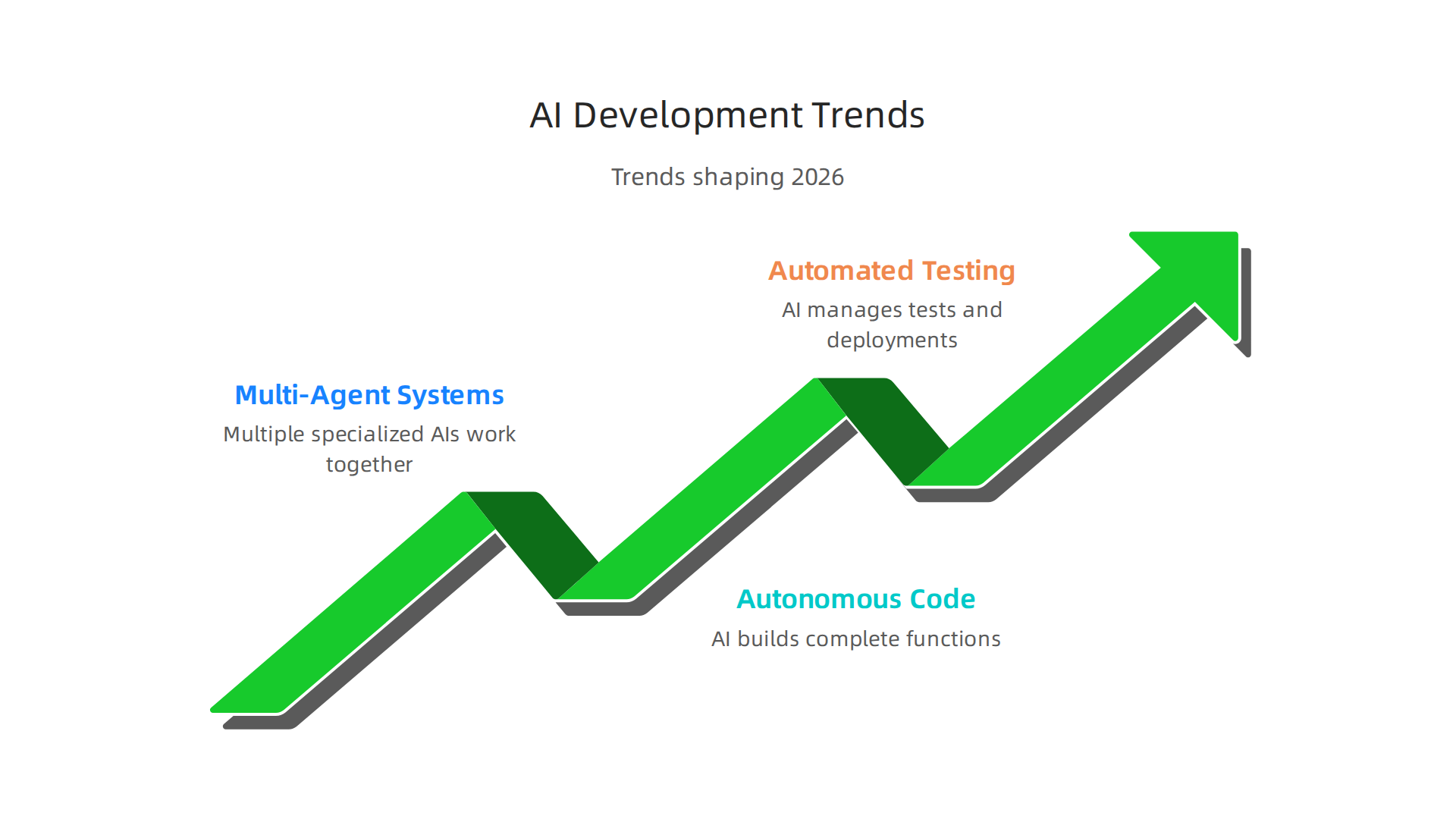
The biggest change is multi-agent systems. Instead of one AI helping you code, multiple specialized agents work together. One agent writes the initial code. Another runs the tests. A third checks for security issues. They coordinate like a small team running on autopilot. Some teams already use this setup to generate entire features from a single plain-language description.
Autonomous code generation is also arriving fast. You describe what you need in simple terms, and the AI builds complete functions, classes, or even whole modules. No more writing boilerplate by hand. No more searching forums for basic patterns. The AI handles the routine work so you can focus on the hard architecture and logic problems.
AI is also taking over more of the testing and DevOps pipeline. It generates test cases automatically. It spots bugs before code ever reaches review. It manages deployments and monitors rollouts. Teams that embrace this trend ship updates faster and deal with fewer production incidents.
These changes reshape what it means to be a developer. Microsoft’s 7 trends to watch in AI for 2026 describe this as a shift from instrument to partner. You stop being a typist and start being an orchestrator. Your job becomes managing AI agents, reviewing their output, and guiding the overall direction of your project.
If you want to keep up with these rapid shifts, The AI Newsletter Worth Reading delivers daily updates on the trends that matter most for software teams.
For a broader view of how AI and platform engineering connect in 2026, explore this overview of engineering technology trends 2026.
Summary
This guide explains how engineering leaders can evaluate, integrate, and scale generative AI platforms without falling into common traps. It summarizes the 2026 landscape—why adoption has surged, how general-purpose and specialized tools differ, and the evidence for productivity and quality gains. The article gives a four-step, research-backed framework (assess bottlenecks, pilot tools, establish governance, scale) and explains practical governance to manage security, bias, and hallucinations. It also shows which metrics to track for ROI, how teams should embed AI into CI/CD and testing, and why human review remains essential. Readers will learn how to run effective pilots, set policies that protect production, and measure long-term impact so AI becomes a reliable productivity multiplier rather than a liability.