When we talk about the cloud in 2026, we are really talking about the ‘v2 cloud’. This is the new world where engineering teams must manage both traditional virtual computers and modern cloud-native applications at a very large scale. It’s not just about moving to the cloud anymore; it’s about doing it smart and efficiently, especially with powerful tools from Amazon Web Services (AWS).
The big challenge for teams today is making sure everything works well together. Imagine you have some older programs that need specific virtual machines, and then you have brand new apps built using serverless functions or containers. How do you manage all of this easily? That’s where the ‘v2 cloud’ comes in. It is about using the best tools and practices to handle these different kinds of work.
For instance, modern AWS infrastructure, like the AWS Nitro System, plays a big role here. It helps create virtual machines that perform almost as well as physical hardware, which means your applications run faster and more securely. This kind of advanced base allows engineering teams to push the limits of what’s possible in the cloud.
To handle these complex setups, teams often use tools for automation. You might hear about terraform aws for automatically setting up cloud resources, or aws sam cli for building serverless applications. Messaging services like aws sqs (Simple Queue Service) also help different parts of your applications talk to each other reliably. And for getting virtual machines ready quickly, tools like cloud-init are super helpful. All these tools and methods help teams manage their cloud setups better, saving time and preventing mistakes.
This article will guide you through the key choices engineering teams face in the ‘v2 cloud’ era.
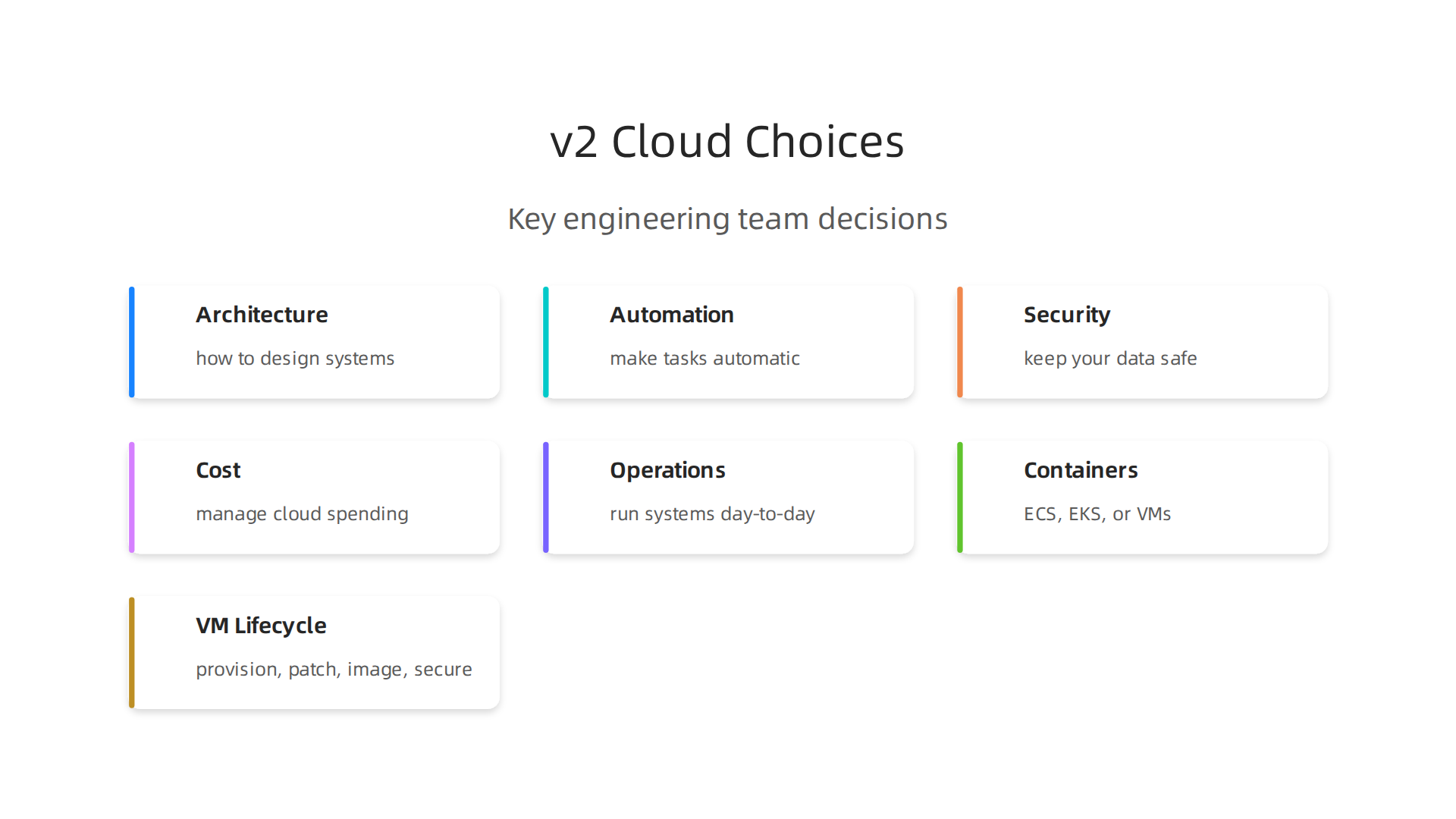
We will look at how to design your systems (architecture), make tasks automatic (automation), keep your data safe (security), manage how much you spend (cost), and run everything smoothly day-to-day (operational best practices). Understanding these areas is critical for success in today’s fast-moving tech world.
To stay on top of all the latest changes in AI and technology, consider subscribing to The AI Newsletter Worth Reading. You will get clear daily updates that can help your team make smarter decisions. If your team is looking to improve its cloud operations, learning about new ways to optimize AWS storage for peak performance and cost savings is a great next step.
In the world of the v2 cloud, understanding how AWS builds its basic computing parts is super important. Think of these as the building blocks for any application you want to run. At its heart, cloud computing uses virtual machines, or VMs. A VM is like a fake computer that runs inside a real one. Many VMs can share one powerful physical server. The software that makes this possible is called a hypervisor. It helps manage how each VM uses the server’s parts, like CPU and memory.
AWS has its own special way of doing this called the AWS Nitro System. This system changed how virtual machines work on AWS. It uses a very lightweight hypervisor, which helps your VMs run almost as fast as if they were on a dedicated physical computer, often called "bare metal." This is because many tasks that a traditional hypervisor would handle are now managed by special hardware parts. This setup helps improve performance and security, as explained in the Security Design of the AWS Nitro System. For programs that need full access to the computer’s hardware, like some old special software or high-performance computing, AWS also offers Instances built on the AWS Nitro System that let you skip the hypervisor layer entirely. These instances are built right on the Nitro System to give you top performance.
So, when should engineering teams use VMs in the v2 cloud? VMs, like those from AWS EC2, are great for "lift and shift" migrations. This means you move your old programs from your own data center directly to the cloud without changing them much. They are also good for tasks that need a stable, long-running environment, or when you need full control over the operating system. Tools like cloud-init can help you set up these VMs automatically when they start. If you want to learn more about different cloud services, including compute options, check out this guide on cloud services examples.
But the v2 cloud isn’t just about VMs. Many teams are also moving to container-native approaches. This means packaging applications into small, portable units called containers. Services like AWS Elastic Container Service (ECS) or Elastic Kubernetes Service (EKS) let you run these containers without worrying about the underlying virtual machines. This is often more efficient and flexible, especially for newer applications that are built using microservices. Serverless options, like AWS Lambda, take this a step further by letting you run code without managing any servers or VMs at all.
Choosing between VMs, containers, or serverless depends on your project’s needs.

VMs provide more control, while containers and serverless offer more speed and less management effort. The v2 cloud goal is to use the right tool for the job. You might use terraform aws to set up your entire infrastructure, whether it’s VMs or container clusters, making your cloud management easier. This mix of traditional and modern computing options is what defines smart architecture in the v2 cloud today.
When managing virtual machines (VMs) in the v2 cloud, especially on AWS, it is important to think about their entire life.
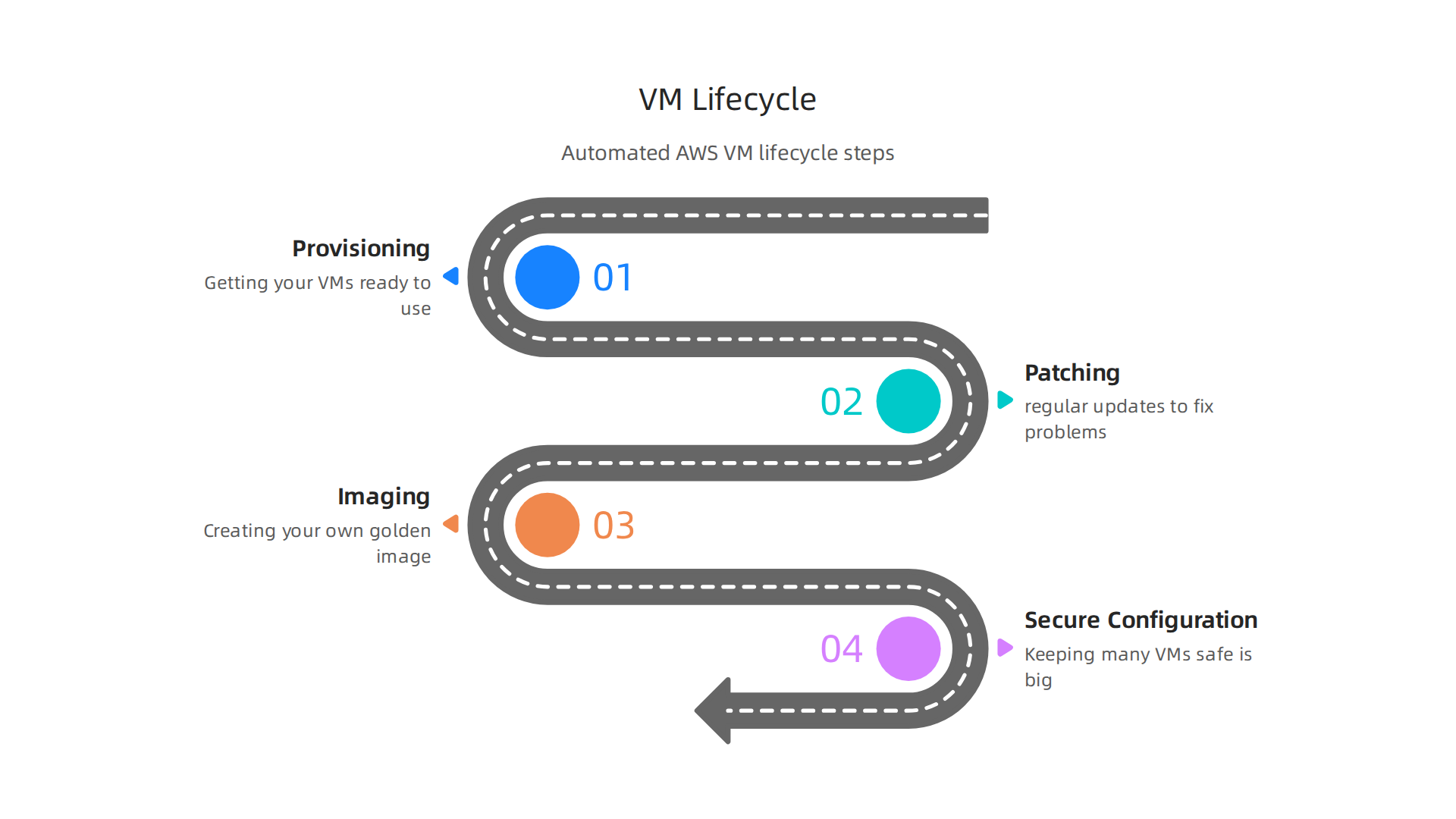
This includes how you set them up, keep them updated, and make sure they are safe.
How VMs are Managed
- Provisioning: This means getting your VMs ready to use. Instead of setting up each VM by hand, teams in the
v2 clouduse automated ways. They often start with a base image, like an Amazon Machine Image (AMI), that already has the basic software installed. Then, tools likecloud-inithelp run special commands when the VM first starts up. This makes sure all new VMs are set up the same way. You can use tools liketerraform awsto tell AWS exactly how to make these images and start new VMs automatically. - Patching: Just like your home computer, VMs need regular updates to fix problems and make them more secure. This is called patching. In the
v2 cloud, you can use automated tools to handle these updates across many VMs. This helps keep your whole system safe without a lot of manual work. - Imaging (AMIs): Creating your own AMIs is a smart way to manage VMs. You can build a "golden image" with all your specific software and security settings. Then, every new VM starts from this perfect image. This makes sure all your VMs are exactly alike and ready to go.
- Secure Configuration at Scale: Keeping many VMs safe is a big job. The AWS Nitro System, which powers most modern EC2 instances, helps a lot here. It uses special hardware to separate your VMs from each other and from AWS’s own systems, making it very secure. You can learn more about this in the Nitro System journey and how the components of the Nitro System work. To keep your data safe throughout its life on these VMs, it’s also important to define scalable data lifecycle management policies. For secrets and sensitive information, using services like AWS Secrets Manager is a best practice. You can read more about AWS Secrets Manager best practices for cloud security to keep your setups secure.
How Teams Operate VM Fleets
When you have many VMs, you need good ways to manage them.
- Instance Fleets and Autoscaling: Instead of running single VMs, engineering teams often use "fleets" of instances. These are groups of VMs that work together. Autoscaling is a key part of this. It lets your fleet grow bigger when you need more power (like when many users visit your website) and shrink when demand is low. This saves money and makes sure your applications always have enough resources. For jobs that need to be processed in order by these fleets, services like
aws sqs(Simple Queue Service) can help manage tasks. - Immutable Infrastructure vs. Mutable Servers:
- Mutable servers are like old computers you keep changing over time. You might log in and install software or change settings. This can lead to different servers ending up slightly different, which can cause problems.
- Immutable infrastructure is a newer, better way. When you need to make a change, you don’t change the running VM. Instead, you create a brand-new AMI with all the changes, then launch new VMs from this image and get rid of the old ones. This ensures all your servers are always exactly the same, making things more reliable and easier to fix. Tools like
terraform awsand AWS CDK 2026 Guide for Building Cloud Infrastructure with Code are great for making immutable infrastructure easy to build and manage.
Understanding these steps for VM lifecycle and management helps teams use the v2 cloud smartly. It helps them keep their applications running well, stay secure, and adapt to changing needs.
To keep up with the latest in technology and how AI is changing software engineering, sign up for The AI Newsletter Worth Reading.
Moving beyond just virtual machines, the v2 cloud also gives us another strong tool: containers. These are like small, self-contained packages for your applications. They hold everything an application needs to run, like its code, libraries, and settings. This means a container will run the same way, no matter where you put it.
What are Containers?
Imagine you have a toy car. A container is like that car, but it comes with its own little road, gas station, and repair shop all built right in. When you move the toy car to a new room, it still works perfectly because it brings its whole environment with it.
Containers are much lighter and start up much faster than full virtual machines. This speed is a big reason why teams love them. You can run many containers on just one VM, which saves money and makes better use of your computer power. Tools like cloud-init can help prepare the base VMs that host these containers, making sure they are ready to go.
Running Containers in the Cloud
In the v2 cloud, you can run containers in a few main ways:
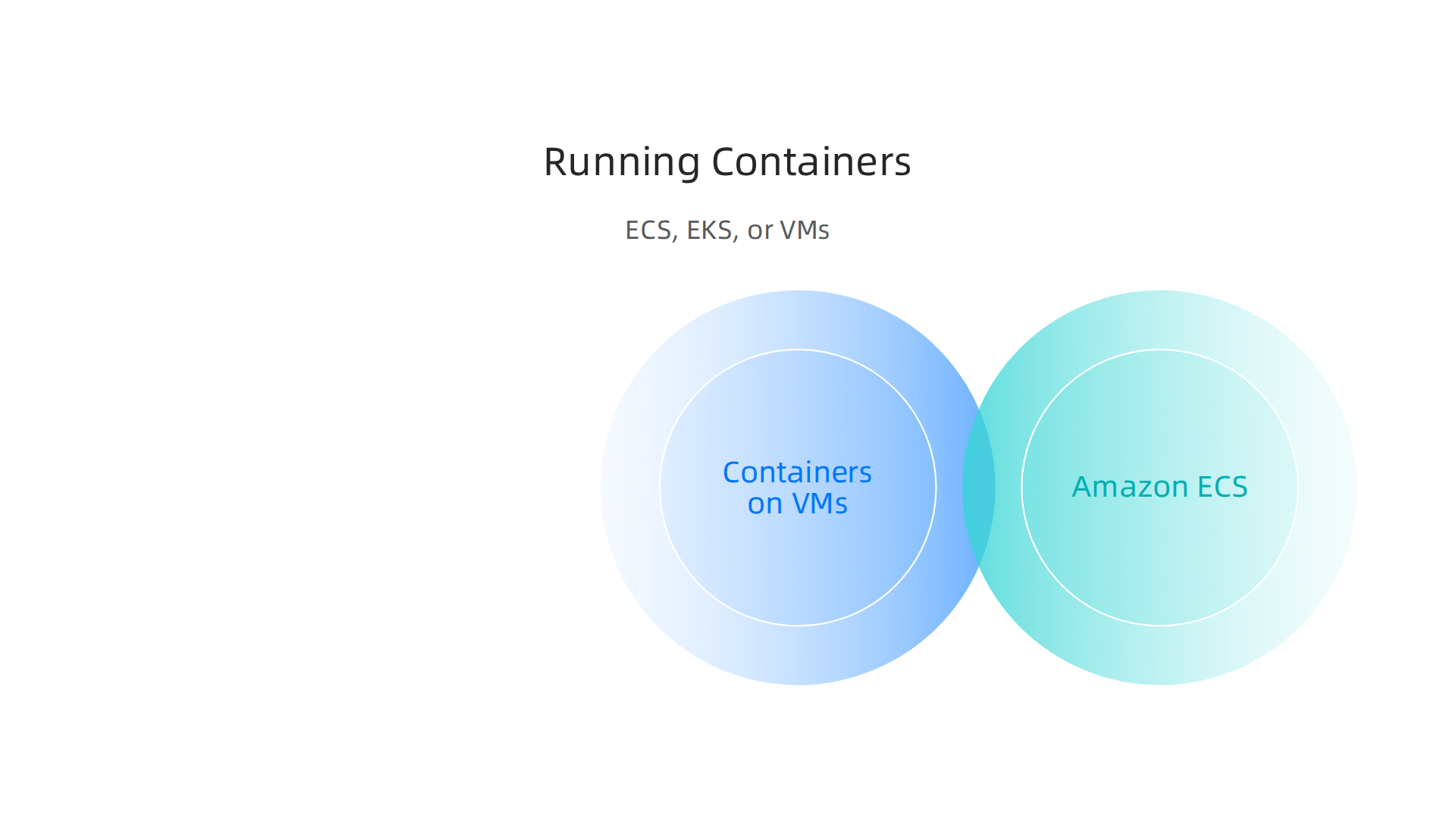
- Containers on VMs: This is the simplest way. You launch a normal virtual machine, then install a container runtime (like Docker) on it. You then run your containers directly on this VM. This gives you the strong isolation of a VM while still getting some of the benefits of containers.
- Container Orchestration Services: When you have many containers or complex applications, you need help managing them. This is where services like Amazon Elastic Container Service (ECS) and Amazon Elastic Kubernetes Service (EKS) come in.
- Amazon ECS is a service that makes it easy to run, stop, and manage containers on a cluster of Amazon EC2 instances or using AWS Fargate (where AWS manages the underlying servers for you). It’s simpler to set up for many teams.
- Amazon EKS lets you run Kubernetes on AWS. Kubernetes is a very popular open-source system for automating deployment, scaling, and management of containerized applications. EKS is great for teams that want more control and are already using Kubernetes. Keeping an eye on how your containers are running is important for both ECS and EKS. For example, AWS offers tools for monitoring and observability in containers to help you see what’s happening. You can also send logs from your containers to services like Amazon CloudWatch for viewing and archiving, as explained in AWS documentation on observability for containers on AWS.
Isolation and Performance: Containers vs. VMs
Choosing between containers and VMs often comes down to how much separation (isolation) you need and how much speed (performance) you want.
- Virtual Machines (VMs): These offer the strongest isolation. Each VM has its own full operating system and resources, like a completely separate computer. This is good for applications that need very strict security, or if you run software that requires a specific operating system setup that others can’t share.
- Containers: Containers are lighter because they share the operating system of the host VM they run on. While they have their own isolated environments for the application, they don’t have a full OS for each container. This shared setup makes them start faster and use fewer resources. They still offer good isolation from each other for most applications.
When to Choose Which
- Operational Velocity (Containers): If your goal is to develop and deploy applications very quickly, make frequent updates, and break down big applications into smaller pieces (microservices), then containers with ECS or EKS are usually the way to go. They help engineering teams achieve faster development cycles. You can manage these container infrastructures using tools like
terraform aws, which helps keep everything automated and consistent. Teams can also manage serverless container deployments for services likeaws sqsthroughaws sam clifor quicker testing and deployment. - Required Isolation or Compliance (VMs or Containers on VMs): For applications with very high security demands, strict regulatory compliance, or legacy software that needs a specific operating system, VMs might be a better choice. Running containers directly on dedicated VMs can give you the best of both worlds: strong VM-level isolation with the portability of containers.
Understanding these options helps teams pick the best way to run their applications in the v2 cloud, balancing speed, cost, and security needs. If you want to learn more about making smart choices for your cloud setup, consider exploring guides on strategic choices for developer tools and cloud platforms in 2026.
When we choose how to run our applications in the v2 cloud, thinking about security and rules (compliance) is super important.

It’s not just about speed and cost, but also keeping everything safe and meeting important guidelines.
Keeping Things Safe: Key Security Controls
Making sure your virtual machines and containers are secure in the v2 cloud means setting up some key protections. Think of these as locks and guards for your digital assets.
- IAM Roles and Instance Profiles: These are like special badges that give your applications and services permission to do certain things, but only what they need to do. Instead of giving a user a badge, an IAM role gives a temporary badge to a program or a service. Instance profiles help your virtual machines use these roles easily. AWS even has updates on how to manage these permissions well, like using IAM role chaining for retrieving secrets safely, as discussed in ICYMI: July 2026 @AWS Security. It’s a key part of protecting data, as AWS Identity and Access Management (IAM) encrypts data at rest, including things like IP addresses and customer account info, as highlighted in Data protection in AWS Identity and Access Management.
- Encryption: This means scrambling your data so only authorized people can read it. You should encrypt data everywhere: when it’s sitting still (data at rest) and when it’s moving (data in transit). For instance, it’s best practice to encrypt all EBS volumes and RDS instances. This is a basic security step, as noted in the AWS Security Audit Checklist: The Complete 2026 Guide.
- Network Segmentation: This is like putting different parts of your house in separate rooms with their own doors. It means keeping different parts of your application and its data separate on the network. This way, if one part is attacked, the other parts are still safe. You can set up network rules to control which parts can talk to each other.
- Runtime Protections: These are defenses that protect your applications while they are actually running. For containers, this includes making sure they only have the permissions they truly need, a concept known as "least privilege." Tools like
terraform awscan help set up these permissions consistently. You might also pull secrets (like passwords) from a secure manager at the last minute instead of putting them directly into your container, which is a key security practice mentioned in AWS Container Security: Best Practices & Solutions in 2026. For more on handling sensitive information, check out these AWS Secrets Manager best practices for cloud security.
Meeting the Rules: Compliance Requirements
Compliance means following certain rules or laws. These rules can affect how you set up your v2 cloud workloads.
- Data Locality: Sometimes, laws say that certain data must be stored in a specific country or region. If your application handles this kind of data, you’ll need to make sure your VMs or containers are running in the correct location.
- Audits: Companies often need to prove they are following security rules. This means having good records and systems that can be checked (audited). Using tools like
terraform awsto set up your infrastructure helps a lot here because it keeps a clear record of how everything is built. You can also use things like tagging policies to make sure all your resources meet certain rules, which helps with data governance, as seen in Implementing data governance on AWS: Automation, tagging, and lifecycle strategy Part 2. Services likeaws sqs, for example, need careful security policies to ensure messages are handled securely, especially in regulated industries.
Getting security and compliance right in the v2 cloud is a big job, but it’s essential for trust and safety. Staying informed about the latest security updates and best practices is crucial for all engineering teams in 2026.
If you’re eager to stay on top of the rapidly changing world of technology, including the latest in AI and cloud security, there’s an excellent resource. You can get clear daily AI updates from The AI Newsletter Worth Reading.
Managing your v2 cloud securely and making sure it follows all the rules is a big task. To do it well and keep things running smoothly, you need good automation.
This means using code to set up and manage your cloud setup, instead of doing it by hand. This way is much faster, more reliable, and helps prevent mistakes.
Building with Code: Infrastructure as Code (IaC)
When we talk about automation, a key idea is "Infrastructure as Code" or IaC. This means you write simple code or scripts to build and change your cloud resources, like virtual machines, networks, and databases. Think of it like a recipe for your cloud setup. When you use IaC, your cloud environment is:
- Reproducible: You can build the same setup over and over again, exactly the same way each time. This is great for making new test environments that match your main system.
- Modular: You can break down your cloud setup into smaller, reusable blocks of code. This makes it easier to manage complex systems.
- Consistent: All your different environments, like development, testing, and live (production) systems, can be kept very similar. This is called "environment parity" and helps catch problems early.
Tools like terraform aws are very popular for IaC. terraform aws is good for setting up the basic parts of your cloud, like networks or security groups, that many different teams might use. These foundational pieces don’t change very often. On the other hand, tools like AWS CDK are often used for more specific parts of your applications. Knowing when to use which tool is key, as highlighted in a comparison of AWS CDK vs Terraform. For virtual machines, cloud-init is a handy tool that lets you run scripts when a new VM first starts up, making it ready to use automatically.
If you work with many AWS accounts, which is common in bigger companies, terraform aws helps a lot. It lets you manage settings across all accounts in a secure and organized way, as explained in a guide for multi-account AWS with Terraform.
Automatic Workflows: CI/CD for Infrastructure
Setting up your cloud with code is one step. The next step is to use "Continuous Integration and Continuous Delivery" (CI/CD) to automatically test and deploy those code changes. This is like a robotic assembly line for your cloud infrastructure.
Here’s how it generally works:
- Write Code: You write your IaC code (for example, using
terraform aws). - Test: Your code is automatically tested to make sure it will build the cloud setup correctly and doesn’t have any errors.
- Deploy: If all tests pass, the changes are automatically put into your cloud environment.
Doing this safely is very important. You should always use special, temporary login details instead of sharing secrets directly in your code. These "secrets" should be rotated often, like every 90 days for pipeline secrets, and even more often for production details, according to CI/CD Pipeline Security Best Practices 2026. Also, using dedicated accounts for developers, separate from their everyday work accounts, helps stop attacks if one account gets hacked. This helps keep your CI/CD pipelines safe from serious problems, as discussed in CI/CD Security: Supply chain attack from a compromised developer.
Using CI/CD for your infrastructure also means you have a clear history of all changes, which is great for audits and understanding how your v2 cloud has evolved. If something goes wrong, you can quickly go back to a previous, working version. Tools like aws sam cli can help manage serverless applications within these CI/CD workflows, while messages for different parts of an automated system can be handled securely using services like aws sqs.
By using automation and IaC principles, your engineering teams can manage the v2 cloud with greater confidence, knowing that their infrastructure is consistent, secure, and ready for quick changes. This approach helps in building a strong cloud adoption strategy 2026 that supports your business goals.
After setting up your cloud with automation, it’s really important to know if everything is working well. This is where "observability" comes in.

It means you can see and understand what’s happening inside your v2 cloud systems, especially when things go wrong. For any cloud environment in 2026, good observability is key to keeping things smooth.
Keeping an Eye on Your Cloud: Collecting Telemetry
To truly understand your cloud, you need to collect different kinds of information, often called "telemetry." This includes:
- Metrics: These are numbers that tell you about your system’s health, like how much computer power is being used or how fast your applications are running.
- Logs: These are records of events that happen in your system. Think of them like a diary for your applications and servers.
- Traces: These show you the path a request takes as it moves through different parts of your system, which is super helpful for finding slowdowns.
The kind of information you collect can change based on what you’re running:
- For Virtual Machines (Virtualized Workloads): If you’re using traditional virtual machines, you’ll want to gather metrics on how busy the machines are, how much memory they use, and their disk space. Logs from the operating system and applications running on them are also vital. Tools like
cloud-initcan help set up basic logging when a new virtual machine first starts. - For Containers (Containerized Workloads): When you use containers, like with services for serverless applications such as those managed by
aws sam cli, you need to watch the containers themselves. This means looking at their resource use and collecting logs from inside each container. Getting logs from containers is important for seeing what they are doing, as discussed in the Containers on AWS observability documentation. You can also monitor network activity in container clusters, as highlighted in a blog about monitoring and observability for containers.
All this information needs a central place. You’ll want to send your metrics, logs, and traces to a main system where you can look at them all together. This makes it easier to spot problems quickly.
What to Do When Things Go Wrong: Incident Response
Even with great observability, problems can happen. That’s why having a strong plan for incident response is so important.
- Runbook Design: Think of a runbook as a step-by-step guide for fixing common problems. When an alert goes off, your team can follow the runbook to quickly figure out what’s wrong and how to fix it. This saves time and helps make sure everyone follows the same process.
- Service Level Objectives (SLOs): These are like promises about how well your service should perform. For example, an SLO might say that your website should be available 99.9% of the time. By setting SLOs and checking against them, you can tell if your
v2 cloudis meeting expectations. - Distributed Tracing Patterns: In modern cloud setups, your applications often have many small parts that talk to each other. If a user’s request is slow, it can be hard to know which part is causing the delay. Distributed tracing helps you follow that request through every part of your system, even if it goes through many services or uses message queues like
aws sqs. This makes it much easier to find the exact spot where a problem starts.
If you want to dive deeper into handling issues faster, learning more about cloud incident resolution for engineering teams can be very helpful.
By putting all these pieces together, your engineering teams can build a system that not only runs well but also gives you clear insights into its health. This boosts what we call "operational maturity" meaning your team is better at running and fixing your cloud services.
To stay on top of the latest developments in technology, including AI, consider subscribing to The AI Newsletter Worth Reading. You’ll get clear daily AI updates from The Deep View Newsletter.
Even with a smooth-running cloud, it’s easy to spend more money than you need to. Just like you keep an eye on how well your systems work, you also need to watch your spending. For any v2 cloud setup in 2026, keeping costs down and managing how things are used is just as important as fixing problems quickly.
Keeping Your Cloud Costs Low
Making sure your cloud costs don’t get too high means being smart about how you use your computing power.
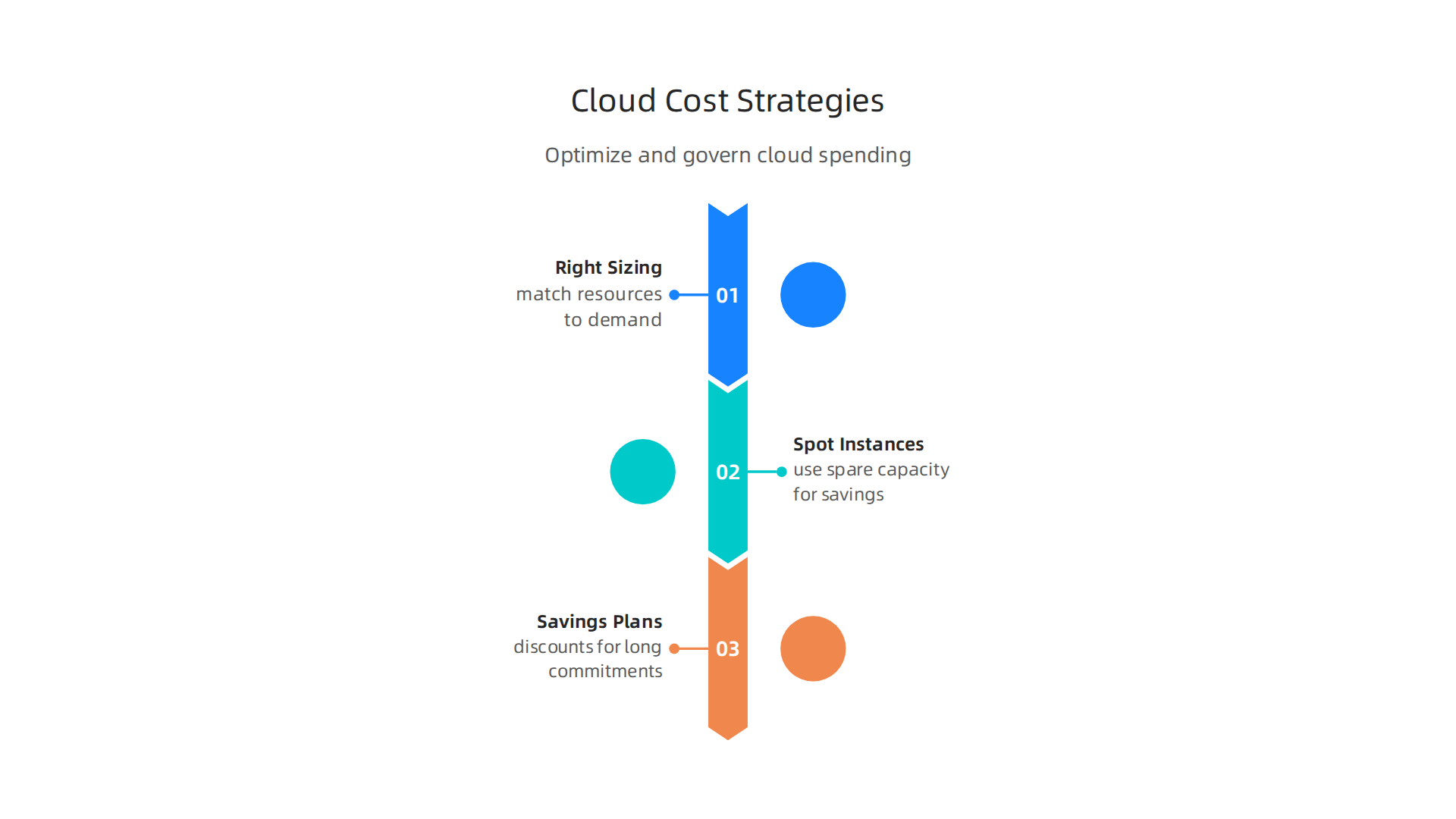
Here are some simple ways to save money:
- Right-sizing: This means making sure your computer servers and other resources are just the right size for the job. You don’t want to pay for a super-big server if a smaller one will do. Tools like AWS Compute Optimizer can help you find chances to make things smaller or turn off things you don’t need, which helps you save money on your EC2 costs. It looks at how much you’ve used things in the past to give you good advice on how to make your resources fit better, often finding that many instances are oversized Optimizing your cost with rightsizing recommendations.
- Spot Instances: For tasks that can be stopped and started easily, you can use "Spot Instances." These are like unused computing power that you can get at a much lower price, sometimes saving up to 90% AWS Cost Optimization | AWS Cloud Financial Management. It’s a great way to save money for certain kinds of work.
- Savings Plans: If you know you’ll need a certain amount of computing power for a long time, you can commit to a "Savings Plan." This gives you a big discount on services like EC2, Fargate, and Lambda, because you promise to use them for one or three years AWS Cost Optimization – How AWS Pricing Works. This is a core part of a good cost optimization plan AWS Cost Optimization Guide & FinOps 2026.
Rules for Your Cloud: Governance and Tagging
Beyond just saving money, you need rules to keep your cloud tidy and safe. This is called "governance."
- Tagging: Imagine every item in your cloud having a name tag that tells you who owns it, what project it’s for, or how much it costs. These are called "tags." By making sure everyone uses these tags, you can keep track of who is spending what and where. In 2026, using tags is a must for good cloud management How to Implement Cost Governance Best Practices on AWS. You can even use tools like
terraform awsto set rules that make sure resources are tagged correctly when they are created AWS Cost Optimization Guide 2026 (FinOps + EKS Rightsizing). AWS also lets you create tag policies to make sure tags are used consistently across all your services Enforce tagging consistency – AWS Organizations. - Governance Guardrails: These are like fences that keep things within safe limits. They are rules that stop people from doing things that might cost too much or create security risks. For example, you can set rules that only allow certain types of services to be used or ensure that all data is encrypted. These rules help balance allowing your teams to build fast while still keeping things secure and affordable.
- Organizational Patterns: This is about how your teams work together to manage the cloud. It means setting up clear roles and responsibilities so that everyone knows how to keep costs low and follow the rules. This helps balance the speed at which developers can build new things with the need to control costs and risks.
Understanding how to manage your cloud effectively, from initial setup to day-to-day operations, is key to success. If you’re looking to dive deeper into planning how your organization uses cloud technology, explore our guide on Cloud Adoption Strategy 2026 A Practical Roadmap For Engineering Teams. This way, your v2 cloud environment remains both powerful and budget-friendly.
Summary
The article explains the shift to the ‘v2 cloud’—a 2026-era approach where engineering teams must run both traditional virtual machines and modern cloud-native workloads efficiently on platforms like AWS. It covers core building blocks such as VMs (powered by the AWS Nitro System), containers, and serverless, and walks through operational needs including provisioning, patching, immutable images, and fleets with autoscaling. The piece details automation best practices using Infrastructure as Code (Terraform, AWS CDK) and cloud-init, plus CI/CD patterns for safe deployments. Security and compliance receive attention through IAM roles, encryption, network segmentation, and secret management. It also shows how to control costs with rightsizing, spot instances, and savings plans, and why observability (metrics, logs, traces), SLOs, and runbooks are essential for incident response. After reading, engineering teams will understand the trade-offs between compute choices, how to automate and secure large-scale cloud operations, and practical steps to optimize performance and cost in the v2 cloud.