

As a developer in 2026, you might think "website builder" and picture simple tools for hobbyists. But the world of web development is changing fast. Today, tools like the Wix Website Editor are becoming very powerful.
They offer new ways for developers to build websites quickly and easily.
This guide will help you understand why evaluating the Wix Website Editor makes sense for you and your team.

We will show how this platform can help deliver sites much faster. It combines great visual design tools with strong engineering options. This bridges the gap between what designers dream up and what engineers build.
Why No-Code is Important for Developers Now
You might be used to writing every line of code. However, tools that use no-code or low-code methods are everywhere now. In fact, experts predict that by 2026, about 70% of new business apps will be made using no-code or low-code tools No‑Code Platform Statistics 2026: Usage Trends Now. Many small businesses already choose website builders over custom coding, showing how popular these tools are becoming 45 Website Builder Statistics for 2026.
This rise of no-code is not about replacing developers. It’s about giving them new tools to be more productive. The Wix Website Editor lets you build, test, and launch projects without spending too much time on basic setup. This means you can focus on bigger, more complex problems. It helps cut down on heavy "operations" work that can slow things down.
Who This Guide Is For
This guide is for many types of tech professionals who want to build and manage websites more efficiently:
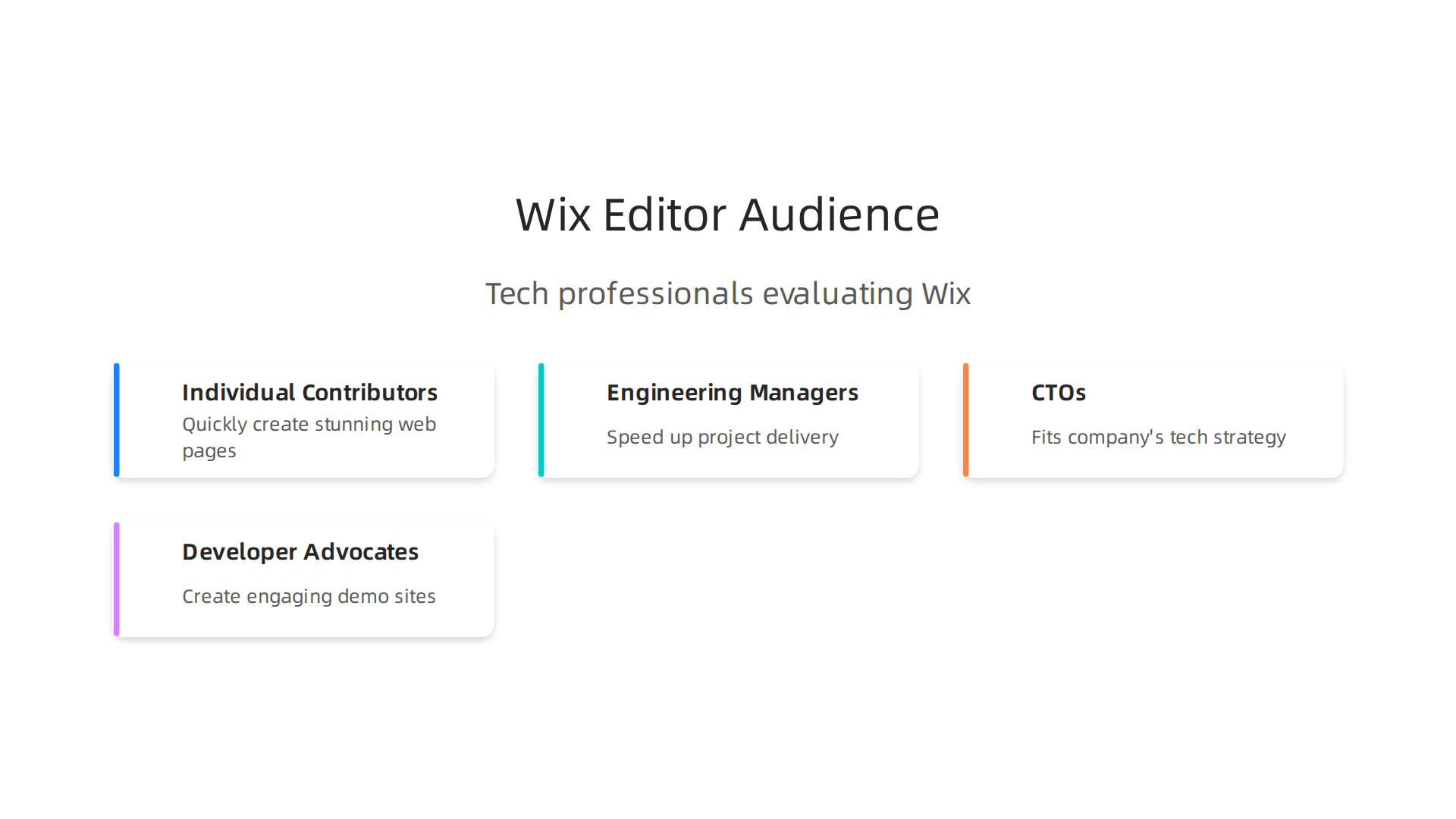
- Individual Contributors: If you’re a software engineer, you’ll learn how to quickly create stunning web pages and applications. This helps you show off your work or launch new features fast.
- Engineering Managers: You’ll discover how the Wix Website Editor can speed up project delivery. This means better use of your team’s time and resources.
- CTOs (Chief Technology Officers): You’ll see how this platform fits into your company’s tech strategy. It offers quick development without huge overheads.
- Developer Advocates: You can use Wix to create engaging demo sites or community resources in a flash.
We will look at how the Wix platform supports strong software graphics design and how developers can still control the underlying code when needed. This approach helps avoid the common issues of developer productivity bottlenecks, allowing teams to innovate faster. To understand more about the power of building without code, you might want to read our full no-code development platform strategic guide for engineering teams 2026.
Throughout this guide, we’ll explain the key features of the Wix Website Editor. We will cover how it helps with fast iteration and why it’s a tool worth adding to your development toolkit in 2026.
Staying updated on all the latest tech trends can be tough, but you don’t have to do it alone. Get clear daily AI updates from The Deep View Newsletter.
What the Wix Website Editor actually is: core features and developer-oriented toolset
The Wix Website Editor is a powerful tool that helps you build websites. Think of it as a smart drawing board for your web projects. It lets you create the look and feel of a site using simple drag-and-drop actions. This is often called a no-code approach because you don’t write traditional code for basic design.
At its heart, the Wix Website Editor gives you a visual way to work. You see your website being built right in front of you. It comes with many pre-made parts, like buttons, text boxes, and picture galleries. These parts are called components. You can drag them onto your page, move them around, and change how they look. There are also many ready-made designs, called templates, which give you a fast start for different types of sites Best no-code website builders for 2026 (+ low …). This focus on visual controls helps achieve strong software graphics design without needing to write CSS or HTML by hand. You simply pick, place, and style.
However, for developers, the real magic of the Wix Website Editor comes from its hidden power: Velo by Wix.

This is Wix’s special platform for advanced coding. It lets you go beyond just dragging and dropping. With Velo, you can add your own custom code, connect to databases, and even use different online services Velo by Wix: Custom Code, Databases & APIs Guide.
Here are some key developer features within the Wix Website Editor through Velo:

- Custom Code: You can write your own JavaScript code right inside the editor. This lets you make special things happen on your site that aren’t possible with just the drag-and-drop tools.
- Database Control: Velo lets you work with your site’s databases. You can store and manage information for your site’s users or content.
- APIs and Integrations: You get access to different APIs (Application Programming Interfaces). For example, the Wix Editor Elements API helps you control parts of your site, and the Wix Data API helps you work with your databases. You can even create your own custom APIs and connect to other services online Create & Host Custom API on Wix with Velo.
- Serverless Environment: When you use Velo, your code runs on Wix’s servers. This means you don’t have to worry about setting up or managing servers yourself About Velo by Wix | Help Center | Wix.com.
To use these powerful developer tools, you simply turn on "Developer Mode" inside the Wix Website Editor. This opens up new panels where you can write code, manage backend files, and connect to APIs. It provides a full-stack development experience right within the visual builder.
This blend of visual design and deep coding options makes the Wix Website Editor a flexible tool. It helps engineering teams quickly create websites and complex web applications. It’s a great example of how building without code is transforming software development in 2026. It also helps teams think about strategic website software design for engineering teams by allowing rapid prototyping and customization.
After learning about the powerful tools in the Wix Website Editor, from no-code design to advanced Velo coding, it’s important to think about what happens when your website goes live. We need to look at how well sites built with the Wix Website Editor perform, how search engines like Google find them, and how safe they are.
Performance, SEO, and security: technical trade-offs for production sites on Wix
When you use the Wix Website Editor, Wix takes care of a lot of the technical stuff behind the scenes. This includes hosting your website, making sure it loads quickly for people all over the world, and using smart caching to speed things up. In 2026, Wix has shown really good performance numbers. For example, real-world data from Chrome users shows that Wix websites have high pass rates for Core Web Vitals on both desktop and mobile, often outperforming other popular platforms Wix SEO & Core Web Vitals 2026 – comparedge.com. This means your site should feel fast to visitors. Wix even offers a Site Speed dashboard right in your account where you can check your site’s performance using Google PageSpeed metrics.

This platform-managed hosting helps engineering teams focus more on software graphics design and content, and less on server maintenance. You get good uptime and quick server response times, which are key for a smooth user experience. Learning how web performance boosts website traffic and SEO rankings is important for any online project.
Next, let’s talk about SEO, which stands for Search Engine Optimization. This is how Google finds your site and shows it to people. The Wix Website Editor comes with many built-in tools to help your site rank well. It offers a very guided SEO experience, helping you set up important things like meta titles and descriptions, URL slugs, and even generating sitemaps and robots.txt files 5 best website builders for SEO – Wix.com. You can also add structured data, which helps search engines understand your content better.
In fact, many experts say Wix is one of the Top 5 website builders for SEO in 2026, often praised for its detailed features and user-friendly approach. While the no-code tools make it easy for anyone to manage these settings, developers using Velo can also use custom code to add even more advanced SEO features if needed. Wix has made big improvements over the years, resolving past issues and now supports canonical tags and handles JavaScript rendering well Free SEO Audit for wix.com — Scores, Issues & Fixes | RankyPulse.
Finally, security is super important for any website. With the Wix Website Editor, security is a team effort between Wix and you. Wix takes care of the big stuff like providing SSL certificates for secure connections and keeping the servers safe. This means your site will have that important padlock icon in the browser, showing visitors their connection is secure Wix Vs. WordPress SEO Battle: Choose the Right One For You. However, if you’re using Velo to add custom code or connect to outside services, it’s your job to make sure that code is written securely and that any third-party tools you connect are safe. This is a common practice in any development environment, even when using no code or low-code platforms.
For more insights into current tech trends and tools that can help your engineering projects, consider subscribing.
The AI Newsletter Worth Reading
Developer Workflows & Integrations: Velo (Dev Mode), APIs, Source Control, and CI Patterns
Beyond the easy-to-use drag-and-drop features of the Wix Website Editor, there’s a powerful side for developers called Velo. Velo lets you add custom code to your Wix site, turning it into a full-stack development platform. You can think of it as "Dev Mode" for Wix, where you get to write JavaScript for both the front and back ends of your website. This is super helpful when you need more than just no-code tools.
With Velo, developers can inject their own logic to make their sites do special things. This means you can control site elements, work with your website’s database, and even create custom forms or interactions About Velo by Wix. Velo also lets you create serverless endpoints. These are like tiny pieces of code that run on Wix’s cloud without you needing to manage any servers. You can use these endpoints to handle complex tasks or process data securely, which makes it easier to Create & Host Custom API on Wix with Velo.
A big part of Velo is its ability to connect to outside services. You can use Velo APIs to link your Wix site with third-party tools, like payment systems, marketing platforms, or other custom software. This allows you to pull in data or send information out, greatly extending what your website can do. For example, you can integrate different app parts using Velo APIs for Blocks or connect to many other services Using Velo by Wix to Integrate 3rd-Party API Data. This is key for software graphics design or any project needing advanced data flow.
For engineering teams, managing code is important. Wix has made big steps to support modern developer workflows, even if it’s not a traditional code-only platform. In 2026, Wix lets you connect your site’s code to GitHub.

This means you can use source control to manage changes, work with a team, and keep track of different versions of your code How to Connect Wix Studio to Github. This is a game-changer for collaboration and making sure your work is saved.
You can also use the Wix Command Line Interface (CLI) to help with tasks like deploying your site. This CLI can be part of Continuous Integration/Continuous Delivery (CI/CD) pipelines. In simpler terms, you can set up automated systems that test your code and push updates to your live site, making the whole process faster and more reliable Integrate the CLI into CI/CD Workflows – Wix Developers. This helps avoid mistakes and makes sure your website updates go smoothly. You can even Automate Your Deployment with Wix CLI and GitHub Actions (CI/CD) for a truly modern workflow. These features help improve the developer experience 2026 a practical roadmap for engineering teams.
Understanding these developer tools is a big step for anyone looking to build powerful websites with Wix. If you want to keep up with the latest in AI and technology that shapes software engineering today, there’s a valuable resource available.
Get clear daily AI updates from The AI Newsletter Worth Reading.
Beyond building powerful functions, making sure your website looks good and is easy to use for everyone is also super important.

This is where design systems and good planning come in. Using the Wix Website Editor, you can create sites that are not just strong on the inside with Velo, but also pretty and simple to navigate on the outside.
Making Reusable Design Pieces
Think of a design system as a recipe book for your website. It has all the rules and ingredients for how your site should look and feel. With the Wix Editor, you can build parts that you use over and over, like buttons, forms, or text styles. Instead of making a new button every time, you make one great button, then just copy and paste it. This saves time and makes sure all your buttons look the same.
For more complex elements, Velo allows you to create your own custom components with code. This means you can design a special interactive block, for example, for advanced [software graphics design], and then use that block across many pages. This approach moves beyond simple no-code tools, offering the best of both worlds: visual design in the editor and custom logic with code. This helps keep your site looking consistent and makes it easier to update later. It also lets you extend websites with Velo, going beyond the basic drag-and-drop features of the no code approach Extend Websites with Velo Docs.
Keeping Styles Consistent and Sites Accessible
A good design system also means your site keeps a consistent style. This helps your website feel professional and trustworthy. When all your headings, colors, and fonts are the same, visitors know they are still on your site. This makes for a smoother experience.
Making sure your site is accessible means everyone can use it, including people with disabilities. This might mean using clear fonts, having good color contrast, or making sure keyboards can navigate everything. The Wix platform helps with many accessibility features, and with Velo, developers can add custom code to ensure every part of the site meets high accessibility standards. This includes working with the Velo APIs that let you control page elements Velo Docs.
Planning for the Future: Maintainability
When you build a website, you want it to last a long time. This is called maintainability. You want it to be easy to fix, update, and add new features without breaking old ones.
- Technical Debt: This is like a mess in your code. If you take shortcuts when building, you might create a "technical debt" that makes it harder to work on the site later. Using design systems and clear coding practices with Velo helps keep this debt low.
- Long-Term Extensibility: This means your site can grow with your needs. By using reusable components and Velo’s powerful features, you can add new parts or change existing ones without having to rebuild the entire site. This foresight is key for good strategic website software design for engineering teams.
- Portability of Assets and Code: Sometimes, you might want to move parts of your site or code to a new project. While Wix is a platform, good planning with Velo code and organized assets makes this process smoother if you ever need to reuse elements elsewhere. This ensures your hard work isn’t locked in one place completely.
Taking the time to plan your design system and build with maintainability in mind will save a lot of headaches later on. It makes your website stronger and ready for whatever comes next.
Building a strong website isn’t just about good design and strong code. It’s also about how different people work together to make it happen. With the Wix Website Editor and Velo, teams can build and manage sites in an organized way.
Your Team for a Wix Project
Think of building a website like a team sport. You need different players, each with a special job:
- Designers: These folks make the website look good. They pick colors, fonts, and decide where things go on the page using the visual tools in the Wix Editor.
- Content Owners: These are the people who write the words and choose the pictures for the website. They make sure the message is clear and helpful.
- Developers: For websites needing special features, developers use Velo to write custom code. They make things interactive and connect to other systems. This means your team can blend simple "no-code" tasks with custom coding for more power.
How Teams Share Work and Keep Control
Wix lets you give different jobs and access levels to each team member. This is like giving specific keys to certain rooms. Some people might only be able to change text, while others can make big changes to the design or code. This helps keep things organized and prevents mistakes.
When many people work on the same website, you need good rules. This is called "governance." It means having clear steps for how new things are added to the site. For example, before a new feature goes live, someone might need to approve it. This helps keep the website working well and looking professional.
Testing and Launching New Changes
After making changes, it’s very important to test them. You want to make sure new parts don’t break old ones. Teams can use special tools like the Wix CLI (Command Line Interface) to help with this. The Wix CLI can be put into your team’s workflow to run tests automatically. This makes sure that every time someone makes a change, it gets checked quickly. You can even set up automated workflows, also known as CI/CD, to test changes every time someone submits new code, making sure no problems sneak into the site before it’s ready for everyone to see it live Integrate the CLI into CI/CD Workflows.
Once changes are tested and approved, it’s time to "release" them. This means putting the new website parts onto the live internet for everyone to see. Planning this carefully helps avoid any problems. Using a no-code development platform strategic guide for engineering teams can help teams understand how to use tools like the Wix Website Editor and Velo to manage these releases smoothly.
By setting up clear roles, rules, and smart ways to test and release, teams can build great websites with the Wix Website Editor, whether they’re using mostly visual tools or adding advanced Velo code.
Want to stay informed on the latest advancements in technology and how they impact software development?
The AI Newsletter Worth Reading
Choosing the right tool for building a website is a big decision. While we know the Wix Website Editor helps teams work together well, it’s also smart to think about when it’s the best choice and when you might need something else.
When Wix Editor is a good fit
The Wix Website Editor is a great choice for many projects, especially when you need to get things done quickly without deep coding knowledge. This kind of "no-code" building is very popular. In fact, experts say that by 2026, about 70% of new business applications will be built using no-code or "low-code" tools No-Code Statistics 2026: Adoption, ROI & Market Data.
Here’s when the Wix Website Editor really shines:
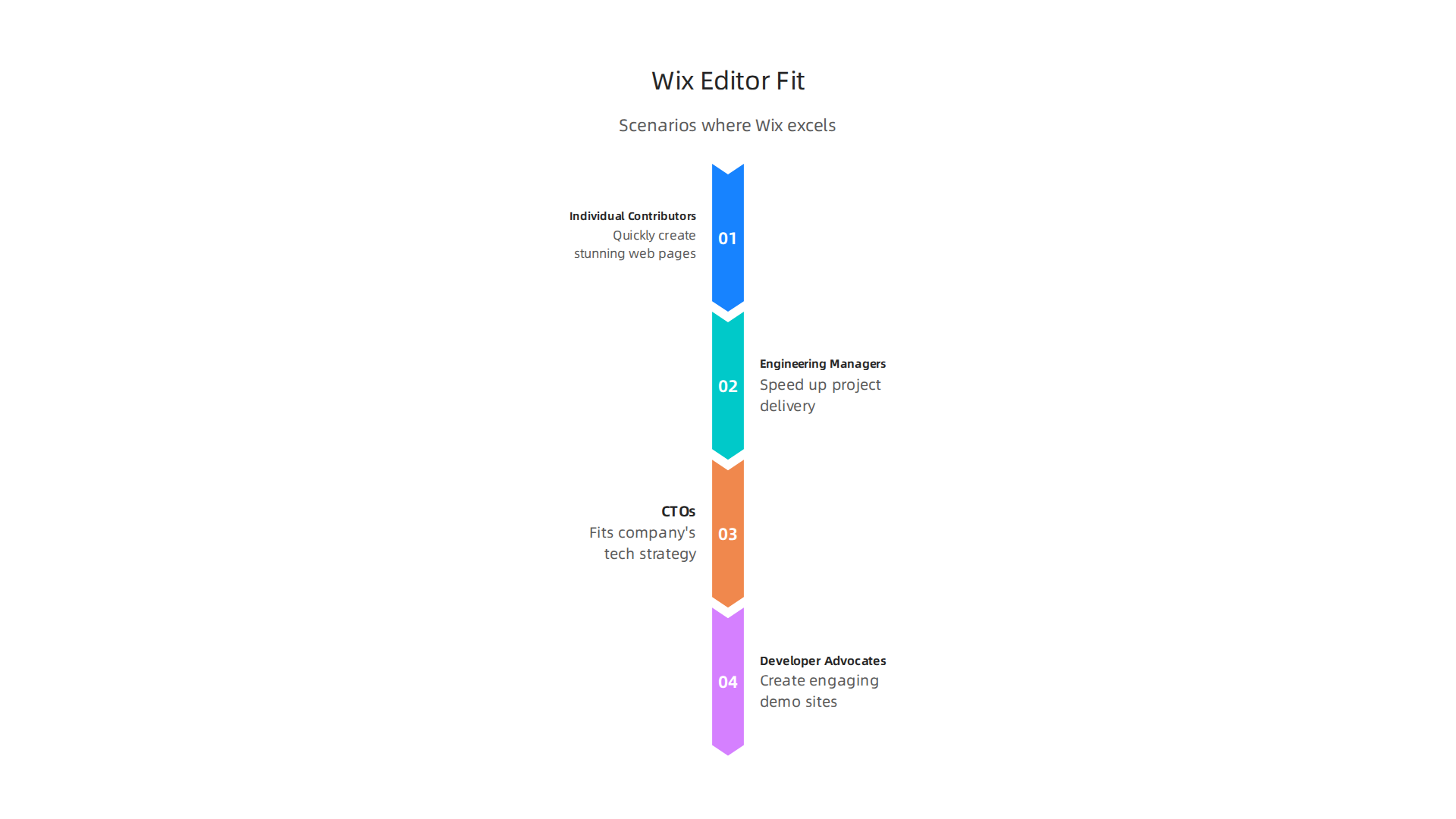
- Fast websites: If you need a website up and running quickly, Wix is perfect. It helps you launch your site to the public much faster.
- Visual design focus: If you or your team are good at "software graphics design" and want to create a beautiful look without writing code, Wix is a strong platform. It lets you drag and drop elements easily, giving you lots of freedom to make your site look just right Wix Vs Squarespace: No-Code Website Development Platform ….
- Simple business needs: For small businesses, personal portfolios, or marketing pages (like a special page for a new product), Wix is an excellent option. Many small businesses in the U.S. use website builders instead of hiring custom coders, showing how popular and effective these tools are 45 Website Builder Statistics for 2026.
- Team skills: If your team has designers and content writers but fewer skilled coders, the no-code environment of the Wix Website Editor empowers everyone to contribute.
When to pick a different approach
Even with its great features, there are times when another tool might be better than the Wix Website Editor:
- Super complex needs: If you need a website that does very specific, advanced things that no template or common feature can handle, a full-code approach might be necessary. This means building everything from scratch using programming languages.
- Unique connections: If your website needs to connect to many different, unusual systems in very special ways, full coding can give you more control.
- Strict rules: Some industries have very strict rules about how websites must be built, especially concerning data privacy or security. While Wix has strong security, some teams prefer to manage every line of code themselves for these very specialized compliance needs.
- Expert coding teams: If your team is made up mostly of expert coders who prefer to write all their code from the ground up, they might find a full-code environment more to their liking.
Deciding between a no-code tool like the Wix Website Editor and a full-code solution really depends on what your project needs, how fast you need to build it, and the skills your team has. Understanding these points helps you make a smart choice for your website project. You can explore more about how this approach is changing how websites are made with this guide on how building without code is transforming software development in 2026.
Want to stay informed on the latest advancements in technology and how they impact software development?
The AI Newsletter Worth Reading
After you decide that a no-code tool like the Wix Website Editor is the right fit for your project, it’s time to get down to business. Even when you’re not writing complex code, engineers still play a super important role. They make sure the website is strong, safe, and works well for everyone. Think of it as a helpful checklist and a simple plan to make sure your Wix site is ready for the world.
Practical checklist and quick-start playbook for engineers using Wix Website Editor
Building a website with a no-code tool like the Wix Website Editor can be fast and fun, especially for those who like to focus on software graphics design. But even with all the easy drag-and-drop features, engineers have a job to do. They need to make sure the site is built right, safe, and performs well. This helps ensure your project succeeds in 2026 and beyond. In fact, many people are turning to no-code builders, with some reports showing they offer better returns than custom coding for businesses 10 Best No Code Website Builders in 2026.
Here is a simple checklist to help engineers prepare a Wix site for launch:
- Website Architecture: Think about how all the pages connect. Are the most important pages easy to find? Is the overall structure logical for users and for search engines?
- Security Checks: While Wix handles much of the security, you should still check things like form security and making sure any third-party tools are safe. Look for SSL certificates (the little padlock in the browser) and secure data handling.
- Search Engine Optimization (SEO) Basics: Make sure your pages have good titles and descriptions. Use keywords that people might search for. This helps your site show up when people look for it online. Improving web performance boosts website traffic and SEO rankings.
- Testing, Testing, Testing: Test how the website looks and works on different computers, phones, and tablets. Click every button, fill out every form. Make sure everything works as expected.
- Monitoring Plan: Think about how you’ll watch your website after it’s live. Will you check for broken links, slow pages, or other problems?
Quick-Start Playbook for Engineers
Here’s a step-by-step plan to get your Wix Website Editor project ready:
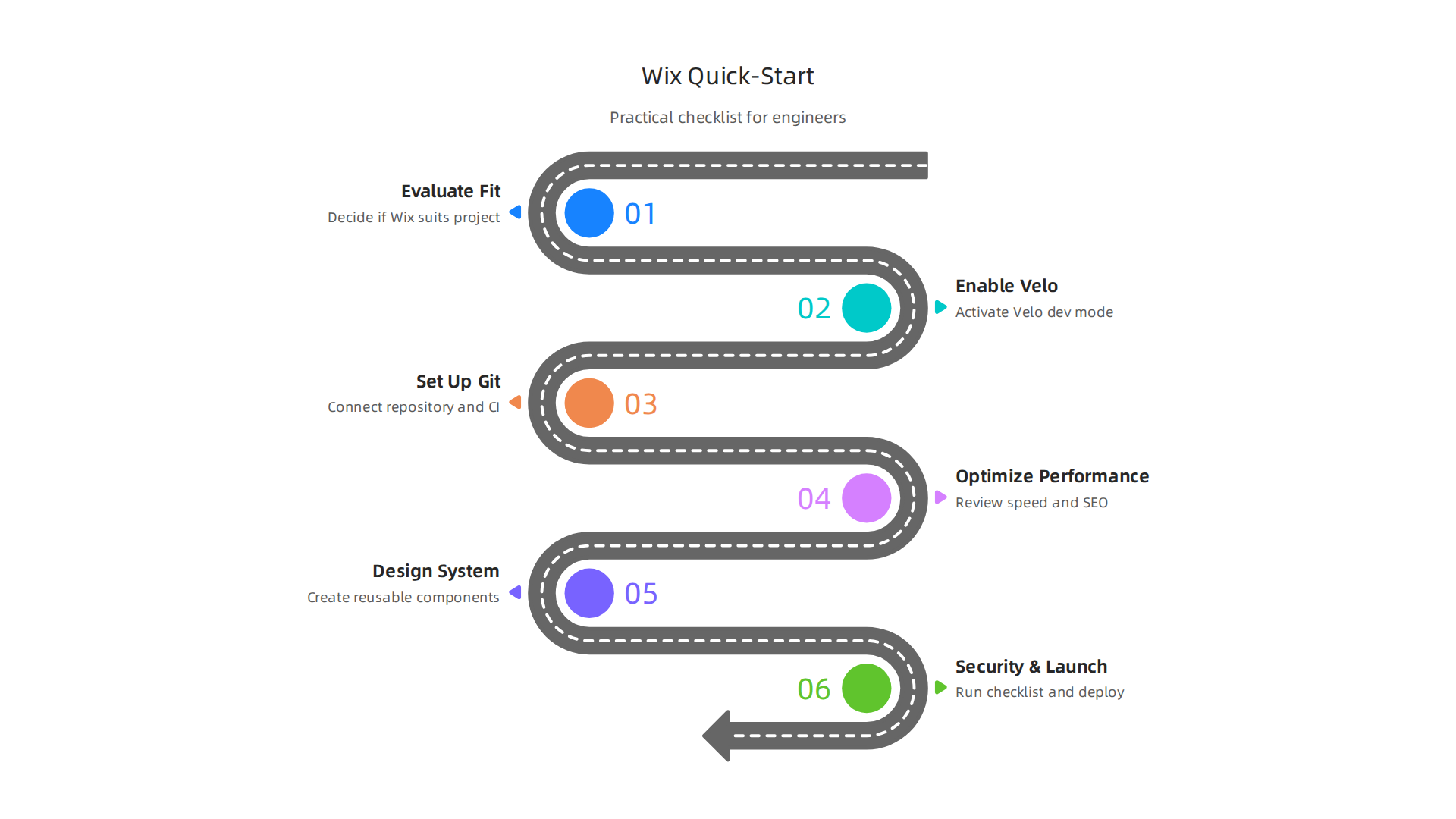
- Build and Design: Work with your team to design the site in the Wix editor. Use your software graphics design skills to make it look great. Focus on how users will move through the site.
- Set Up Key Features: Add any special tools or apps your site needs, like contact forms, online stores, or booking systems. Make sure they connect correctly. This can involve setting up things in the no-code environment.
- Comprehensive Testing: Before launch, get everyone to test the site. Check all links, images, and content. Make sure it loads quickly. You can also get feedback from people who haven’t seen it before.
- Prepare for Launch: Double-check all settings, privacy policies, and terms of use. Make sure your domain name is connected correctly.
- Go Live and Monitor: Once your Wix site is launched, keep an eye on it. Use Wix’s built-in tools or other services to watch for any issues. Be ready to fix small problems quickly.
By following this practical checklist and quick-start playbook, engineers can ensure that a Wix website is not just pretty, but also strong, secure, and ready to serve its purpose effectively in 2026.

This careful approach makes the most of the power of no-code development platforms.
Summary
This guide explains why the Wix Website Editor is worth evaluating for engineering teams in 2026, showing how modern no-code tools can accelerate delivery without sacrificing developer control. It describes the editor’s visual design strengths and the developer-oriented Velo platform, which lets you add JavaScript, databases, serverless endpoints, and custom APIs inside the builder. The article walks through technical trade-offs for performance, SEO, and security, and explains how Wix’s managed hosting and built-in SEO tools reduce operations overhead while still allowing advanced customization. It covers developer workflows like GitHub integration, CLI-based deployment, and CI/CD patterns, plus practical advice on design systems, accessibility, and maintainability. You’ll also get guidance on team roles, governance, testing, and a quick-start checklist engineers can use to prepare a Wix site for production. Finally, the guide helps you decide when Wix is the right fit versus a full-code approach so you can choose the right tool for your project needs.


