

Introduction: The Promise of Building Without Code
The software development world is changing faster than ever. In 2026, the idea of building powerful applications without code has moved from a niche experiment to a central business strategy. Artificial intelligence and low-code platforms are now letting non-developers create real software.
Here is the thing: engineering teams are under constant pressure to ship faster. Budgets are tight, and skilled developers are hard to find. Building without code promises to close that gap. It lets subject matter experts build tools themselves and frees up engineering teams for harder problems.

The numbers back this up. One report tracking no-code transformations usage trends shows Gartner expects the market to exceed $30 billion in 2026. Around 70% of new enterprise apps will use these technologies. This is a fundamental shift in how software gets made.
New innovations are driving this change. Headless ID code offers flexible backends. Evotech code frameworks push automation further. Galaxy AI brings smart features to apps built without these traditional methods. These breakthroughs come from deep research and development. If you want to explore the specific AI tools making this possible, start with our list of top no-code machine learning platforms.
Staying ahead of these rapid changes can feel overwhelming. That is why we recommend The AI Newsletter Worth Reading. It delivers clear daily AI updates straight to your inbox.
This article will explore the modern innovations behind the without code movement. We will look at real data and expert views to help technology leaders decide where and how to invest.
The Evolution of ‘Without Code’: From Drag-and-Drop to AI-Powered Development
The idea of building software without writing code is not brand new. Tools like WordPress and Zapier have been around for years. But those early platforms had limits. You could create a simple website or connect a few apps, but building a full backend or a complex business application still needed a developer.
Here is what changed. Around 2024, large language models started to appear inside no-code platforms. Suddenly, you could type a sentence like "build a customer database with a search bar" and the platform would generate the logic, the database structure, and the user interface for you. No drag-and-drop required. The whole experience shifted from visual clicking to natural conversation.
This shift is not small. According to the 2026 Low-Code/No-Code Predictions from DEVOPSdigest, by 2026 low-code interfaces are rapidly moving from drag-and-drop canvases to natural language interfaces. Users describe what they want, and AI builds it. That is a fundamental change in how applications come to life.
Before this milestone, building "without code" meant you had to understand toolchains and visual workflows. You still needed to know how logic connected. Now, the AI handles that wiring for you. It suggests workflows, validates your plans, and even handles security and integration settings in the background.
The result is that we have moved past simple prototypes. Modern platforms let non-developers build production-grade applications with minimal manual coding. Teams can ship internal tools, customer portals, and data dashboards in days instead of months. All without code.
To get the most out of these new capabilities, understanding the latest AI-powered tools is essential. Check out this guide to AI tools for developers in 2026 to see how engineering teams are blending human creativity with machine speed.
The without code movement has grown up. It is no longer just for simple tasks. It is now a serious way to build real software.
How AI is Reshaping Low-Code and No-Code Platforms
So we have seen how without code tools moved from dragging blocks to talking with AI. But what does that actually look like inside a platform? Two big changes stand out right now: AI copilots that write and fix code for you, and smart systems that design whole parts of your app based on what you describe.
AI copilots do the heavy lifting. Instead of hunting for the right visual block, you just type what you need. "Add a search bar that filters by date." The AI generates the code, places the UI element, and connects the logic. It can even debug errors and suggest better ways to write the same logic. This is huge for people who are not professional developers. They can now build clean, working applications without ever opening a traditional code editor.
Intelligent automation handles the boring parts. Imagine you say, "I need a system to track employee vacation requests." The platform does not just create a table. It suggests a full workflow: who approves, what happens if days overlap, how to send email reminders. It picks UI layouts, sets up database schemas, and links everything together. According to the Low-Code and No-Code in 2026 report from Codewave, modern platforms blend visual development with AI-assisted automation to handle these decisions automatically.
The productivity jump is real. Early data shows that teams using these AI-enhanced tools cut development time by 50% to 70% for common internal apps.

A project that used to take two months now takes two weeks. That frees up professional developers to focus on harder problems like performance tuning or security, while business teams build their own tools.
This makes without code development a serious part of research and development teams. You can prototype a new feature in a day, test it with real users, and decide whether to invest more. That kind of speed changes how companies think about innovation.
To stay on top of how AI is reshaping development workflows, check out this guide on how to bridge the AI to human gap in your code. It explains practical ways teams are combining human creativity with AI speed.
If you want a steady stream of insights on where all this is heading, get clear daily AI updates from The Deep View Newsletter. It covers the latest in AI and low-code without the hype.
Practical Applications: Building Production-Ready Apps Without Traditional Coding
The AI enhancements we just looked at are not just for quick prototypes. Companies of all sizes are now using without code platforms to build real, production-ready applications. Here is what they are building, where these tools still fall short, and a simple way to decide if going without code is right for your project.
Real apps built without code
Bendigo Bank, one of Australia’s largest banks, used a low-code platform to create 25 customer-focused apps in about 18 months. These apps handle critical daily banking tasks and were built much faster and cheaper than traditional coding. North Carolina State University built two registration and compliance apps in six months for less than 5% of what custom development would have cost. You can explore these and other stories in these 7 low-code case studies.
Across industries, teams are using without code tools for internal dashboards, customer portals, workflow automation, and even core business systems. According to the no-code statistics for 2026 from Kissflow, 71% of operations teams now use no-code for approval routing, and 63% of HR teams use it for onboarding. The average drop in approval cycle time after automation is 65 to 70%.
Where without code still has limits
No tool is perfect. Security and governance are top worries for enterprises. The good news is that leading platforms now support SOC 2, GDPR, HIPAA, audit trails, and role-based access controls. As the enterprise low-code and no-code platforms guide points out, these tools have moved beyond experiments into business-critical workloads.
Still, scalability can be an issue if your app needs to handle millions of users or very complex logic. Customization is another limit. Sometimes you need a feature the platform does not offer. That is when teams use a hybrid approach. They build the core app quickly with without code tools and then add custom code for the hard parts.
How to decide: without code or pro-code?
Here is a simple framework based on complexity, compliance, team skills, and speed.
- If your app is a standard internal tool like an approval workflow or customer portal, go without code. The no-code vs low-code comparison for enterprise apps recommends choosing no-code when speed and collaboration matter most.
- If your app needs deep legacy system integration, custom algorithms, or industry-specific logic, stick with pro-code or use a hybrid mix.
- If your industry has strict compliance rules, pick a platform that supports those standards out of the box.
For research and development teams, without code is a huge advantage. You can test a new idea in days instead of months. That speed helps you learn faster and invest only in what works.
To understand more about how these platforms are changing engineering work, read this overview of engineering technology trends in 2026. It covers how AI and platform engineering are reshaping the way teams build software.
The Skills Shift: What Developers Need to Learn to Thrive in a Without-Code World
The rise of without-code platforms does not mean developers are becoming obsolete. Actually, it changes what developers need to know. The door opens wider for citizen developers (people in marketing, HR, or operations who can now build apps). But for professional software engineers, the game gets more interesting. You need to shift from writing every line of code to designing systems, integrating tools, and governing AI-powered outputs.
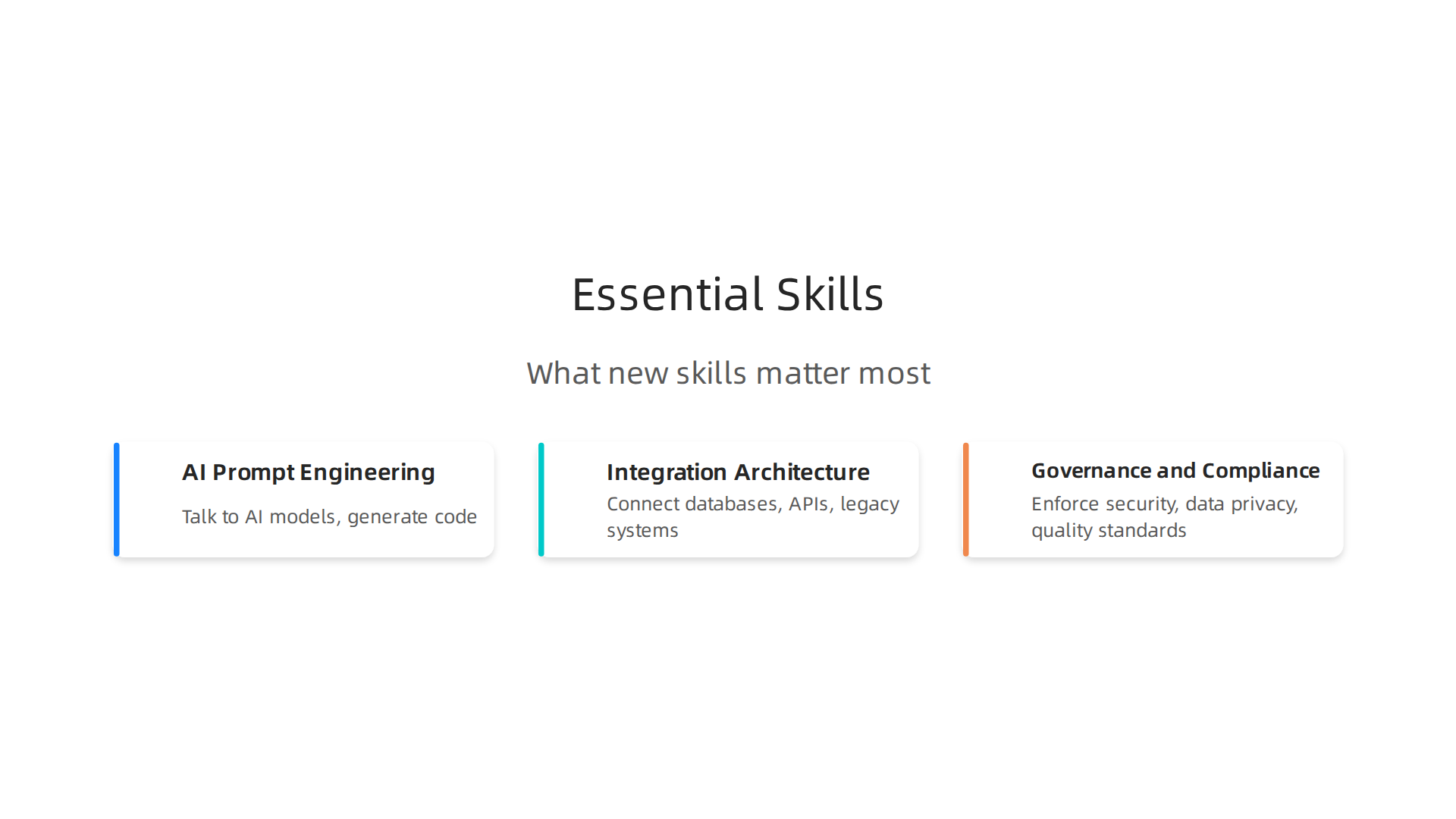
**What new skills matter most
**
First, AI prompt engineering is becoming a core skill. Developers need to know how to talk to AI models to generate reliable code. That goes beyond simple prompts. It means understanding context, constraints, and how to test AI outputs. Second, integration architecture is huge. Without-code apps still need to talk to databases, APIs, and legacy systems. You need to know how to connect it all securely. Third, governance and compliance skills are critical. As more teams build apps quickly, someone needs to enforce security, data privacy, and quality standards.
LinkedIn’s list of the top tech skills software engineers need in 2026 puts AI and machine learning engineering at the top. It also highlights cloud engineering, DevOps, and cybersecurity. These skills complement without-code development rather than replace it.
Learning paths that work
Several platforms now offer certifications in low-code tools like OutSystems and Mendix. These teach you how to build enterprise-grade apps fast. But don’t stop there. Courses on AI-assisted development help you learn to use tools like GitHub Copilot or ChatGPT efficiently. The Refonte Learning guide on software engineering skills for 2026 emphasizes that modern engineers must combine strong technical foundations with continuous learning.
One risk is real. If you rely too much on black-box AI generation, you can lose the ability to understand what the code is actually doing. That can lead to bugs, security holes, and technical debt. The antidote is to keep learning the fundamentals. Master data structures, algorithms, system design, and testing. Then use AI as an accelerator, not a crutch.
For a deeper look at what skills to prioritize, check out this guide on software developer skills in 2026. It covers the specific competencies that will set you apart.
Stay ahead with curated learning
The tech landscape moves fast. To keep up, you need a reliable source that cuts through the noise. That is exactly what The Deep View Newsletter provides. It delivers clear, daily AI updates straight to your inbox. Subscribe to The AI Newsletter Worth Reading and stay informed without the overload.
Evaluating Without-Code Tools: A Decision Framework for Engineering Leaders
With so many platforms on the market, choosing the right one can feel overwhelming. As an engineering leader, you need a clear framework to cut through the noise.

The goal is to pick a tool that balances speed, security, and long-term value.
Key evaluation criteria
Every without-code platform should be judged on five things:
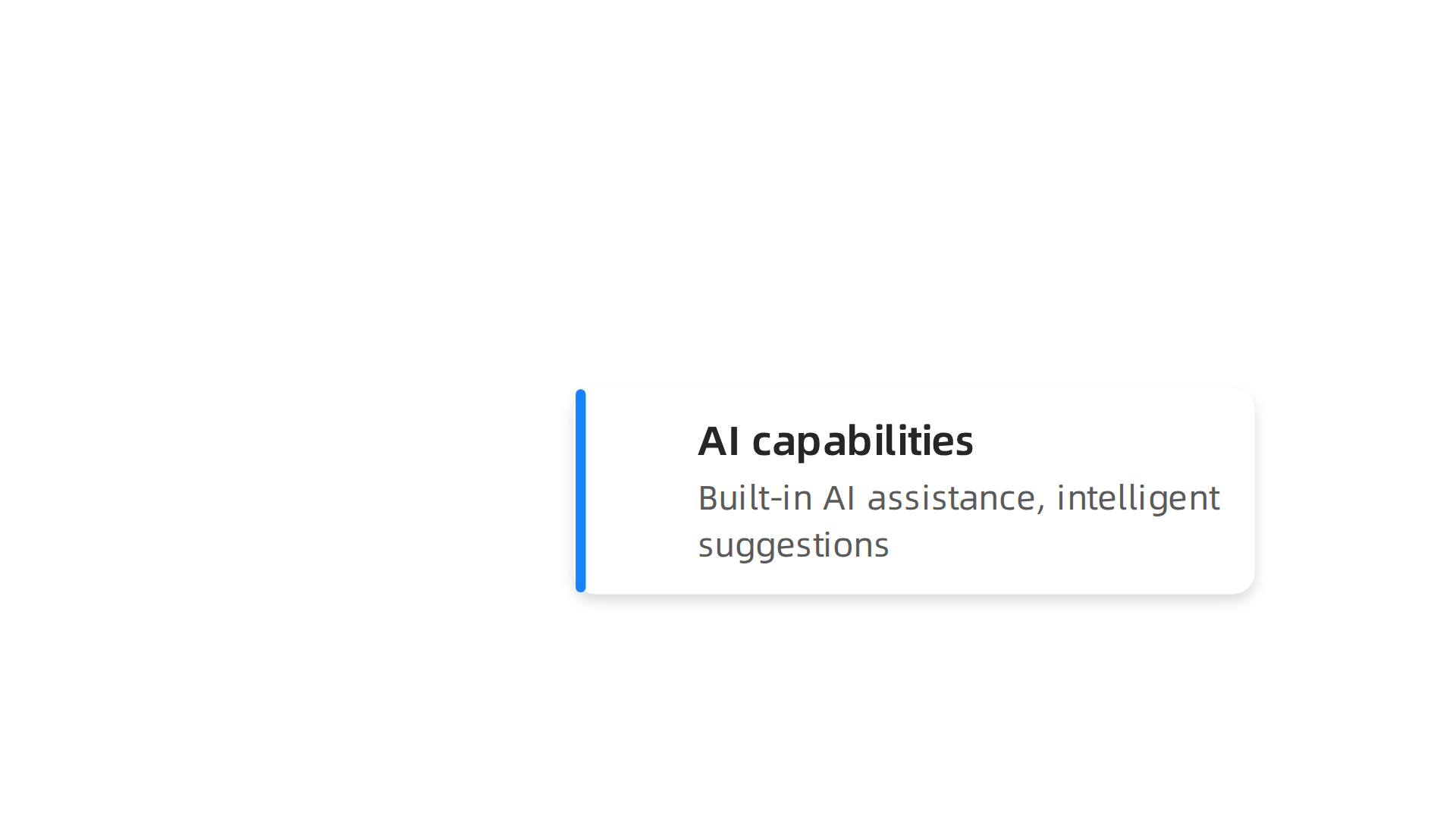
- AI capabilities: Does the platform have built-in AI assistance? Tools like AI-powered code generation or intelligent suggestions can speed up development even more.
- Integrability: Can it connect easily to your existing databases, APIs, and legacy systems? Look for pre-built connectors for common services.
- Vendor lock-in risk: Are you forced into proprietary languages or a closed runtime? Platforms that let you export your code or self-host give you more freedom.
- Security certifications: Check for SOC 2, ISO 27001, HIPAA, or GDPR compliance. This is critical if you handle sensitive data.
- Pricing models: Compare per-user, per-app, or usage-based plans. Don’t forget to factor in hidden costs like training or migration.
How the leading platforms stack up
A detailed comparison of enterprise low-code platforms shows that Retool, Bubble, Appian, and Mendix serve different needs. Retool is great for internal tools and admin panels. It offers seat-based pricing and strong self-hosting options. Bubble is best for rapid MVPs and web apps, with per-app pricing. Appian excels at business process automation and compliance, making it a top choice for finance and healthcare. Mendix, owned by Siemens, focuses on collaborative development and cloud-native deployment. Its free tier lets teams experiment before committing.
A simple ROI calculation template
To figure out if a platform is worth the investment, use this formula:
(Productivity Gains + Speed Gains) – (Licensing Costs + Maintenance Burden)
Productivity gains include the time saved by enabling citizen developers to build apps without waiting for engineers. Speed gains come from faster deployment cycles. On the cost side, licensing fees are the obvious part. But don’t ignore the long-term maintenance burden. Some platforms charge more as you scale or require expensive upgrades. The key is to map your expected app count and user base over 3 years.
For example, if a platform costs $50,000 per year but lets you ship 10 apps in the first year instead of 3, the ROI becomes clear. Use this template to compare options side by side.
For more on how these tools fit into the bigger picture of modern development, check out this guide on engineering technology trends in 2026. It covers how platform engineering and AI are reshaping the way teams build software today.
The Road Ahead: Trends in AI-Augmented Development for 2026 and Beyond
So where is all this heading? By now, you can see that building software without code is no longer a niche experiment. It is becoming the standard way many teams work. But the next few years will bring even bigger shifts.
Here is the thing. In 2026, AI will act as a co-pilot for every stage of the development lifecycle. It will not just help you write code. It will help you plan requirements, design architectures, run tests, and even debug production issues. According to predictions from industry observers, no-code development as we know it today will soon be gone, replaced by intelligent systems that understand your goals and build the right solutions with you, not for you.
What is coming next
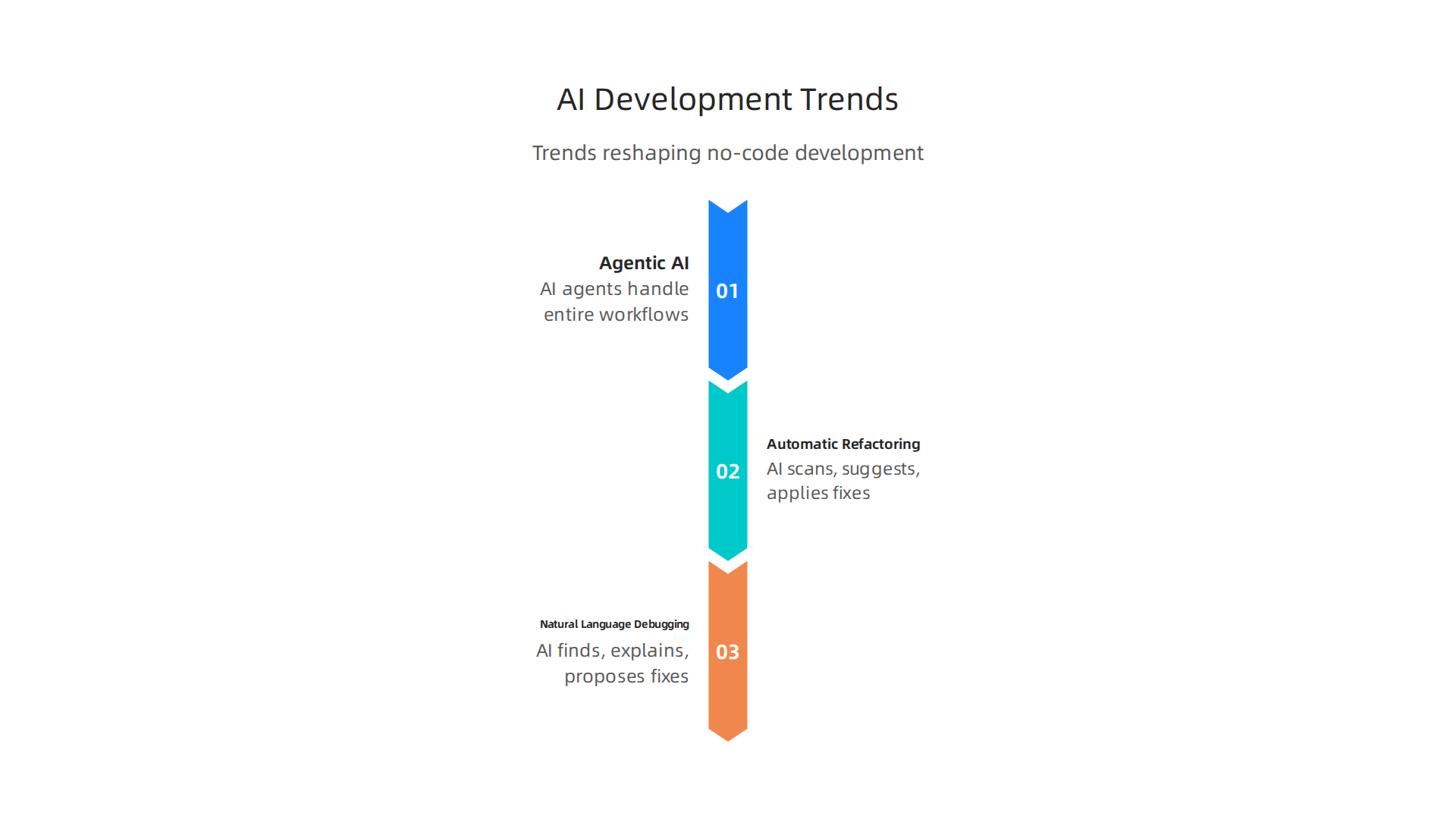
Three emerging technologies will reshape how teams build software without code:
-
Agentic AI — Instead of you dragging and dropping every component, AI agents will handle entire workflows. You describe what you need, and the agent builds it, tests it, and deploys it. This is already appearing in low-code AI agent platforms that let you design conversational agents through visual interfaces.
-
Automatic refactoring — AI will continuously scan your application for performance bottlenecks, security weaknesses, and outdated patterns. It will suggest or even apply fixes automatically. This takes the maintenance burden off your team and keeps your apps healthy over time.
-
Natural language debugging — Forget reading stack traces. You will be able to tell the AI, "The checkout page breaks when users select express shipping," and it will find the bug, explain the root cause, and propose a fix. This makes debugging accessible to nearly everyone on your team.
Real challenges ahead
Of course, these advances bring serious questions. Ethical concerns around bias in AI-generated code are real. Quality assurance becomes trickier when no one on the team wrote the logic by hand. And governance frameworks that worked for traditional development may not apply when AI is producing large chunks of the application.
Teams that succeed will invest in new review processes, automated testing that validates AI output, and clear ownership rules. As AI takes over more implementation work, human judgment, testing discipline, and systems thinking become even more important.
The key is to treat AI agents as powerful assistants, not replacements. You still need strong testing, clear ownership, and fast rollback when something goes wrong. The teams that blend AI speed with human oversight will build the most reliable products.
Want to stay ahead of these changes without spending hours digging through scattered sources? Getting clear daily updates on AI and development trends can save you time and keep your team informed. The Deep View Newsletter delivers exactly that, straight to your inbox each day.
And if you are looking to sharpen the skills that will matter most in this new era, check out this guide on essential developer skills for 2026. It covers the technical and cross-functional abilities every engineer needs to thrive when AI is part of every workflow.
The future of development is already here. The question is whether you are ready to lead your team through it.
Summary
This article explains how building software "without code" has evolved from simple drag-and-drop tools to AI-powered platforms that let non-developers create production-ready applications. It reviews the market shift driving adoption, shows how AI copilots and intelligent automation speed development, and gives real-world examples of companies already using these platforms at scale. You’ll learn the strengths and limits of no-code—when it’s a perfect fit and when hybrid or pro-code approaches remain necessary—and get a practical framework engineering leaders can use to evaluate vendors. The piece also outlines the skills developers must adopt (like prompt engineering, integration architecture, and governance) and offers a simple ROI template to compare options. Finally, it looks ahead to 2026 trends such as agentic AI, automatic refactoring, and natural-language debugging, and advises on how teams can blend AI speed with human oversight to reduce risk and increase innovation.


