
Why a "Website Time Machine" Matters for Engineering Teams in 2026
Imagine being able to go back in time and see exactly how a website looked on any given day. Sounds like science fiction, right?

Actually, for modern engineering teams in 2026, this ability is very real and super important. We call it a "website time machine," and it’s all about keeping good records of how websites change over time.
A website time machine lets you view old versions of web pages, files, and even how they behaved. It saves these past states, much like taking snapshots. This is super useful for engineering, compliance, and product teams. Why? Because the internet is always changing. What was there yesterday might be different today. Having a record helps everyone understand what happened when. Web archiving formats like WARC (Web ARChive) help with this by storing digital resources and information together in an organized way, creating a complete picture of a website at a specific moment in time WARC, Web ARChive file format – Library of Congress.
One common use is for engineering teams to find and fix bugs. If a problem shows up today, a website time machine can help you look at how the site worked last month to see when the bug first appeared. This is called debugging regressions. It also helps with auditing past content, which means checking what was on the site for legal reasons or company rules. Product teams use it to keep important documentation safe or to see how a feature looked when it was first launched. Even researchers can use these archives for reproducible research, making sure their studies can be checked later.
In this article, we’ll explain how web archiving works and how to set up your own website time machine. We will look at easy "no code" options, like using a no code development platform. We’ll also cover how the evolution of QR code technology can play a role, important legal things to think about, and the best ways for engineering teams focused on cloud-native development to manage these archives.
Software Engineering News Today brings you daily insights on AI and broader tech developments. To stay ahead, consider getting The AI Newsletter Worth Reading directly in your inbox.
To build your own website time machine, you first need to understand how web archiving actually works. It’s like having a special system that takes pictures of websites and keeps them safe. This system relies on a few key steps: collecting the information, saving it in a proper format, and making sure you can find it later.
How Websites Get Collected: Crawling vs. On-Demand
There are two main ways to collect website information for your website time machine:
- Crawling: This is like sending out a robot to explore the internet. A "web crawler" automatically visits many web pages, follows links, and saves copies of everything it finds. This is great for regularly archiving a large website or even many websites, building a big collection over time.
- On-Demand Capture: Sometimes, you don’t need to crawl a whole website. You just need to save one specific page right away. On-demand capture lets you manually tell the system, "Save this page now!" This is useful for capturing important legal notices, specific product pages, or content that might change suddenly.
Saving the Information: Archive Formats and Metadata
Once the web content is collected, it needs to be stored in a special way so it stays complete and can be viewed correctly later.
- Archive Formats: The most common and best format for this is WARC, which stands for Web ARChive. It’s an international standard (like a rulebook) that lets you save not just the web page text, but also all the pictures, videos, and even how the page behaved. A WARC file bundles all these pieces together, along with details about the collection process itself The WARC Format – IIPC Community Resources. This standard, known as ISO 28500:2017, helps make sure archived content can be understood and used by anyone, anywhere, for a long time ISO 28500:2017 – Information and Documentation – WARC File …. Another, simpler format is MHTML, which saves a single web page and its parts into one file.
- Timestamping and Metadata: For a website time machine to be useful, you need to know when a snapshot was taken and what it contains. Every piece of archived content gets a timestamp, like a date and time stamp, telling you exactly when it was saved. It also includes "metadata." Metadata is like a label with extra information about the saved page. This can include who saved it, why it was saved, what tools were used, and important keywords. Good metadata helps you find what you’re looking for later and confirms the archive’s history Best Practices for Descriptive Metadata for Web Archiving.
Finding Old Information: Retrieval Models
Having a big archive is great, but you need ways to quickly find the specific old version of a website you need. Here’s how retrieval models help:
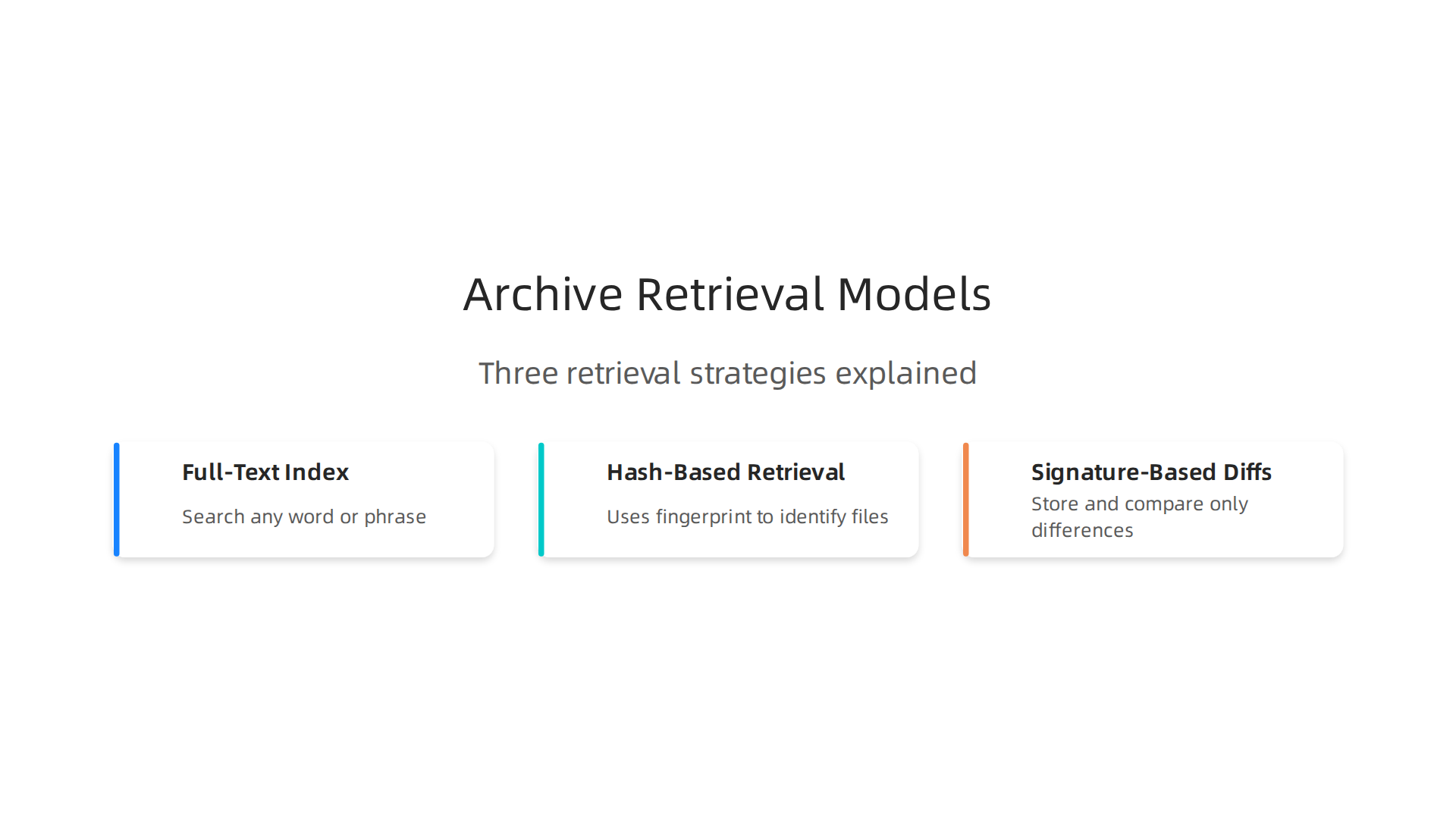
- Full-Text Index: Imagine a giant search engine just for your archived websites. A full-text index lets you search for any word or phrase that appeared on the archived pages. It’s like using Google, but for your historical content.
- Hash-Based Retrieval: This method uses a special "fingerprint" (called a hash) for each archived file. If you have a specific file and want to see if it’s in your archive, you can check its fingerprint. This is very fast for finding exact matches and confirming that a file hasn’t been changed.
- Signature-Based Diffs: This is a clever way to see what changed between two versions of a web page. Instead of storing two full copies, it compares them and only keeps a record of the differences. This helps save storage space and lets engineering teams quickly spot changes or regressions.
Storage and Long-Term Care
Storing all this data efficiently is a big part of running a website time machine.
- Cold Storage: Not all archived data needs to be accessed often. "Cold storage" is a cheaper way to keep old, rarely used archives. Think of it like putting old files in a basement box instead of on your main desk. For engineering teams using cloud-native development, they might use specific low-cost cloud storage options for these archives. Understanding different cloud services examples compute storage and databases explained can help here.
- Deduplication: Websites often have the same images or chunks of text across many pages or over time. Deduplication is a smart trick where the system only stores one copy of these repeating items. This saves a lot of storage space and keeps costs down.
- Long-Term Preservation: The goal of a website time machine is to keep data safe for many years. This means using strong storage systems, making backup copies, and checking the data regularly to make sure it’s still readable. For engineering teams, especially those focused on strategic website software design for engineering teams, planning for long-term preservation is a must from the start.
Following our look at how web archiving works, you might think you need to be a coding wizard to create your own website time machine. Actually, that’s not true anymore! Thanks to no-code web archiving tools, anyone can build a website time machine without writing a single line of code. These tools make saving parts of the internet much easier.
What are No-Code Web Archiving Tools?
No-code web archiving tools are like smart assistants that handle the technical parts of saving websites for you. They offer easy ways to capture web pages without needing to understand complex programming or build your own web crawlers.
These platforms usually include:
- Scheduled Capture: You can set a schedule for when you want pages saved, like every day, week, or month. Tools like Stillio automatically capture website screenshots at regular times.
- Content-Based Triggers: Some advanced tools can save a page only when something on it changes. This is great for tracking updates on important pages.
- Snapshot APIs: While these sound a bit technical, many no-code tools offer simple "API" connections that let other services tell them when to take a snapshot. For example, some tools work with Zapier, which lets you build your web archive using no-code methods, even allowing you to keep archives of web pages with website screenshot tools. This makes it easy to integrate archiving into your existing no-code workflows.
How No-Code Web Archiving Works
Using a no-code web archiving tool usually follows a few simple steps:
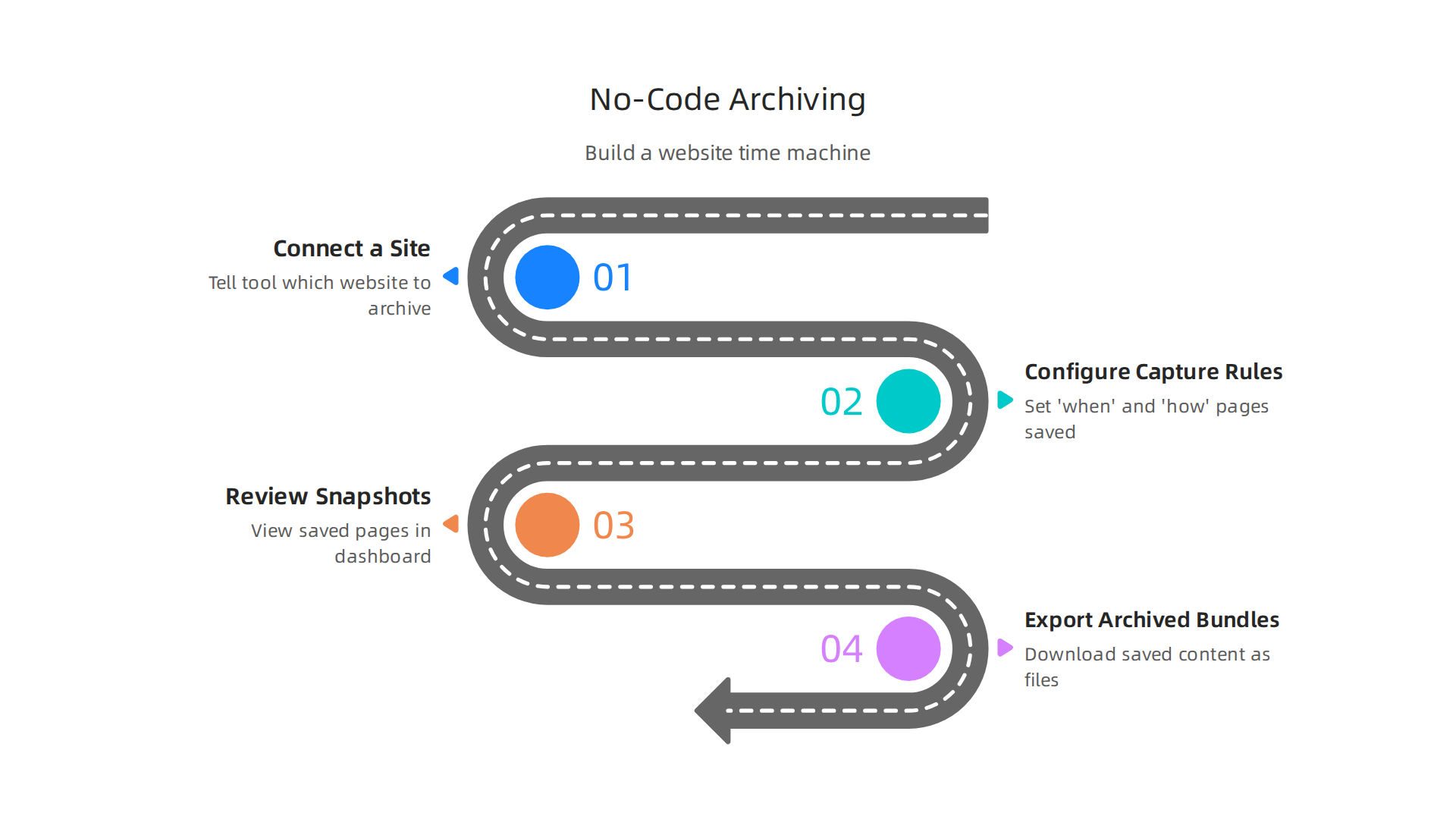
- Connect a Site or Page: You just tell the tool which website or specific page you want to archive. It’s often as simple as pasting a URL.
- Configure Capture Rules: This is where you set the "when" and "how." You decide how often the page should be saved. Many platforms, like SnapshotArchive, let you automate website captures on any schedule you choose. You might also pick if you want a full-page screenshot or just the text.
- Review Snapshots: Once the captures start, you can easily view your saved pages within the tool’s dashboard. It’s like flipping through an old photo album of your website’s past.
- Export Archived Bundles: If you need to keep the actual files yourself, many tools let you download them. For instance, ArchiveBox allows you to export your saved content as static HTML files, so you can look at them even without the original tool. Some even let you export in standard formats like WARC.
Pros and Cons for Engineering Teams
No-code approaches are a big part of how many companies are handling tasks today, even for engineering teams. If you’re looking for more information on how this trend is impacting the industry, you might find our guide on No Code Development Platform Strategic Guide For Engineering Teams 2026 helpful.
Pros of No-Code Web Archiving:
- Ease of Use: Anyone can set up a website time machine quickly without needing programming skills.
- Speed: It’s much faster to get started compared to building custom solutions.
- Accessibility: Non-developers can manage archiving, freeing up engineering teams for more complex tasks.
- Cost-Effective for Simple Needs: For archiving a few important pages or a small website, these tools are often cheaper than hiring a developer to build a custom system.
Cons of No-Code Web Archiving:
- Less Control: You might not have as much fine-grained control over the capture process, file formats, or storage locations compared to a custom-built system.
- Limitations for Complex Sites: Very large or highly interactive websites might not be fully captured by all no-code tools.
- Integration Challenges: While some offer APIs, deep integration into specific cloud-native development workflows might be harder than with a custom solution.
- Scalability Concerns: For archiving massive amounts of data or hundreds of thousands of pages, a custom pipeline might be more efficient and cost-effective in the long run.
Even with these cons, no-code web archiving tools are an excellent starting point for many, offering a practical way to preserve digital content in 2026.
Get clear daily AI updates from The AI Newsletter Worth Reading.
No-code web archiving tools make it easy to save websites, creating a kind of website time machine for digital content. But what if you want to connect something in the real world to one of these saved web pages? This is where QR codes come in, linking the physical and digital worlds in a powerful new way, even for older web content.

QR Codes and the Archive: Connecting Live Links to Historical Snapshots
QR codes are those square barcodes you scan with your phone. Usually, they take you to a live website. But imagine if they could take you to a moment in the past, to a specific saved version of a website. This is what we mean by connecting QR codes to historical snapshots. It’s like building a little website time machine right into a physical object.
There are a few smart ways to make QR codes point to archived web pages:
- Static Snapshot Links: This is the simplest way. You just make the QR code link directly to the saved copy of a webpage. For example, a link from a tool like ArchiveBox might point to a fixed version of an old blog post.
- Redirectors or Shortlinks: Here, the QR code links to a short, easy-to-manage web address, like one from Bitly. This short link then points to the actual archived page. The cool part? You can change where the short link goes later without changing the QR code itself. This is really helpful for stopping "link rot," which happens when old links stop working over time because web pages move or disappear. Using dynamic QR codes with an editable redirect URL helps prevent this problem, allowing you to update the destination anytime, even after the QR code is printed, according to Qraft (2026).
- Time-Aware Endpoints: These are extra smart links. They can look at the date you scan the QR code and decide whether to show you the live website or a saved version from a specific time.
Practical Uses for QR-to-Archive Connections
Connecting QR codes to archives has many useful applications:
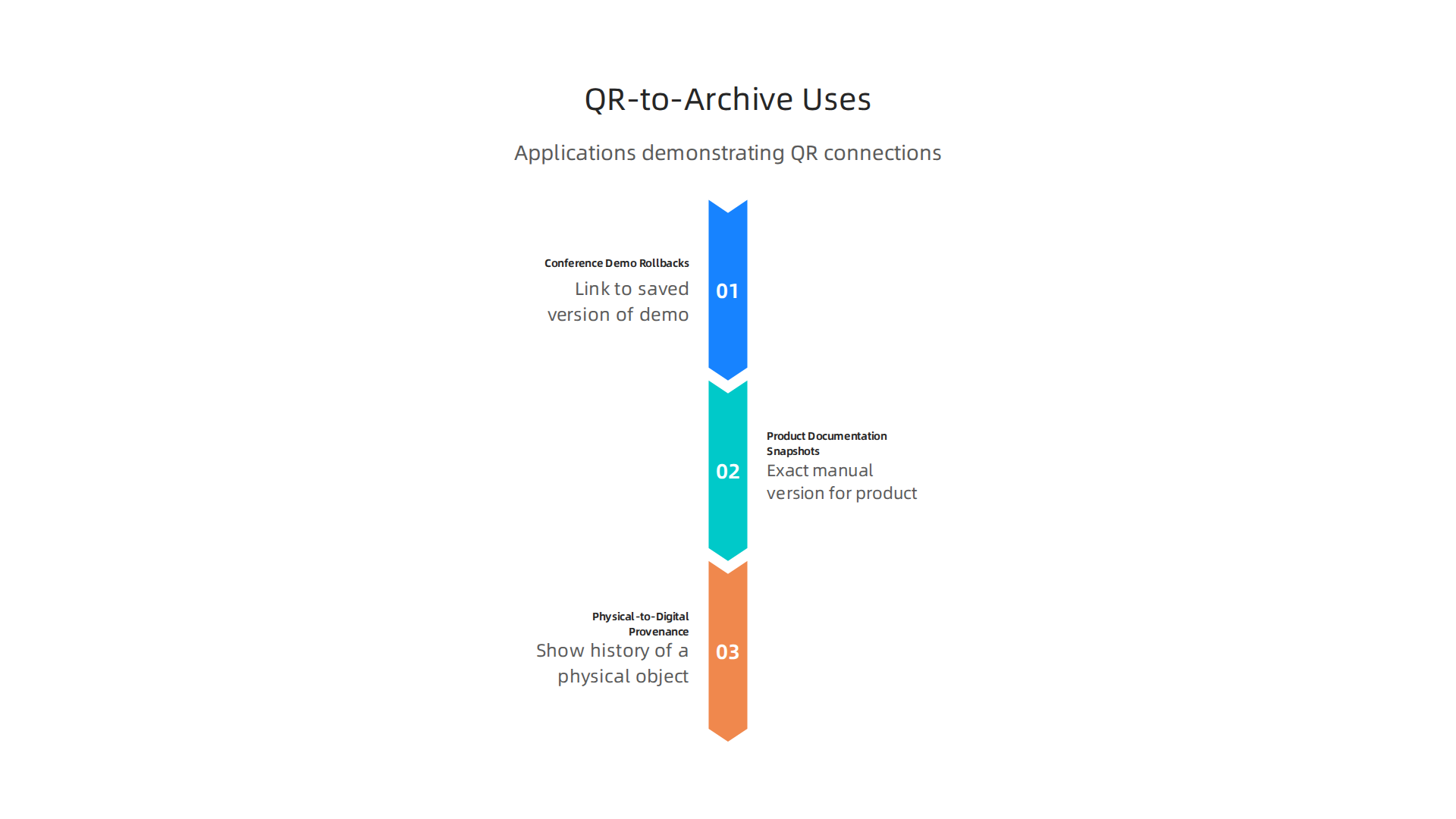
- Conference Demo Rollbacks: Imagine a speaker at a tech conference showing off a new app. If the app changes or breaks later, a QR code in the presentation could link to a saved version of the demo from the day it was given. This way, people can always see how it looked originally.
- Product Documentation Snapshots: When a product gets updated, its user manual or online help pages often change. A QR code on the product packaging could lead to the exact version of the manual that came with that product when it was sold. This ensures you always have the right instructions for your specific item.
- Physical-to-Digital Provenance: This is about showing the history of a physical object. A QR code on an old piece of art, a historical document, or even an antique toy could link to archived web pages that show its story, who owned it, or important facts about it from different times. This adds a digital history to physical items.
Keeping QR Links Healthy and Avoiding "Link Rot"
One big challenge with any link, especially in print, is "link rot." This is when a web page moves or disappears, making the link useless. But there are good ways to fight this:
- Intermediate Redirect Layers: As mentioned, using a shortlink service (like Bitly) or a service that manages redirects is a strong defense against link rot. The QR code stays the same, but you can update its destination whenever needed, helping ensure the link remains live and useful. This method is considered highly effective for preventing link rot, especially for QR codes, by Qraft (2026).
- Persistent Identifiers: These are special kinds of links designed to last a very long time. Think of them like a permanent address for a piece of information, even if the actual web page moves. Using persistent identifiers can make links more robust against "link rot," as noted by the University of Amsterdam (2024).
- Regular Checks and Monitoring: Companies often have systems that regularly check if their links are still working. If a link is broken, they can quickly update the redirect to point to a new live page or a reliable archive. Some services can even automatically redirect broken links to an archived snapshot. Sebastian Greger (2023) discusses systems that automatically replace dead links with alternative URLs.
- Archiving at the Time of Linking: A simple but effective strategy to prevent "reference rot" is to archive the resource at the moment you create the link. This way, you always have a saved copy, and you can link to both the live URL and the permanent archive link, as recommended by CASRAI (2026).
These strategies help ensure that when someone scans your QR code, they’ll always find the information you intended, whether it’s a live site or a carefully preserved moment from the internet’s past.
To further your understanding of how technology trends, like the evolution of qr code technology, shape the digital landscape, consider subscribing to a dedicated AI newsletter.
Get clear daily AI updates from The AI Newsletter Worth Reading.
When we save websites, creating a kind of "website time machine," it’s not just about picking the right tools. We also need to think about important rules, ethics, and laws.

These things guide what we can save, how long we can keep it, and who can see it. Getting these details right is key for any organization looking into web archiving.
Privacy, Copyright, and Where Laws Apply
Saving web pages often means dealing with sensitive information. Here are a few things to consider:
- Privacy Concerns: Websites can hold personal details about people. When you archive a site, you must make sure you are not breaking any privacy laws. For example, if a website had user comments, you need to think about if those users agreed to have their comments saved forever. Different laws, like those about automated data processing, mean we need to be careful with personal information in archives, as noted by some legal experts from the University of California.
- Copyright Rules: Most things on the internet, like text, photos, and videos, are owned by someone. This is called copyright. When you save a website, you are making a copy of someone else’s work. You need to understand the rules about using and sharing copyrighted content. Yale University Library offers helpful guides on Intellectual Property Rights and Web Archiving. Generally, the people who made the content keep their rights, even if their work is archived.
- Jurisdictional Issues: Laws about privacy and copyright can be different in various countries or regions. If your website or the people who use it are in different places, you might need to follow many sets of rules. This can make archiving more complex.
Rules for Keeping and Getting Rid of Content
It’s not usually a good idea to keep everything forever. Having clear rules helps.
- Retention Policies: This means deciding how long to keep different types of archived web content. Some things might need to be kept for a very long time for historical reasons, while others can be deleted after a short period. For instance, some archived content might need to be removed if it’s outdated or duplicated, as suggested in the Web Archive Guideline and Content Lifecycle Standard.
- Accessibility for All: Sometimes, old content needs to be saved but still be easy for everyone to use, including people with disabilities. There are rules about how archived web content policies should address this, ensuring that even old pages meet modern accessibility standards where required.
Keeping Control: Access, Changes, and Removals
Organizations need clear ways to manage their archived content.
- Access Auditing: This means keeping a close eye on who looks at the archived websites. You should have records of who accessed what and when. This helps keep sensitive information safe.
- Redaction Workflows: Sometimes, you might need to hide or change certain parts of an archived page. This could be to protect someone’s privacy or to remove information that is no longer supposed to be public. A good system will allow you to do this properly.
- Takedown Procedures: If someone asks you to remove their content from your archives, you should have a clear and quick way to handle that request. This shows respect for people’s rights and helps you stay within legal bounds.
Your Checklist for Legal Review
Before setting up a system to save websites, it’s smart to do a legal check. Here’s a simple checklist to guide you:
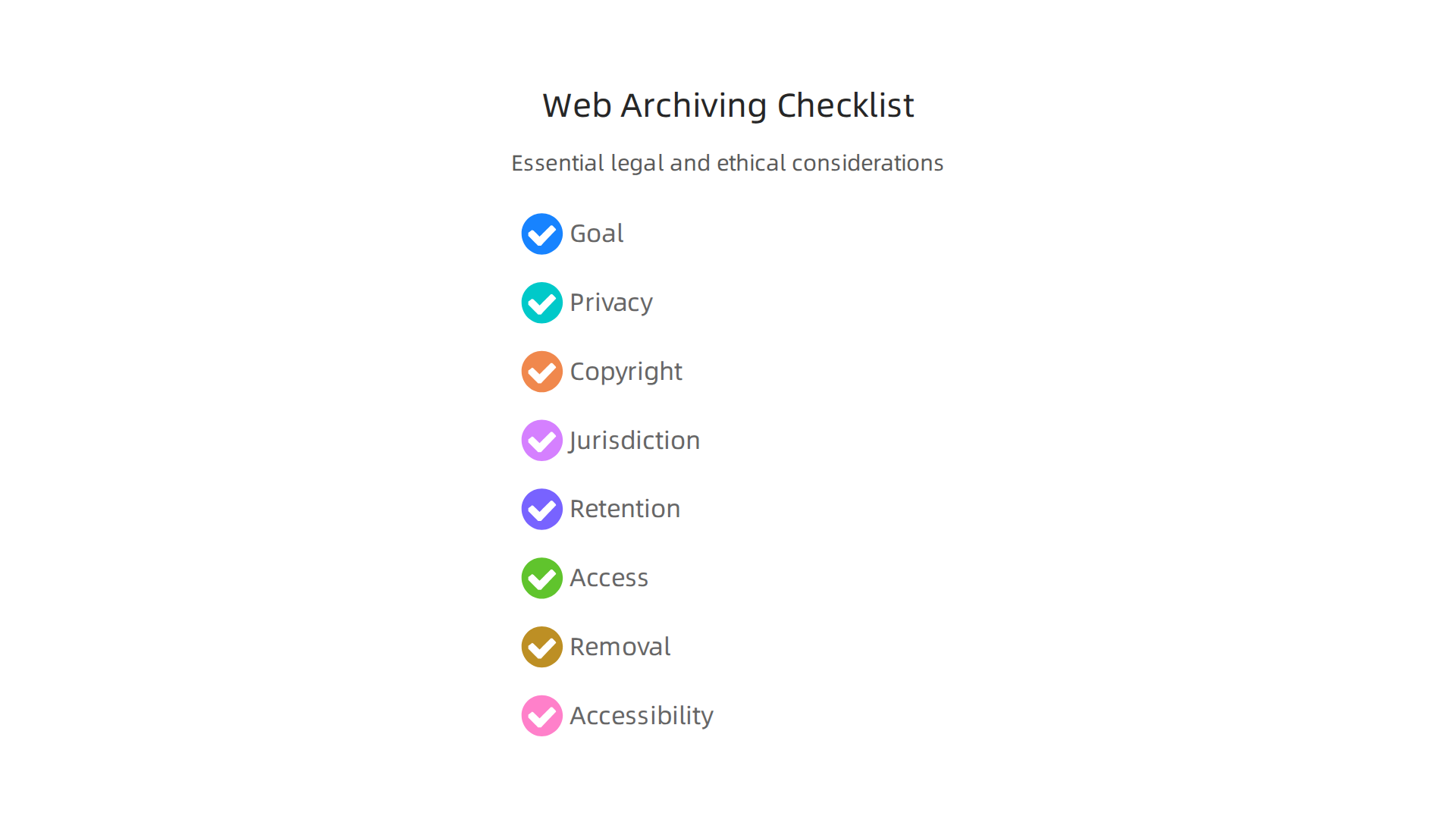
- Understand Your Goal: Why are you archiving this website? What content is truly important to save?
- Privacy Review: Does the content you want to archive include personal information? Do you have permission to store it?
- Copyright Check: Is the content protected by copyright? Do you have the right to copy and store it?
- Jurisdictional Scan: What laws apply based on where your organization is, where your website users are, and where the content comes from?
- Retention Plan: How long will you keep each type of content? When should it be deleted?
- Access Control: Who can see the archived content? How will you track their access?
- Removal Process: What steps will you follow if someone asks to have their content removed?
- Accessibility Standards: Will the archived content meet necessary accessibility guidelines?
By thinking through these points, organizations can make sure their web archiving efforts are not just technically sound but also legally proper and ethically responsible. This helps protect your organization and the people whose information is being preserved, ensuring that your digital records are a reliable and compliant "website time machine." For teams thinking about large-scale strategic choices, understanding these legal aspects is as crucial as picking the right strategic website software design for engineering teams.
After making sure you’ve covered all the legal and ethical bases for saving websites, the next big step is to build the actual system. This means thinking about how you’ll capture, store, and find all that web content. Building a working "website time machine" needs careful planning, just like any important software project.
Operationalizing a Website Time Machine: Architecture, Storage, and Retrieval
To truly make a website time machine work well, you need a strong setup. Think of it like a building with different parts, each doing a special job.
How to Build Your Web Archive System
A good system for archiving websites usually has a few main parts:
- Capture Layer: This is where the magic starts. It’s the part that goes out and "grabs" web pages, images, videos, and everything else on a website. It collects all this information, sometimes using a special file type called WARC (Web ARChive) format. This format is an international standard that helps keep all the parts of a saved webpage together in one file, along with important details like when it was saved and from where. The WARC format is designed to store both the content and technical information from web protocols like HTTP, DNS, and FTP in a clear way, making it easier to manage and use later on, as explained by the Library of Congress.
- Processing and Indexing: Once content is captured, it needs to be organized. This part of the system makes sense of the raw data. It creates an "index," which is like the index in a book. This index helps you quickly search and find specific information within your vast archives. It also adds important details, called metadata, about each saved item.
- Storage Tiering: Not all archived content is equally important or needed right away. Storage tiering means you store data in different places based on how often you’ll need it. Very old, rarely accessed content can go into cheaper, "cold" storage, while more recent or frequently requested content stays in faster, "hot" storage. This helps keep costs down.
- Retrieval API: This is how people will actually look at the saved websites. An API (Application Programming Interface) is like a special doorway that lets other programs or users ask for and get specific archived web pages. It ensures that when someone wants to see how a website looked in 2018, they can easily find and view it.
Saving Money and Growing Smartly
Keeping a website time machine running can get expensive, especially as you save more and more data. Here’s how to manage costs and make sure your system can grow:
- Deduplication: Websites often have a lot of repeated information. Deduplication is a smart way to find and remove these duplicate copies, saving a lot of storage space and money. Studies show that a large amount of data in web crawls can be duplicates, making tools for scaling web archiving through deduplication very important.
- Incremental Capture: Instead of saving an entire website again every time, you only capture the parts that have changed since the last save. This is like only taking pictures of new additions to a house, not the whole house every day.
- Snapshot Compression: After capturing, you can make files smaller by compressing them. This is like packing clothes tightly into a suitcase so they take up less room.
- CDN Integration: A CDN (Content Delivery Network) helps deliver archived content faster to users, no matter where they are in the world. This makes the retrieval experience much smoother.
Thinking about these cost-saving measures early on is crucial for any organization, especially those engaged in cloud-native development where storage costs can add up quickly.
Keeping Your Website Time Machine Running Smoothly
For any system that holds important information, you need to make sure it’s reliable.
- Monitoring: You need to watch your system closely to make sure it’s working as it should. This includes checking if websites are being captured correctly, if storage is healthy, and if people can access what they need.
- SLA (Service Level Agreement): This is a promise about how well your system will perform. For example, it might say that saved websites will be available 99.9% of the time. You need to meet these promises.
- Disaster Recovery: What happens if something goes wrong, like a major power outage or a server crash? A disaster recovery plan means you have backups and ways to get your website time machine running again quickly, so no saved data is lost forever.
Setting up a robust web archiving system with these features ensures that your digital history is not just saved, but also accessible, secure, and cost-effective for years to come.
Stay informed about the latest tech trends shaping software development today. The AI Newsletter Worth Reading offers clear daily updates on AI and broader technology developments.
Keeping your website time machine running well ensures your digital history is safe, easy to find, and doesn’t cost too much. Now, let’s look at how different teams use a website time machine in real-life situations.
How Different Teams Use a Website Time Machine
A website time machine isn’t just for big libraries. Many kinds of teams use these tools every day in 2026.
For Product Teams
Imagine a team that builds websites or online tools. They might use a website time machine to:
- Track Competitors: See how other companies’ websites change over time. This helps them understand new features or design choices.
- Review Past Designs: If they used a no code development platform strategic guide for engineering teams 2026 to quickly build a site, they can look back at earlier versions of their own pages. This helps them learn what worked and what didn’t.
- Monitor User Experience: Understand how a user’s journey through a website has changed over the months or years.
For these teams, tools that offer scheduled website screenshots or web archiving solutions like those listed in "10 Best Web Archiving Tools in 2026 (Free & Paid)" are very useful.
For Compliance and Legal Teams
These teams need to keep strict records. A website time machine is a must-have for them:
- Legal Proof: They can save copies of websites for legal reasons. For example, if a company makes a claim on its website, the archive proves what was said and when.
- Following Rules: Many industries have rules about keeping records of online content. Archiving websites helps companies stay out of trouble.
- Audits: When an outside group checks a company’s records, having a clear archive of its online presence makes the process much smoother.
For Research Groups
Scientists, historians, and market researchers find a website time machine very helpful:
- Studying Trends: They can study how topics appear and change online. For instance, they might track the "evolution of QR code technology" as it was presented on different websites over the years.
- Historical Data: For understanding past events or how information spread, a website time machine offers a look back in time. Open-source tools like ArchiveBox: Open source self-hosted web archiving can be a starting point for researchers to create their own custom archives.
- Market Analysis: Researchers can see how products or services were advertised in the past.
Common Mistakes and What to Learn
Even with the best tools, teams can run into problems.
- Not Knowing What to Keep: Some teams save everything, which costs a lot and makes finding things harder. Others don’t save enough, losing important information. It’s key to have a clear plan for how long to keep different types of content.
- Captures That Can’t Be Found: Sometimes, websites are saved but not properly organized or indexed. This is like putting a book in a library without a title or author card. It’s there, but no one can find it.
- Unexpected Legal Needs: A team might suddenly need a specific webpage as evidence for a lawsuit. If they haven’t planned for this, getting the right proof can be tough. When setting up these systems, think about how you might need to prove the reliability of your archives. This is part of how engineering teams evaluate technology services to prevent failures.
How to Start Your Own Website Time Machine Project
Here’s a simple checklist to help you get started:
- Start Small (Pilot Project): Don’t try to archive the entire internet at once. Pick a few important pages or a small part of your website. See how that works.
- Set Clear Goals: What do you want your website time machine to do? Are you tracking competitors, saving legal proof, or studying history? Knowing your goal helps you choose the right tools and settings.
- Measure Success: How will you know if your project is working? Maybe it’s about how quickly you can find an old page, or how much money you save on storage thanks to smart archiving.
- Keep Making It Better: After your pilot, look at what worked and what didn’t. Change your plan, try new tools, and keep improving your system over time.
By learning from others and following these steps, you can make sure your organization gets the most out of its website time machine.

Summary
A


