

Understanding new tools can help developers build better apps faster.

In 2026, one of the most exciting areas for building new things is using artificial intelligence (AI) to understand pictures and videos. This is where Cloud Vision API from Google Cloud becomes very important. It lets developers add powerful image and video analysis to their software easily.
The google cloud vision offers many smart features. It can tell you what’s in a picture, like finding objects or people. It can also detect faces, logos, famous places, and even read text (this is called Optical Character Recognition or OCR). These tools unlock many chances for developers to make cool new products and improve how they work, boosting their productivity. For example, imagine an app that helps you organize photos by what’s in them, or a security system that can alert you to specific activities.
While the power of AI tools like google cloud vision is huge, developers also need to think about some important concerns.
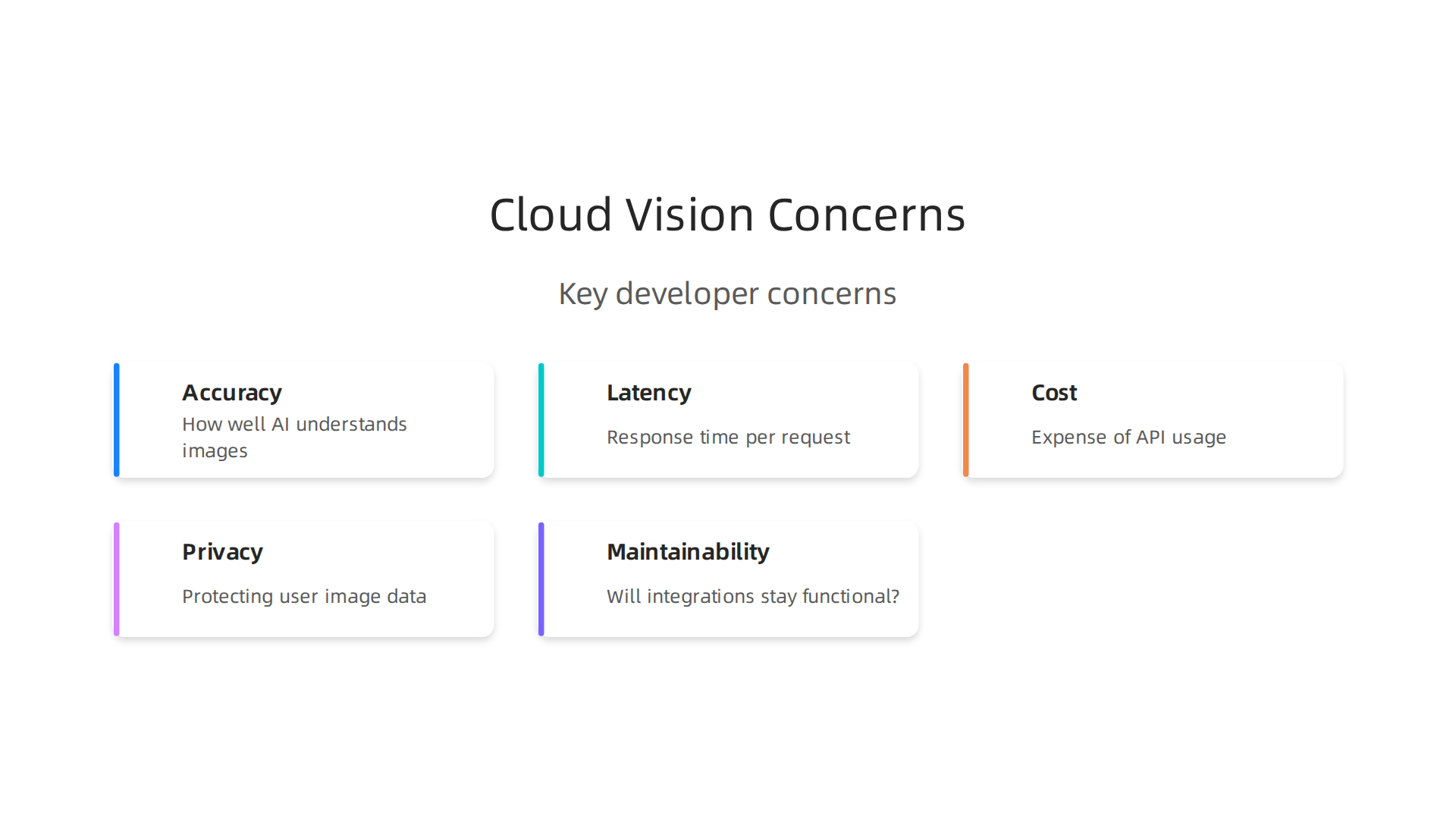
These include:
- Accuracy: How well does the AI understand what it sees? Is it always right? Good ai training is key to making AI models more precise.
- Latency: How fast does the API give you an answer? For apps that need quick responses, every second counts.
- Cost: How much will it cost to use these powerful services, especially if many people use your app?
- Privacy: How can you make sure that the pictures and videos you send to the API stay private and safe? Using secure methods for handling data is very important. Companies must follow rules to keep user information safe, which means using strong authentication and monitoring systems to protect APIs from bad actors. This includes using robust authentication and authorization to protect data.
- Long-term Maintainability: Will the code you write today still work well in the future? How easy is it to update and fix things as technology changes?
Learning about these APIs and how to handle these concerns is a must for any developer in 2026.
Get clear daily AI updates from The Deep View Newsletter. The AI Newsletter Worth Reading
How Google Cloud Vision works: core features and models
Now, let’s look at how google cloud vision actually does its magic. This tool has many powerful features that can "see" and understand images. Think of it as giving your apps the power of sight.
Here are some of the main things Google Cloud Vision can do:
- Label Detection: This is like asking, "What is in this picture?" The API will give you general tags or "labels" for objects, scenes, and actions. For example, if you upload a picture of a dog in a park, it might label it "dog," "animal," "outdoor," "grass," and "tree." This helps you organize and search through huge numbers of photos.
- Optical Character Recognition (OCR): This feature can read text within images. It doesn’t matter if the text is in a handwritten note, a sign, or a document. OCR can pull out the words and turn them into digital text. This is super helpful for digitizing old papers or making information searchable.
- Face Detection: The API can find human faces in pictures. It can also guess emotions, like if someone is happy or sad. Plus, it can tell you where the eyes, nose, and mouth are on each face. This is useful for things like photo tagging or creating fun filters.
- Landmark Detection: Ever wonder if a famous building is in your photo? Google Cloud Vision can identify popular natural and man-made landmarks from around the world.
- Object Localization: While label detection tells you what is in a picture, object localization tells you where it is. It draws a box around each object it finds, like a car or a book, showing its exact location in the image. This precise understanding can power many smart applications.
And it’s not just still images. Google Cloud Vision also connects with services like the Video Intelligence API, letting you perform similar smart analysis on video content. This means you can track objects or detect actions in moving pictures, opening doors for even more complex AI solutions.
Pre-trained vs. Custom AI Models
When you use google cloud vision, you’re tapping into powerful AI models. There are two main ways these models work:
- Pre-trained Models: These are models that Google has already built and trained on massive amounts of data. They come ready to use for common tasks like those listed above. They are fast and work well for most general uses. They’re like ready-made tools that fit many jobs right out of the box.
- Custom Models (AutoML/Fine-tuning): Sometimes, your app might need to recognize very specific things that aren’t common enough for a general pre-trained model. For example, maybe you need to identify different types of screws in a factory, or unique plant species in a garden. In these cases, you can use Google’s AutoML Vision service to create your own custom models. You give it your own special pictures, and it learns to recognize what you need. This process, often called AI training, makes the AI smarter for your particular tasks.
Using custom models means you can build AI tools that are tailor-made for your business, giving you a powerful edge. It’s like having a vast AI library where you can pick a standard book or write your own specific guide.
How Data Moves: Batch vs. Streaming
Developers send images or video frames to the Google Cloud Vision API in different ways, depending on what their app needs:
- Batch Processing: This is when you send a group of images all at once. For example, if you have thousands of photos you want to categorize overnight, you’d send them in a "batch." The API processes them and sends back the results when it’s done. This is great for tasks that don’t need instant answers.
- Streaming: For apps that need to analyze images in real-time, like a security camera feed or a live video chat, streaming is the way to go. You send a continuous flow of image data, and the API gives you results almost instantly. This is crucial for interactive experiences or immediate alerts.
Understanding these features and how they work lets developers pick the best tools for their projects in 2026. Learning about how to use different AI tools for developers in 2026 is a smart move for anyone looking to build cutting-edge applications.
Using Google Cloud Vision helps developers solve many real-world problems.

It’s not just a fancy tool; it’s used every day to make apps smarter and more helpful. Let’s look at some common ways developers use this powerful AI and how they build with it.
Common Developer Use Cases
Developers use google cloud vision for many different tasks:
- Content Moderation: Imagine a social media app where users share many pictures. Not all pictures are safe or appropriate. Google Cloud Vision can automatically look for and flag images that contain bad content, helping to keep platforms safe. It can even help with tagging of explicit content automatically.
- Automated Metadata and Tagging: Websites with lots of images, like online stores or photo libraries, need to organize them. Instead of someone manually typing descriptions for every picture, google cloud vision can automatically add tags like "beach," "car," or "food." This makes it much easier for people to find what they’re looking for.
- OCR for Documents: Many businesses deal with paper documents like invoices, receipts, or forms. Using the Optical Character Recognition (OCR) feature, developers can build apps that read the text from these documents. This helps turn paper into digital information quickly, which saves time and reduces mistakes. For example, it can extract details from a scanned receipt directly into an expense report.
- Visual Search: Have you ever seen a product online and wished you could find similar items just by showing a picture? Google Cloud Vision can power visual search tools. Users can upload an image, and the AI will find visually similar products or information. This is like asking the internet to return image-related information for you.
- Accessibility: Making apps accessible to everyone is important. Google Cloud Vision can describe images for people who can’t see them well. It can turn a picture into a spoken description, helping visually impaired users understand what’s in an image.
Developer Workflows with Google Cloud Vision
Developers follow a certain path when building applications with google cloud vision:
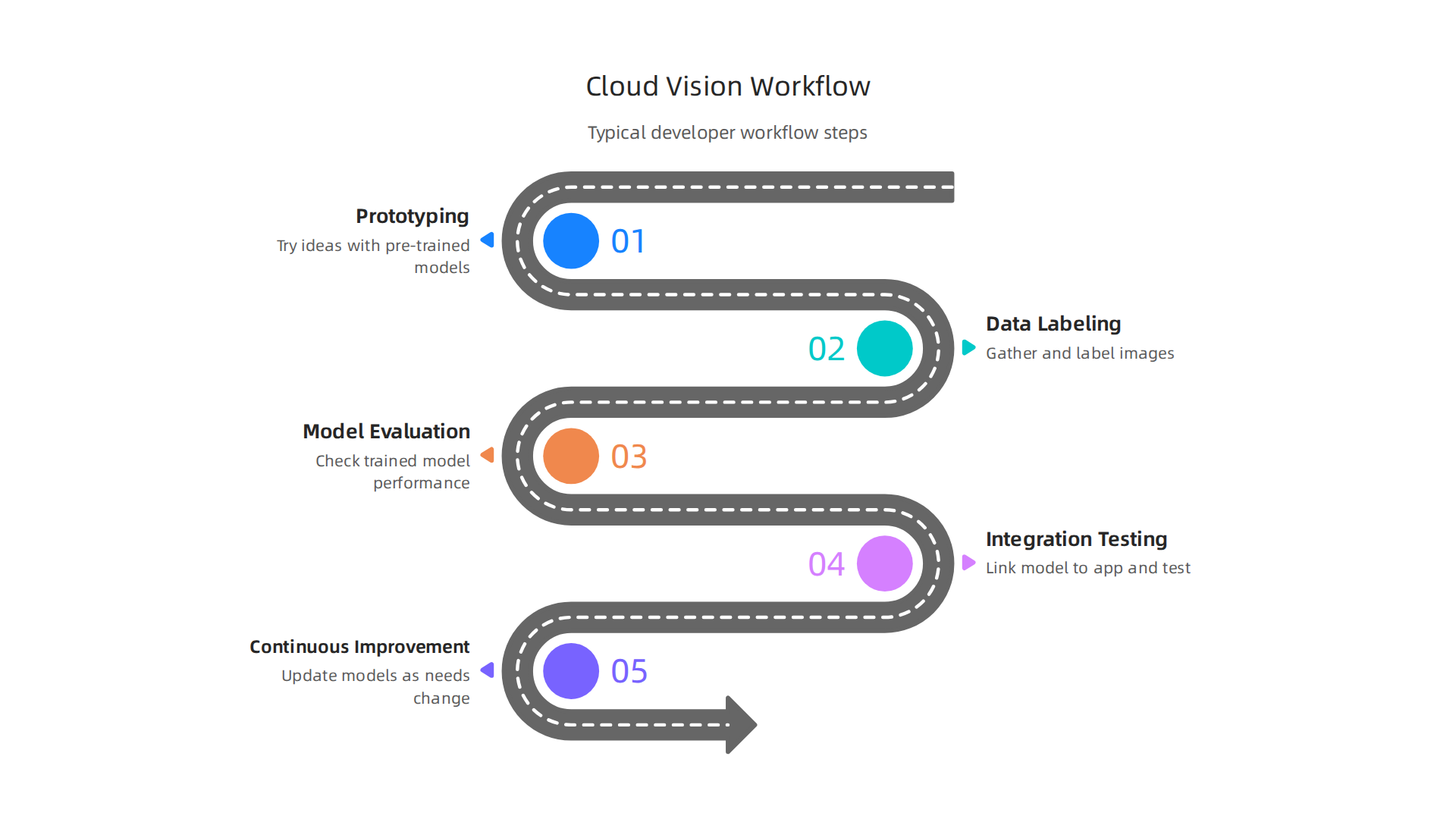
- Prototyping: First, developers like to try out ideas quickly. They’ll use the pre-trained models to see how well google cloud vision can handle their images. This helps them understand what’s possible and plan their project.
- Data Labeling: If the pre-trained models aren’t specific enough, developers will create custom models. This means gathering many images and "labeling" them. For example, if they want to recognize different types of flowers, they’d show the AI many pictures of each flower type, telling it "this is a rose," "this is a tulip," and so on. This process is a key part of effective AI training.
- Model Evaluation: After training a custom model, developers need to check if it’s working correctly. They’ll test it with new images to see how accurately it identifies things. If the model isn’t performing well, they go back to data labeling or adjust the training process.
- Integration and Testing: Once a model is good enough, developers link it to their app. They write code that sends images to the google cloud vision API and uses the results. Then, they thoroughly test the app to make sure everything works smoothly for the users.
- Continuous Improvement: AI models are not a "set it and forget it" solution. Developers often use Continuous Integration (CI) practices to keep improving their models. As new types of images appear or as needs change, they might collect more data, retrain the model, and update it in their app. This ensures the AI stays smart and relevant, keeping up with engineering technology trends 2026 where AI is always evolving.
These steps show how developers use the powerful features of google cloud vision to build smart applications, constantly working to make the AI better and more useful. Staying updated on the latest in AI can give you an edge.
The AI Newsletter Worth Reading can help you with this. Get clear daily AI updates from The Deep View Newsletter.
When developers are happy with how their AI models work, the next big step is to put them into a real application. This is where moving from a test idea (Proof of Concept or PoC) to a full, working product becomes important. It’s about making sure the google cloud vision tool runs smoothly for everyone.
Integration patterns: from PoC to production
Building a strong app with google cloud vision means following some clear steps. Think of it like a checklist to make sure nothing is missed.
Step-by-Step Integration Checklist
Here’s how developers make sure their apps use google cloud vision well:
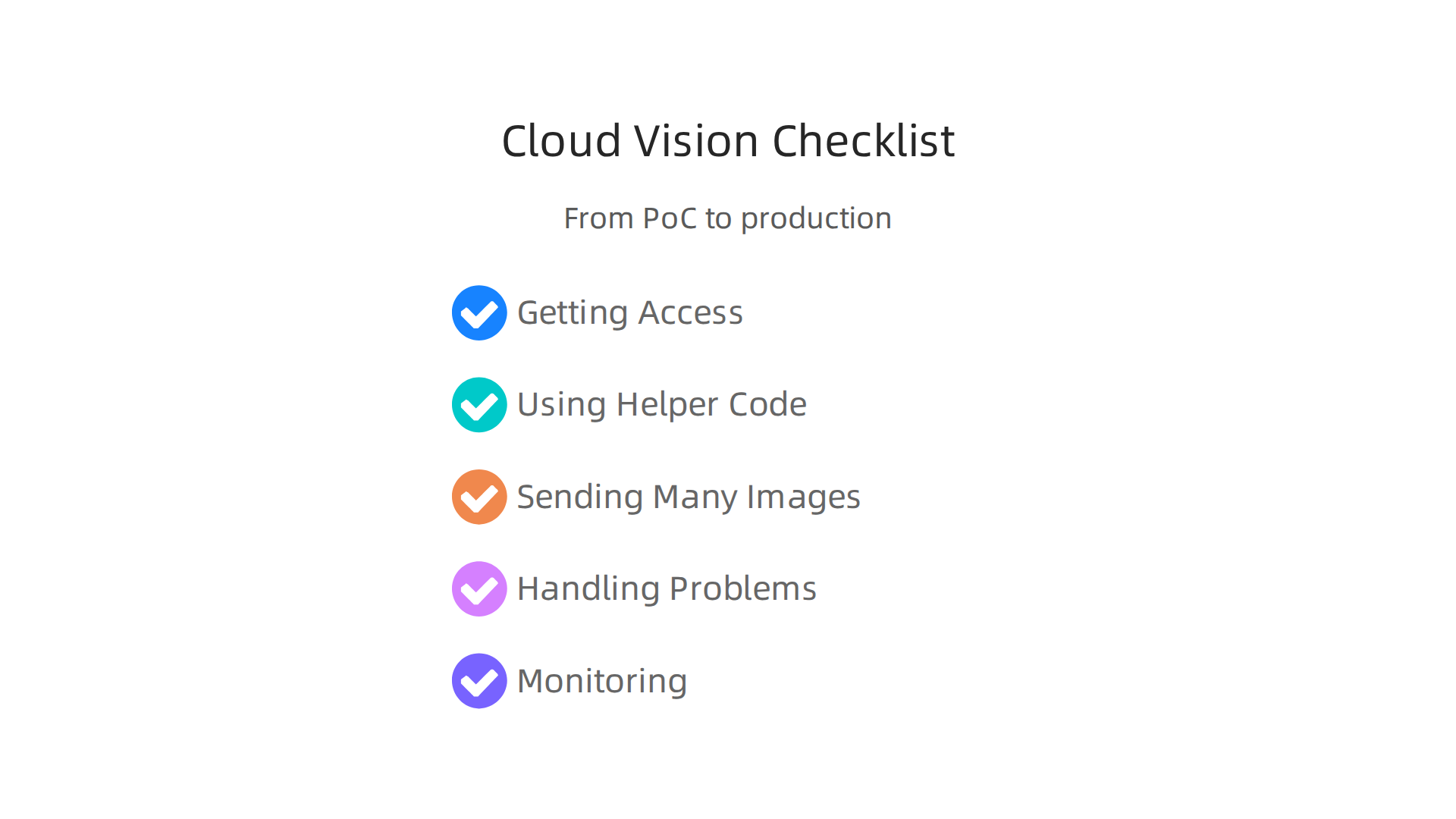
- Getting Access (Credentialing): First, the app needs permission to talk to Google Cloud Vision. This involves setting up special "keys" or "credentials." These are like secret passwords that let the app send images to Google and get back information. You can learn more about how to connect your app to Google Cloud features by watching a step-by-step tutorial on using Google AI Cloud Vision API.
- Using Helper Code (Client Libraries): Google provides ready-made code packages called client libraries. These libraries make it much easier for developers to write their own code that interacts with google cloud vision. Instead of writing complex requests, they can use simple commands from these libraries. This helps in unlocking visual intelligence with Google Cloud’s Vision API easily.
- Sending Many Images at Once (Batching): Sometimes, an app needs to process many images. Sending them one by one can be slow. Batching means grouping several images together and sending them all at once. This saves time and can even cost less, making the app more efficient.
- Handling Problems (Retries): What happens if the internet cuts out or Google’s service is busy? Good apps have a plan. They try again if something goes wrong. This is called "retrying." It helps make sure the app doesn’t just crash but tries its best to finish the job.
- Keeping an Eye On Things (Monitoring): Once the app is running, developers need to watch how google cloud vision is being used. This means checking how fast it works, if there are any errors, and how much it costs. Tools for monitoring help catch problems early and keep the app running well. For example, some tools measure the cost of image generation models to help manage budgets.
Architecture Patterns
How an app is built can change how it uses google cloud vision. Here are a few common ways:
- Client-Side Calls vs. Backend Proxying:
- Client-side calls mean the user’s device (like a phone or web browser) talks directly to google cloud vision. This can be fast but might expose special keys or cost a lot if many users send images.
- Backend proxying means the user’s device talks to your own server first. Then, your server talks to google cloud vision. This adds an extra step but gives you more control over who uses the service and how. It also helps hide the special keys and manage costs better.
- Edge Processing: This is like doing some of the AI work right on the user’s device instead of sending everything to the cloud. For example, a phone app might quickly check an image for faces before sending it to google cloud vision for deeper analysis. This can make things feel faster for the user and save cloud processing power.
- Hybrid Pipelines with On-Prem Models: Sometimes, companies have their own AI tools, perhaps even a vast AI system, that they run on their own computers (on-prem). A hybrid approach means using google cloud vision for some tasks and their own on-prem models for others. This could be because their own models are better for specific tasks or to keep sensitive data private. It’s about combining the best of both worlds. For instance, some companies use Google’s services for common image detection tasks like image auto-tagging for content management and their own specialized models for very specific, custom AI training needs.
Understanding these ways to set up and connect applications helps developers choose the best path for their projects. It’s all about making google cloud vision a strong part of a useful and efficient app. Learning about new ways to evaluate and integrate generative AI platforms for developer teams is crucial in 2026.
When you build an app using google cloud vision, it’s not just about making it work. You also need to think about how fast it runs, how much it costs, and if it can handle many users. These are called performance, cost, and scaling.
Making Your Google Cloud Vision App Fast and Ready for Many Users
How quickly your app gets results from google cloud vision is called latency. If a user sends an image, they want the answer back fast. Throughput is about how many images the app can process in a certain amount of time. You want both to be good.
One smart way to make things faster is batching. Instead of sending one image at a time, you group several images together and send them all at once. This can make the process much more efficient, especially for tasks that require a lot of images or even video processing.
To know if your app is performing well, you need to measure it. This is called benchmarking. You can test how long it takes for google cloud vision to analyze an image, which is often called the "inference time" or "runtime" of the AI model. Measuring these things helps you compare different tools or ways of using AI. For instance, some benchmarks look at how fast different vision models can recognize things in images, checking their "latency" and other factors like accuracy and price Vision Language Models Compared to Image Recognition. You can also look at specific numbers like the median time a provider takes to create an image, to understand speed better Image Generation Benchmarking Methodology.
It’s also important to check how well your AI training has done. If you use a custom model, like one from a vast ai or genie ai platform, you’ll need to benchmark its speed and accuracy too.
Understanding and Controlling Costs
Using google cloud vision comes with costs, and it’s important to know how these add up:
- Per-Image or Per-Feature Charges: Often, you pay for each image you send and for each special feature you ask google cloud vision to use (like detecting faces or finding text). For example, finding labels in images might cost about $1.50 for every 1,000 images after a certain number of free uses each month Best Image Recognition APIs in 2026: Free & Paid – Eden AI.
- GPU/TPU Usage: If you’re doing your own
ai trainingor running your own complex AI models, you might pay for the powerful computer chips (GPUs or TPUs) needed for this work. This is often an hourly rate, not per image processed 7 Best Open-Source OCR Models 2025: Benchmarks & Cost …. - Data Egress: This is the cost of sending data out of Google Cloud to other places, like your users’ devices or other services. While not always the biggest cost, it’s something to keep in mind.
To control how much you spend, you can use batching to process more images at a lower cost, just like we discussed for performance. Sometimes, using batch services can even come with a discount A Developer’s Guide to Fine-Tuning GPT-4o for Image …. Also, monitoring your usage helps you see where your money is going and make changes. Looking at how different AI platforms price their services and how they perform is a good way to find the most cost-effective solution for your needs Vision Models: LLMs with Image Input Capabilities.
Keeping up with all the latest in AI and how it affects things like cost and performance is a big job for developers in 2026.
Get clear daily AI updates from The AI Newsletter Worth Reading.
It’s clear that getting your app to work fast and affordably with google cloud vision is important. But sometimes, Google Cloud Vision might not be the best fit for everything you want to do. It’s smart to look at other tools and see which one truly helps your project the most.
When to Pick Google Cloud Vision or Something Else
Choosing the right tool for computer vision is like picking the right tool for a job. You need to think about how quickly you need to set things up, how much control you want, and what your budget looks like.
Google Cloud Vision is great for many reasons:
- Fast to set up: You can start using it very quickly. This is because Google handles all the complex parts for you.
- Managed services: Google takes care of keeping the service running smoothly. They might even help with things like labeling images for your AI model, which saves you a lot of time.
- Service Level Agreements (SLAs): These are like promises from Google about how often the service will be available. This means you can count on your app working reliably.
However, Google Cloud Vision also has some things that might make you look elsewhere:
- Cost: For very large projects, the costs can add up quickly, especially if you process a huge number of images.
- Vendor lock-in: Once you build your app to work with Google Cloud Vision, it can be hard to switch to a different service later.
- Limits on customization: While you can train custom models within Google Cloud, you might not have as much freedom to change everything as you would with your own setup.
Many other tools can do similar things. For example, Best Computer Vision APIs and AI Models in 2026 lists several top platforms like AWS Rekognition and Azure AI Vision. These are often called "cloud providers" and work in similar ways to Google. They offer their own sets of ready-to-use AI models for tasks like finding objects or recognizing faces Top Google Vision AI Competitors & Alternatives 2025.
Then there are "self-hosted" or "open models." This means you run the AI software on your own computers or servers. Companies like vast ai or genie ai offer platforms where you can get the computing power needed for ai training and running your own models.
Here’s why you might pick these other options:
- More control and customization: If you need your AI to do something very specific, you might get more control with open models. This allows for deeper customization than what a managed service offers. For example, VISUA offers custom image classification and detection where google cloud vision might not Google Cloud Vision API Alternative: VISUA.
- Potentially lower cost (at scale): While setting up your own servers costs money upfront, it can be cheaper in the long run for very big projects, as you avoid paying per-use fees to a cloud provider.
- Avoid vendor lock-in: You are not tied to one company’s services.
However, running your own AI models means more work. You need to manage the servers, update the software, and make sure everything is secure. It’s a big decision that depends on your team’s skills and what your project truly needs. Thinking about how to evaluate and integrate generative AI platforms for developer teams can help you weigh these choices. For instance, if you’re already deep into the AWS ecosystem, using something like AWS Sagemaker in 2026 to build, train, and deploy machine learning models might make more sense for your team’s existing workflow.
When picking a tool like google cloud vision or even setting up your own AI system using platforms like vast ai or genie ai, one of the most important things to think about is how to keep everything secure and private. It’s not just about getting the AI to work; it’s about protecting the data it uses and making sure you follow the rules.
Security, privacy, and compliance for developer teams
No matter if you choose a big cloud service like google cloud vision or decide to do your own ai training on self-hosted machines, keeping your project safe and compliant is a top job for developer teams in 2026.
Here’s what you need to focus on:
Practical Security Controls
- Data Handling: This means making sure all the images and videos your AI uses are treated with care. You need strong ways to check who can see or change these files. Good security includes strong ways to log in and control who can do what, along with constant checking for problems and testing for threats Application Programming Interface (API) Technical Guidance.
- Encryption: Think of encryption as putting your data in a secret code. This makes sure that if someone unauthorized gets hold of your data, they can’t understand it. Both data sitting still (like in storage) and data moving around (like when it’s sent to google cloud vision) should be encrypted.
- IAM (Identity and Access Management): This is about giving only the right people and systems the keys they need. For production systems, it’s best to use strong ways to manage who has access, like service accounts, and only give them the least amount of power needed Google Cloud Vision API Tutorial: Architecture, Pricing, Use ….
- VPC/Service Perimeter Patterns: These are like putting a fence around your cloud services. They help make sure your AI tools and the data they use stay private and can’t be reached by unwanted visitors from the public internet.
- Logging and Auditing: Keeping good records of who did what and when is super important. If something goes wrong, logs help you find out what happened. This also helps prove that you’re following security rules. For engineering leaders looking to improve their overall security posture, considering Comprehensive IT services for engineering leaders in 2026 can offer a holistic approach to these controls.
Privacy for Image and Video Data
When your AI works with images or videos, privacy becomes a big deal. These kinds of data can often show people, which means they are personal data.
- Understanding Personal Data: An image counts as personal data if you can identify someone from it, even if it’s just by their clothes or surroundings, not just their face GDPR for Images: Compliance Overview for Visual Data ….
- Meeting Rules (Compliance): There are many rules around the world for data privacy. Important ones include GDPR (General Data Protection Regulation), CCPA (California Consumer Privacy Act), and HIPAA (Health Insurance Portability and Accountability Act) Data Privacy Frameworks: 10 Key Standards to Protect …. These rules often push for "privacy by design," meaning you build privacy into your system from the very start.
- Privacy Techniques: To protect people’s privacy while still using image data, you can use methods like blurring faces or other details that could identify someone. This is called anonymization and helps share image data while keeping privacy rules intact How can AI image processing share image data while maintaining …. Also, getting clear permission from people to use their images is often a key step.
Staying on top of these security and privacy details can be a lot. It means always learning and keeping up with the latest information.
Want to keep learning about the fast-moving world of AI and how it affects your work?
The AI Newsletter Worth Reading
Summary
This article explains how Google Cloud Vision brings image and video understanding into developer projects and why it matters in 2026. It covers the API’s core features — label detection, OCR, face and landmark detection, and object localization — and explains the difference between pre-trained models and custom AutoML solutions. The piece walks through how to send data (batch vs streaming), common developer workflows from prototyping to production, and concrete use cases like content moderation, visual search, and accessibility. It also lays out practical integration patterns (client vs backend, edge processing, hybrid pipelines), plus a checklist for credentials, client libraries, batching, retries, and monitoring. Performance and cost topics such as latency, throughput, batching and pricing are discussed with tips to benchmark and contain spend. Finally, the article emphasizes security, privacy and compliance controls — encryption, IAM, VPC boundaries, logging and anonymization techniques — so teams can deploy vision models responsibly.


