
Introduction: The New Era of AI-Enhanced Development
Picture this: You sit down to write code, and instead of staring at a blank screen, you have an intelligent partner ready to help.

It suggests code, fixes bugs, and even writes entire features for you. That is not a future dream. It is happening right now in 2026.
The numbers tell the story clearly. A recent survey of nearly 3,000 developers found that 81% of agency teams and 64% of in-house teams now use AI coding tools regularly. Tools like Claude Code, Cursor, and GitHub Copilot have become everyday staples. In fact, 95% of engineers report using some form of AI tool at least weekly, and 75% rely on AI for half or more of their work. The shift from simple autocomplete to context-aware agents has happened faster than almost anyone predicted.
But here is the challenge. With so many tools flooding the market, information overload is real. Engineers and teams struggle to separate hype from value. You might find yourself spending more time evaluating a new personal AI assistant than actually using it to become more productive. Meanwhile, trust in AI output has actually dropped only 29% of developers fully trust what AI generates. The result? Many teams adopt AI but still waste hours debugging code that looks right but is not quite right.
This article cuts through the noise. We will explore the full landscape of personal AI assistants, no code ai agents, and AI-powered learning tools that are actually working in 2026. You will see real adoption data, practical best practices, and ways to build genuine ai response quality into your workflow. We also cover how to learn ai effectively so you can stay ahead without burning out.
Whether you are a solo developer or leading a large engineering team, understanding these tools is now essential. The goal is not just to use AI but to use it wisely.
Let us start by looking at the current state of AI in development and why building with these tools requires a new kind of skill set. For a deeper dive on the exact tools engineers rely on today, check out our guide on AI tools for developers in 2026.
Ready to stay ahead of the curve? Get clear daily AI updates delivered straight to your inbox with The AI Newsletter Worth Reading.
The Rise of Personal AI Assistants in Software Development
Not long ago, a personal AI assistant meant a simple autocomplete that guessed your next line. Now these tools live inside your IDE, terminal, and even project management board. They understand your codebase context rather than just parsing text. According to the 2026 survey by The Pragmatic Engineer, Claude Code has rocketed to the top spot in just eight months, and 55% of engineers now regularly use AI agents. Most engineers juggle two to four tools to get the job done.
What does a modern personal AI assistant actually do? It generates functions, suggests test cases, debugs runtime errors, and pulls documentation without you leaving your editor. That cuts out a ton of context switching. You spend less time hunting for syntax or tracing a bug and more time thinking about architecture and design. That cognitive relief is huge when you are shipping features daily.

For a practical breakdown of the current landscape, check out our guide to the best computer courses 2026 for software engineers at every career level. It helps you build the skills to get the most out of these assistants.
From Chatbots to Context-Aware Coders
The shift from simple code completion to a true personal ai assistant happened faster than most developers expected. Early tools like TabNine only suggested what you might type next. They had no clue about your project structure, your naming patterns, or the libraries you already imported.
Today’s tools are different. GitHub Copilot, Amazon CodeWhisperer, and JetBrains AI look at your entire codebase before they suggest a line. They understand your project context and your intent. This is possible because these tools run on large language models fine-tuned specifically on code. Instead of predicting a single word, they predict entire functions that fit your existing architecture.
The change is real. A 2026 survey by The Pragmatic Engineer shows Claude Code rocketed to the top tool spot in just eight months. Developers now expect their AI to know the whole project, not just the current file. That is the difference between a chatbot and a context-aware coder.
For a quick overview of the most popular AI coding tools right now, read our 8 notes AI tools for developers in 2026.
Want to stay ahead of every AI tool update? The Deep View Newsletter delivers clear daily AI updates straight to your inbox. It is a practical way to track which tools matter for your workflow. Subscribe to The AI Newsletter Worth Reading and cut through the noise.
Key Capabilities of Modern Dev AI Assistants
When you open your IDE today, your personal ai assistant is already watching. It learns your patterns and helps you move faster. Here are the most useful things modern AI coding tools can do for you.
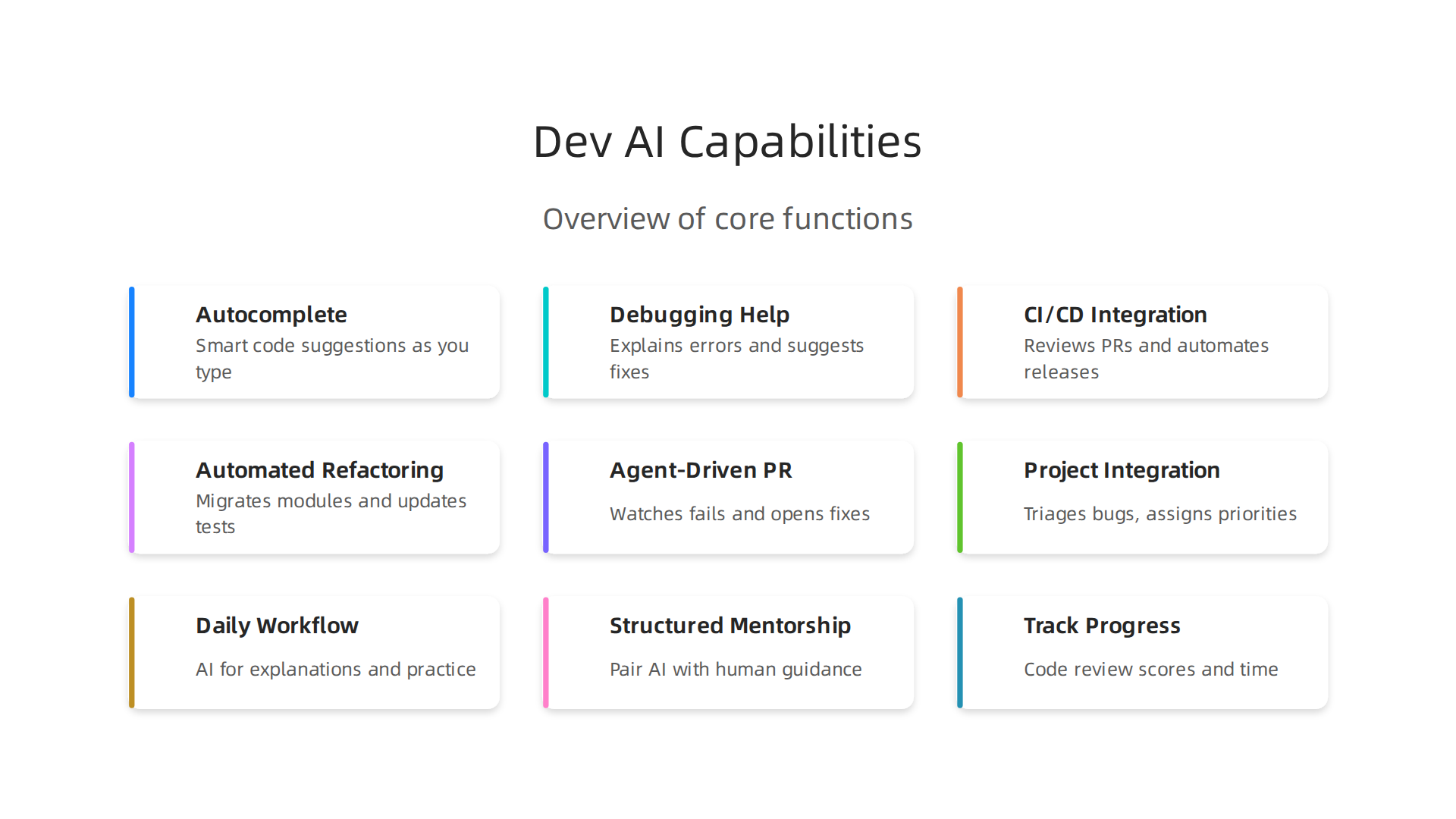
Autocomplete and smart suggestions. This is the foundation. As you type, the assistant suggests the next line or the whole function. It looks at your open files and the rest of your project to make better guesses. Some tools even let you write instructions in plain English, like "build a login form with email validation," and the AI writes all the code for you.
Debugging help that goes beyond error logs. When your code breaks, your AI assistant reads the error, checks the stack trace, and offers a fix. It explains what went wrong in simple terms so you understand the root cause. Many tools also scan for security issues before you commit changes. You can see a full list of these capabilities in the Top 12 AI Developer Tools in 2026 for Security, Coding, and Quality.
CI/CD pipeline integration. Your assistant does not stop at writing code. It connects directly to your build and deployment pipeline. It reviews pull requests automatically, spots problems early, and generates tests for the code you just wrote. This means fewer manual review cycles and faster releases.
To see how these capabilities fit into your team’s daily workflow, read this context engineering guide for agile and devops teams.
Autonomous AI Agents: The Next Frontier for Productivity
A personal AI assistant is great for quick code help. But autonomous AI agents are a whole new level. These agents plan, run multi-step tasks, and use tools on their own. They do not wait for you to ask. They can run tests, refactor code, and handle deployments with little human help. Think of an assistant as a co-pilot and an agent as a junior engineer who works independently. That is the main difference between AI coding tools and agents.
In 2026, these agents are moving from research labs to real enterprise tools. Teams use them for background tasks like fixing bugs and migrating code. This frees developers to focus on bigger challenges. To see how this works, read this guide on AI coding agents: what they are, how they work, and how to build one.
For a complete look at building a productive engineering culture, check this developer experience roadmap for engineering teams. And if you want to keep up with the latest AI shifts, The AI Newsletter Worth Reading gives you clear updates every day.
How AI Agents Differ from Assistants
Here is the simple difference. A personal AI assistant waits for your prompt. It helps you write code faster in your editor. An AI agent takes a goal and runs with it.
It plans steps, breaks big tasks into smaller ones, and works across your whole codebase. Assistants react. Agents initiate.
Agents also have memory. They remember context across long sessions and keep track of what they have done so far. This lets them fix a chain of bugs without losing the big picture. Agents talk to external APIs too. They can check a database, run a test suite, or open a pull request on their own. This is what the Agentic AI: Unlocking developer potential at scale article calls being a true partner in building software.
But agents need careful oversight. Without guardrails, they can make mistakes or do things you did not expect. You still need to review their work.
Think about use cases. Use a personal AI assistant for quick code ideas or boilerplate. Use an agent for long tasks like refactoring a big module or migrating an old codebase. If you want to build your own simple agents without writing everything from scratch, check out this guide on how no-code AI agents are transforming software development. It shows how to create small agents fast.
Real-World Agent Workflows
So what do these workflows actually look like? Here are three common examples teams use in 2026.
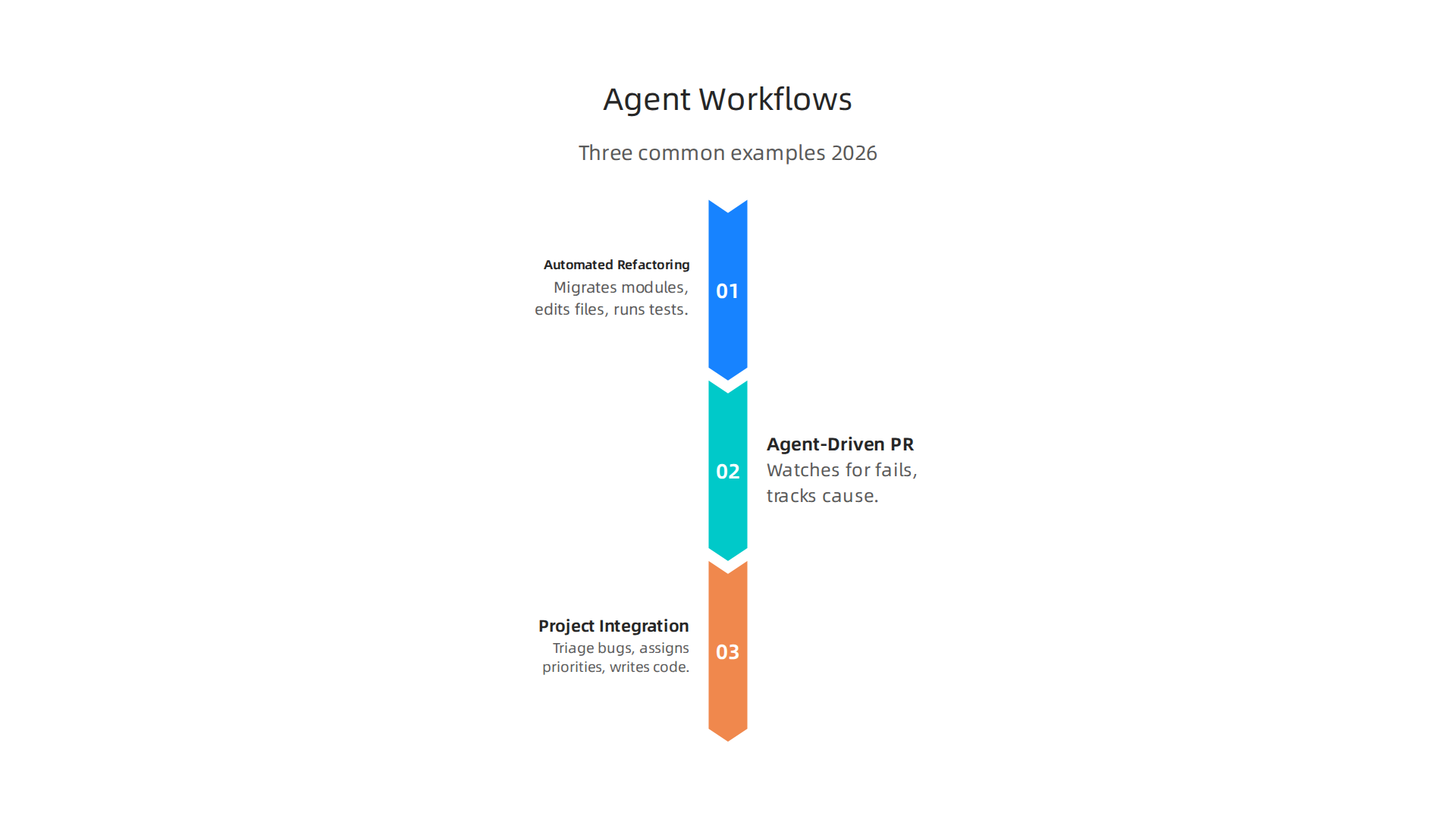
Automated code refactoring across multiple files. Instead of manually updating every file, you give the agent a goal like "migrate this module to the new API." The agent reads the whole codebase, plans changes, edits files, and runs tests to verify nothing broke. This process, detailed in a guide on AI coding agents and how they work, can turn a weeklong refactor into a few hours of review.
Agent-driven PR review and bug fixing. An agent can watch for failing tests, track down the root cause, and open a pull request with a fix. You just approve or tweak it. The agent handles the cycle from detection to solution.
Project management integration. Some agents connect directly to issue trackers like Jira or Linear. They triage incoming bugs, assign priorities, and even start writing code for low-risk issues. This lets your team focus on high-value problems instead of sorting tickets.
To stay on top of tools like these, consider subscribing to The AI Newsletter Worth Reading. It delivers daily, clear updates on AI coding agents and other breakthroughs so you never fall behind.
If you want to build your own agent workflows, start with the right foundations. A guide on AI tools for developers in 2026 covers the best platforms to get started.
Accelerated Learning: AI as a Tool for Skill Acquisition
Learning a new framework usually takes weeks of reading and trial and error. A personal AI assistant changes that by acting as a tutor inside your IDE. It gives you contextual explanations of unfamiliar code, generates practice exercises on the spot, and walks you through debugging scenarios step by step. This just-in-time learning means you pick up skills while doing real work, not during separate training sessions.
Research shows AI is shifting from providing answers to facilitating learning by identifying knowledge gaps and creating personalized practice, as highlighted in how AI is changing professional learning in 2026. This approach helps onboard junior developers and cross-skill teams faster because everyone learns at their own pace without leaving their workflow.
For more on the capabilities you need, see this guide on software developer skills for 2026.
Overcoming the Learning Curve with AI Tutors
Picking up a new programming language or framework can feel like climbing a mountain.

But a personal ai assistant can flatten that curve fast. Think of it as a tutor that sits right next to you while you work.
Instead of reading docs for hours, you can ask your AI tutor to explain a tricky concept right there in your code editor. It generates real code examples, adapts its explanations to your skill level, and guides you step by step through debugging. This kind of just-in-time help makes it much easier to learn how to learn ai effectively because you learn by doing, not by sitting through lectures.
These tools shine in specific situations. When you are learning a new framework, your AI tutor can build small practice projects on the spot. When you are digging into legacy code, it can translate old patterns into modern equivalents. And when you are prepping for a tough system design interview, it can walk you through trade-offs you would not have considered alone.
Research supports what developers feel in practice. Studies on how AI is changing professional learning in 2026 show that AI assisted systems help professionals explore unfamiliar topics in highly contextual ways. Instead of just handing you an ai response, these tools explain concepts, spot your knowledge gaps, and generate practice exercises tailored to you.
The key is staying engaged with the tool rather than letting it do all the work. For a deeper look at which tools can help you build these skills, check out this overview of AI tools for developers.
If you want to keep up with the fast pace of AI changes, consider subscribing to The Deep View Newsletter for clear daily updates.
Building Effective Continuous Learning Pipelines
Having an AI tutor by your side is great, but real growth comes when you make learning a daily habit. Think of a continuous learning pipeline as your personal system that blends your personal ai assistant with regular practice, mentorship, and clear goals.
Start by making AI tools part of your daily workflow. Use them to explain unfamiliar code, generate practice exercises, or brainstorm architecture ideas. The key is to stay engaged instead of just copying an ai response. For example, when learning a new framework, ask your assistant to explain trade-offs rather than just writing the code for you.
Pair those AI recommendations with structured mentorship and documentation. A solid approach includes a structured upskilling plan with daily practice, weekly projects, and monthly milestones, as outlined in this AI Upskilling 2026 framework.
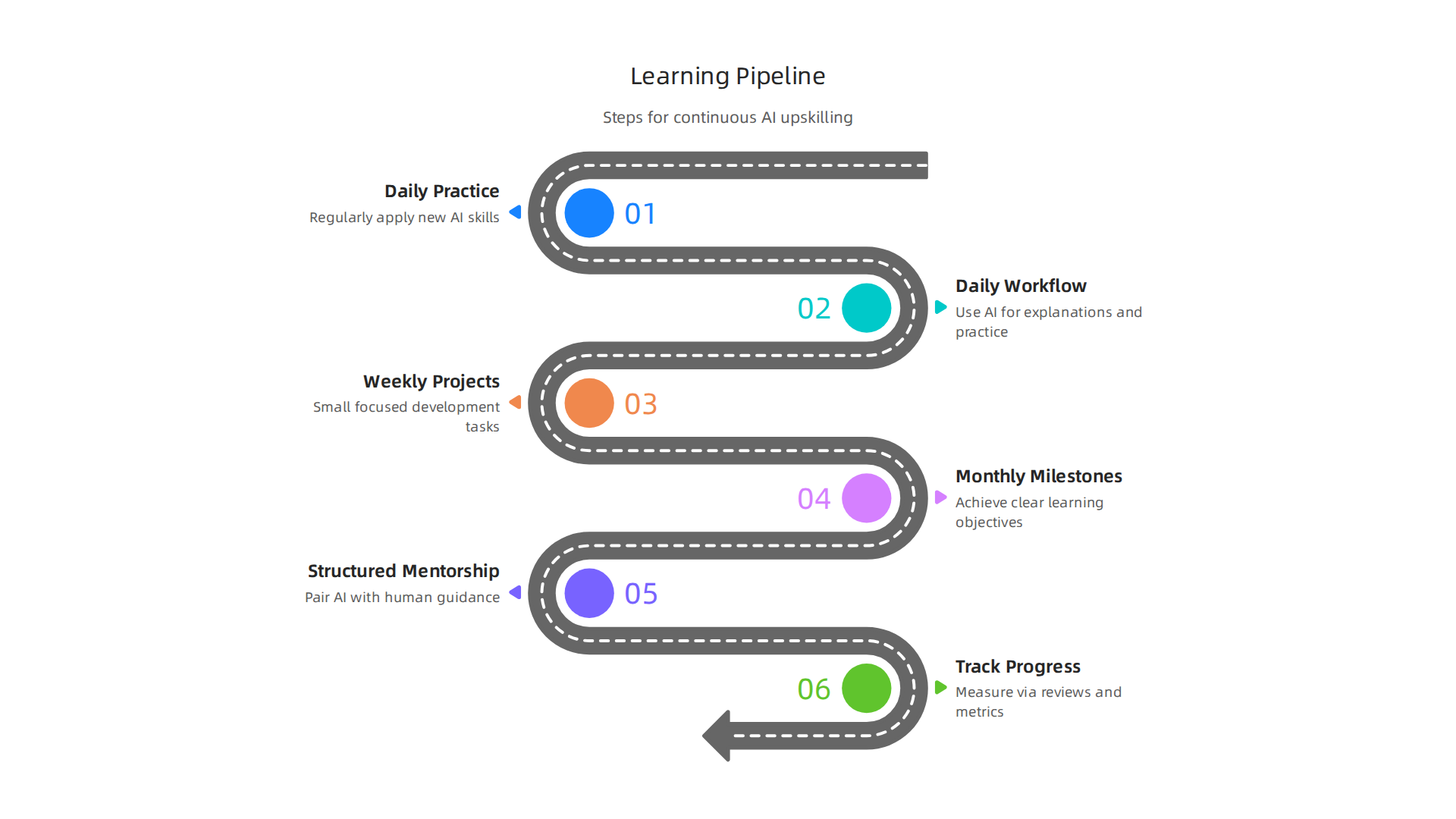
That kind of framework helps you move from basic usage to competent application without losing depth.
Track your progress with concrete metrics. Things like code review scores, time to complete tasks, or project quality improvements give you real feedback on your growth. These numbers show you where your personal ai assistant is boosting your skills and where you need more focused human learning.
For more on which abilities to prioritize in your pipeline, check out this guide to essential software developer skills for 2026.
Measuring the Impact: Productivity Metrics with AI
Once your continuous learning pipeline is running, you need to know if it is working. Traditional metrics like lines of code per hour or pull request cycle time can help, but they don’t tell the full story. The challenge is isolating your personal ai assistant’s contribution from other improvements. For a deeper look at which metrics actually matter in 2026, check out this 7 AI-Era Developer Productivity Metrics That Work in 2026 guide. You need both quantitative numbers and qualitative feedback, like code review quality, to see the real picture.
For more on improving your development workflow, read this guide on context engineering for agile and devops teams. And if you want to stay on top of the latest AI trends that affect your daily work, subscribe to The AI Newsletter Worth Reading for clear daily updates.
H3: Quantifying Developer Productivity Gains
So what does the data actually say? Controlled studies give us real numbers. When you use a personal ai assistant for common coding tasks, the speed boost is hard to ignore. Researchers found that well-scoped coding tasks are completed 21 to 36 percent faster after teams adopt AI tools, according to this A 2026 Guide on How to Use AI for Developer Productivity. That is a solid jump, and it comes with another hidden benefit: less context-switching. Developers report spending fewer mental cycles jumping between tabs and tools, which means deeper focus and less burnout.
At the team level, aggregate metrics tell a clearer story. Throughput often increases, deployment frequency goes up, and reliability can stay stable or even improve when AI catches small mistakes early. These team-level gains are where the real business value shows up. If you want to see which tools make this possible, check out these AI tools for developers to get started.
The numbers are promising, but they only matter if you measure them right. In the next section, we will look at the most common mistakes teams make when tracking AI productivity so you can avoid them.
H3: Qualitative Improvements in Code Quality
Speed is one thing. But does the code hold up? That is where a personal ai assistant really earns its keep. These tools do not just help you write faster. They help you write better.
AI-assisted code reviews catch more style inconsistencies and potential bugs than human-only reviews. Automated code suggestions and error detection lead to fewer defects and more maintainable code, as highlighted in this overview of AI developer tools for code quality improvements. Generated tests also improve coverage and catch edge cases you might miss, which means fewer surprises in production.
There is another benefit that is harder to measure but just as important: developer satisfaction. When a personal ai assistant handles repetitive review tasks and boilerplate, you spend more time on meaningful work. Burnout drops. Flow increases. In fact, a 2.2% rise in job satisfaction and a 3.4% boost in code quality have been linked to AI adoption. If you want to keep your code clean and your team happy, learning to bridge the AI to human gap in your code is a smart next step.
These quality gains make a real difference. And staying on top of the latest AI developments helps you keep improving. To get daily updates on AI tools and trends, check out The AI Newsletter Worth Reading.
Adoption Challenges and Best Practices for Engineering Teams
But adopting a personal ai assistant across an engineering team comes with real hurdles. Security concerns top the list. Teams worry about code leaks and data privacy. Integration friction slows things down too. And some team members may resist changing their workflow.
So what works best? Start with small pilot programs. Set clear policies on where and how to use AI. Invest in training so everyone feels confident. The AI adoption challenges that leaders face in 2026 also include measuring return on investment. Without clear metrics, it is hard to justify the cost. For more on how teams are navigating these shifts, see this overview of 2026 engineering technology trends.
Once your team decides to adopt a personal AI assistant, the real work begins: fitting it into your daily workflow without breaking things. The smoothest path is to start with lightweight integrations.
API-based tools let you plug AI into your existing pipelines. Many assistants offer REST endpoints you can call from your CI/CD scripts. IDE plugins bring suggestions directly into your editor, which 70% of developers now use to write code according to AI software development statistics. CI/CD hooks can run AI-generated tests or auto-generate documentation on every commit.
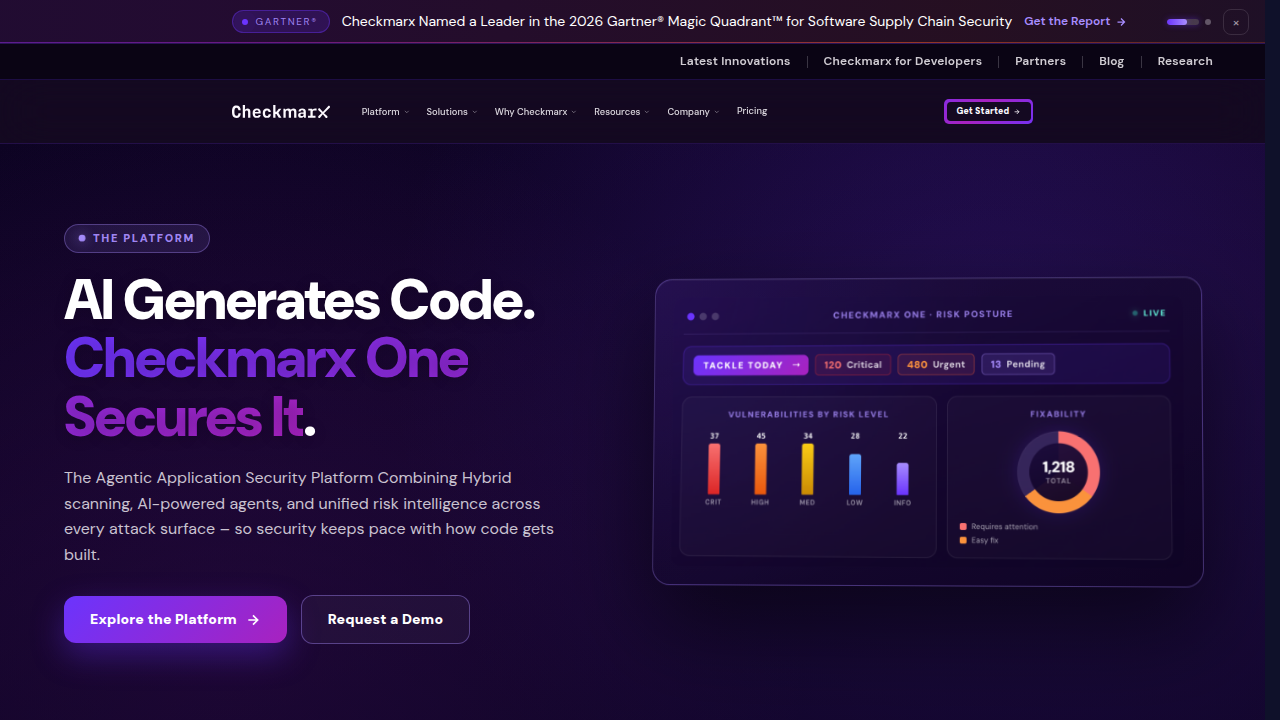
But fast code brings new problems. AI-generated code introduces dependencies that may not be tracked in your package manager. You need clear versioning policies. Treat AI output like any third-party library: pin versions, review changelogs, and run vulnerability scans. Security remains the top concern. AI-generated code contains more flaws than human-written code, so automated checks are essential.
Human oversight must stay in the picture for critical paths. Never let AI push directly to production. Keep a senior engineer as a gatekeeper for deployments. For more on balancing AI speed with human judgment, check out our guide on how to bridge the AI to human gap in your code.
To keep up with the fast pace of AI tooling and best practices, consider subscribing to a daily digest. The The AI Newsletter Worth Reading delivers clear, curated updates straight to your inbox so your team never falls behind.
But as you move forward with your personal AI assistant, you need to think about what happens behind the scenes. Sending proprietary code to cloud AI services carries real risks. Data can leak, models may store your inputs, and compliance rules get harder to follow.
Start with data sanitization. Strip out secrets, API keys, and sensitive business logic before sending anything to an external model. For highly regulated industries, consider local deployment options. Running a smaller model on your own infrastructure keeps everything inside your network.
Prompt injection is on the rise. According to the AI Coding Tool Adoption 2026 survey, 31% of teams now rank prompt injection and supply-chain risk as a top-three pain point. Attackers can craft inputs that trick the AI into revealing internal data or executing unintended actions.
Ethical questions also matter. AI models can amplify bias in code recommendations. If your training data contains skewed patterns, the AI will suggest those same patterns back to you. Copyright is another gray area. Code generated by a personal AI assistant may closely match existing open-source projects, creating licensing headaches. Always trace the origin of generated code before shipping it to production.
For a deeper look at evaluating AI tools safely, check out these 8 notes on AI tools for developers. And to keep your team informed on the latest security and privacy developments in AI, subscribe to The AI Newsletter Worth Reading for daily curated updates.
The Future of AI in Developer Productivity (2026 and Beyond)
By now you have a clear picture of the risks and the safety steps needed to use AI well. But what about the tools themselves? Where are they headed next? The changes happening right now will reshape how you build software for years to come.
Multimodal models are changing the game. Earlier AI coding tools could only read text. They suggested code based on what you typed. In 2026, many tools can also look at screenshots, diagrams, and even hand-drawn wireframes. This means you can show a UI mockup to your personal AI assistant and ask it to write the frontend code. The model understands the layout, colors, and flow from the image alone. Deeper IDE integration also means the AI sees your entire project context, not just the file you are editing. It knows your dependencies, your coding style, and the last commit message.
Specialized agents are taking on specific jobs. Instead of one tool trying to do everything, teams now use different agents for different tasks. One agent handles security scans. Another writes unit tests. A third manages deployment pipelines. This specialization lets each agent use the right model and tools for its job. According to the GitLab article on agentic AI, these agents work like junior engineers who can pull from different models to get better results. They handle routine work while you focus on architecture and big-picture decisions.
AI-native development platforms are emerging. These platforms let multiple agents collaborate on the same project. One agent might plan the feature. Another writes the code. A third runs tests and fixes bugs. A fourth reviews the pull request. When they work together, tasks that used to take weeks get done in hours. The autonomous coding agents article from C3 AI describes this as a shift from static software to living systems that adapt as user needs change. Your personal AI assistant is no longer just a tool. It becomes part of a team of AI workers that you manage.
Full-stack AI automation with human governance is the long-term vision. In the future, an AI agent could handle the entire development lifecycle: planning, coding, testing, deploying, and monitoring. But humans stay in the loop. You set the goals, review the work, and approve changes before they go live. This keeps quality high and prevents mistakes from rolling into production. Developers who learn how to learn AI and guide these agents will be the ones who thrive.
Want to understand how these trends are reshaping engineering teams? Read our guide on engineering technology trends in 2026 for a deeper look at platform engineering and AI adoption. The future is not about replacing developers. It is about giving you superpowers so you can build better software faster.
Summary
This article explains how personal AI assistants and autonomous AI agents have reshaped software development in 2026, moving beyond simple autocomplete to context-aware, project‑level helpers that write code, debug, run tests, and even manage PRs. It surveys adoption and impact—showing wide weekly use across agencies and in‑house teams—and differentiates reactive assistants from proactive agents that plan multi‑step tasks. The piece covers core capabilities, real workflows (refactors, agent-driven PR fixes, and project integration), and how AI becomes a just‑in‑time tutor to accelerate learning. It also details measurable productivity and quality gains, common adoption pitfalls, and practical safety steps like data sanitization, versioning, and human oversight. Finally, it outlines where tools are headed—multimodal models, specialized agents, and AI‑native platforms—so readers can adopt, govern, and get real value from AI without trading safety or craftsmanship.