
Running a business today means having a good website. For companies that sell products with inventory, like online stores or places that track stock, a website is super important. It’s not just about looking good. It’s about making sure everything works smoothly from the moment a customer clicks "buy" to when their item leaves the warehouse. In 2026, the world of web development is huge, with the global web development market reaching $89.3 billion this year. This big market means lots of choices when it comes to tools.
Choosing the right website development tools is a really big deal. If you pick the wrong tools, it can cause many problems. Your website might be slow, hard to use, or even show the wrong number of items in stock. Imagine a customer buying something online only to find out later it’s sold out because the website’s inventory wasn’t updated correctly. That’s a quick way to lose trust and money. These choices affect how fast your team can build new features, how reliable your website is every day, and how accurate your inventory numbers stay.
This article is for people who lead tech teams, like software engineers, engineering managers, and Chief Technology Officers (CTOs). You’re the ones making big decisions about the technology your company uses.
You need to know which website development tools are best, especially when your business depends on tracking products accurately. Perhaps you’re looking at options like a Square website builder for ease of use, or exploring more complex systems that involve a detailed software inventory procedure.
We will help you understand the important things to think about when choosing your tools. We’ll look at different types of computer aided software engineering and how they fit into creating a website that handles inventory well. This includes thinking about how tools impact everything from design to daily operations. Getting these choices right is key to making your website strong and your business successful. Making smart strategic choices for developer tools and cloud platforms can really make a difference.
To stay ahead in the fast-changing world of technology, especially with AI and new software trends, it helps to have fresh insights delivered straight to you.
Get clear daily AI updates from The AI Newsletter Worth Reading.
The Modern Website Development Tool Landscape: Categories and Roles
When you’re building a website that needs to keep track of products, like for an online store, choosing the right website development tools is like picking the right tools for a big construction project. You need different tools for different jobs. Let’s look at the main types of tools available in 2026 and what they do. These tools help with what we call types of computer aided software engineering, which simply means using computers to help build software better and faster.
Major Categories of Website Development Tools
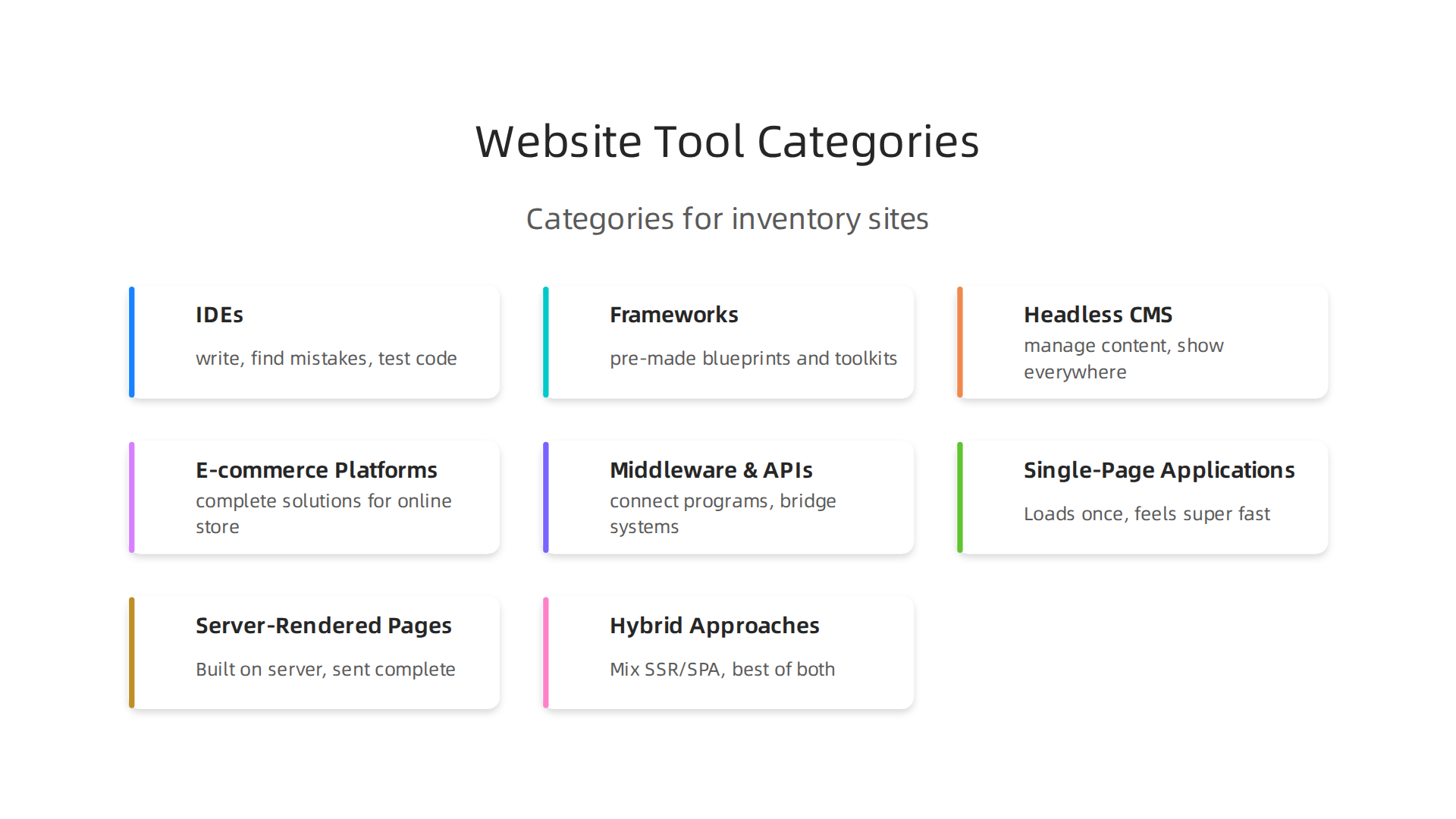
Here are the big types of tools that help bring a website to life, especially one that handles inventory:
-
IDEs (Integrated Development Environments)
These are programs where developers write their code. Think of them as a super notepad for coders. They help you write, find mistakes, and test code all in one place. Popular choices include VS Code, which is used by many developers today, and JetBrains IDEs. These tools are like the workbench for your engineering team, helping them build the core parts of your website 60+ Web Development Statistics & Trends (2026). -
Frameworks
Frameworks are like pre-made blueprints and toolkits for building websites. They provide a structure and common pieces so developers don’t have to start from scratch every time.- Frontend Frameworks: These help build what users see and interact with, like buttons, menus, and product pages. React is a very popular one, used by over 42% of developers, with others like Vue.js and Angular also widely used Web Development Statistics 2026: Market Trends & Industry Data. This is important for making your website easy and fun to use.
- Backend Frameworks: These handle the hidden parts of the website, like storing information, running calculations, and managing your software inventory procedure. Node.js/Express is a leading choice for backend development.
-
Headless CMS (Content Management Systems)
A CMS helps you manage all the content on your website, like product descriptions, images, and blog posts. A "headless" CMS is special because it only stores the content and lets you show it on your website, mobile app, or any other place using special connections. This is great for inventory, as you can manage product details once and show them everywhere. Headless CMS platforms have doubled their market share in recent years Website Statistics 2026: 180+ Facts, Trends, and Data. -
E-commerce Platforms
These are complete solutions for running an online store. They come with features for listing products, handling shopping carts, taking payments, and sometimes even managing a basic software inventory procedure. A simple platform like a Square website builder can be a good starting point for many businesses. -
Middleware and APIs
- APIs (Application Programming Interfaces): These are like messengers that let different software programs talk to each other. For example, an API might connect your website’s shopping cart to your main inventory system to update stock levels instantly.
- Middleware: This is software that acts as a bridge between different parts of your website or between your website and other systems, like your warehouse management software. It’s key for making sure everything works together smoothly, especially for accurate inventory updates.
How These Tools Align with Your Team and Goals
Each type of tool plays a specific role and is often used by different parts of your tech team:
- Frontend Teams: They use IDEs and frontend frameworks to build the look and feel of your website, making it user-friendly. Their goal is a great customer experience.

- Backend Teams: They use IDEs, backend frameworks, and APIs to create the "brains" of the website, handling data, orders, and the critical software inventory procedure. Their goal is a fast and reliable system.
- Integration Teams: These teams are experts at using APIs and middleware to connect your website with other important systems, like payment processors or warehouse databases. They ensure data flows correctly and your inventory numbers are always right.
- Operations Teams: They use tools to make sure the website stays online, runs fast, and all the different parts communicate well. Their goal is a stable and efficient website.
By carefully choosing the right website development tools in each category, you can ensure your website not only looks good but also runs like a well-oiled machine, keeping your product inventory accurate and your customers happy. It’s important for engineering teams to know how engineering teams evaluate technology services to prevent problems.
Frontend Frameworks and Tooling: Performance, DX, and Inventory UI Patterns
After looking at the big picture of website development tools, let’s zoom in on the frontend. This is what your customers actually see and use. For websites that handle a lot of products, like an online store with a big inventory, how you build these visible parts makes a huge difference in how fast and easy the site feels. We need to think about different ways to show information and the tools that help developers do their best work.
Different Ways to Show Website Content
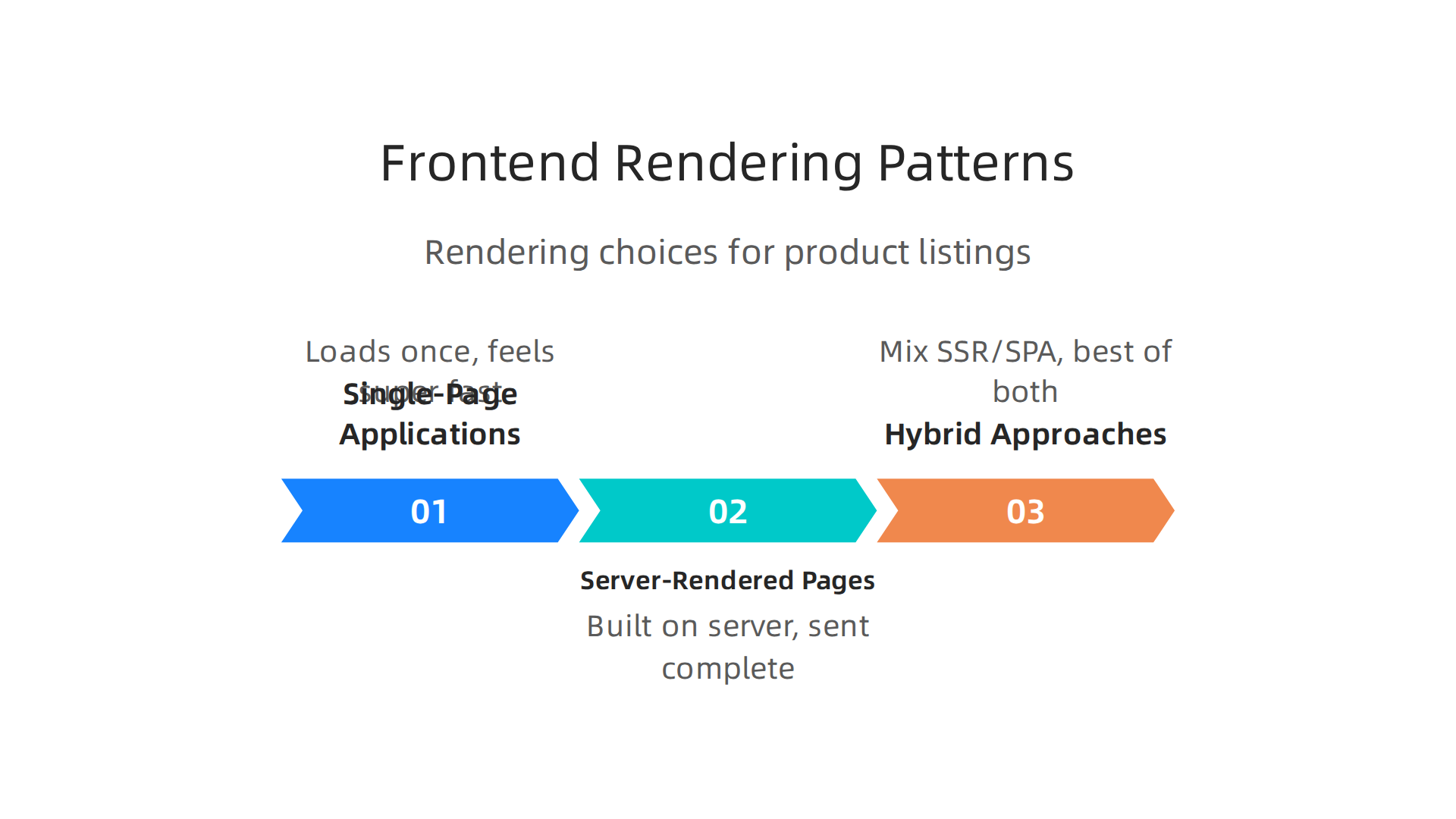
When building the parts of your website that users see, especially for pages with many items like product listings, developers pick different ways to make them appear. These are called rendering patterns:
-
Single-Page Applications (SPAs)
Imagine opening an app on your phone. It loads once, then feels super fast as you click around. SPAs work like that for websites. All the website’s code loads at the very start. This can be great for pages where users interact a lot, like a dashboard to manage asoftware inventory procedure. But for pages with long lists of products, like a search results page, this first load can be slow because it has to fetch everything. Also, search engines might find it harder to understand all that content at first glance Different Rendering Patterns. -
Server-Rendered Pages (SSR/SSG)
On the other hand, you have server-rendered pages. Here, the website is built on the server first, then sent to your browser as a complete page. Think of it like receiving a full book already printed. This means the first view is super fast. This is great for showing many product listings right away and helps search engines find your items easily. However, clicking on things might feel a bit slower if every click means asking the server for a whole new page. Many e-commerce sites use these methods to improve how fast their pages load Improve E-commerce Site Performance with Rendering Strategies. -
Hybrid Approaches
In 2026, many clever developers use a mix, called a hybrid approach. This might involve Server-Side Rendering (SSR) for the initial fast load, then letting the page act more like an SPA for better interaction. This combines the best of both worlds for complex sites, like big e-commerce platforms. The goal is always to make pages that handle lots of inventory, like product listings or search results, load quickly and smoothly. For long lists, methods like "windowing" or "virtualization" are key. These only show the items you can see on your screen, making huge lists feel fast React Performance Optimization: A Guide to Faster Apps. These ideas help to render large lists faster How To Render Large Lists Faster on Websites and Apps.
Making Development Easy (DX) and Choosing the Right Tools
Beyond how pages load, we also think about Developer Experience (DX). This means making it easy and fun for developers to build and maintain the website using good website development tools. A good DX helps teams work faster and make fewer mistakes, which is a big part of effective types of computer aided software engineering.
- Frameworks and Libraries: Frontend frameworks like React, Vue, or Angular come with lots of tools that help developers build parts of the website, such as product cards or search filters. Component libraries offer pre-made, ready-to-use pieces that look and work consistently. This saves time and ensures the website always looks professional.
- State Management: For an inventory website, keeping track of what’s in the shopping cart, what filters a user has picked, or the current stock level (part of the
software inventory procedure) is super important. State management tools help manage all this moving information in an organized way, making sure your website shows the right details to the right person at the right time. - Caching: Caching is like having a short-term memory for your website. It stores parts of the website or data that don’t change often, so the website doesn’t have to fetch them again and again. This makes everything load much faster for returning users. Making good use of caching is a key part of good Front End Performance Techniques.
Ensuring a great developer experience means choosing the right website development tools that not only build a fast website but also let your team build efficiently. If you want to dive deeper into improving how your team builds software, you might want to learn about developer experience 2026.
Now, after looking at the parts of a website you see and click, let’s talk about what happens behind the scenes. This is called the backend. For websites that manage a lot of things, like an online store’s software inventory procedure, the backend is super important. It handles all the data, keeps track of stock, and makes sure everything works smoothly and safely. Choosing the right backend website development tools means your site can handle many visitors and keep inventory accurate in real-time.
Backend Architectures: Building the Foundation
Just like building a house, you can choose different ways to build your website’s backend. These are called architectures.
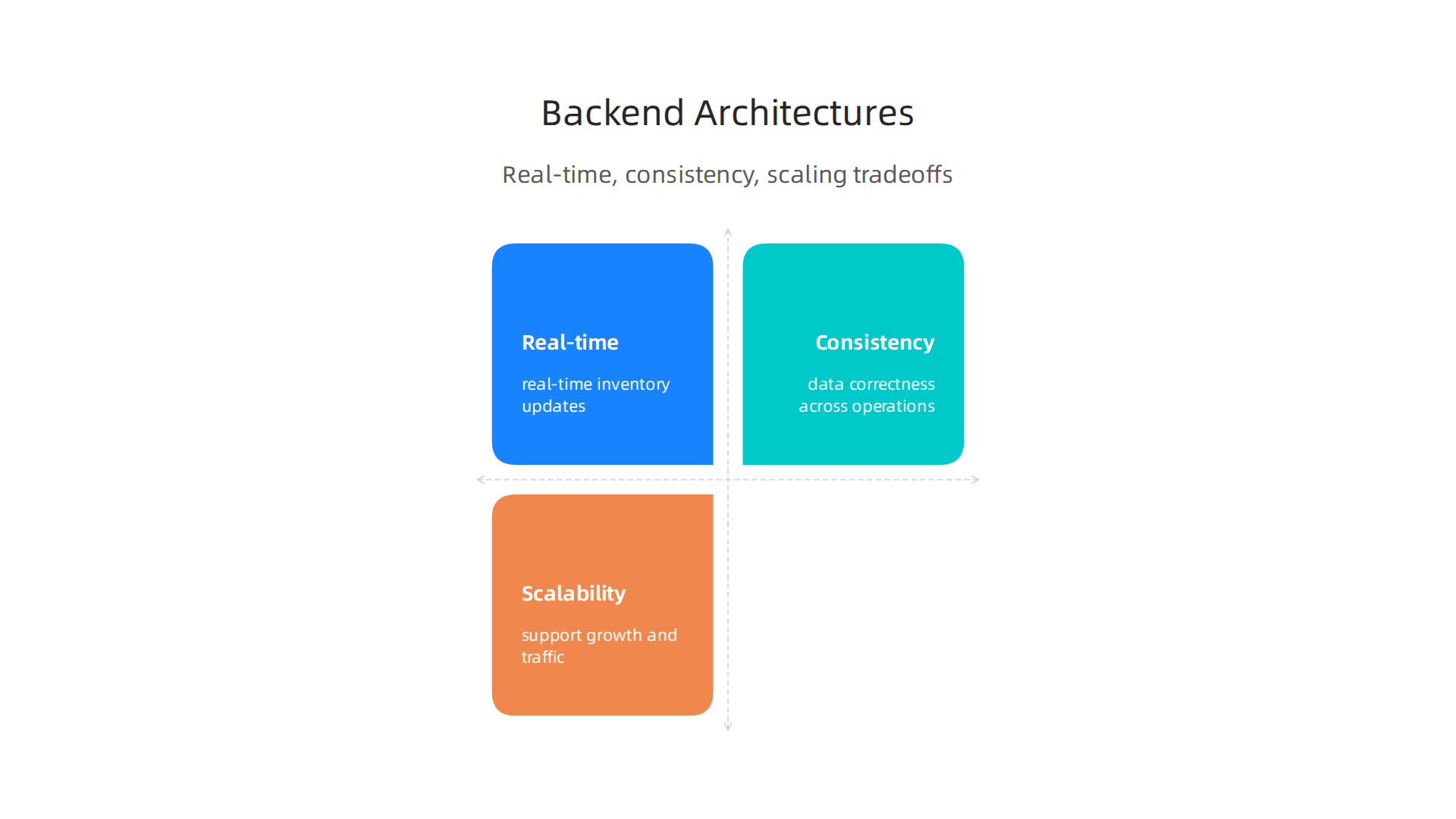
Each has its own good and bad points, especially when dealing with live inventory and making sure information is consistent.
- Monoliths: This is like building one big, all-in-one house. All the website’s backend parts are in one large piece of software. It’s often simpler to start with, especially for smaller projects. However, if one part breaks, the whole house might shake. And if you need to grow a specific part, you have to grow the whole thing, which can be less efficient.
- Microservices: Think of this as building many small, separate houses that work together. Each "house" (or service) does one job, like managing user accounts, handling payments, or keeping track of product stock. This way, if one small part breaks, the rest of the site can keep working. It’s also easier to update or grow just one small part without touching everything else. This approach is a common choice in 2026 for large, complex systems, requiring specific
types of computer aided software engineeringto manage all the moving pieces. - Backend for Frontend (BFF): This is a special kind of microservice. Imagine you have a website and also a mobile app. Each might need data shown in a slightly different way. A BFF creates a special backend just for your website’s frontend and another for your mobile app. This makes it easier for the frontend to get exactly what it needs, keeping things quick and simple for the user.
These choices directly affect how quickly your website responds and how easily it can grow. For deep dives into how engineering teams select technology, you can explore resources on strategic choices for developer tools and cloud platforms in 2026.
Databases: Storing Your Inventory
The database is where all your website’s information lives, especially your precious inventory data. Choosing the right database is key for a good software inventory procedure.
- Types of Databases:
- SQL Databases: These are like well-organized filing cabinets with strict rules. They’re great for things like product details, customer orders, and financial records, where you need to make sure every piece of information is exactly right and connected.
- NoSQL Databases: These are more flexible. They can store many different kinds of data, even if it doesn’t fit into neat rows and columns. They’re often faster for huge amounts of data and can be good for things like user preferences or quickly changing real-time inventory counts.
Keeping Things Consistent and Fast
For an inventory system, making sure the stock numbers are always correct is super important. This is called consistency.
- Strong Consistency: This means that when you update a piece of information, like buying an item, everyone sees the updated stock number right away. It’s always exact. This is usually what you want for inventory to prevent selling something that’s already out of stock.
- Eventual Consistency: This means that updates might take a little bit of time to show up everywhere. For example, if you buy an item, one part of the system might show the new stock right away, but another part might show the old number for a brief moment before catching up. This can be faster for very large systems but needs careful thought for inventory.
To make things even faster, websites use caching layers. Caching is like having a quick-access notebook for information that doesn’t change often. Instead of going to the main database every single time to get, say, a product description, the website can grab it from the cache, which is much quicker. This helps reduce the load on your databases and speeds up how fast your website development tools can deliver information to users. Using caching effectively is one of the best ways to get better performance for websites that handle a lot of data Optimizing UX for High-Load Retail and E-commerce Platforms.
After setting up your website’s backend and choosing the right databases, the next big step is making sure all your systems can talk to each other. This is super important for an online store’s inventory. We call this "integration." It means connecting your website with other tools, like the ones that manage your stock or handle shipping. Good integration makes your software inventory procedure smooth and keeps your business running well.
How Systems Talk: Integrations
Imagine you have different departments in a company: sales, warehouse, and accounting. For them to work together, they need to share information. Website integration works in a similar way, allowing different parts of your website or different programs to share data.
Here are the main ways these systems connect:
- Direct API Integrations: This is like giving each system a special phone number and a rule book for talking to other systems. An API (Application Programming Interface) lets one piece of software ask another for information or tell it to do something. For example, your website can use an API to ask your inventory system, "How many blue shirts are left?" This is a very common way to connect
website development toolswith other services. - ETL (Extract, Transform, Load) or Sync: This is like having a messenger service that collects information from one place, changes it to fit another system, and then delivers it. This is often used for moving large amounts of data at certain times, rather than instantly. For example, syncing all your inventory numbers once a day.
- Event-Driven Architectures: This is like a public announcement system. When something important happens (an "event"), like a customer buying an item, the system sends out a message. Any other system that needs to know about this event can listen in and react. This makes things very quick and flexible for real-time updates.
- Headless Commerce Connectors: This is a modern way to build online stores. Imagine your store’s "head" (what customers see) is separate from its "body" (the backend and inventory). Headless connectors help these separate parts work together. This lets businesses use different tools for the frontend and backend, giving them more freedom to make unique shopping experiences.
Choosing the right way to connect your systems can feel complex. It often involves different types of computer aided software engineering to make sure everything works together without problems. For help making these big decisions, it’s wise to explore how engineering teams approach these choices. You can learn more about how to make smart technology choices in our guide on how engineering teams evaluate technology services to prevent failures.
Data Model Alignment: Making Sense of Information
Even when systems can talk, they need to speak the same language. This is where "data model alignment" comes in. It means making sure that the way different systems understand and store information is the same. This is especially true for inventory data.
Here are some key parts of aligning your inventory data:
- SKU Identity: SKU stands for Stock Keeping Unit. It’s a unique code for each item you sell. All your systems, from your website to your warehouse, must use the exact same SKU for the same item. If your website calls a product "BLUSRT-MD" and your warehouse calls it "SHIRT-B-M," you’ll have big problems.
- Units of Measure: This means making sure everyone agrees on how items are counted. Is it by individual piece, by box, or by weight? If your website sells "boxes of 12" and your warehouse tracks "individual items," your numbers won’t match up.
- Location/Warehouse Mapping: If you have more than one warehouse or storage area, your systems need to know exactly where each item is. This helps you find products quickly and accurately update stock levels.
- Inventory Lifecycle Events: These are all the important things that happen to an item’s stock over time. This includes when it’s received into the warehouse, sold, returned, or moved. All systems need to record these events in the same way to keep a correct count of what’s available.
Keeping an accurate, detailed, and up-to-date inventory of all your assets is key to successful operations in 2026, as highlighted in guidelines for IT security and asset management by organizations like CIS Controls Version 8.1. When all these data points are aligned, your website can always show the correct stock, preventing frustrating situations where customers buy items that are actually out of stock.
Once your data models are perfectly lined up, the next big challenge is how you put changes into your website and backend systems without breaking anything. This is super important for your inventory, because you don’t want to sell something that’s not actually there. This is where smart deployment, CI/CD, and good monitoring come in.
Deployment, CI/CD, and observability for inventory-dependent web apps
Imagine you have a new feature for your online store, like a better way to show how many items are left. You can’t just put it live and hope for the best. You need a safe way to deploy it.
This is where CI/CD pipelines help. CI/CD stands for Continuous Integration and Continuous Delivery or Deployment. It’s a set of steps that automates how you build, test, and release new changes to your website.
- CI (Continuous Integration) means that every time a developer makes a small change, it’s quickly checked with other changes. This helps find problems early.
- CD (Continuous Delivery/Deployment) means that once changes are tested and approved, they can be sent out to your live website quickly and automatically. This smooth process helps keep your inventory data safe because changes are rolled out carefully. Many
website development toolshelp set up these pipelines easily.
Safe Ways to Roll Out Changes
When you update your website, especially parts linked to your inventory, you need to be extra careful. Here are some smart ways to release new features or fixes:
- Canary Deployments: This is like sending a "canary in a coal mine." You release the new version to a very small group of users first. If everything works well and there are no problems with inventory updates or orders, you slowly release it to more and more users until everyone has the new version. This way, if something breaks, only a few people are affected.
- Feature Flags: Think of these as on/off switches for new parts of your website. You can put new code into your website, but keep it turned "off" for most users. When you’re ready, you can flip the switch for certain groups or all users. If there’s an issue, you just flip the switch back off. This helps you control when new features for things like your
software inventory procedurego live without needing a full website update.
It’s also very important to handle database changes carefully. When your inventory data is stored in a database, updating that database needs a clear plan. You must make sure old and new parts of your website can still read and write to the database correctly during the change. Always have backups and test your migration steps, so you don’t lose any valuable inventory information. For more tips on setting up these automated processes, look into these CI/CD Best Practices.

Watching Your Website: Observability
Even with careful deployment, you need to keep a close eye on your systems. This is called "observability." It means having tools that let you see what’s happening inside your website and its inventory systems at all times.

- Metrics: These are numbers that tell you how things are working. For inventory, you might track how many items are in stock, how fast orders are processed, or how long it takes to update an item’s quantity.
- Tracing: This helps you follow a single action, like a customer buying an item, through all the different parts of your website. If an order gets stuck, tracing can show you exactly where the problem happened.
- Alerting: This means setting up warnings that go off if something unexpected happens. For example, if your inventory system reports negative stock for an item, or if the website slows down when checking stock, you get an alert right away.
By focusing on these observability priorities, you can quickly find and fix issues that might affect your inventory accuracy or how fast your website works. This is key to ensuring your online store runs smoothly and customers always see correct stock information. Making smart choices about the types of computer aided software engineering tools you use can make a big difference here. If you’re wondering how to pick the right tools and platforms for your tech needs, you can explore guides on strategic choices for developer tools and cloud platforms in 2026.
Staying on top of these complex deployment and monitoring practices is a big job. If you want to keep learning about how the latest tech, including AI, is changing how we build and manage software, then you’ll love this next step. Get clear daily AI updates from The AI Newsletter Worth Reading.
Choosing the right tools for your online store isn’t just about what’s popular. It’s about finding what works best for your team and your money. After making sure your systems are watched closely, the next step is to pick the right technologies to build and maintain them.
Selection criteria, cost considerations, and measuring ROI
When you pick out new website development tools, you need to think about a few key things. This is super important because these tools will shape how well your website works, especially for tracking inventory.
How to Choose Your Tools Wisely
- Developer Productivity: How easy are the tools for your team to use? If your developers can work faster and build things without too much trouble, that’s a big win. Tools that make work simpler mean your team can spend more time on new features and less time fixing problems. This is part of improving the Developer Experience 2026.
- Total Cost of Ownership (TCO): This isn’t just the price tag of the tool itself. It also includes how much it costs to train your team, keep the tool running, update it, and deal with any issues that pop up. Sometimes a cheaper tool at first can end up costing more over time if it’s hard to maintain.
- Integration Costs: How well do new tools play with your existing systems? For inventory, this is huge. You need your new website part to talk nicely with your inventory database, your payment system, and even your shipping programs. If they don’t connect easily, you might have to spend a lot of time and money making them work together, which can delay getting your products out to customers. For example, integrating systems like Shopify and NetSuite needs a clear plan to control inventory and costs, as shown in various integration strategies.
- Time-to-Market: How fast can you get new ideas or updates onto your website? In a fast-moving market, being able to release new features quickly helps you stay ahead. The right tools can cut down the time it takes to go from an idea to a live feature.
Some businesses might even look at ready-made solutions like a square website builder for simpler needs, but for complex inventory, custom solutions often provide more control.
Measuring What Matters: Return on Investment (ROI)
Once you’ve chosen your types of computer aided software engineering and put them to use, how do you know if they’re actually helping? You need to track important numbers. This is how you figure out your Return on Investment, or ROI.
Here are some practical things to watch:
- Deployment Frequency: How often can you safely put new changes onto your website? More frequent, smooth deployments usually mean your tools and processes are working well.
- Inventory Mismatch Rate: This is how often your website says you have an item in stock when you don’t, or vice-versa. A good system should make this number very low. Companies have seen big drops in stock discrepancies, sometimes 20-40%, with better inventory systems.
- Time to Reconcile Stock: If there’s an inventory problem, how fast can you fix it and make sure your stock numbers are correct again? Faster fixes mean less lost sales and happier customers.
- Reduced Costs and Increased Sales: Ultimately, good tools should save you money or help you make more. For instance, better inventory management can lead to a 68% reduction in inventory levels and significant annual savings for retailers, improving overall ROI. Warehouse Management Systems (WMS) can achieve high inventory accuracy, often 98-99%, leading to strong ROI figures. Case studies show that optimizing inventory can free up capital and lead to huge ROIs, like one company that saw a 583% ROI from inventory optimization. Another example showed how automating ecommerce inventory led to six figures in recovered revenue and greatly reduced stockouts, which is a key part of an effective software inventory procedure. This proves that smart choices in website development tools have a real impact.
Summary
This article guides engineering leaders through choosing website development tools for product-driven businesses where inventory accuracy matters. It explains the main tool categories—IDEs, frontend and backend frameworks, headless CMS, e-commerce platforms, middleware and APIs—and how each affects user experience, developer productivity, and stock correctness. You’ll learn frontend rendering options (SPA, SSR, hybrid) and UX patterns for large catalogs, plus backend choices (monoliths, microservices, BFF) and database trade-offs between strong and eventual consistency. The piece covers integrations—APIs, ETL, event-driven systems—and the importance of SKU identity, units of measure, and location mapping for data alignment. It also outlines safe deployment practices (CI/CD, canaries, feature flags), observability priorities, and practical selection criteria like TCO, integration cost, and time-to-market. After reading, you’ll be able to evaluate tools and architectures that reduce stock mismatches, speed delivery, and improve ROI for inventory-heavy web apps.