

Using the right tools makes a big difference for teams building and managing things in the cloud. In 2026, many companies rely on Azure DevOps to help them get work done. But even the best tools sometimes need a little extra help. That’s where the Azure DevOps Marketplace comes in.
Why the Azure DevOps Marketplace matters for cloud infrastructure teams
Think of the Azure DevOps Marketplace as a big online store for software developers and cloud engineers.
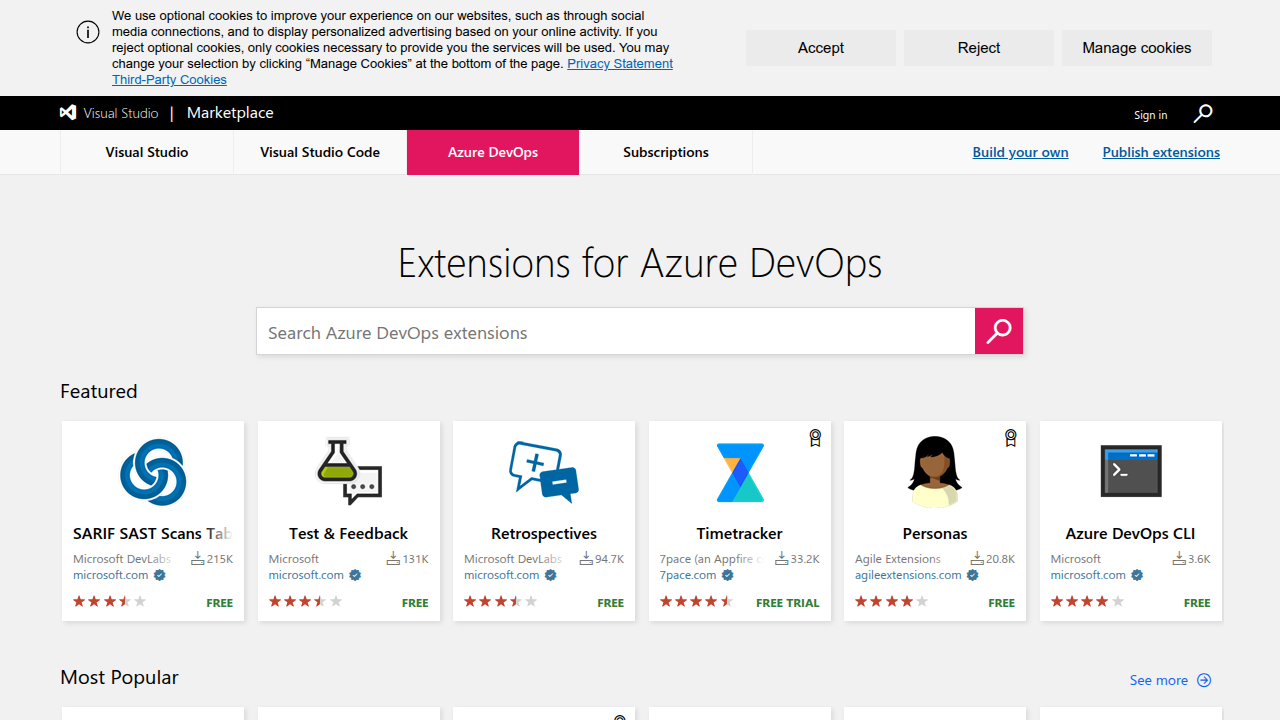
It’s a place where you can find many helpful add-ons, called extensions, that make Azure DevOps even better. These extensions are like apps for your phone; they add new features or improve existing ones. They are key cloud development tools for infrastructure teams, helping them manage everything from code to deployments.
Extensions can do many things. For example, some help with special checks on your code. Others might connect Azure DevOps to other services you use, making your work smoother. These add-ons are designed to customize and expand what you can do with Azure DevOps, as explained in the Extensions overview. Whether you’re dealing with an Azure Monitor agent or setting up a cloud-native database, the right extension can simplify tasks and boost your team’s output.
Even with such great tools available, teams often run into problems. One challenge is simply finding the right extension. There are so many choices, it can be hard to know which one truly fits your needs.

Another issue is making sure these extensions work well with your existing setup and other cloud development tools. Sometimes, new updates can cause unexpected issues. Also, teams need to know if the extensions are safe and trustworthy, and if they will be supported in the future. It takes time and effort to discover, test, and manage these add-ons, especially if you also work with tools like the AWS CLI. Finding the perfect match and keeping it running smoothly can be a real headache for busy teams.
Staying on top of all the latest changes in cloud tools and AI is a big task. It needs constant learning to keep your team at its best.
Get clear daily AI updates with The AI Newsletter Worth Reading.
Understanding how the Azure DevOps Marketplace is put together can make finding the right tools much easier. It’s like knowing how a store is organized so you can quickly find what you need. The marketplace offers different kinds of extensions, which are like apps that add power to your Azure DevOps.
Different Kinds of Extensions
Extensions are built to help with specific tasks. Think of them as special helpers for your cloud development tools. Here are some common types:
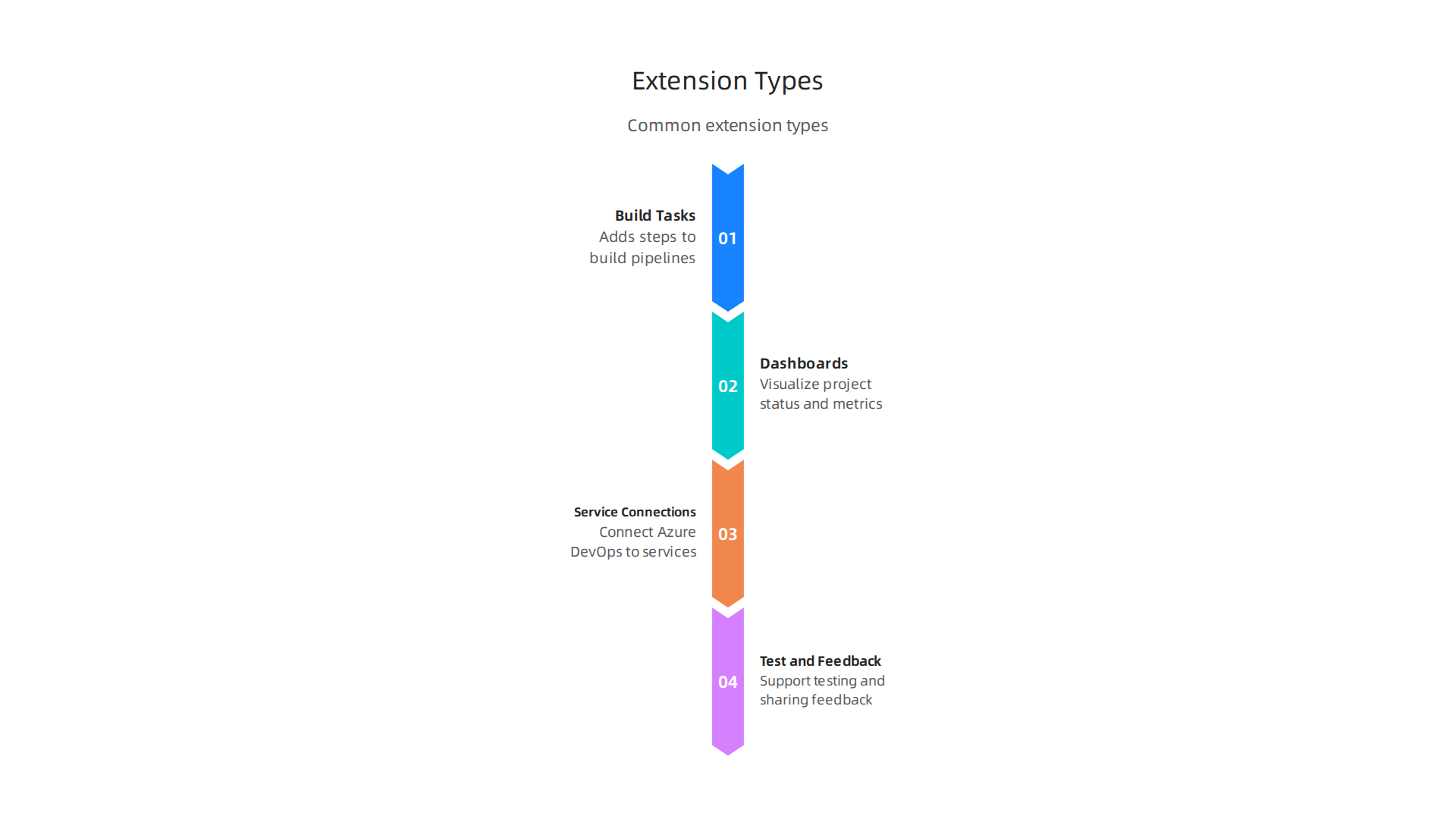
- Build Tasks: These extensions add new steps to your automated building process. For example, if you need to run a special security scan on your code before it’s deployed, a build task extension can do that. This helps make sure your cloud infrastructure is safe.
- Dashboards and Reporting Tools: These help you see how your projects are doing. They show important information in easy-to-read charts and graphs. For instance, you could use one to keep an eye on your azure monitor agent data or track work items. This helps teams quickly understand progress and problems.
- Service Connections: These extensions help Azure DevOps talk to other services you use. This could be linking to a cloud-native database or even connecting with tools outside of Azure, like certain parts of the AWS CLI. They make sure all your different tools work together smoothly.
- Test and Feedback Tools: These help your team test software and share notes. They make it easier to find bugs and improve what you’re building.
Many teams use a mix of these to manage their daily work, making Azure DevOps a truly flexible hub for their cloud development tools.
Who Makes These Extensions and How to Trust Them
Every extension on the Azure DevOps Marketplace comes from a "publisher." A publisher is simply the person or company that created the extension. Both Microsoft and many other companies or individual developers publish extensions.
- Microsoft-owned publishers: Extensions made by Microsoft usually have clear branding and are often well-supported.
- Third-party publishers: These are extensions made by other companies or developers. Anyone can create a publisher and offer extensions to the public. Because of this, it’s very important to check who is behind an extension before you use it.
When choosing an extension, look for these signals to help you decide if it’s trustworthy:
- Publisher information: Is the publisher’s name clear? Can you find more details about them?
- Reviews and ratings: What do other users say about the extension? High ratings and many good reviews are usually a good sign.

- Update history: Has the extension been updated recently? Regular updates mean the publisher is likely keeping it secure and working well.
- Support: Does the publisher offer support if you run into problems? Good support is key for any important tool.
Expert Tip: Before installing any extension, especially from a third-party, always check its details page on the Azure DevOps Marketplace. Look for detailed descriptions, screenshots, and security information. Think about how engineering teams evaluate technology services to prevent issues later on. Knowing these things helps you pick the best and safest add-ons for your team’s needs.
Before adding any new tools to your workflow, it’s smart to think things through. Just like you wouldn’t buy a car without checking reviews and test driving it, you should carefully look at extensions for your Azure DevOps. Making good choices here can save your team a lot of headaches later on. Here is a checklist to help you pick the best ones.
A Practical Evaluation Checklist for Choosing Marketplace Extensions
When you’re looking at extensions in the Azure DevOps Marketplace, don’t just pick the first one you see. Take some time to evaluate them using these key points:
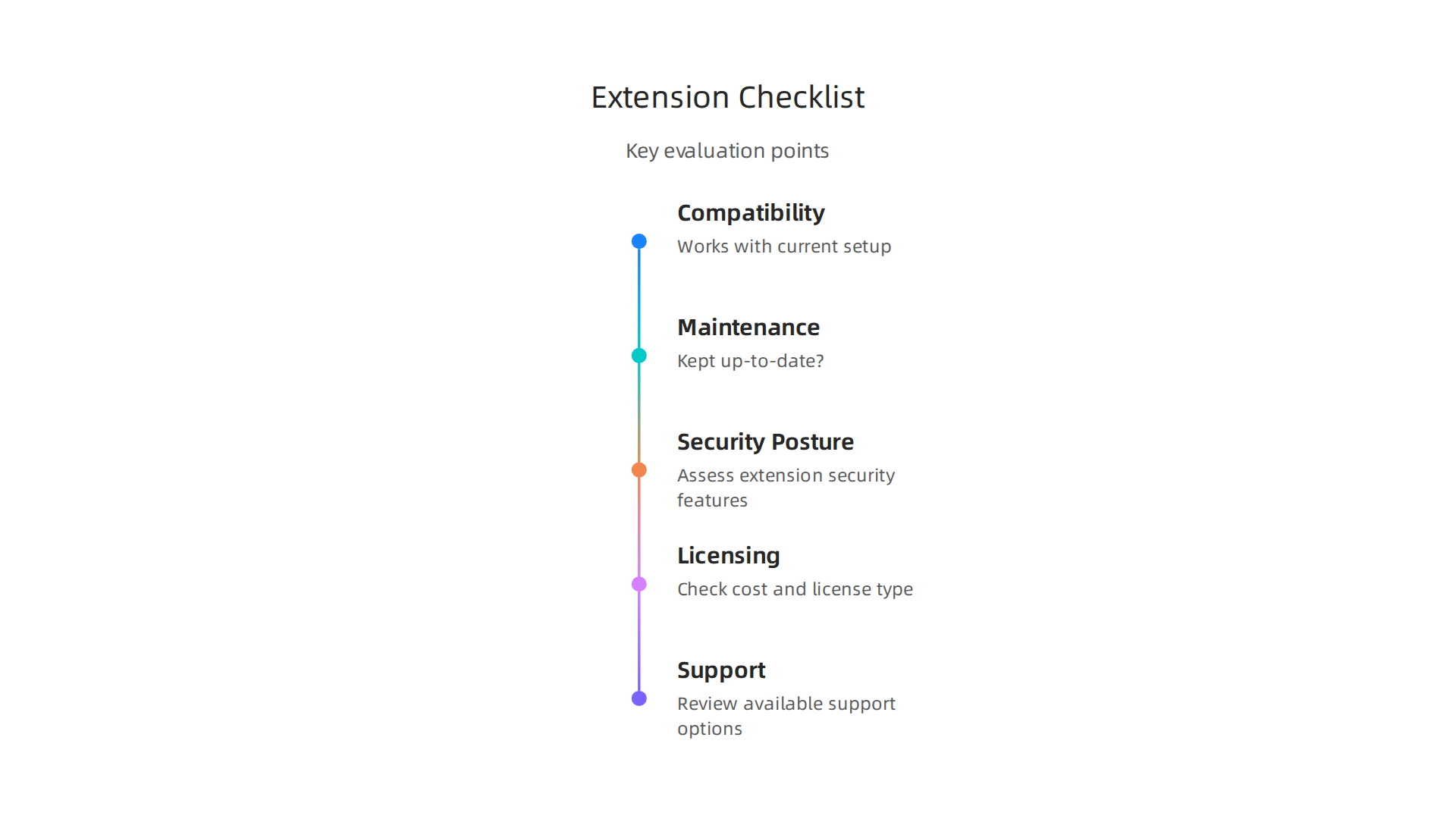
- Compatibility: Will the extension work well with your current Azure DevOps setup and other cloud development tools you use? Make sure it supports your versions of software and any special needs your team has. You can find general information about extensions and how they work within Azure DevOps by looking at the official documentation, which provides an overview of extensions.
- Maintenance and Activity: Is the extension kept up-to-date? Look for recent updates. An extension that hasn’t been touched in a long time might not work well with new Azure DevOps features or could have security problems. Regular updates show that the publisher cares about keeping it useful and safe.
- Security Posture: How secure is the extension? This is super important. Read about its security features and how it handles your data. Does it ask for more permissions than it needs? If you’re unsure, it’s best to look for another option. Always remember that anyone can make and publish extensions, so checking security is a must.
- Licensing: Does the extension cost money? If so, what kind of license does it have? Some are free, some have monthly fees, and others might have a one-time cost. Understand these costs before you get too deep.
- Support: What kind of help can you get if something goes wrong? A good extension will have clear ways to get support, like a help page or a contact email for the publisher.
How to Run a Lightweight Pilot
After you’ve looked at the checklist, you might have a few favorite extensions. But don’t commit to one for your whole team just yet! It’s a good idea to try it out first. This is called a "pilot" run.
- Pick a small team or project: Choose a small group to test the extension. This way, if there are any issues, they won’t affect everyone.
- Set clear goals: What do you want the extension to do? How will you know if it’s working well? For example, if it’s a test tool, measure how much faster testing becomes or how many more bugs you catch.
- Measure integration effort: How hard is it to get the extension to work with your existing tools? Does it cause any problems with your current setup? This helps you see how much work it will be for your whole team to switch over.
- Gather feedback: Ask the pilot team what they think. Is it easy to use? Does it really help them? Their real-world experience is very valuable.
By doing these steps, you can make sure that any extension you bring into your Azure DevOps environment truly helps your team work better without causing new problems. Knowing how to pick the right tools is key to staying productive in 2026.
Ready to dive deeper into the world of tech? Stay ahead of the curve with insights on AI and other crucial technology developments.
The AI Newsletter Worth Reading
When you pick out extensions for your Azure DevOps, it helps to know what kinds of tools are available. The Azure DevOps Marketplace is like a big store with many different tools, and these tools are often grouped into categories. Knowing these main groups can help you find exactly what your team needs to manage cloud infrastructure better in 2026.
Many extensions in the Azure DevOps Marketplace help with specific parts of building and running software in the cloud. They can make your work easier, faster, and more reliable.
Here are some of the most helpful categories you’ll find and what they do:
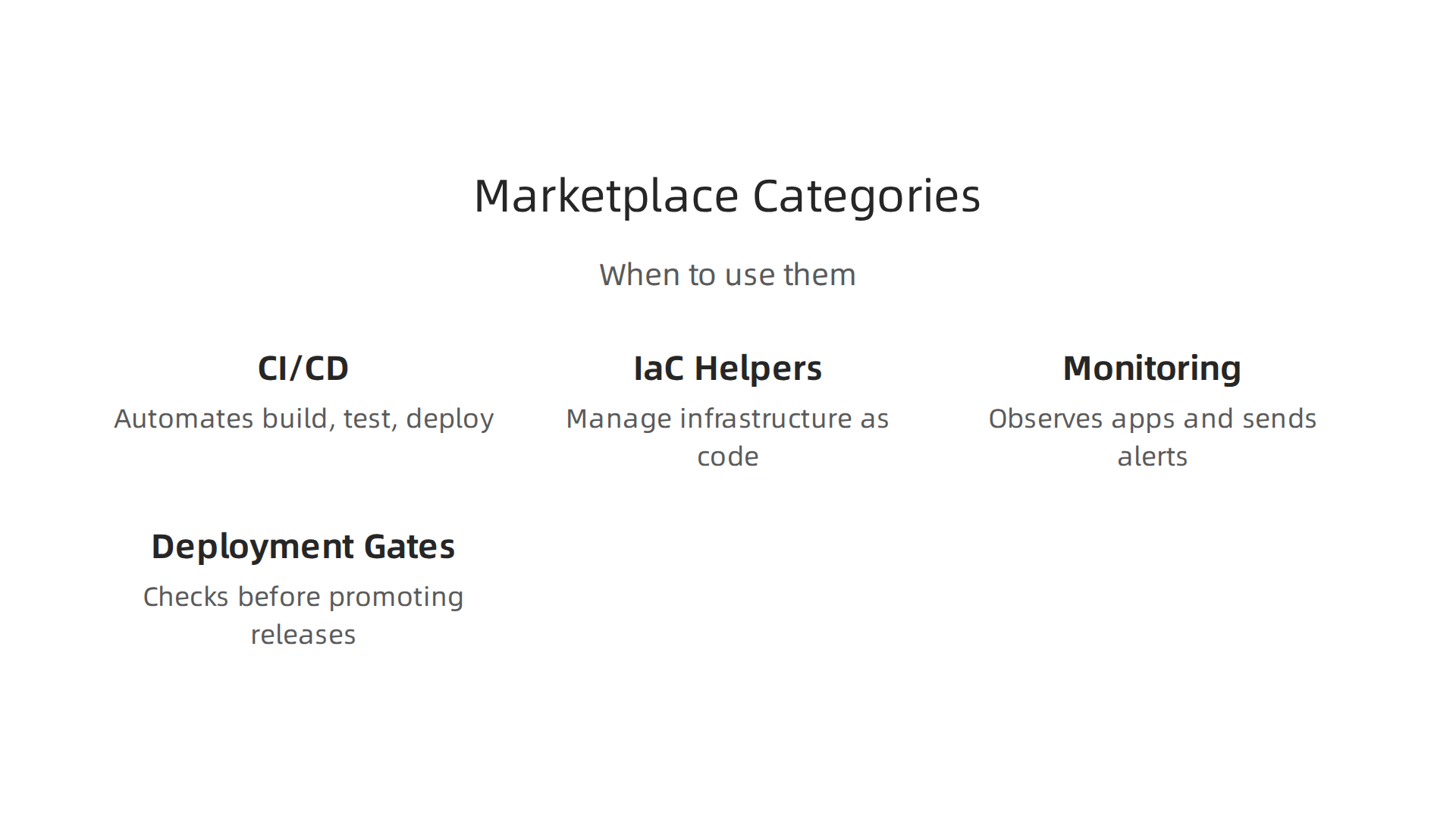
- CI/CD Integrations: CI/CD stands for Continuous Integration and Continuous Delivery. These extensions help automate how you build, test, and release your software. They connect different tools so that new code changes are automatically checked and sent out. This makes sure your team can deliver updates quickly and smoothly. For example, some integrations help with deploying web apps to Azure automatically when code changes are approved, as shown in various guides for cloud development tools.
- IaC (Infrastructure as Code) Helpers: Infrastructure as Code means managing your computer servers and other cloud resources using code, not manual clicks. These extensions help you write, check, and deploy this infrastructure code. This makes setting up and changing your cloud environment much faster and less prone to human error. If your team uses tools like AWS CDK 2026 guide for building cloud infrastructure with code, you might find these helpers especially useful.
- Monitoring and Alerting Plugins: After you launch your software, you need to watch it closely to make sure it’s working well. Monitoring and alerting extensions help you keep an eye on your cloud services and automatically tell you if something goes wrong. This could be anything from a server running out of memory to your website being slow. Tools like the
azure monitor agentoften work hand-in-hand with these types of plugins to give you a full picture. - Deployment Gates and Approvals: Before new software goes live, you often need different people to give their "okay." Deployment gates and approvals extensions help manage this process. They make sure that certain checks are done or approvals are given before your software moves to the next stage, like going from testing to production. This adds an important safety step, especially for critical systems or
cloud-native databasedeployments.
The Microsoft Marketplace lists many categories for different offers, showing how broad the types of available tools are for various industries and needs Marketplace categories and industries.
To help you understand which extension types fit best with different team roles and goals, here’s a simple table:
| Category | What It Does | Who Benefits Most | Example Task or Goal |
|---|---|---|---|
| CI/CD Integrations | Automates building, testing, and deploying code. | Developers, Release Managers, DevOps Teams | Get new features to customers faster and with fewer manual steps. |
| IaC Helpers | Helps manage cloud infrastructure (servers, databases) using code. | Infrastructure Engineers, DevOps Teams | Set up new environments or update existing ones in a consistent way. |
| Monitoring and Alerting | Watches your cloud apps and infrastructure, sending alerts for problems. | Operations Teams, Site Reliability Engineers | Quickly find and fix issues with live applications to prevent downtime. |
| Deployment Gates & Approvals | Adds required checks and approvals before software moves to the next stage. | Project Managers, Security Teams, Quality Assurance | Make sure software meets quality and security standards before going live. |
By understanding these main categories, your team can better explore the azure devops marketplace and find the right extensions to boost their daily work.
Choosing the right Azure DevOps extensions can make your team’s work much easier, but it is super important to also think about security. When you add any new tool, especially one made by a third party, you are bringing something new into your important work systems. This can create new risks, often called a "threat surface." So, before you click "install" on an extension from the Azure DevOps Marketplace, it’s smart to know how to check if it’s safe.

The Risks of Third-Party Extensions
Every extension you install might ask for certain permissions to do its job. These permissions could allow it to see or change important data, or even run code in your environment. If an extension is not built well or has bad intentions, it could cause problems like:
- Accessing sensitive data: An extension might be able to read secret code, user information, or details about your
cloud-native databasesetups. - Performing unwanted actions: It could accidentally or purposely change your cloud infrastructure, mess with your builds, or even delete things.
- Supply-chain risks: This means the extension itself might have security problems, or its creator might not follow good security practices. If an extension has a weakness, bad actors could use it to get into your systems.
To avoid these problems, you need to carefully assess each extension. Microsoft tries to keep the marketplace safe by running a malware scan on every extension package before it goes live, which helps ensure its safety. However, teams should still do their own checks.
Vetting Extensions: What to Look For
When you are checking an extension, think about these things:
- Trusted Publisher: Only install extensions from publishers you know and trust. This is a basic rule for keeping your developer environment secure Secure the developer environment for Zero Trust. Look at reviews, how long the publisher has been around, and other extensions they offer.
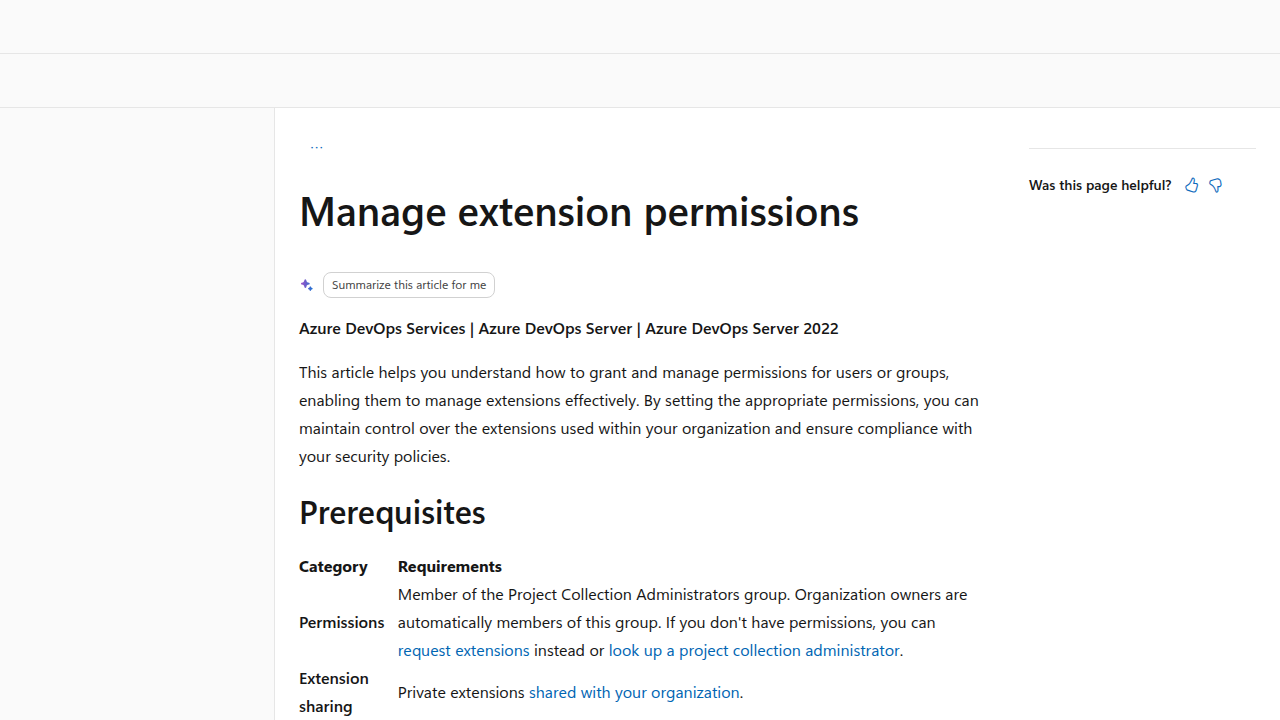
- Permissions and Scopes: Extensions often need specific permissions to work. Always review what permissions an extension is asking for. If an extension asks for more access than it truly needs to do its job, that’s a red flag Manage high privilege scopes, pipeline decorators, and …. For example, a simple reporting tool likely doesn’t need to delete your code. You can manage extension permissions in your Azure DevOps organization settings Manage extension permissions.
- Data Handling: Understand what data the extension collects, how it stores that data, and if it sends any data outside of your Azure DevOps environment. This is especially important for extensions that integrate with monitoring systems like the
azure monitor agent. - Open Source Code: If an extension’s source code is available for you to see, that can be a big plus. You can look through the code yourself or have a security expert do it to make sure there are no hidden issues.
Governance and Control
Larger organizations often put rules in place to manage extensions. These "governance patterns" help keep things safe and orderly:
- Whitelists and Private Marketplaces: Instead of letting anyone install any extension, a company might create a "whitelist" of approved extensions. Azure DevOps offers features like a private marketplace where you can control exactly which extensions are available to your team, ensuring compliance and security VS Code Security Updates: Control Extension Access and ….
- Approval Workflows: Before an extension can be installed, it might need approval from a security team or a manager. This adds an extra step to make sure all checks are done.
- Runtime Controls: Even after an extension is installed, you can still manage its permissions. It’s a good practice to follow the "principle of least privilege," meaning you only give extensions (and users) the minimum access they need to do their work.
Learning how to properly evaluate technology services, like those offered through the Azure DevOps Marketplace, is a key skill for engineering teams to prevent costly failures How engineering teams evaluate technology services to prevent failures.
Expert Tip: Regularly review the extensions installed in your Azure DevOps environment. Just like you update your computer programs, extensions can have updates that include security fixes. Checking them often helps you stay ahead of any new security concerns Security state of the Azure DevOps Marketplace.
Now that you know how to pick safe extensions, let’s talk about how to make them a useful part of your daily work. Adding extensions from the Azure DevOps Marketplace into your automated build and deployment processes, known as CI/CD pipelines, or your Infrastructure as Code (IaC) setup, can make things run much smoother. It’s all about how these new tools fit into your existing system.
Integration patterns: adding Marketplace extensions to CI/CD and IaC pipelines
Think of your CI/CD pipelines as a set of instructions that tell your computer how to build and deliver your software automatically. Extensions are like helpful extra steps you can add to these instructions. Many extensions come as "tasks" that you can drop right into your pipeline. These tasks can do things like run security checks, send messages to your team, or help deploy your code to different cloud services. The Azure DevOps Marketplace offers many such tools that can improve your automated workflows Marketplace & extensibility documentation. For instance, some extensions help integrate with other cloud development tools, making your pipelines more powerful. You can explore a wide variety of extensions for Azure DevOps to enhance your projects Extensions for Azure DevOps.
Teams often use "reusable templates" for their pipelines. These are like pre-made recipes that ensure everyone follows the same steps. Extensions can be built into these templates. This means that when you create a new project, it already has the needed extension tasks ready to go. This saves time and makes sure everyone is working consistently, especially when dealing with complex setups or deploying to a cloud-native database. Learning how to set up an end-to-end pipeline with these extensions is a key skill for today’s engineers End-to-End Azure DevOps Pipeline + Marketplace Extensions Walkthrough.
When you use extensions, it’s very important to keep track of their versions. Just like software programs, extensions get updates. Sometimes a new update might change how an extension works, which could break your pipeline. To avoid this, you can "pin" an extension to a specific version. This means your pipeline will always use that exact version, even if newer ones are available. This makes your pipelines more stable and predictable. Microsoft provides guidance on how to manage extensions and their tasks Azure DevOps Extension Tasks.
After adding an extension, you need to test your pipelines carefully. This helps make sure everything still works as expected and that the new extension does its job without causing problems. If something does go wrong, you should have a "rollback" plan. This means knowing how to quickly remove the new extension or go back to the previous pipeline setup. This ensures your development work doesn’t stop for too long.
It’s also a good idea to set up "observability" for your pipelines. This means having tools that let you watch how your pipelines are performing, especially after adding extensions. For example, using an azure monitor agent can help you see if an extension is slowing down your build times or using up too many resources. This way, you can catch problems early and fix them. For those interested in improving their technical decisions and staying on top of rapidly evolving trends like AI in software engineering, there’s a valuable resource available.
Here’s a simple way to think about how extensions fit into your pipelines:
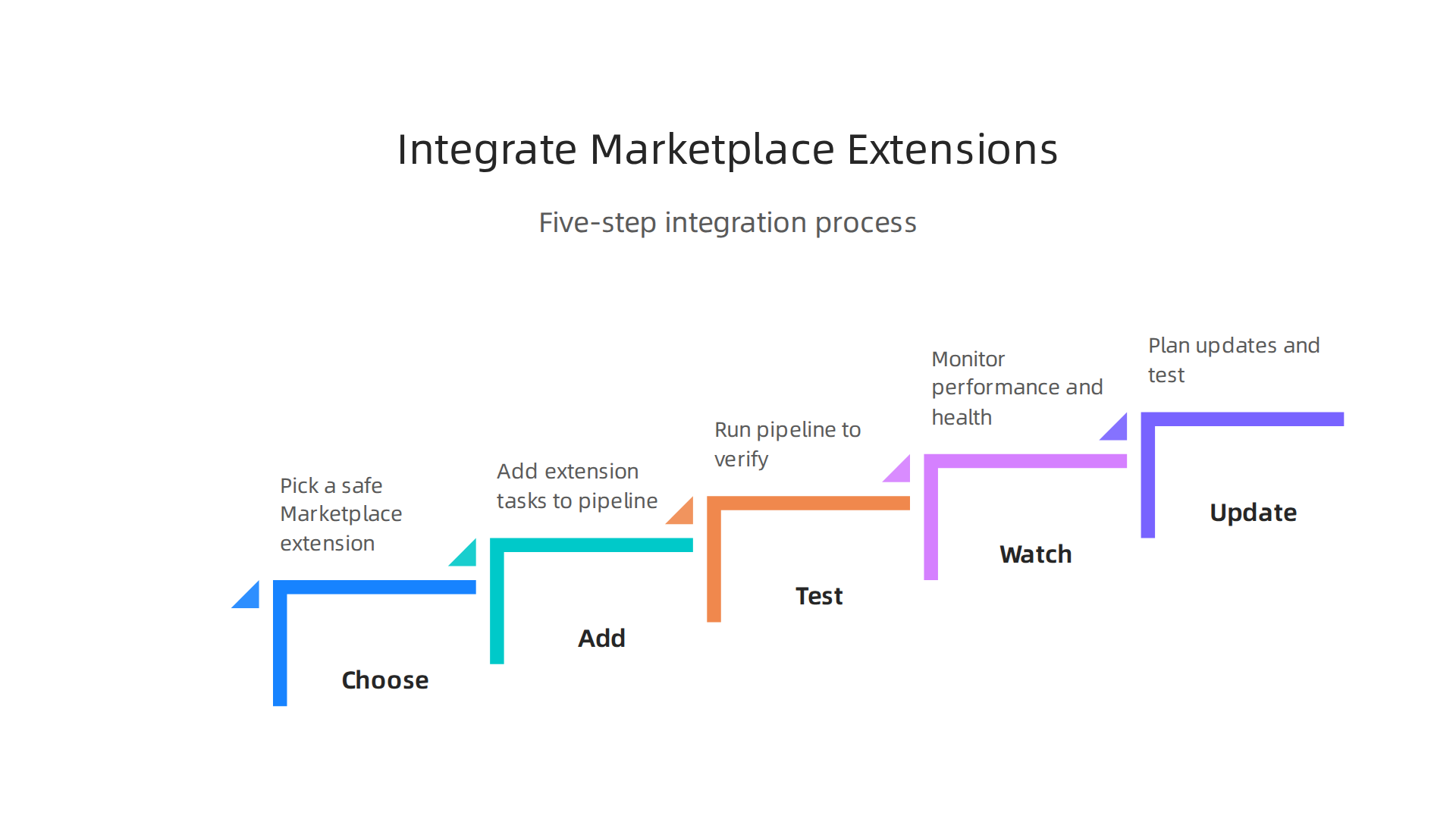
- Choose: Pick a safe extension from the Azure DevOps Marketplace.
- Add: Put the extension’s tasks into your pipeline script (often a YAML file).
- Test: Run your pipeline to make sure the extension works.
- Watch: Use tools to keep an eye on how the pipeline performs with the new extension.
- Update: Plan to update your extensions regularly, but always test new versions first.
Staying updated on the latest shifts in technology, including new developer tools and platforms, is vital for engineering teams in 2026 Strategic Choices for Developer Tools and Cloud Platforms in 2026. Make sure you’re always learning and adapting.
Want to stay ahead in the fast-changing world of tech? Get clear daily AI updates from The AI Newsletter Worth Reading.
As engineering teams in 2026 work to stay updated and adapt to new technologies, it’s just as important to understand the hidden costs and impacts of the tools they use. Adding extensions from the azure devops marketplace to your pipelines can bring great benefits, but they also have costs you need to keep an eye on.
Cost and Performance Impact of Extensions
Every extension you add to your Azure DevOps pipelines uses up resources. These resources translate into costs and can affect how fast your pipelines run.

Think about these things:
- Build Time: An extension might add steps that take a long time to finish. Longer build times mean your team waits more, which slows down development. It can also cost more if you pay for build minutes. Monitoring how long each task takes can help you spot extensions that are slowing things down.
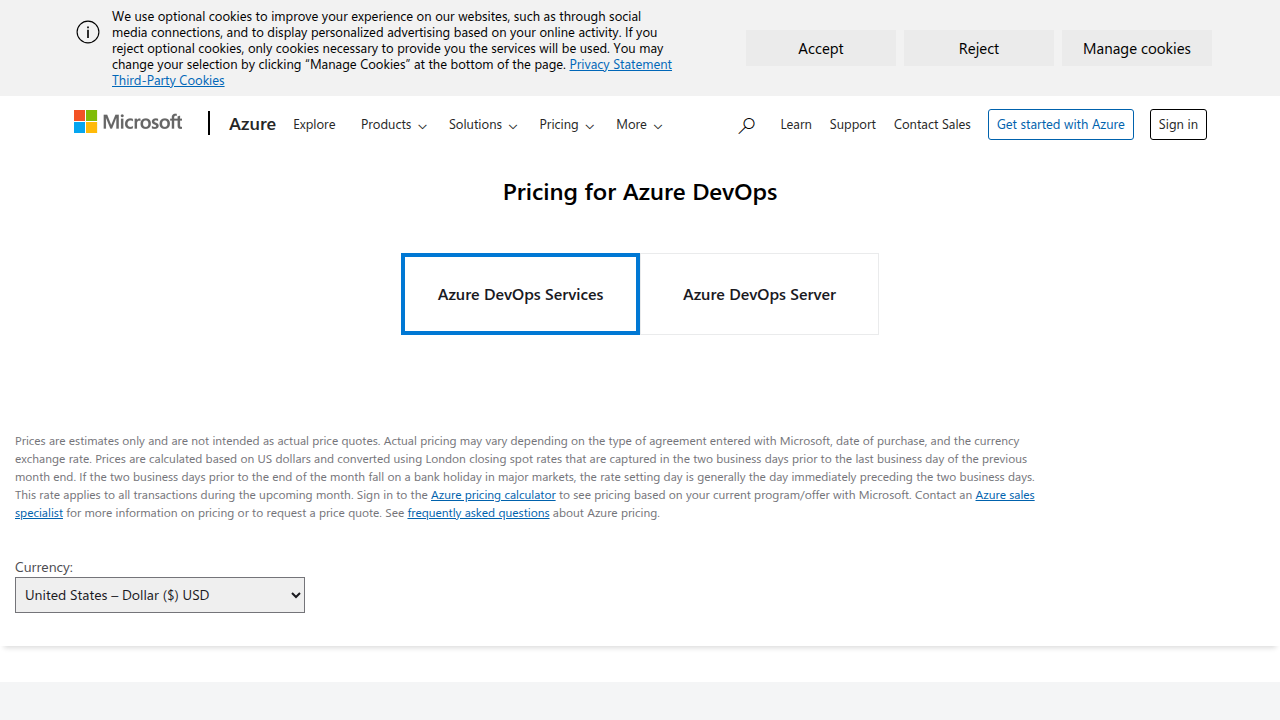
- Agent Use: Pipelines run on "agents," which are like virtual computers. If an extension needs a lot of power or runs for a long time, it ties up an agent. If you have many pipelines running with heavy extensions, you might need more agents, and more agents mean higher costs. Azure DevOps services have pricing details you should review to understand these costs Azure DevOps Services Pricing.
- API Calls: Some extensions talk to other services using API calls. These calls can sometimes have their own costs, especially if they are going to external
cloud development toolsor services outside of Azure. Also, a high number of API calls can create bottlenecks, making your pipeline less efficient.
It’s wise to regularly check your Azure DevOps statistics to understand how these factors are impacting your overall expenses and performance Azure DevOps Statistics 2026: Usage, Costs & Market Share.
Operational Best Practices for Extension Use
To get the most out of your azure devops marketplace extensions without running into problems, it helps to follow some good practices:
- Lifecycle Management: Just like any software, extensions need care. You should have a plan for when to update them, and even when to stop using them (retire them). Regularly checking for updates helps you get new features and security fixes. However, always test new versions first, as we talked about before, to make sure they don’t break your pipelines.
- Monitoring Extension Health: After you add an extension, keep watching how your pipelines perform. Tools like an
azure monitor agentcan help here. They let you see if an extension is causing errors, taking too long, or using too many resources. This helps you fix problems early. - Retirement Policies: Sometimes an extension might no longer be needed, or a better tool comes along. Have a clear process for removing old extensions. This helps keep your pipelines clean, secure, and cost-effective. Removing unused extensions reduces complexity and potential security risks.
- Governance and Security: Remember to manage who can install and use extensions. Restricting permissions and ensuring that extensions only have the access they need (following the "principle of least privilege") is a key part of making your Azure DevOps environment secure Make your Azure DevOps secure. This helps protect your projects from unwanted issues.
Keeping a close eye on your extensions ensures they continue to provide value and don’t become a burden. Learning how to properly evaluate new tools and services is crucial for engineering teams looking to prevent failures and ensure smooth operations How engineering teams evaluate technology services to prevent failures.
Summary
The article explains how the Azure DevOps Marketplace extends Azure DevOps with third‑party and Microsoft extensions that boost productivity for cloud infrastructure teams. It describes common extension types—build tasks, dashboards, service connectors, and test tools—and why picking the right one matters for compatibility, security, and long‑term support. The piece gives practical guidance on vetting publishers, checking permissions, evaluating data handling, and using a lightweight pilot to validate an extension before broad rollout. It also covers integration patterns for CI/CD and IaC, recommends pinning versions and testing updates, and highlights operational practices for lifecycle, monitoring, and retirement. Finally, it discusses cost and performance tradeoffs, and governance options such as private marketplaces and approval workflows to reduce risk while getting value from extensions.


