

Why this guide matters for engineering teams in 2026
In 2026, technology changes super fast. If you work in an engineering team, from being the boss (CTO) to managing projects or building platforms, you know how important it is to pick the right cloud tools. Making good choices about cloud services helps your team build great things and stay ahead. But it can also be tricky to know what’s coming next.
That’s where big events like google cloud next come in. These events are not just about showing off new tech. They are like a map for the future of cloud computing. What Google shares at google cloud next tells us a lot about:
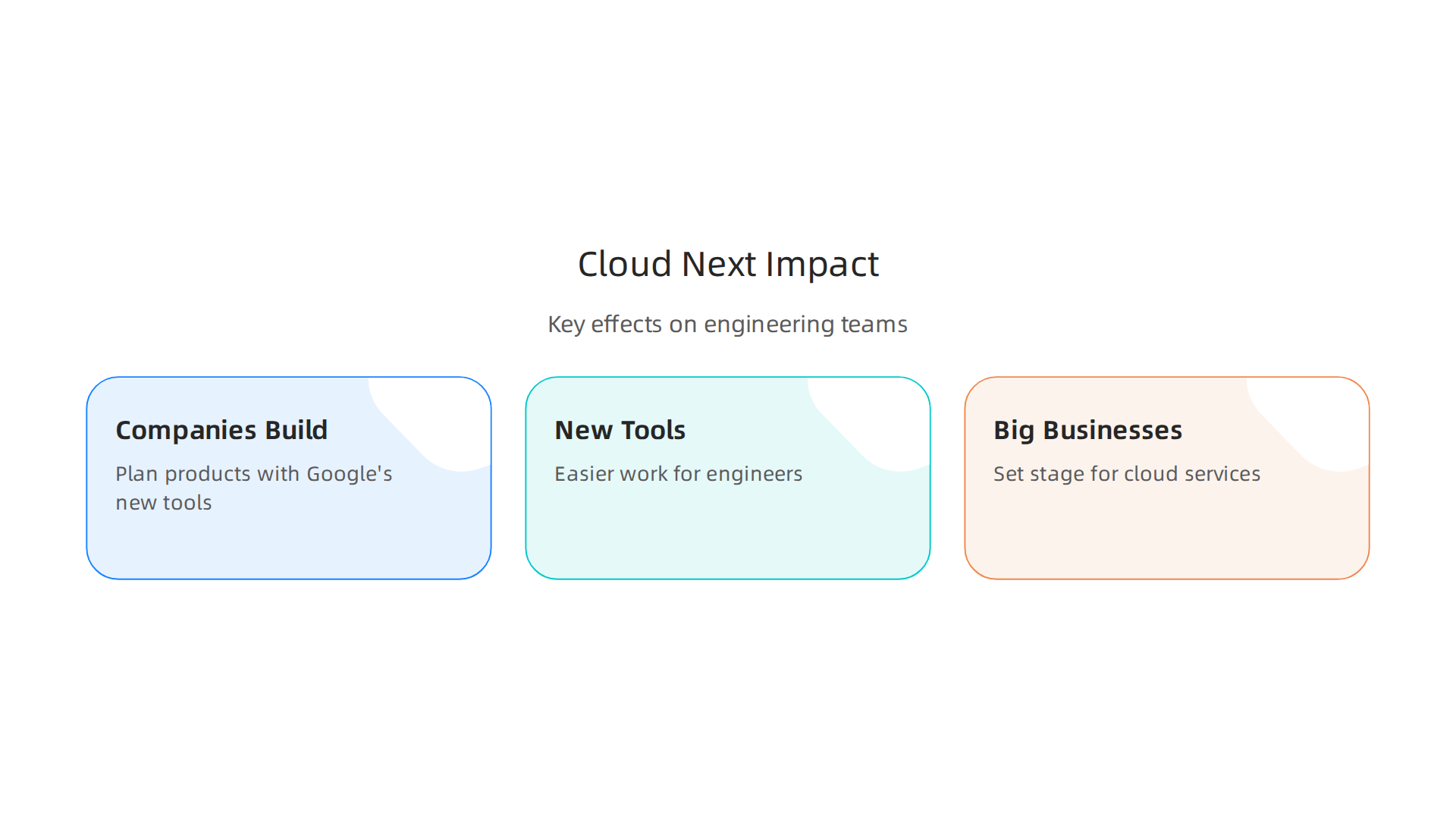
- What other companies will build: Many tech companies watch these announcements. They then plan their own products to work with Google’s new tools.
- New tools for everyone: We see new software and services that make work easier for engineers.
- How big businesses will use cloud tech: These updates often set the stage for how large companies will use cloud services in the coming year.
For example, at Google Cloud Next 2026, there were many exciting announcements. Google talked about its new Gemini Enterprise Agent Platform and eighth-generation Tensor Processing Units, also called TPUs, which are special chips for AI work Cloud Next ‘26: Momentum and innovation at Google scale. They also shared updates about Workspace Intelligence and other advancements that can change how teams work 10 more announcements for Workspace at Google Cloud Next 2026. These kinds of updates show where big companies are putting their money and effort, especially in AI infrastructure Google Cloud Next 2026 Event Bets Big on AI Infrastructure.
Understanding these announcements is key for engineering leaders. It helps them make smart decisions,

whether they’re using Google Cloud, or looking at other options like azure vs aws. Knowing these trends helps teams choose the best tools and platforms for their work. If you want to dive deeper into how AI is changing software development, consider learning more about apply AI in software development 2026 strategies for engineering teams. Staying informed means your team can choose wisely from all the new developer tools and cloud platforms in 2026.
Ready for more clear, daily insights into AI and technology?
The AI Newsletter Worth Reading
The current state of cloud adoption: numbers that matter
Many companies today are already using cloud services. In 2026, it’s a big part of how businesses run. Most large companies are not just using one cloud provider but often use many. For example, almost 90% of businesses use a multi-cloud strategy, meaning they work with different public cloud services FLEXERA 2024 State of the Cloud Report. This mix lets them pick the best tools from various providers, whether it’s Google Cloud, azure vs aws, or smaller specialized options like lambda cloud.
About half of all the work companies do (their workloads) is already in the public cloud. And this number is still growing, with even more expected to move there soon FLEXERA 2024 State of the Cloud Report. But it’s not just public clouds. A big trend is using "hybrid cloud," which means companies use both public cloud services and their own private data centers. About 73% of companies are using this hybrid approach in 2026, combining the best of both worlds 2026 State of the Cloud Report.
When companies decide what to move to the cloud first, they often start with things that are easier to shift. This usually includes common business applications, development and testing environments, and data storage. These are workloads that can quickly benefit from the cloud’s flexibility and power. For some ideas on what kinds of things can move to the cloud, you can look at different cloud services examples compute storage and databases explained.
However, not everything moves at once. Older systems, often called "legacy" systems, might stay in a company’s own data center longer. Moving these can be complex and sometimes takes a lot of time. In fact, many cloud migrations can take longer than planned. A simple move might take a few months, but more complex ones can stretch to a year or more How Long Cloud Migration Really Takes — Particle41. This shows that planning is super important for engineering teams and for managing IT service management.
For leaders looking to make smart choices about their future tech tools, understanding these trends is vital.

It helps you make strategic choices for developer tools and cloud platforms in 2026.
Ready for more clear, daily insights into AI and technology? The AI Newsletter Worth Reading
Top trends revealed at Google Cloud Next 2026 (what to watch)
Building on the need for smart choices in cloud tech, a major event for technology leaders and engineers each year is Google Cloud Next. In 2026, the conference really showed off how much things are changing. The big focus at Google Cloud Next was all about Artificial Intelligence (AI) and how it’s shaping cloud services. It’s clear that Google Cloud is betting big on AI to help businesses do more.
One of the biggest announcements at google cloud next was about the Gemini Enterprise Agent Platform.
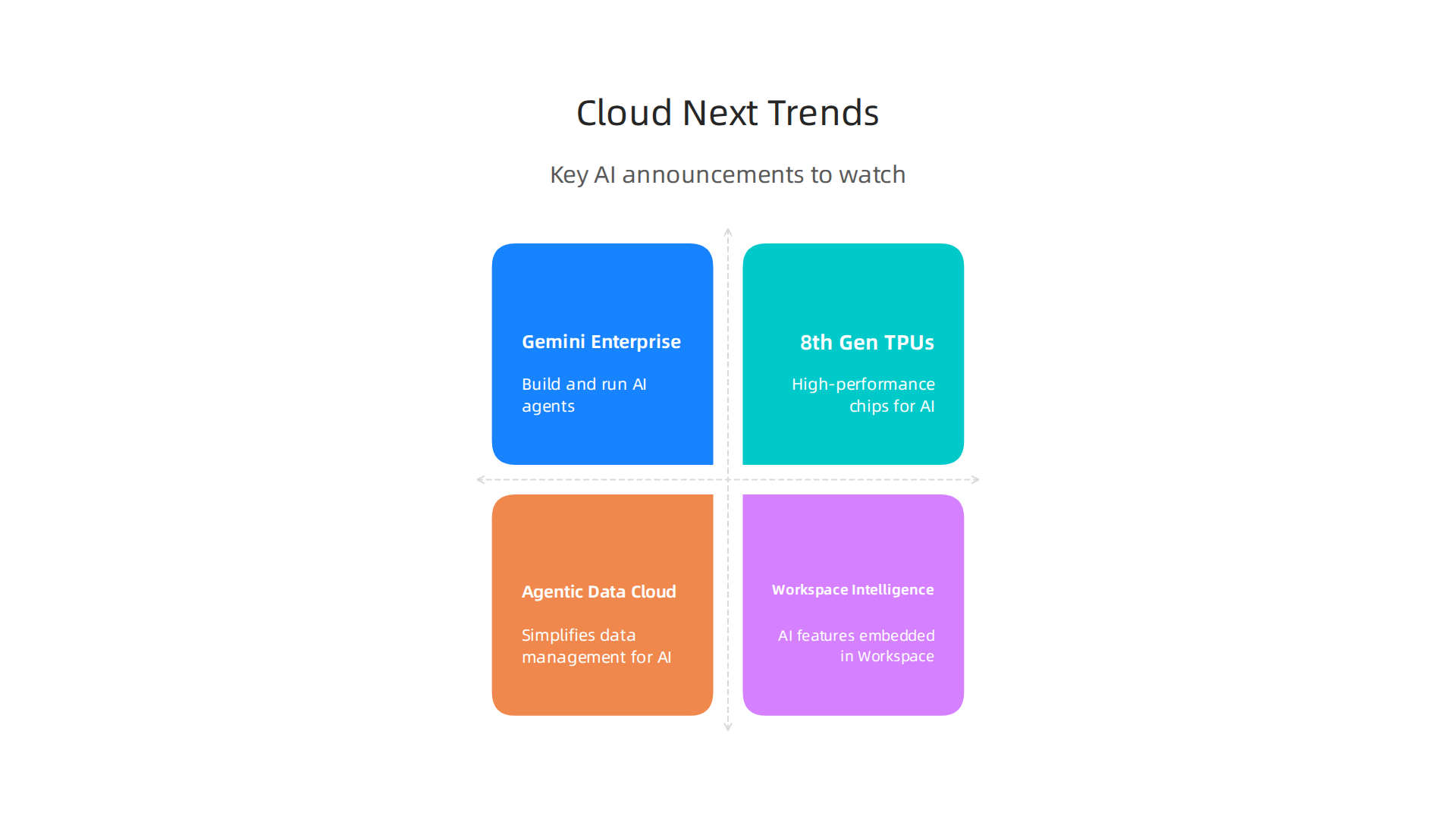
This new platform helps companies build, run, and manage AI agents. Think of AI agents as smart helpers that can do complex tasks for you. Google rebranded its Vertex AI services to make this platform a central place for all enterprise AI agent work Google Cloud Next 2026 Event Bets Big on AI Infrastructure. This change impacts how teams plan their tech setups, especially when deciding between different cloud options like what you’d find in an azure vs aws setup.
Google also showed off its eighth-generation Tensor Processing Units (TPUs). These are special chips made to handle AI tasks super fast. Having such powerful hardware means that AI models can be trained and run more quickly and efficiently. This move signals that raw computing power for AI is still very important and is a key part of Google’s cloud offerings.
Beyond new platforms and hardware, other big news from Google Cloud Next 2026 included the Agentic Data Cloud and Workspace Intelligence. The Agentic Data Cloud is a new way to think about how data is managed, making it easier for AI agents to use and understand information. Workspace Intelligence aims to bring smart AI features directly into everyday work tools, offering real-time help and insights Innovations from Google I/O 26 on Google Cloud. These services help simplify complex operations, which is good for IT service management.
For engineering teams, these announcements mean thinking about how to bring new AI tools into their existing systems. It’s all about finding the best ways to integrate these powerful AI services into cloud-native applications. You can learn more about integrating top AI tools into cloud-native applications.
Security, compliance, and governance: hard requirements for adoption
As companies look to use new AI tools and cloud services, like those showcased at google cloud next, they also need to think very carefully about security. It’s not just about having the latest tech; it’s about making sure that tech follows all the rules. For any business, keeping data safe and meeting legal standards are must-haves. This means dealing with security, compliance, and how things are managed, also known as governance.

There are important rulebooks, called compliance frameworks, that companies must follow when using cloud services. These frameworks help make sure data is handled correctly and securely. Some key ones for 2026 include SOC 2, which helps SaaS and cloud companies focus on security and privacy. Also, ISO/IEC 27001 is a worldwide standard for managing how information is kept safe Cloud Security in 2026: Frameworks, Threats & Best Practices. Another important one is the NIST framework, which helps businesses build a strong security plan and control how their cloud resources are used NIST Cloud Security: Framework, Controls & Checklist 2026. Cloud providers, whether it’s an azure vs aws setup or other smaller providers, offer different tools to help meet these requirements. For example, you can set up policies that match standards like HIPAA or PCI DSS Enforce cloud governance policies – Cloud Adoption Framework.
To keep things secure and meet these rules, engineering teams use smart practices. One big one is "policy as code." This means writing down security rules in a way that computers can understand and follow automatically. This helps to check cloud settings all the time and catch problems early Automating Policy Enforcement in Cloud Environments. Tools like Open Policy Agent are used to make sure these rules are always kept Compliance-as-Code: Automating Governance and Security ….
Regular checks, also called auditing, are also very important. They help make sure everything is working as it should and that no new risks have popped up. Keeping an eye on your cloud setup and fixing any weak spots quickly helps reduce risks and makes it easier to get new tech approved. This kind of careful it service management ensures that all systems, even new AI-powered ones, stay secure. You can also explore how to improve your cloud security practices with AWS Secrets Manager best practices for cloud security.
Staying updated on the latest in AI and technology can help you understand these security changes better. Get clear daily AI updates from The AI Newsletter Worth Reading.
Managing cloud services isn’t just about keeping things safe and following rules. It’s also very important to look at how much everything costs and how to make those costs lower. For teams that use cloud services first, understanding the true price tag and finding ways to save money is a big deal. This includes figuring out if it’s cheaper to build something yourself or use a cloud service, how to track money spent, and how to improve spending over time.
When thinking about cloud services, companies often look at the "Total Cost of Ownership," or TCO. This means looking beyond just the monthly bill for cloud services. It includes hidden costs like training staff, managing the service, and making sure everything works together. A good TCO review helps you see the full picture when you’re deciding between moving to the cloud or keeping things in your own data center Cloud Migration: The True Total Cost of Ownership Beyond Lift …. You need to compare these costs carefully, whether you’re looking at azure vs aws or other cloud choices.
Many cloud companies offer tools to help with this. For example, you can often generate detailed TCO reports to help understand your spending on platforms like Google Cloud Generate TCO reports | Migration Center. Knowing your TCO helps you set financial goals and measure success, which are important "Key Performance Indicators" or KPIs.
To keep track of spending within a company, many teams use "chargeback" or "showback" models.
- Showback just means showing different teams how much their cloud use costs. It helps them understand their part in the overall bill.
- Chargeback is when teams actually pay for the cloud services they use. This makes them more careful about how they use resources. These models are part of good
it service managementfor cloud resources.
Even with the best plans, cloud costs can add up. That’s why smart teams always look for ways to optimize their spending. This is a key topic often discussed at big events like google cloud next, where new tools and methods are shared.
Here are some ways to save money:
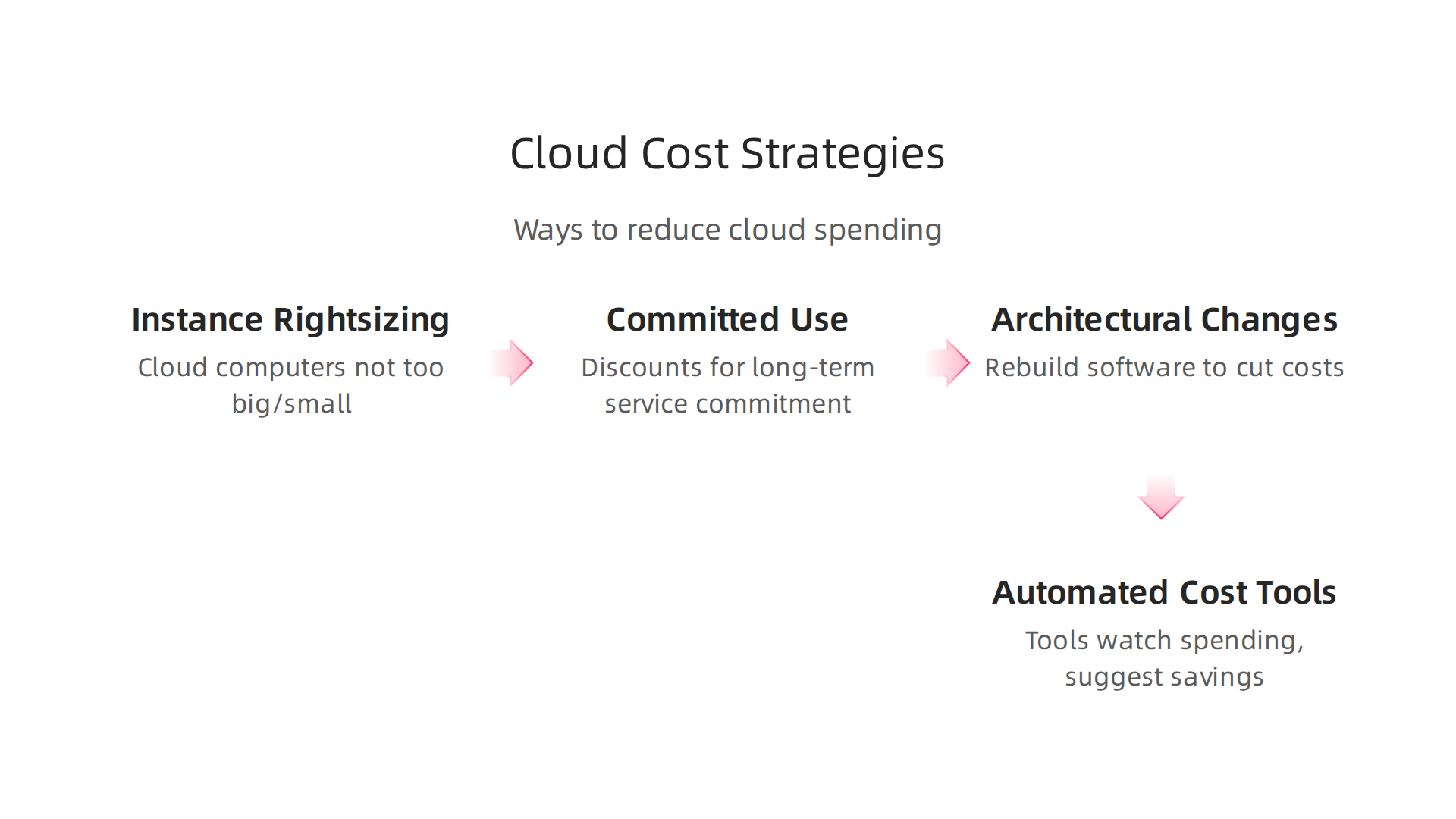
- Instance Rightsizing: This means making sure your cloud computers (instances) are not too big or too small for the work they need to do. Using just the right size can save a lot of money.
- Committed Use Discounts: Cloud providers often give discounts if you promise to use their services for a certain amount of time, like one or three years. This can lower your bill significantly.
- Architectural Changes: Sometimes, changing how your software is built can cut costs. For example, using serverless services like
lambda cloudmeans you only pay when your code runs, not for a server sitting idle. - Automated Cost Tools: Using tools that watch your spending and suggest ways to save money is very helpful Cloud Cost Optimization: A Comprehensive Review of Strategies ….
By looking closely at these areas, cloud-first teams can make sure they are getting the most value for their money. Learning how to best manage and optimize cloud resources is crucial for any business in 2026. If you want to dive deeper into managing cloud costs, you can explore guides on how to optimize AWS storage for peak performance and cost savings. Making smart choices about cloud platforms is also important for saving money and improving how your team works. You can learn more about these strategic choices for developer tools and cloud platforms in 2026.
Companies often think about more than just one cloud service. They look at different ways to set up their technology, like using a single cloud, multiple clouds, or a mix of both. These choices depend on what a company needs, how much money they have, and what rules they must follow. Each choice has its own good and bad points.
Different Ways to Use the Cloud
Let’s look at the main ways companies use cloud services:
-
Single Cloud: This means a company puts all its services with one cloud provider. It can be easier to manage because you only learn one system. This works well for smaller projects or when you want things simple. But it might not be the best if you need special features only another cloud offers, or if you worry about one company having all your eggs in one basket.
-
Multi-Cloud: This is when a company uses services from two or more public cloud providers. Think about using both
azure vs awsor adding services fromgoogle cloud nextat the same time. This approach helps companies avoid being stuck with just one provider. If one cloud has a problem, your services can still run on another. This is called a "redundant deployment" and helps keep things working Multi-Cloud in 2026: Architecture, Challenges, and Best Practices. However, managing many different clouds can be more complicated and needs good planning. -
Hybrid Cloud: This is a mix of public cloud services and a company’s own data centers. Imagine you have sensitive information that must stay on your own computers, but you want to use the cloud for other tasks. Hybrid cloud lets you do both. It’s great for companies with strict rules about data or those that have already spent a lot on their own computer systems Hybrid & Multi-Cloud Architecture: A Practical Guide. The challenge here is making sure your own systems and the cloud talk to each other well. You need to have a single way to manage who can access what, across all your systems.
Making Multi-Environment Operations Easier
No matter which way a company chooses, managing many different cloud setups can be tricky. But there are smart ways to make it simpler, especially for it service management.
-
Infrastructure-as-Code (IaC): This means writing computer code to set up and manage your cloud resources. Instead of clicking buttons every time, you write instructions that the computers follow. This makes sure everything is set up the same way every time, which helps prevent mistakes and makes changes faster. This is one of many useful hybrid and multicloud architecture patterns.
-
Service Mesh: When you have many small parts of an application spread across different clouds, a service mesh helps them talk to each other safely and quickly. It’s like a special network layer that handles all the communication, so developers don’t have to worry about it.
-
Control Plane Abstraction: This is like having one control panel to manage services across all your different cloud environments. Instead of logging into
azure vs awsseparately, you can use one tool to see and control everything. This helps busy teams keep track of their cloud operations. If you’re looking for better ways to handle your complex cloud needs, remember that your single cloud console might not be enough anymore. You might need other tools for cloud operations in 2026.
By using these patterns, companies can handle complex cloud setups more easily and scale their work as they grow. Staying updated on the latest trends and tools, especially in fast-changing areas like AI, is key for any software professional in 2026.
Get clear daily AI updates from The AI Newsletter Worth Reading.
Moving to complex cloud setups means companies need more than just smart tools. They also need smart people with the right skills and teams that work well together. This is a big change for how organizations run, and it’s key to getting the most out of cloud services.
Organizational Change: Skills, Teams, and Developer Productivity
When a company decides to use cloud services, the jobs people do often change. Old ways of managing computer systems might not fit anymore. For example, knowing the ins and outs of a single cloud like google cloud next is great, but understanding the differences between azure vs aws or how to use a serverless service like lambda cloud also becomes important. Employees need to learn new skills to work with these modern tools and systems.

It’s about improving everyone’s software developer skills in 2026.
To handle these new ways of working, companies are setting up their teams differently. Here are some key team models:
-
Platform Teams: These teams build and manage special tools and services that other software developers use. They make it easier for all the other teams to build, deploy, and run their applications quickly and safely. Think of them as building a helpful internal store of services. By 2026, many companies are expected to have platform teams, treating their internal platform like a product to be improved upon Platform Engineering Trends 2026: 11 Key Shifts.
-
Site Reliability Engineering (SRE): SRE teams focus on making sure cloud systems are always working and performing well. They use engineering ways to solve problems with how reliably software runs. This includes automating tasks and constantly checking that everything is healthy.
-
DevOps Teams: DevOps is a way of working that helps development and operations teams work better together. It’s all about automating steps in the software process, from writing code to getting it to customers. This helps make releases faster and more dependable. Actually, platform engineering is often seen as the next step in how DevOps is evolving in 2026 Platform engineering: the evolution of DevOps in 2026. Getting these teams to work together smoothly is part of good
it service management.
Boosting Developer Productivity
A big part of success with cloud services is making sure developers are happy and productive. Sometimes, things slow down their work. These slowdowns are called bottlenecks. To fix them, you first need to know where they are.
One way to measure how well developers are doing is by looking at different things like their satisfaction with tools, how well the software performs, and how quickly they complete tasks. This is part of looking at the whole "developer experience." Measuring things like this can help save a lot of time. For instance, even a small improvement in how developers work can save them many hours each year Developer Productivity 2026: AI and Platform Engineering Shift. Finding and fixing these bottlenecks is crucial for getting all the good things that cloud services promise. Keeping up with engineering technology trends in 2026 helps teams stay ahead.
Moving to the cloud takes more than just new skills and ways of working. It also needs a clear plan to guide companies through the whole process. Think of it like building a house; you don’t just start hammering. You need a blueprint and steps to follow. This is called a migration roadmap. It helps make sure the move is smooth and successful.
A good cloud migration plan usually has a few main parts:
A practical migration roadmap: phases, KPIs, and tools
When you decide to move your company’s computer systems to the cloud, it’s best to follow a step-by-step plan. This helps avoid problems and makes sure you get the most out of your new cloud setup. Here’s a look at the common steps:
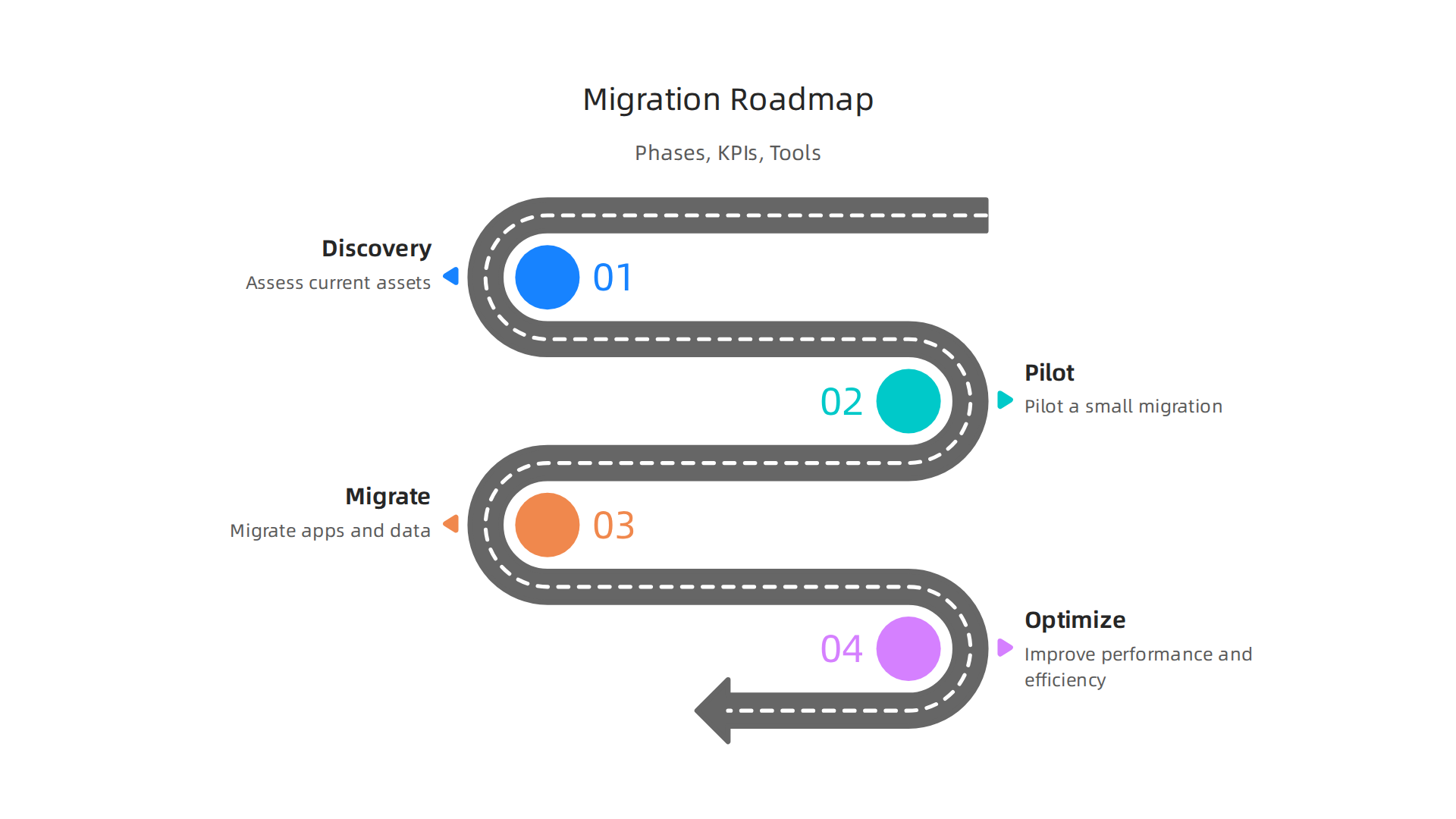
1. Discovery Phase
This is the first step, where you look at everything your company has right now. You need to know what applications you use, how they work together, and where your data is stored. It’s like taking inventory of your entire digital warehouse.
- What to do:
- Find all your applications and data.
- Figure out how they are connected.
- Understand how much they cost to run now.
- Key Performance Indicators (KPIs):
- How many applications were found?
- How much does it cost to run things today?
- Helpful Tools: Tools that can automatically scan your existing systems and give you a clear picture of what you have. Using a systematic framework for cloud migration can reduce the discovery phase duration by a lot, sometimes by as much as 90% A Systematic Framework for Enterprise Cloud Migration with….
2. Pilot Phase
Once you know what you have, you pick a small, less critical part of your system to move first. This is like a test run. You learn a lot from this small move, which helps you plan better for the bigger migration.
- What to do:
- Move one or two simple applications to the cloud.
- See what works and what doesn’t.
- Learn about the cloud environment, whether it’s
google cloud next,azure vs aws, or another provider.
- KPIs:
- How quickly did the pilot application move?
- What lessons were learned?
- Are there any early cost savings?
- Helpful Tools: The cloud platforms themselves, like Google Cloud, Azure, or AWS, along with basic migration helpers. Understanding strategic choices for developer tools and cloud platforms in 2026 is vital here.
3. Migrate Phase
With lessons from the pilot phase, you start moving more of your applications and data. This is where the bulk of the work happens. Many companies find that about 69% of cloud migrations take longer than expected How Long Cloud Migration Really Takes. This is why good planning and tools are so important.
- What to do:
- Move applications in groups, starting with easier ones.
- Use automation to speed things up.
- Consider moving to modern cloud services like
lambda cloudfor serverless computing.
- KPIs:
- How many applications have been moved?
- What is the speed of migration per week or month?
- Are costs staying within budget?
- Helpful Tools: Automated migration tools, specialized cloud services, and tools for moving data. You might want to explore different cloud services examples compute storage and databases explained to understand your options.
4. Optimize Phase
After moving to the cloud, the work isn’t over. This phase is about making sure everything runs as well as possible. This means keeping costs low, making applications run faster, and ensuring everything is secure. For example, refactoring approaches in migration often pay for themselves within 14-18 months, with average savings of 26% after that A comparative analysis of cloud migration strategies for….
- What to do:
- Look for ways to lower cloud costs without hurting performance.
- Improve how fast applications load and respond.
- Keep checking security and making sure it’s up to date.
- Manage everything as part of your regular
it service management.
- KPIs:
- How much are you saving on cloud costs?
- Are applications performing better?
- Are there fewer security issues?
- Helpful Tools: Cost management software, performance monitoring tools, and security scanning tools. For specific cloud platforms, you might look into how to optimize AWS storage for peak performance and cost savings.
Following these steps helps companies move to the cloud with confidence. Many organizations, about 73% in fact, use a mix of cloud services or hybrid cloud models by 2026, showing that a flexible approach is key 2026 State of the Cloud Report.
To stay on top of the latest developments in AI and how they affect software engineering and cloud strategies, you’ll find "The AI Newsletter Worth Reading" very helpful. It provides clear, daily AI updates that can inform your migration and optimization efforts. Get clear daily AI updates from The AI Newsletter Worth Reading.
Summary
This article explains what engineering leaders must know about cloud strategy in 2026, anchored around the signals from Google Cloud Next 2026. It reviews major announcements — like the Gemini Enterprise Agent Platform, eighth-generation TPUs, Agentic Data Cloud, and Workspace Intelligence — and shows why those signals matter for platform choice, AI integration, and infrastructure planning. The guide highlights current adoption trends (multi-cloud and hybrid uptake), practical cost and TCO considerations, and mandatory security and compliance controls. It also covers organizational impacts, recommending team models such as platform, SRE, and DevOps, and offers a four-phase migration roadmap (discovery, pilot, migrate, optimize). After reading, engineering leaders will understand which trade-offs matter, how to plan a migration, where to save money, and what operational and governance steps to prioritize for a secure, cost-effective cloud strategy.


