

In today’s fast-paced world of software development, engineering teams often face a big problem: too much information and tools that don’t talk to each other. Imagine trying to build something amazing when your team messages are all over the place, and important notes are buried in different apps. This makes it hard for developers to get things done quickly, slowing down how fast new ideas can become real products.

It’s like having all the pieces of a puzzle but no clear picture of how they fit together.
This problem of information overload and disconnected workflows can really hurt how productive developers are. It means less time for actual coding and more time searching for answers or waiting for updates. But what if there was a way to make all those scattered pieces come together and boost your team’s work?
This guide is here to show you how Slack AI can change the game for engineering teams. In 2026, many companies are looking for clever ways to use all AI tools to work smarter, not harder. Slack AI is a powerful helper built right into the platform you might already use every day. It acts like a personal assistant, helping you find answers, summarize long chats, and even create content, saving precious time. For instance, Slackbot, your personal AI agent, helps prepare for meetings and create reports directly within Slack AI in Slack overview.
We’ll walk you through how Slack AI works, looking at its key features like conversation summaries and search answers that deliver smart responses Slack AI has arrived. We will also explain how to best use it with other tools, what things you should watch out for, and the clear benefits it brings to your company. Studies in 2026 show that using AI agents can save knowledge workers a median of 6.4 hours each week, which is a big deal for developer productivity AI Agent Productivity Statistics 2026. Get ready to learn how Slack AI can help your team innovate faster and more efficiently.
If you want to stay even more up-to-date on all things AI, including developments like Slack AI, there’s a great way to do it.
Stay smart with your tech knowledge. The AI Newsletter Worth Reading delivers clear daily AI updates right to your inbox.
Before we dive into how it helps, let’s understand what Slack AI really is. Think of it as a smart layer built right into your Slack workspace. It’s not just one big thing, but a collection of clever tools working together to make your team’s communication much smoother and smarter.
Here are the main parts of Slack AI:
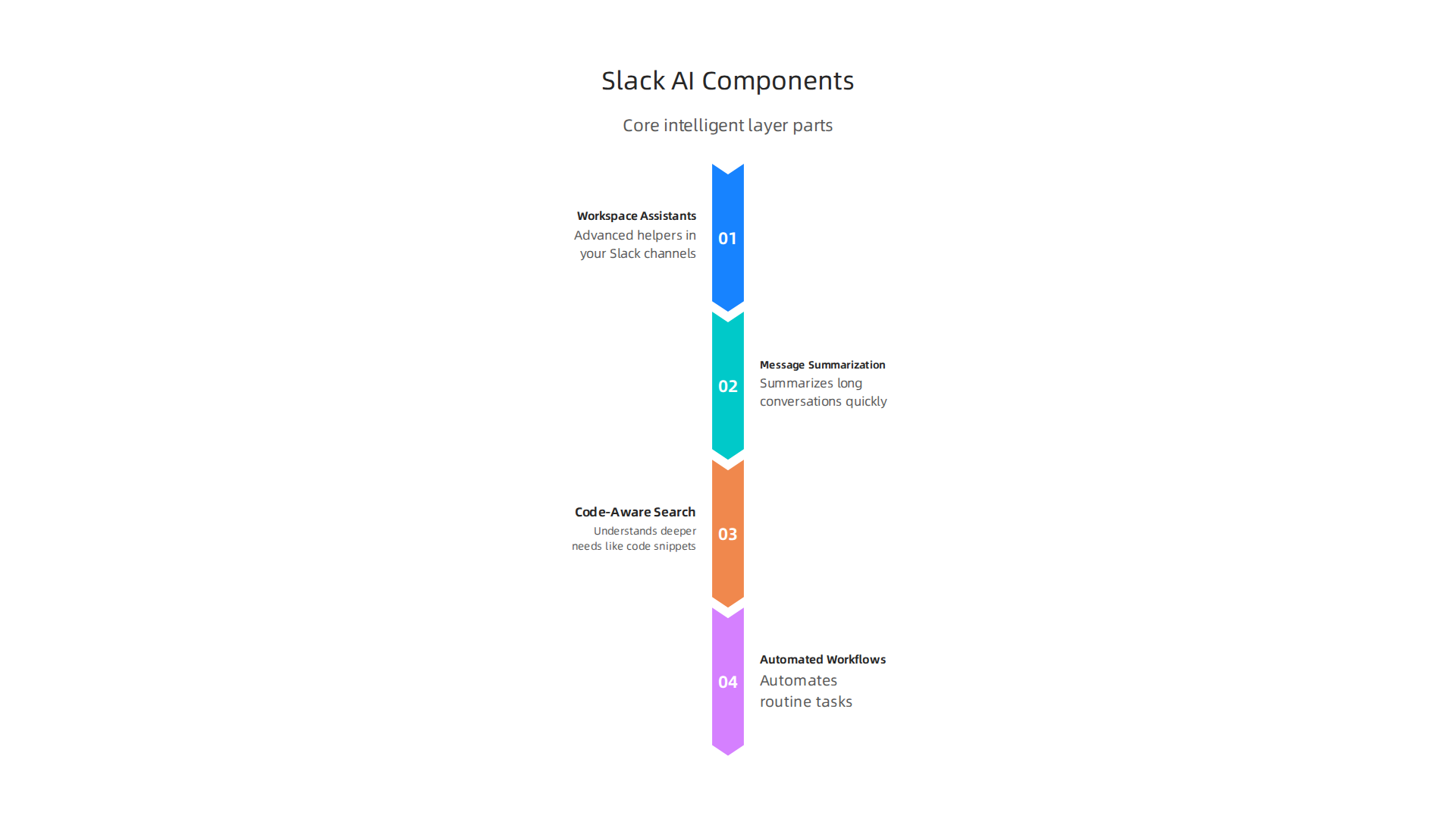
- Workspace Assistants: These are like advanced helpers in your Slack channels. The Slackbot you might already know is a good example, but now it’s much smarter. It learns how your team works and can help prepare for meetings, look at reports, and even create short project summaries. These assistants can also handle specific tasks you give them, which are called "AI skills" Salesforce announces an AI-heavy makeover for Slack, with 30 new features.
- Message Summarization: This is a big one for busy teams. Slack AI can quickly read through long conversations in a channel or a message thread and give you the main points. So, if you miss a long discussion, you can get a quick recap without reading every single message Guide to AI features in Slack. This is super helpful for catching up fast.
- Code-Aware Search: When developers need to find something, it’s often more than just words. It could be code snippets, error messages, or details in a linked document. Slack AI’s search can understand these deeper needs. It uses special tools like the Real-time Search (RTS) API to connect to all your company’s information, giving you smart answers across messages, files, and other apps Slack AI at Dreamforce: Introducing Native AI for Teams. This means you get helpful answers, not just a list of links.
- Automated Workflows: Slack AI can also make your daily tasks happen on their own. It can tie into other tools you use and perform actions, like updating a project task or sending a notification, based on what’s discussed in Slack. This ability to link with other systems means less manual work for your team. This is a bit like having
no code ai platformsdirectly within your chat, making it easier to build small automations without needing deep coding skills.
So, how do these components help engineers every day?
- Faster Triage: When new issues or bugs come in, teams need to quickly understand them. With message summaries, an engineer can instantly grasp the problem and assign it to the right person, making the process much faster.
- Smarter Code Review Coordination: Code reviews involve many messages and comments. Slack AI can summarize the main feedback points, helping developers address concerns without sifting through every detail. This makes the review process smoother.
- Quicker Incident Response: During a critical system outage, every second counts. Engineers can use Slack AI’s smart search to find past solutions or relevant documentation quickly. The summarization feature also helps new team members get up to speed on the incident’s progress in real-time, which are crucial aspects of effective
clever AI engineering toolsin a crisis.
By bringing these advanced AI features into Slack, the platform becomes a central hub for all ai tools and information, changing how engineering teams handle their work. It helps everyone stay on the same page and spend more time creating great software. In 2026, many companies are looking at how physical ai and software 3.0 concepts can make work easier, and Slack AI is a clear step in that direction for team communication.
Now, let’s look closer at how each of these parts of Slack AI truly helps developers get more done every day. These features are designed to fit into how engineering teams already work, making common tasks faster and easier.
Key Slack AI features that boost developer productivity
One of the biggest helpers in Slack AI is its ability to quickly sum up long conversations. Imagine you’ve been in meetings all morning and missed a busy channel discussion about a new bug or a code change. Instead of reading hundreds of messages, Slack AI can give you the key points in seconds.

This means less time catching up and more time actually solving problems. It’s like having a super-fast reader for all your important updates, especially for channel recaps and thread summaries, which are key generative capabilities according to Slack’s own announcement about their AI arrival in 2026 Slack AI has arrived. This helps engineers jump straight to action, whether it’s for incident triage or understanding feedback during a code review.
Next, let’s talk about how much time engineers spend looking for information. Finding old code snippets, past solutions, or specific details in many different documents can be a huge time-sink. Slack AI’s Code-Aware Search changes this. It can look through all your company’s information, not just simple messages. This smart search feature helps developers find answers quickly across messages, files, and linked apps. For example, if you need to remember how a certain part of the system was fixed last year, the AI can pull up the relevant discussions and documents in a flash. This kind of enterprise search makes Slack a central place for all your team’s knowledge, truly making it one of the useful all AI tools for quick discovery.
Then there are the Workspace Assistants, like a much smarter Slackbot. These AI agents can do more than just answer basic questions. They can learn specific tasks that your team uses often. For instance, they can create a summary of your team’s weekly progress report or help prepare the agenda for your next team meeting by pulling important notes from recent discussions. Salesforce has even added "AI skills" which let users define custom tasks for Slackbot, making these assistants very adaptable to different engineering needs Salesforce announces an AI-heavy makeover for Slack, with 30 new features. These personal AI companions are truly reshaping how developers work in 2026 by taking over routine tasks personal AI assistants are reshaping developer workflows.
Finally, Automated Workflows powered by Slack AI help reduce manual steps. Imagine a new bug report comes in from a customer. Slack AI can be set up to automatically create a new task in your project management tool, like Jira, and notify the right team member. It can also pull information from external tools and act on it. This integration allows the AI agent to call external APIs for tools like Jira or Linear, and even ask for approval before performing actions AI Slack Integration in 2026: What Actually Works. This means less manual data entry and more seamless operations. It’s a clear move towards using AI to simplify complex processes, fitting well with the idea of no code ai platforms that let you build smart automations without needing to write a lot of code.
By using these advanced features, engineering teams can save a lot of time on tasks that used to be slow. They can focus more on creating new software and less on managing communication or searching for scattered information.
Get clear daily AI updates from The Deep View Newsletter. The AI Newsletter Worth Reading
Slack AI truly shines when it works hand-in-hand with the tools developers already use every day. It doesn’t just sit there; it actively connects with other software to make work smoother.

Think about how engineers use tools like GitHub or GitLab for their code, or Jenkins for testing. Slack AI can plug into these systems, making them even smarter. This means fewer times switching between apps and more focus on coding.
How Slack AI integrates with developer workflows and tools
One of the most important ways Slack AI helps is by talking to code hosts like GitHub and GitLab. For example, when a developer finishes a new piece of code and wants others to check it (a "pull request" or "PR"), Slack AI can automatically create a summary of the changes and post it right into a team channel. This lets everyone quickly see what’s new without digging through many files. Some integrations even let AI agents help with quality assurance directly in your CI/CD setup, working alongside platforms like GitHub to ensure code is top-notch before it’s deployed Slack, GitHub, and AI QA in CI/CD. You can even set up detailed integrations between GitHub and Slack to improve teamwork and make workflows more efficient.
Next, consider how Slack AI works with Continuous Integration and Continuous Delivery (CI/CD) systems. These systems are like automated builders and testers for your code. If a test fails or a new build breaks something, Slack AI can send smart alerts. Instead of just a simple "failed" message, the AI can look at the error logs, understand what likely went wrong, and tell the right people in Slack. This means teams can jump on problems faster. Many companies use tools like Jira for tracking work, and setting up integrations between Jira and Slack is common to track tasks and issues. You can even automate workflows that link Jira, GitHub, and Slack together, making everything from bug reports to new feature releases more connected Automate Your Workflows Across Jira, GitHub, and Slack. This is a big step towards more clever AI engineering tools that maximize developer productivity.
For incident management and observability, Slack AI is a game-changer. When something goes wrong in a live system, getting the right information to the right people quickly is super important. Slack AI can be set up to listen for alerts from monitoring tools. If a critical server goes down, the AI can automatically create an "incident" channel, pull in relevant team members, and give them a quick summary of what’s happening. It can even suggest steps to fix the problem by looking at past incidents. This kind of integration helps teams fix AWS issues faster and reduces the time it takes to solve urgent problems. It’s a key part of how teams are learning to apply AI in software development in 2026.
These integrations show how Slack AI is helping build what some call "software 3.0," where software is not just coded, but also learns and adapts. The ability for AI to connect with many tools means it can act almost like a "physical AI" in your digital workspace, taking actions and making decisions to keep your development pipeline moving smoothly. This makes it easier for engineering teams to evaluate and integrate these kinds of advanced platforms into their daily operations how to evaluate and integrate generative AI platforms.
To make the most of advanced AI platforms, like Slack AI, engineering teams need a good plan for bringing them into their daily work. It is not just about turning on the tool; it is about smart steps to ensure everyone uses it well and sees its value. Here are some best practices for adopting Slack AI in your engineering team.
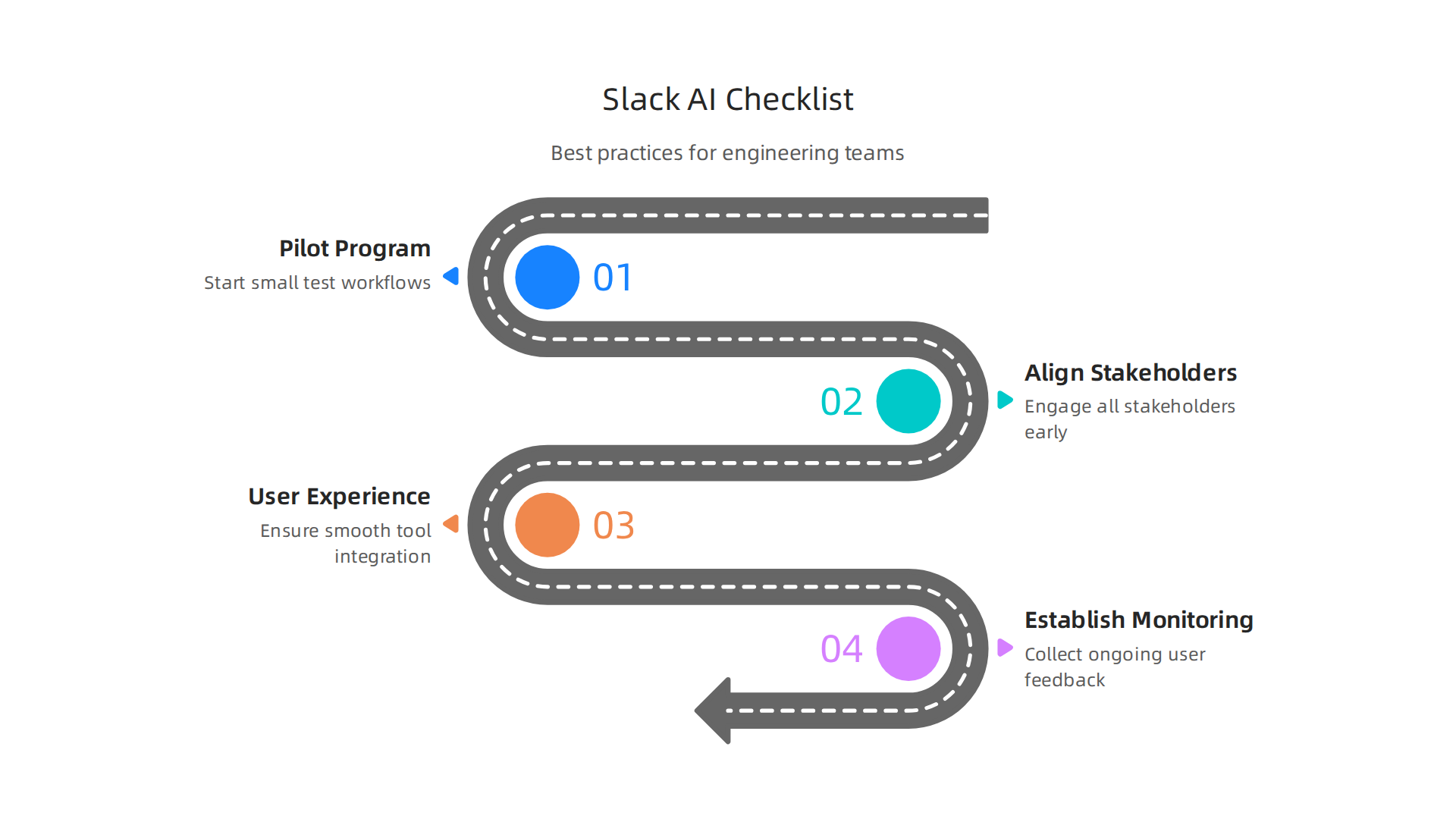
Step-by-Step Adoption Checklist
Bringing a new tool like Slack AI into your team works best with a clear plan.
- Design a Pilot Program: Start small. Instead of trying to get everyone using Slack AI at once, pick one team or even a single workflow to test it out. This lets you learn what works and what does not without big risks. For example, you could test how it summarizes pull requests for a specific development team. Companies like Duolingo started with small experiments, then grew from there, which helped them boost adoption of their AI Slack bot among engineers Duolingo’s AI Slack Bot Boosts Adoption to 30% of Engineers. You can also choose just one team and one workflow to test how an AI coworker handles requests.
- Align Stakeholders: Before you even start a pilot, talk to everyone involved. This means team leaders, developers, and even people who might just be affected by the changes. Find out their concerns and show them how Slack AI can make their jobs easier. Slack itself suggests having important conversations with your team to help them adopt new AI tools smoothly The 3 Conversations You Should Be Having with Your Team … – Slack. This helps get everyone on the same page and excited about the new possibilities.
- Focus on User Experience (UX) Ergonomics: Make sure Slack AI is easy and natural to use. If it is too complicated, people will not use it. Think about how the AI will fit into existing tools and workflows without causing extra steps or confusion. This often means making sure your data is in good shape first, as some experts suggest focusing on data quality to reduce friction when using AI How CloudGeometry Uses AI Agents in Slack to Transform Work. When the tool feels like a natural part of work, adoption goes up.
- Establish Monitoring and Feedback Loops: Once Slack AI is in use, watch how it performs. Collect feedback from users regularly. What do they like? What is confusing? What could be better? Use this information to improve how Slack AI works for your team. This continuous learning is key to making sure the AI truly helps and adapts to your team’s needs, turning ideas into action.
Governance and Change Management
Bringing in new technologies like Slack AI also needs good rules and ways to help people get used to the change. This is called governance and change management.
- Provide Clear Guidelines and Training: People need to know exactly how to use Slack AI and what it can do. Offer training sessions or clear guides. This helps them understand when to trust the AI and when to double-check its work. It also builds confidence in using these all ai tools. Effective teams make sure each member gets specific training on how AI can help them AI-Powered Collaboration: How Teams Turn Ideas Into Action.
- Manage Expectations: AI tools are powerful but not perfect. It is important to help your team understand what Slack AI can and cannot do. This prevents frustration and builds realistic trust.
- Showcase Successes: When a team or an engineer uses Slack AI in a great way, share that story! Seeing how colleagues benefit can inspire others to try it out. This helps build a positive culture around using clever AI engineering tools to maximize developer productivity.
- Encourage Experimentation: Let your engineers try new ways to use Slack AI. Sometimes the best uses come from unexpected places. This fosters an environment of innovation, which is especially important with new advancements like these.
By following these best practices, engineering teams can smoothly adopt Slack AI and other new AI tools. This ensures they gain the full benefits of enhanced productivity and smarter workflows, moving closer to the vision of "software 3.0" where AI truly supports and transforms development.
Want to keep up with the latest in AI and technology? Get clear daily updates from The AI Newsletter Worth Reading.
While new AI tools like Slack AI can make teams more productive, it is super important to also think about privacy, security, and following the rules. This part is about making sure your team’s information stays safe and private when you use these smart tools.
Privacy, security, and compliance considerations
When your engineering team uses Slack AI, you need to think about where your data lives, who can see it, and how the AI learns from it. This is important for both your team and any security reviewers.
One big concern is data residency. This means knowing exactly where your company’s information is stored and processed by Slack AI. Different countries have different rules about this, so you need to make sure Slack AI meets your company’s location requirements. Another key area is access control. This is about making sure only the right people can access certain data within Slack AI. Slack AI only uses data that users already have permission to see, and it checks these permissions often to keep things secure. This helps make sure sensitive info stays private. Slack also offers important help articles about Security for AI features in Slack.
Next, let’s talk about model training and data retention. This means how the AI learns and how long it keeps your data. In the past, there were concerns about AI tools using customer data for training. However, Slack has made it clear that they do not use customer data like messages and files to train the main AI models that power their generative AI features AI Principles | Legal – Slack. They also promise that your data won’t leak between different workspaces. Understanding these rules is key to building trust in all AI tools and helping your team use them responsibly. You can learn more about how to balance AI productivity with responsible AI practices for software teams.
For a safe use of Slack AI, engineering teams should follow a clear checklist for looking at risks and putting technical protections in place.
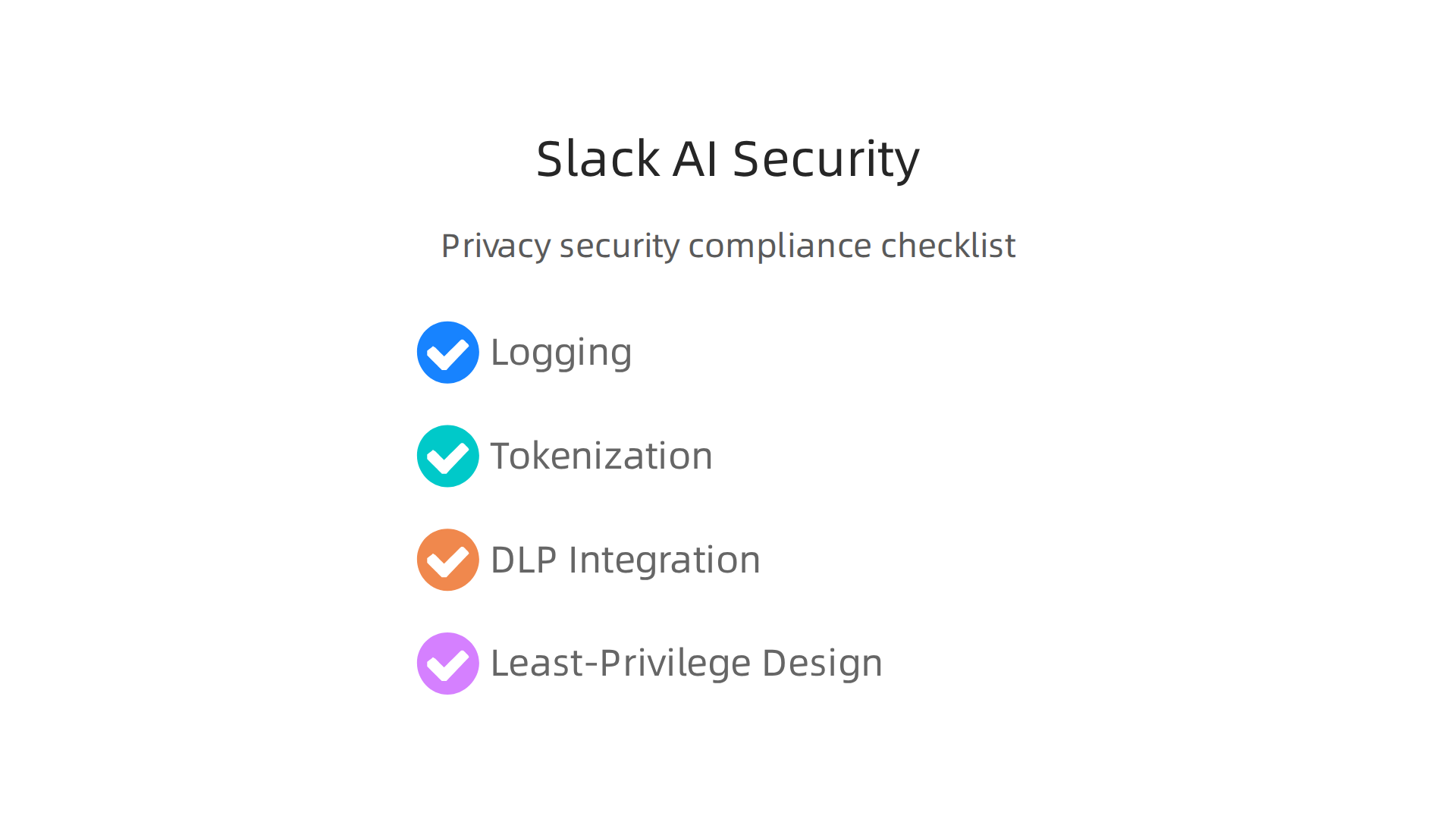
- Logging: Keep good records of how Slack AI is used. This helps you track who does what and when, which is important if there is ever a security issue.
- Tokenization: This is a way to protect sensitive data by replacing it with a special, non-sensitive code called a token. This means the real data is kept separate and safer.
- DLP Integration: DLP stands for Data Loss Prevention. Connecting Slack AI with your company’s DLP tools helps stop sensitive information from being accidentally shared or stolen. It adds an extra layer of protection, especially when working with different clever AI engineering tools.
- Least-Privilege Design: This means giving Slack AI and its users only the minimum access they need to do their jobs. It is a security idea where no one has more permissions than necessary, which helps reduce risks.
By carefully managing these areas, engineering teams can enjoy the benefits of slack ai within a strong security framework. This thoughtful approach helps secure your journey into the world of "software 3.0" where AI plays a central role. It also fits well with having a broader strategy for design measure and operationalize explainable AI for trustworthy systems.
After making sure that using Slack AI is safe and follows all the rules, the next important step is to see if it actually helps your team. This means looking at how much time and money it saves and how it makes work better. If you want to know if a tool like Slack AI is worth it, you need to measure its impact.
Measuring impact: KPIs and ROI for Slack AI initiatives
To know if Slack AI is really helping, we need to track some key things. These are called Key Performance Indicators, or KPIs. They are like scores that tell you how well something is working.
Here are some good KPIs for engineering teams using Slack AI:
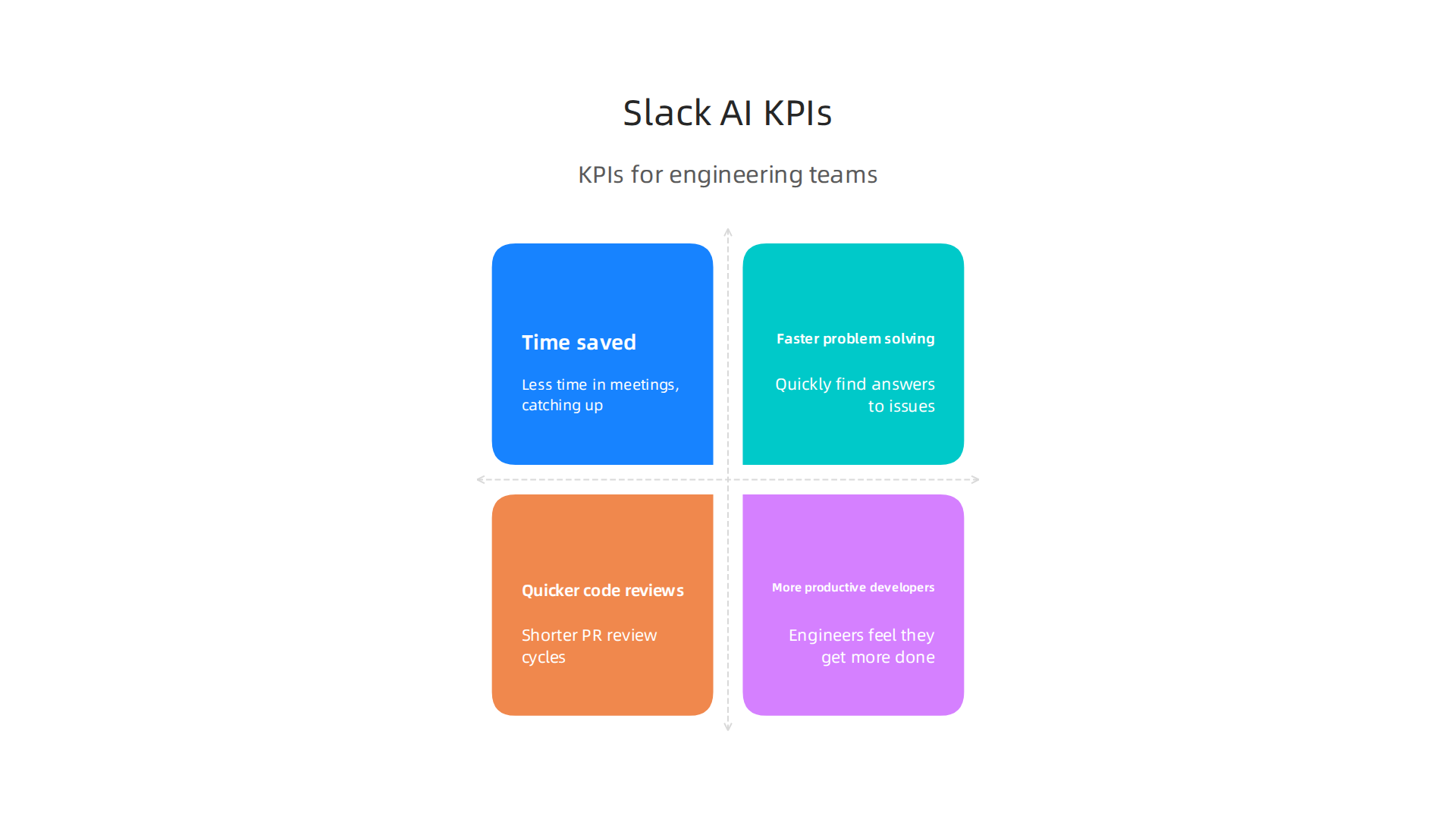
- Time saved in meetings: Slack AI can summarize long discussions in channels or threads. This means people spend less time catching up or in meetings, which is a big win. Some companies have seen a 33% drop in time spent in meetings with AI tools Enterprise Solutions, AI Productivity, and Work Management – Slack.
- Faster problem solving: When engineers have questions or issues, Slack AI can quickly find answers in old chats or documents. This can cut down the "time-to-resolution," meaning problems get fixed quicker.
- Quicker code reviews: If Slack AI helps with reviewing code changes, your team might see a shorter "PR (Pull Request) review cycle." This helps get new software out faster.
- More productive developers: Overall, engineers should feel like they get more done. Reports in 2026 show that AI developer tools can help people save 4-7 hours per week AI Developer Productivity ROI 2026: Real Measured Numbers. This kind of productivity boost can change how teams work, moving towards a new era of "software 3.0."
To track these KPIs, you can use surveys to ask your team about how much time they save. You can also look at internal data, like how long it takes to close a support ticket or how quickly code is reviewed before and after using Slack AI.
Building a Simple ROI Model
After looking at KPIs, you’ll want to figure out your Return on Investment (ROI). This tells you if the money you put into Slack AI is coming back to you as savings or bigger gains. It’s a key way to show the value of all AI tools you adopt.
Here’s how to build a simple ROI model:
- Figure out the costs:
- License costs: This is the money you pay for Slack AI subscriptions.
- Setup effort: This includes the time and resources your team spends getting Slack AI ready to use. Even if you’re using no code AI platforms, there’s always some setup. Sometimes, this might include paying for experts to help integrate it with your current systems.
- Calculate the savings:
- Time savings: This is the biggest part of the return. If your team saves hours each week because of Slack AI, those hours translate into money saved. For example, some organizations have found that workers using AI agents can save a median of 6.4 hours per week AI Agent Productivity Statistics 2026: 100+ ROI Data – Digital Applied. If you multiply those saved hours by each employee’s hourly wage, you get a good idea of the financial benefits. Salesforce, for example, expects to save its engineering team 275,000 hours by using AI in Slack Customer Zero at Scale: See How Salesforce Uses Agentforce in ….
- Better output quality: While harder to measure directly in money, better code quality or fewer errors because of AI can save a lot of work later on.
To find your ROI, you would subtract the total costs from the total savings, and then divide that by the total costs. This gives you a percentage that shows your return. Many companies see a positive ROI quickly, sometimes within just a few months, from using AI coding tools AI Coding Impact 2026 Benchmark Report. This shows that if done right, using AI in software development can be very beneficial. If you want to dive deeper into making smart choices about new technology, explore our guide on how to evaluate and integrate generative AI platforms for developer teams.
Understanding these numbers helps you make smart decisions about how you use AI and allows you to improve your strategies for applying AI in software development. For more useful insights into AI and its impact on technology, consider subscribing to The AI Newsletter Worth Reading.
Summary
This guide explains how Slack AI brings generative intelligence into daily engineering workflows to reduce information overload and speed up software delivery. It describes the platform’s core components—workspace assistants, message summarization, code-aware search, and automated workflows—and shows concrete ways these features help developers triage issues, coordinate reviews, and respond to incidents faster. The article covers practical integration patterns with tools like GitHub, CI/CD systems, and Jira, and recommends a pilot-based adoption plan with stakeholder alignment, UX focus, and feedback loops. It also outlines governance needs—data residency, access control, logging, tokenization, DLP, and least-privilege design—and gives a simple method to measure impact with KPIs (time saved, faster problem resolution, shorter PR cycles) and an ROI model. Readers will come away knowing how to plan, secure, measure, and scale Slack AI to boost team productivity while managing risk.


