
Why software teams must balance AI-driven productivity with responsible AI practices
In 2026, artificial intelligence (AI) has completely changed how software teams work. Tools that use generative AI and assistive AI are now everywhere. They help developers write code faster, fix problems more easily, and even come up with new ideas. Imagine having an assistant that helps you write a tricky piece of code or finds a bug you missed. These kinds of AI solutions are making teams super productive, helping them build amazing things at a speed we’ve never seen before. For example, an AI web developer can now complete tasks that used to take days in just hours.
But here’s the thing. While these AI tools make us faster, they also bring new worries. We have to think about more than just speed. We need to balance these big jumps in how much we can get done with making sure we use AI in a smart and safe way.

This is where the idea of responsible AI comes in. It means making sure our AI tools are fair, keep our data private, and don’t cause any harm.
Many experts agree on key ideas for responsible AI. These often include being transparent about how AI makes decisions and making sure people can be held accountable for what their AI systems do. For example, principles like fairness, transparency, and accountability are very common across different responsible AI frameworks around the world, as highlighted in a comprehensive review of frameworks and practices 2026 Responsible Artificial Intelligence: A Comprehensive Review of Frameworks, Principles, and Practices. Also, ensuring AI systems do not create or continue unfair biases is a basic ethical principle AI Governance 2026: Guide to Responsible & Ethical ….
If software teams just focus on speed without thinking about responsible AI, they could face big problems. This includes ethical issues, security risks, and trouble following important rules and laws. Building AI development with ethical best practices for engineers is more important than ever. In 2026, governments and groups all over the world are working to create rules and guidelines for how AI should be used. This shows just how important it is to get responsible AI right.
Want to stay updated on the fast-changing world of AI and its impact on software engineering?
The AI Newsletter Worth Reading
In 2026, the way software developers work has changed a lot because of AI tools. These tools are now part of many daily tasks, making work faster and sometimes easier. It is like having a smart helper for many parts of creating software.
Here are some ways AI productivity tools are changing developer workflows:
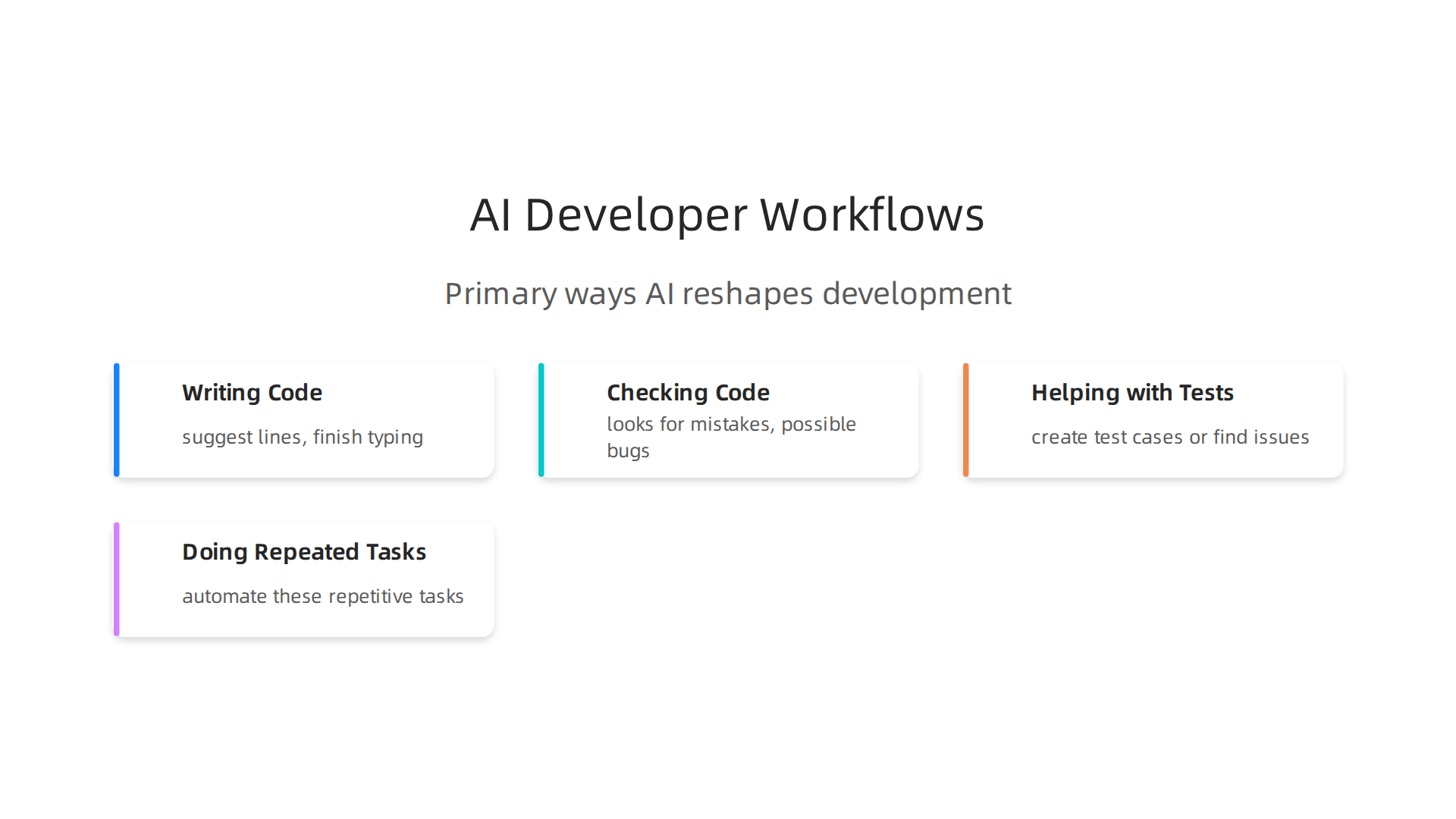
- Writing Code: AI can help write new code. It suggests lines of code, finishes what you start typing, and even writes full parts of programs. This is called code generation. A big number, like 91%, of developers now use AI to help them write code faster, speeding up their work significantly 10 AI Use Cases in Software Development Transforming the Industry.
- Checking Code: AI can also act like a second pair of eyes during code reviews. It looks for mistakes, possible bugs, or ways to make the code better. This helps teams find problems more quickly before they become bigger issues. Tools that check for security problems and review code can cut down the time spent on reviews and catch weak spots 28 Best AI Developer Productivity Tools (2026) – DEV Community.
- Helping with Tests: Making sure software works correctly means a lot of testing. AI can help here too. It can create test cases or find issues in existing tests, which helps developers ensure their software is reliable without spending endless hours on manual checks.
- Doing Repeated Tasks: Many tasks in software development are done over and over again, like setting up new parts of a project or writing basic documents. AI can automate these repetitive tasks. This frees up developers to work on more challenging and creative problems.
These AI solutions have been quickly adopted by teams. A large survey in 2025 showed that 84% of developers either use or plan to use AI tools in their work AI for Coding: Adoption Overview – AI Behavior Index. Other reports from 2026 state that as many as 90% of developers use at least one AI tool every day AI Developer Tools Adoption Statistics 2026: The Complete …. This quick adoption shows how much impact AI has had in a short time.
Developers are seeing real boosts in how much they can get done. For example, some studies found that developers using AI tools finished certain tasks about 55% faster Top 10 AI Coding Tools Picked by Developers in 2026. This means teams can build new features and fix problems more quickly.
However, even with these gains, there’s still a "trust gap." While many developers use AI tools, fewer fully trust their output without checking it carefully. For instance, in 2026, only 29% of developers fully trusted the code or suggestions given by AI tools, which is actually less than in previous years AI Coding Assistant Statistics 2026: Adoption, Trust & Productivity. This shows that while AI is great for speed, human oversight is still key. Teams often need to be careful when they evaluate technology services to prevent problems. This careful approach highlights why responsible AI practices are so important, even as productivity soars.
Even with the big jump in speed that AI tools offer, picking the right ones for your team is super important. It is not just about having any AI; it is about having the right AI solutions that fit what you do and how you work. Making good choices here helps ensure you’re using these powerful tools in a smart and safe way.
Let’s look at the main types of AI tools that software teams are using in 2026:
Top Categories of AI Tools for Software Teams (and When to Use Each)
AI tools for developers come in many shapes and sizes. Knowing what each type does helps you choose wisely.
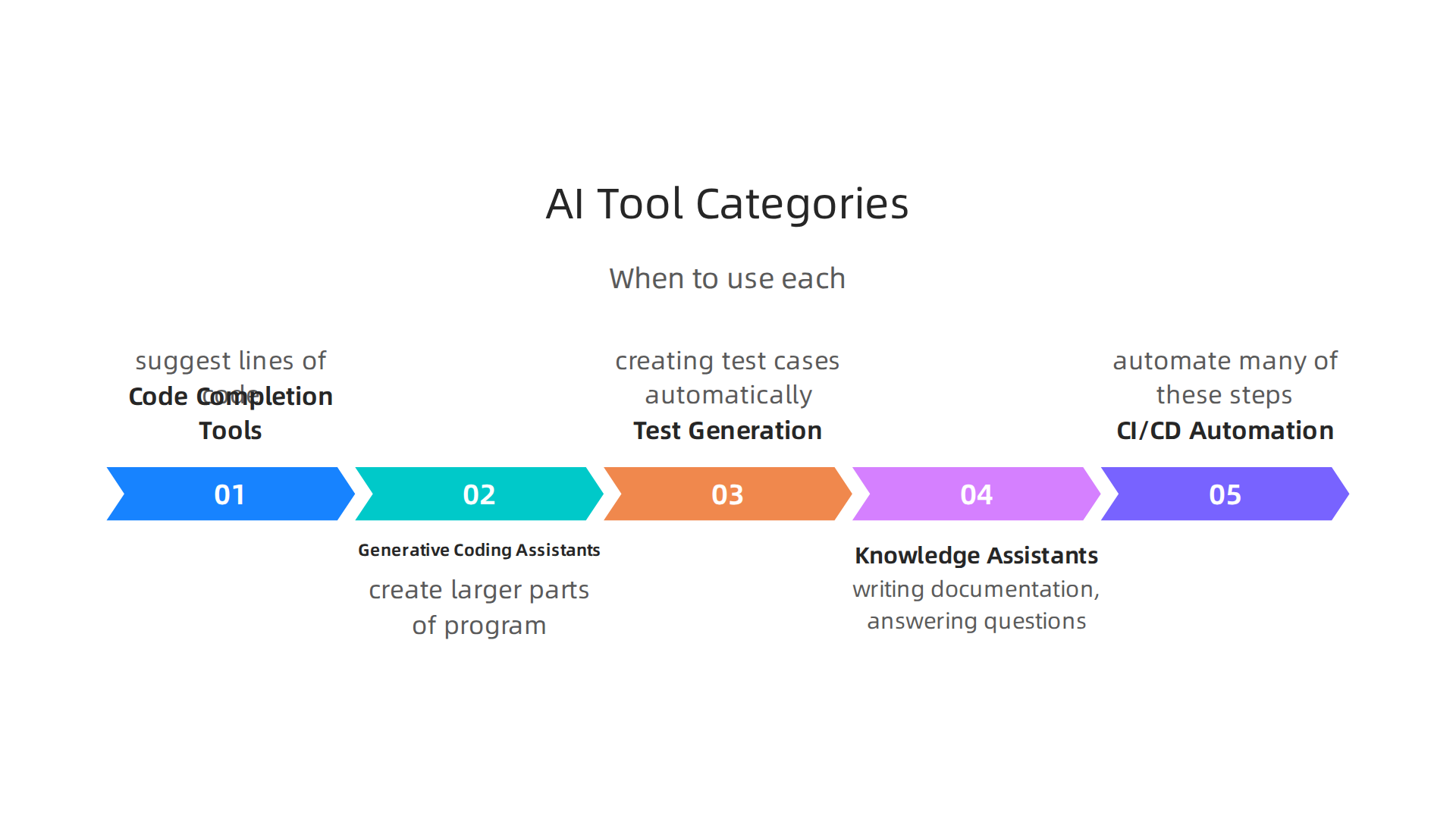
- Code Completion Tools: These are like smart helpers that guess what code you want to write next. As you type, they suggest lines of code or finish your sentences. Tools like GitHub Copilot are very popular for this. They make writing code faster and help keep common mistakes out.
- Generative Coding Assistants: These go a step further than code completion. They can create larger parts of a program, like full functions or even whole chunks of an application, based on your instructions. This kind of AI can act like an ai web developer by building out initial structures or complex algorithms from a simple prompt.
- Testing and Test Generation AI: Testing software can take a lot of time. AI tools in this category help by creating test cases automatically, finding hidden bugs, and checking if your software works as it should. They can also look at existing tests to make them better, saving your team many hours.
- Docs and Knowledge Assistants: Keeping track of all the details of a project can be hard. These AI solutions help by writing documentation, answering questions about how your code works, and organizing project information. This means developers spend less time writing descriptions and more time building.
- CI/CD Automation: CI/CD stands for Continuous Integration and Continuous Delivery. These are steps in making sure new code changes are put into the main project smoothly and often. AI can automate many of these steps, making the process faster and less prone to human error. This helps teams release new features more quickly and reliably.
Choosing the best AI tools means thinking about what your team needs the most. You should look at different options and really think about how to evaluate and integrate generative AI platforms for developer teams to make sure they’re a good fit.
Decision Criteria for Choosing AI Tools
When picking AI tools for your team, it is important to think about a few key things to make sure you get the most out of them and use them responsibly.
- Team Size: If you have a small team, simpler tools might be best. For larger teams, you might need AI solutions that can work across many different parts of a big project and integrate with many other tools. Some AI tools, like those mentioned in a 2026 overview, are better for bigger operations Best AI Coding Tools in 2026: A Data-Driven Comparison.
- Codebase Maturity: This means how old and complex your existing code is. Some AI tools are better at understanding older, more complex code, while others work best with newer, cleaner projects.
- Security Posture: How important is security for your code? If you are working on very sensitive projects, you need to pick AI tools that have strong security features. Using AI responsibly means making sure it does not create new security risks.
- Compliance Constraints: Do you have to follow special rules, like for healthcare information or financial data? If so, your AI tools must meet those rules. This is a big part of making sure you use responsible ai that follows all the necessary guidelines. Making these strategic choices for developer tools and cloud platforms in 2026 is vital for long-term success.
Want to keep up with the latest in AI and tech?
The AI Newsletter Worth Reading delivers clear daily AI updates right to your inbox.
After choosing the right AI tools, the next big question is: are they actually helping? It is super important to know if these new tools are making things better for your team. Just having AI does not mean you are getting more done. You need to look at how much good they are truly doing. Actually, by 2026, many places agree that figuring out how much AI helps is more important than just using it AI Adoption Trends: 2024-2026 Data.
Measuring productivity gains: metrics, pitfalls, and realistic expectations
When we talk about how much AI helps, we look at two main kinds of measurements: numbers (quantitative) and feelings (qualitative).
What numbers can tell us
Numbers help us see real changes. Here are some simple things teams can track:
- Pull Request (PR) Throughput: This means how many code changes a developer or team can get done in a certain time. If AI helps write code faster, this number should go up.
- Cycle Time: This is how long it takes for a task to go from starting work to being finished and ready for use. If AI helps speed up coding or testing, this time should get shorter.
- Defect Rates: This means how many mistakes or bugs are found in the code. Good AI tools should help reduce these mistakes, making the software better.
- Deployment Frequency: This is how often new code is put out for people to use. If AI makes the whole process faster and smoother, teams can release new features more often.
- Test Coverage: AI can help create more tests for your code. This means more of your code is checked for errors, leading to better quality.
It is a good idea to measure these things before you start using AI tools. That way, you have a starting point to compare against later AI SDLC 2026: How AI Agents Rewrite Development. This helps you see if the AI solutions are truly making a difference.
What feelings and observations can tell us
Numbers are great, but how your team feels also matters a lot.

- Developer Satisfaction: Are your developers happier using AI? Do they feel less stressed, or more creative? Talking to your team and getting their feedback is key. A good developer experience 2026 often means better productivity.
- Quality of Code: Is the code generated by AI easy to read and maintain? Even if an ai web developer speeds things up, the final code still needs to be high quality.
- Learning and Growth: Are developers learning new things from the AI, or are they just relying on it without understanding?
Common pitfalls and how to measure smartly
It is easy to think AI is helping, but sometimes it is not as much as you think. Here are some things to watch out for:
- Over-attributing Gains: Do not just assume all improvements are because of AI. Other things could be helping, like better team organization.
- The "Trust Gap": Many developers are using AI, but fewer actually trust it completely. In 2026, survey data shows that 84% of developers use or plan to use AI tools, but only 29% fully trust the output What the AI trust gap means for enterprise SaaS. This "trust gap" means developers spend time checking AI work, which can slow things down. Making sure your team trusts the AI is part of using responsible ai.
- Ignoring the Human Factor: AI tools are assistants, not replacements. Developers still need to review and understand the code. It is important to know how to bridge the AI to human gap in your code.
To get a true picture, you might try using AI tools with a small group of developers first. You can compare their results with a group not using AI on similar tasks. This helps you build controlled measurements and see the real impact. Remember, it is about making sure AI truly helps your team, not just about having the latest tools.
Making sure AI truly helps is just one part of the puzzle. We also need to think about how we use AI in a good and fair way. This is called responsible AI. For engineering teams, it means setting up rules and ways to work with AI tools so they are helpful and do not cause problems. Many governments and groups are now creating guides for responsible AI governance, showing how important it is in 2026 AI Governance and Responsible AI: Global Framework.
Responsible AI: principles and governance engineering teams need
Using AI responsibly means thinking about how these smart tools affect people and society. It is not just about writing code; it is about writing fair, safe, and clear code.
Key responsible AI principles
When we talk about responsible AI, there are some important ideas that software teams should keep in mind:
- Fairness: AI should treat everyone fairly and not show favoritism or bias. This means making sure AI solutions do not make unfair choices based on things like race, gender, or age. It is a big deal to build AI systems that do not carry old biases into new technology AI Governance 2026: Guide to Responsible & Ethical AI Success.
- Transparency: We should understand how AI makes its decisions. If an AI gives an answer, we should be able to look "inside" and see how it got there. This helps build trust, especially with complex AI systems. Being open about how AI works is a core principle Responsible Artificial Intelligence: A Comprehensive Review.
- Accountability: Someone needs to be in charge when AI makes a mistake. If something goes wrong with an AI tool, a person or a team should be responsible for fixing it. This helps ensure that AI is used with care.
- Robustness: AI systems need to work well and safely, even when things are not perfect. They should be strong enough to handle different situations without breaking or acting strangely. This also means being safe from attacks that try to make AI do bad things International AI Safety Report 2026 Examines AI Capabilities.
- Privacy: AI tools often use a lot of data. It is very important to protect people’s private information. This means making sure personal data is safe and not shared without permission. Developers worry about privacy and security when using AI tools, especially with sharing source code AI in Software Development in 2026: Data, Tools & Risks.
Setting up governance for AI
Having good principles is a start, but teams also need clear rules and ways of working. This is called governance. It helps put responsible AI ideas into practice.
- Who owns what: For every AI tool or project, it should be clear who is in charge. This person or team is responsible for how the AI works and how it follows the principles of responsible AI.
- Approval steps: Before using new AI tools, especially those that deal with sensitive information or make important decisions, there should be a process to check and approve them. This might include a risk assessment, looking at how the tool handles data, and making sure it fits with the company’s rules.
- Checking for risks: Teams should regularly look for any dangers that AI tools might bring. This includes looking for ways the AI could be unfair, misused, or become a security risk. In 2026, concerns about AI security are very high, with risks like sensitive information leaks Top AI Security Vulnerabilities to Watch out for in 2026. Thinking about security measures during development is key to ensuring the security of an AI system’s development.
- Keeping good records: It is important to write down how AI tools are built, tested, and used. This includes documenting the data they use, how they make decisions, and any changes made over time. This helps everyone understand the AI and makes it easier to fix problems later. An AI inventory and classifying AI systems by risk are part of this Top 10 Privacy, AI & Cybersecurity Issues for 2026.
By following these principles and setting up clear governance, engineering teams can make sure their AI solutions are not just powerful, but also fair, safe, and trustworthy.
To keep up with the newest ideas in AI and how to use it best, consider signing up for The AI Newsletter Worth Reading.
To truly make use of powerful AI tools, teams need a clear plan for bringing them into their daily work.

This isn’t about just dropping in new tech; it’s about a smart, step-by-step way to use AI that keeps things running smoothly and safely. This is where an implementation roadmap comes in handy. It guides how engineering teams can add AI tools to their development process in a thoughtful way.
A phased approach: pilot, metrics, feedback, and scaling
Bringing AI into your work should happen in steps, not all at once.
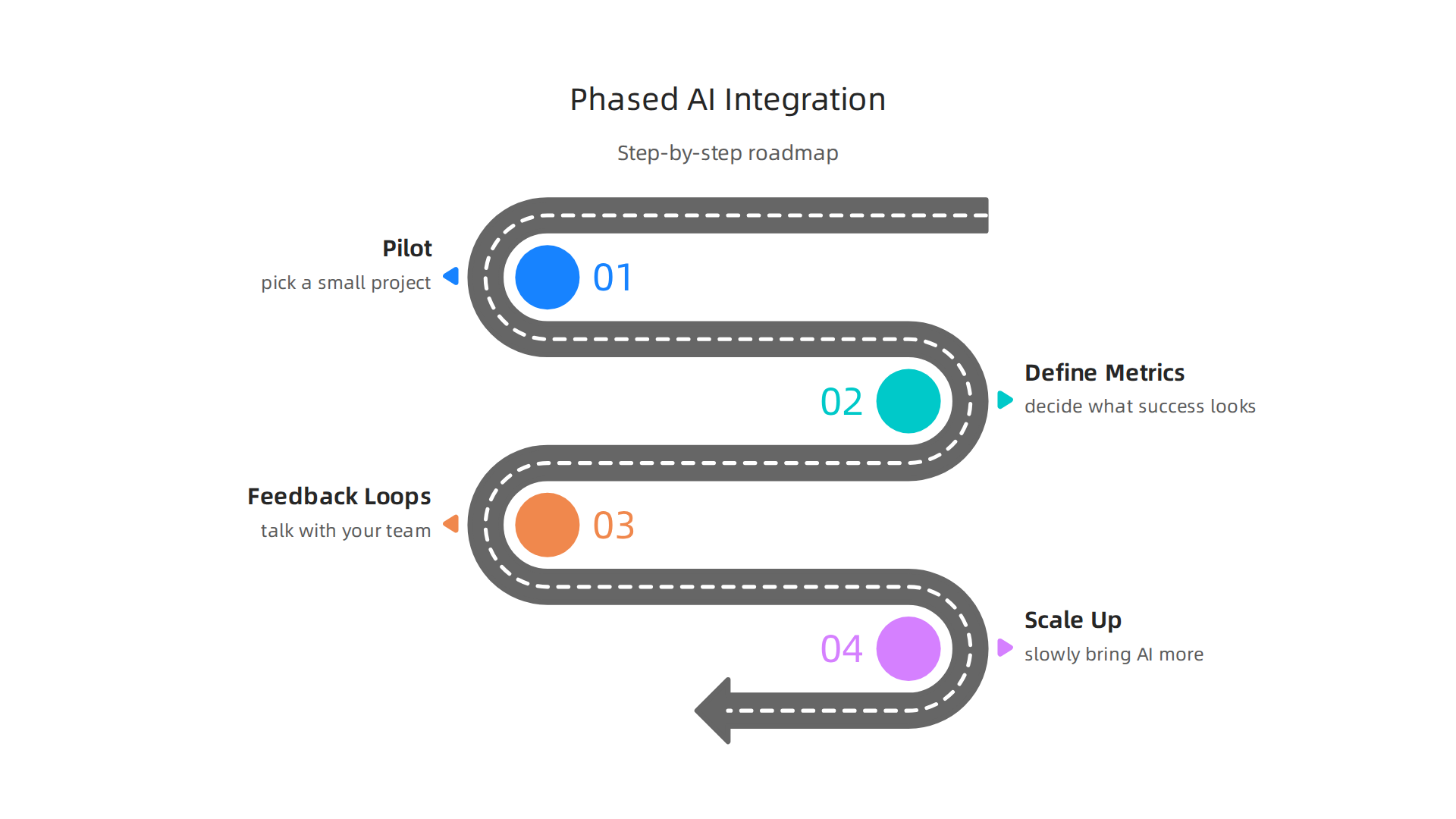
Trying to do too much too soon can lead to problems. Many experts suggest a phased approach, starting small and growing from there, like the plan to implement an AI-powered ADM operating model.
- Start with a pilot: Pick a small project or a specific task where AI can help a lot. This could be something like generating basic code snippets or helping with testing. Focus on low-risk areas first, such as using AI for tasks that are "read-only" or for drafting ideas, rather than giving it full control over critical systems How to Use AI-Powered Software Development in 2026. This helps your team get used to the new AI solutions without too much pressure. An AI web developer can then use these tools to speed up routine tasks, freeing up time for more creative problem-solving.
- Measure with metrics: Before you start your pilot, decide what success looks like. How will you know if the AI tool is actually helping? You should track things like how fast tasks are completed, how many mistakes are found, and how happy developers are with the new tools. A helpful way to do this is by using an AI Tools for SDLC: 8-Phase AEMI Scorecard. This data will show you if the AI is truly improving things. For example, some companies found a 20% productivity improvement by using AI in development tasks AI Developer Tools Case Studies.
- Create feedback loops: After the pilot, talk with your team. What worked well? What didn’t? Getting feedback from the people actually using the AI tools is super important. This helps you make adjustments and choose the best AI solutions or development tools for your specific needs.
- Scale up carefully: If the pilot goes well and the metrics look good, you can slowly bring AI into more parts of your work. This might mean expanding to more teams or adding more AI capabilities. Remember to keep checking performance and getting feedback as you grow. Integrating AI into your development process is about finding a good balance and making smart choices, covering how to integrate AI into every SDLC phase.
Operational considerations: access, CI/CD, and automation limits
Beyond the step-by-step rollout, there are important everyday things to think about when using AI tools. These are called operational considerations.
- Access controls: Not everyone needs full access to every AI tool. Set up rules for who can use which AI solutions and what they can do with them. This helps keep data safe and ensures responsible AI use.
- Embedding into CI/CD: CI/CD stands for Continuous Integration and Continuous Delivery. These are ways to quickly build, test, and release software. AI tools can fit right into these existing processes. For instance, AI can help with automated testing or check code quality as new changes are added. But it’s important that AI-generated code still gets thorough human reviews and automated testing Agentic SDLC: The AI-Powered Blueprint Transforming Software. This means the AI works alongside, not instead of, your current setup.
- Automation boundaries: AI can automate many tasks, but it should not do everything on its own. Decide exactly where AI can make decisions and where a human must always be involved. This is especially true for critical parts of your software. Knowing these boundaries helps maintain quality and control. For a successful implementation, teams need to consider these strategic choices for developer tools and cloud platforms in 2026.
By planning out the integration of AI tools with a clear roadmap and thinking about how they will operate day-to-day, engineering teams can unlock new levels of speed and quality. This helps them build amazing AI solutions while keeping control and sticking to principles of responsible AI.
Beyond planning the careful rollout and everyday use of AI tools, engineering teams must also deeply consider security, privacy, and compliance. Building amazing AI solutions means ensuring they are also safe and trustworthy. This focus on responsible AI is very important in 2026.
Potential Security Risks and Privacy Concerns
One of the biggest worries with AI tools, especially those that use outside services, is the risk of accidentally sharing private information. This is often called data leakage. When developers paste sensitive code, project details, or other private company data into an AI tool that runs on someone else’s servers, that information might become exposed. Over half of developers, 56.1% to be exact, are concerned about data privacy and security when using AI agents, especially if the tools send data through third-party systems AI in Software Development in 2026: Data, Tools & Risks. This can lead to sensitive information being disclosed or even memorized by the AI model, posing serious privacy issues Security and privacy challenges of AI-powered coding ….
Security risks also include ways bad actors can trick AI models. These are called model exploitation attacks. For example, "prompt injection" means someone gives the AI a special command to make it do something it shouldn’t, like giving out sensitive data. "Data poisoning" involves messing with the data the AI learns from, so it acts wrongly later. There’s also "model theft," where someone tries to copy a private AI model by asking it many questions Top 7 AI Security Risks in 2026. Addressing these security vulnerabilities is crucial for any organization deploying AI solutions. If you’re managing cloud security, learning about cloud-native SIEM elevates AI-powered cloud security 2026 can offer further insights.
Compliance Checks and Regulatory Considerations
Making sure AI tools follow the rules is another big part of responsible AI. This means checking how you handle sensitive code, what contracts you have with companies providing third-party AI models, and keeping up with government rules. Many countries are creating frameworks for responsible and ethical AI, like the guidelines from the OECD or the NIST initiative for AI agents AI Governance Frameworks: Global Standards …. These guidelines often cover principles like fairness, transparency, and accountability to guide AI development Responsible Artificial Intelligence: A Comprehensive Review of Frameworks, Principles, and Practices.
To stay compliant, teams need to do a few key things:
- Review third-party contracts: Understand what data external AI services collect, how they use it, and what security measures they have in place.
- Handle sensitive code carefully: Avoid putting private company information directly into public or unapproved AI tools. Consider using AI tools that can run within your own secure network.
- Follow regulations: Keep an eye on new laws and rules about AI governance and privacy in your industry and region. This might involve doing a Data Protection Impact Assessment (DPIA) to see how new AI systems affect privacy Ensuring the security of an AI system’s development.
- Establish internal policies: Create clear rules for your team on how to use AI tools responsibly and safely. This often means forming a cross-functional AI governance group with legal, privacy, and security experts Top 10 Privacy, AI & Cybersecurity Issues for 2026.
By carefully looking at these security, privacy, and compliance details, engineering teams can make sure their AI solutions are not just powerful but also safe and ethical. This helps build trust and avoids future problems.
Staying informed about the fast-changing world of AI is vital for all software professionals.
The AI Newsletter Worth Reading
To truly use AI well, it’s not enough to just buy the tools or set up rules. People need to learn how to work with them, and companies need to help everyone get used to new ways of doing things. This is all about training and making sure teams can grow with AI.
Skills, training, and organizational change management for AI-augmented teams
Getting new AI tools means that people will need new skills.

This includes learning how to talk to AI, how to check its work, and how to use it to solve problems. Imagine a software engineer learning to be an ai web developer who builds websites faster with AI help. Training programs are key here. They help engineers learn everything from basic AI use to more advanced tasks, making sure they can handle these new ai solutions safely and smartly.
Many companies are setting up training that moves from easy to harder tasks over time. They might start by teaching simple ways to use AI, then move on to building more complex skills. This careful learning path helps everyone get comfortable. If you’re looking to boost your skills, finding the right programs can be a great step. You can check out some of the Best AI Certification Courses in 2026 to see what’s available. As teams learn more, they also need to share what they know. This means creating ways for everyone to learn from each other, like having shared guides or knowledge bases for how to best use AI. This helps make sure that good ideas spread and everyone benefits.
Bringing AI into a team also means managing big changes. You can’t just flip a switch and expect everyone to be great at using AI right away. A smart way to do this is to start small. Companies often begin with "pilot" programs. This means trying out AI tools with a small group or on a few projects first. This helps them see what works and what doesn’t, and collect feedback from the developers actually using the tools. For example, when adding AI tools, many businesses take a step-by-step approach, starting with basic setup and then building up skills over several months Implementing an AI-powered ADM target operating model.
It’s also important to measure if the AI tools are actually helping. Teams should set clear goals, like how much faster code gets written or if there are fewer mistakes. Then, they need to track these numbers to see if the AI is making a real difference. This helps show that AI is a good investment and builds trust in these new technologies. By managing these changes well, companies can help their teams use AI to its fullest, making them more productive and ready for the future.
Summary
This article explains why software teams must pair AI-driven productivity gains with clear responsible-AI practices to avoid ethical, security, and regulatory pitfalls. It describes how generative and assistive AI accelerate coding, testing, reviews, and repetitive tasks, then breaks down the main categories of developer AI tools and decision criteria for selecting them. The piece shows how to measure real productivity improvements with both quantitative metrics (PR throughput, cycle time, defect rates) and qualitative signals (developer satisfaction, code quality). It also covers core responsible-AI principles—fairness, transparency, accountability, robustness, and privacy—plus governance steps, compliance checks, and operational controls to reduce risks like data leakage and model exploitation. The article gives a practical phased rollout plan (pilot, metrics, feedback, scale) and explains the training and organizational changes teams need. After reading, engineering leaders will know how to evaluate tools, measure impact, set governance, mitigate security/privacy risks, and run safer AI adoption pilots.


