

Why understanding software development life cycles still matters in 2026
Building software in 2026 means making important choices. How your team builds programs, step by step, can change everything.

This step-by-step plan is called a software development lifecycle (SDLC).
When you choose a way to build software, you often have to think about different things. Do you want to build it super fast? Do you want it to be perfect with no mistakes? Or do you need to know exactly when it will be finished? Often, you cannot have all three at once. Teams must decide what is most important for their project. These decisions are a core part of any Software Development Life Cycle Models-Comparison.
There are many kinds of software development life cycles, like Waterfall, Agile, and DevOps. Each one has its own strengths. For example, some models are better when you know exactly what you want from the start, while others are great when you need to be very flexible. They are chosen based on how risky a project is, how much time you have, and how often you need to show new parts of the software. Understanding these differences is a key part of good software engineering principles today.
In 2026, technology changes super fast. New tools and ideas, like those in AI, are changing how we think about Software Development Life Cycle – SDLC – Waterfall, Iterative, V, Spiral, and Agile and creation. Because of this, knowing about different software development life cycles is more important than ever for leaders in tech. Staying updated on engineering technology trends in 2026 helps teams adapt and grow.
This guide will help you sort through it all. We will show you different models, the tools that help them work, how to set rules (governance), what to measure (metrics), and how to smoothly switch from one way of working to another. Our goal is to give engineering leaders the knowledge to pick and improve their software development lifecycle as their projects and teams change.
To stay ahead of big changes, especially in AI, a good source of information is vital. The AI Newsletter Worth Reading brings clear daily updates right to your inbox.
When we talk about building software, it is like planning a big trip. You need a good map and a way to know if you are on the right path. That map for software is the software development lifecycle, or SDLC. Understanding the basic ideas of these models helps teams choose the best way to get to their goal.
Foundational SDLC Models
Different software development life cycles are like different kinds of maps. Each one helps with certain kinds of journeys.
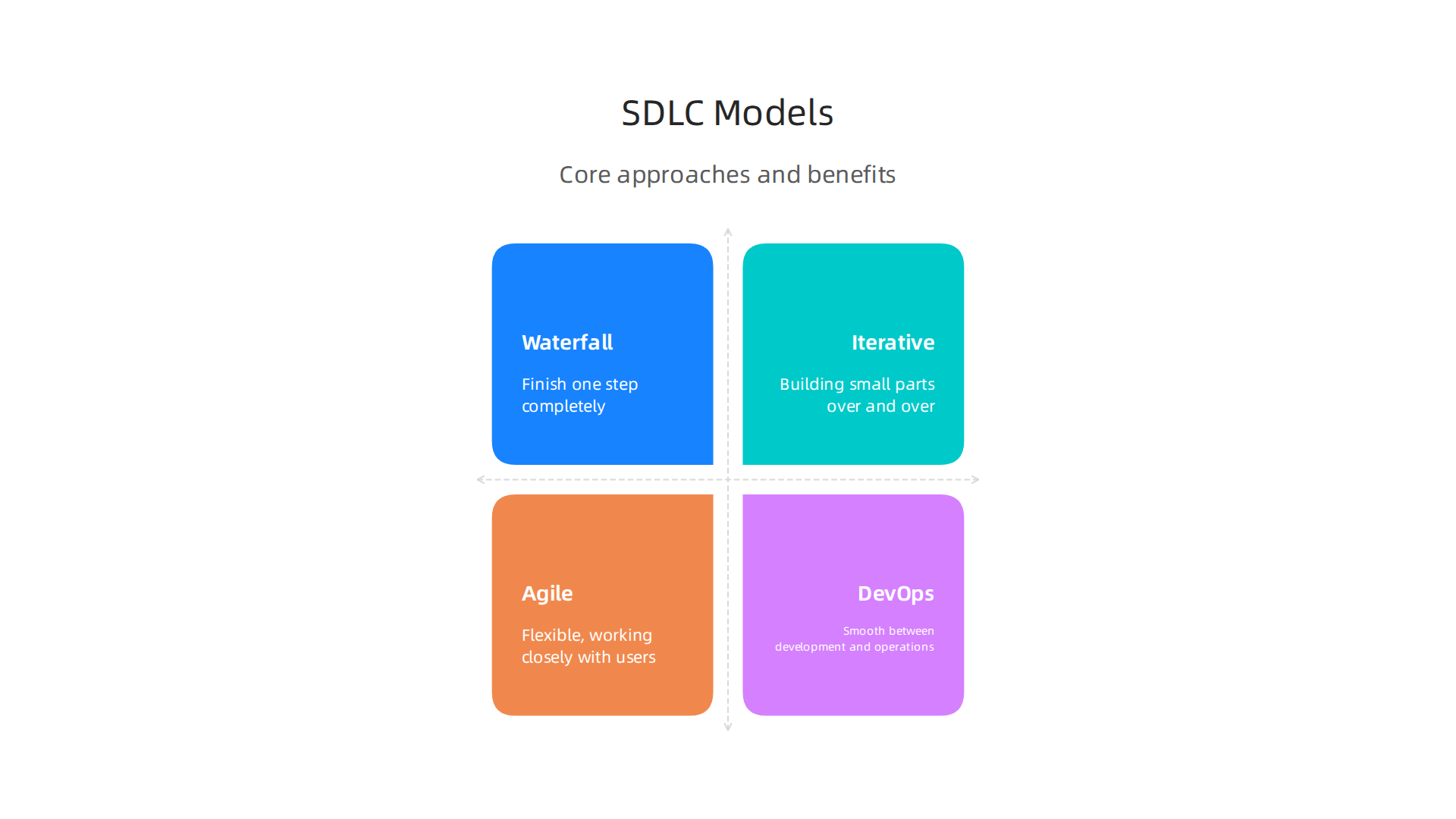
- Waterfall Model: Think of this as a very straight line. You finish one step completely before moving to the next. The steps are usually requirements, design, building, testing, and then keeping it running. This model is good when you know exactly what you need from the very start, and those needs won’t change much. It’s like building a house from a detailed blueprint; changes later on are hard and costly to make. This model is often simple to understand and manage A Comparative Study of System Development Life Cycle Models.
- Iterative Model: This model involves building small parts of the software over and over again. You create a simple version, get feedback, and then make it better in the next round. It is like making a clay pot; you shape it, let it dry a bit, then add more to it. This way, you can fix mistakes early and improve the software as you go.
- Agile Model: This is all about being flexible and working closely with the people who will use the software. Teams deliver small, working pieces of software very often, usually every few weeks. This allows for quick changes and makes sure the software truly fits what users need. Many documents compare the Agile Model to Waterfall and Spiral Models due to its different approach.
- DevOps-Oriented Lifecycle: This approach focuses on making things smooth between the people who build the software (development) and the people who keep it running (operations). It uses a lot of automation to deliver new software fast and reliably. This model helps teams work together better and get updates out quickly.
Each of these software development life cycles has its own way of helping teams build good software.
Making the Right Choice: Your Decision Framework
Choosing the right software development lifecycle is not a one-size-fits-all decision. It depends on many things, just like picking the right tool for a job.
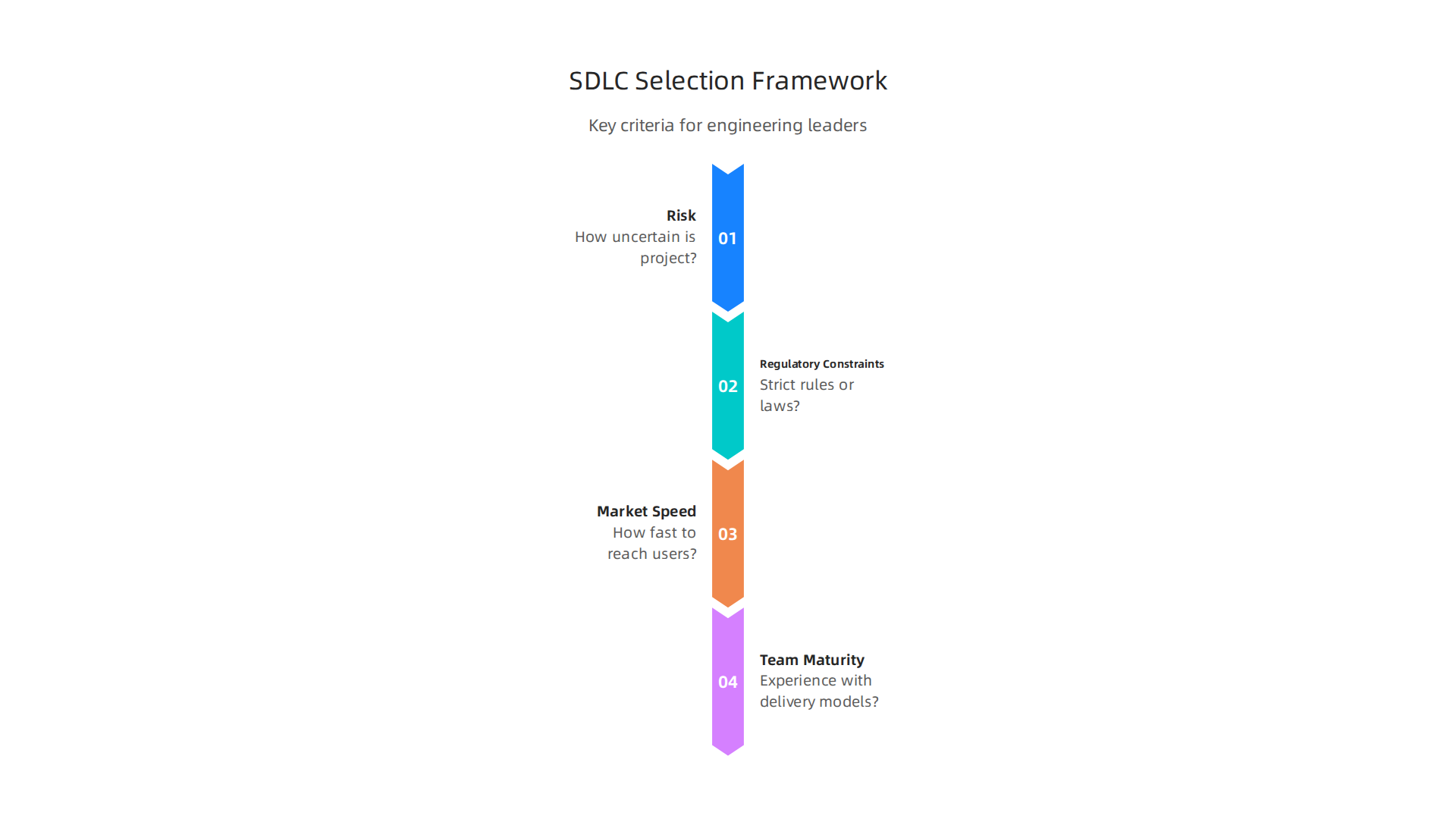
Here are some key things to think about in 2026:
- Risk: How uncertain is your project? If you are building something completely new and aren’t sure what users will want, an Agile or Iterative model might be better. They let you change direction easily. If the project is very clear, like updating an old system, Waterfall might work.
- Regulatory Constraints: Does your project have strict rules or laws it must follow? For example, medical software often needs very clear steps and records. In these cases, a more structured model where every step is documented carefully might be needed.
- Product-Market Fit Speed: How fast do you need to get your software to users to see if they like it? For new products where you need to quickly test ideas, Agile and DevOps are great because they help you release software often and get feedback quickly.
- Team Maturity: How experienced is your team with different ways of working? A team new to Agile might need more support than one that has used it for years. Also, how well does your team talk to each other and solve problems?
Thinking about these points helps engineering leaders make smart choices about their software definition process. It is about matching the project’s needs with the best way to build it. For more on how teams evaluate important decisions, consider reading about how engineering teams evaluate technology services to prevent failures.
Model deep-dive: Agile variants, DevOps integrations, and hybrid lifecycles
Once you know the basic ideas of different software development life cycles, it helps to look deeper into some popular ones. This section will explore more about the Agile model and how it works with DevOps, along with ways to mix different models to create a "hybrid" approach.
Agile Flavors and How They Work
The Agile model is not just one simple thing. It has many "flavors" or specific ways to do things. Each one still focuses on being flexible and getting software built in small, working pieces. Two popular ways to use Agile are Scrum and Kanban.
-
Scrum: Imagine a sports team getting ready for a big game. Scrum is like that, but for building software. Teams work in short bursts called "sprints," which usually last between 1 to 4 weeks. During each sprint, they aim to finish a small part of the software. They have quick daily meetings to check progress and solve any problems. At the end of a sprint, they show what they built and plan for the next one. This helps teams stay focused and get feedback often, making sure the software truly meets user needs.
-
Kanban: Think of a to-do list on a whiteboard with sticky notes. Kanban is like that for software development. It helps teams see all their work, limit how much work they do at once, and make sure things move smoothly from start to finish. Work moves through different stages like "To Do," "Doing," and "Done." This model is great for teams with lots of ongoing tasks or who need to react quickly to new requests. It’s all about making work visible and improving how fast things get done.
-
Scrumban: Sometimes, teams like parts of Scrum and parts of Kanban. Scrumban is a mix of both! It might use the short work cycles (sprints) from Scrum but also focus on continuous flow and limiting work in progress from Kanban. This hybrid Agile approach lets teams pick the best bits for their unique software development lifecycle.
DevOps and Agile Working Together
Remember that DevOps is all about making development (building software) and operations (keeping it running) work together smoothly. When teams use Agile methods like Scrum or Kanban, adding DevOps helps them deliver software even faster and more reliably. DevOps uses special tools to automate testing, building, and releasing software. This means new changes can go out to users almost instantly, which fits perfectly with Agile’s goal of quick feedback and delivery.
For example, a good practice that works well with both Agile and DevOps is called "trunk-based development." It means all developers put their code into one main code branch very often, usually every day or two. This helps avoid big problems when combining everyone’s code later. To manage features that are not ready yet, teams use "feature flags." These are like on/off switches that hide new parts of the software from users until they are completely ready. This combination is a core software engineering principle for modern teams, as explained in a 2026 guide to CI/CD Pipeline Best Practices.
To learn more about how Agile and DevOps work together, especially in managing tasks and flow, you can read about Context Engineering the 2026 Guide for Agile and DevOps Teams.
Hybrid Software Development Lifecycles
Sometimes, a project is too complex or has too many strict rules to use just one simple software development lifecycle model. That’s where hybrid lifecycles come in. A hybrid lifecycle is like creating your own special map by combining different map styles.

For example, a company making medical devices might have to follow very strict rules for the early parts of their project, like defining what the software needs to do and designing the system. For these early steps, they might use a more structured Waterfall approach, making sure every step is carefully documented and approved. But once the basic design is set, they might switch to Agile and DevOps methods for building, testing, and releasing smaller updates. This lets them be flexible where they can, but still meet all the important rules. Many reports discuss how different Software Development Life Cycle Methodologies can be combined, including hybrid models.
The main idea behind these hybrid software definition approaches is to take the strengths of different models and put them together to fit a project’s exact needs in 2026. This requires a good understanding of various software engineering principles and knowing when to apply them. It is all about finding the right balance between strict plans and being able to change things on the fly.
Planning, Roadmapping, and Release Strategies Across Lifecycles
After looking at different ways to build software, like Agile and hybrid methods, it’s helpful to see how planning and releasing new software changes with each approach. The way you plan your work and when you share it with users depends a lot on the software development lifecycle you choose.
Planning in Different Software Development Life Cycles
The "planning horizon" is how far ahead a team looks when making plans. It changes a lot depending on the model.
-
Waterfall Planning: In the Waterfall model, you try to plan almost everything at the very start. Imagine drawing a full map before you even take the first step. You define all the requirements, design the whole system, and then set a big, fixed release date far in the future. This approach gives a clear, long-term roadmap. It’s often chosen for projects with very stable goals, where changes are hard to make later on, like some government projects or medical software where rules are very strict from the start, as explained in a 2026 analysis of Software Development Life Cycle Models: Phases, Activities, and Order of Execution.
-
Agile Planning: Agile models like Scrum and Kanban are different. They use a "short planning horizon." Instead of planning everything at once, teams plan in small steps. For example, in Scrum, teams plan for one "sprint" at a time, which is usually just a few weeks. The roadmap is more like a general direction, with details filled in as you go. This allows for quick changes and means new software can be released often. We talked about "trunk-based development" and "feature flags" earlier. These are key tools that help Agile teams release small updates safely and often, giving a continuous flow of changes instead of big, sudden releases. This focus on constant small improvements helps improve the Developer Experience 2026: A Practical Roadmap for Engineering Teams.
-
Hybrid Planning: With a hybrid software development lifecycle, planning can be a mix. You might do detailed, long-term planning for the big picture items, like what the software absolutely must do. But for how the work gets done day-to-day, you might use Agile’s shorter planning cycles. This lets teams balance strict requirements with the need for flexibility. This blend of planning helps handle complex projects where parts of the work need careful, early planning, while other parts benefit from being more adaptable. Studies show that different types of Software Development Life Cycle Models Comparison can be combined to fit specific project needs.
Managing Expectations and Rules
No matter which software development lifecycle model you pick, you need to manage what everyone expects.

This includes the people who asked for the software (stakeholders) and any important rules or checkpoints (regulatory).
-
Stakeholder Expectations: In Waterfall, stakeholders usually give their full list of needs at the start. They expect a big delivery at the end. For Agile, it’s about constant talks and showing small parts of the software regularly. This means stakeholders see progress often and can give feedback early. This makes sure the final product is truly what they wanted. Keeping everyone updated and involved is a key part of good Engineering Manager Interview Questions.
-
Regulatory Checkpoints: Some industries, like healthcare or finance, have strict rules. For these, software must pass many checks. Waterfall models, with their detailed upfront planning and many approval steps, can be good for meeting these strict rules. Each step is documented, reviewed, and signed off. In Agile, teams still meet these rules, but they might integrate checks into each short development cycle. This means they confirm compliance piece by piece, rather than waiting until the very end. The important thing is to have clear "governance gates" or review points throughout the whole process, even in Agile. This helps make sure software meets all necessary rules, as discussed in 2026 research on Designing and Governing an Enterprise AI Operating Model. Making sure your projects fit with what your company wants to achieve in the long run also helps get support from leaders. This is about aligning your software definitions with the bigger company vision.
Choosing the right software development lifecycle model and planning how to release software is a big decision. It sets the pace and helps manage risks. It is a critical part of building software that works well and meets all its goals. Knowing these different ways helps teams make smart choices for their projects in 2026. If you want to dive deeper into general challenges that can occur, you might want to learn Why AI Projects Fail: How to Prevent Common Traps and Succeed.
Developer Workflows and Tooling: Source Control, Branching, and CI Practices
Moving from the big picture of software planning, we now dive into how developers actually work day-to-day. This involves the tools and rules they use to write, share, and test code. Good developer workflows are crucial for any software development lifecycle, ensuring smooth progress and high-quality software.
Branching Strategies for Teamwork
Source control systems, like Git, help teams manage changes to code. Imagine many people drawing on the same canvas. Source control makes sure everyone’s changes are saved and don’t mess up each other’s work. A "branching strategy" is a set of rules for how developers create copies (branches) of the main code to work on new features or fix bugs.
One popular and effective way is called "Trunk-Based Development" (TBD). In TBD, all developers add their changes to a single main branch, often called the "trunk" or "main" branch, very often. This means making small, quick updates to the main code every day or two. This keeps everyone’s code close together, making it easier to see and fix problems quickly. Branches in TBD are very short-lived, usually lasting less than two days before being merged back into the main line of code. This practice is strongly linked to faster deployment times, as highlighted in modern DevOps CI/CD Pipeline Best Practices That Scale.
To make Trunk-Based Development work well, teams often use "feature flags." These are like on/off switches for new code. You can put new features directly into the main code branch, but keep them hidden from users until they are fully ready. This way, unfinished work doesn’t stop others or break the live software. You can learn more about how to use these flags effectively in a Trunk-Based Development Practical Guide.
Continuous Integration (CI) and Automated Checks
Continuous Integration, or CI, is a core software engineering principle. It means that developers regularly combine their code changes into the main project. Every time someone adds new code, automated tools kick in. These tools automatically build the software and run tests to catch mistakes early. This is super important because finding problems when they are small is much easier and cheaper than finding them later.
A good CI setup ensures that the main code branch is always ready to be released, which is known as "always deployable." This process includes:
- Automated Builds: Making sure the software can be put together correctly after new changes.
- Automated Tests: Running quick checks to see if new code breaks existing features. This includes unit tests (for small pieces of code) and integration tests (for how different parts work together).
- Code Review Rules: Before new code is added to the main branch, other developers look at it. They check for errors, suggest improvements, and make sure the code follows team standards.

This human check is a key part of maintaining code quality.
These automated checks and clear review rules help teams deliver high-quality software faster. They are essential practices for any modern software development lifecycle, especially those aiming for quick, frequent releases. Setting up these processes thoughtfully is part of creating a great developer experience. If you are interested in further exploring how AI can help improve your software development practices, consider checking out our newsletter.
Get clear daily AI updates from The AI Newsletter Worth Reading.
This focus on early and often checks fits with the "shift-left" idea in software quality. It means moving testing and quality checks to earlier stages of the software development lifecycle, rather than waiting until the end. This helps reduce how many errors slip through and makes the whole process more efficient, as explained in research on the Implementation of the Shift Left paradigm. Such careful tooling and workflow choices are vital for guiding any software definition from idea to a working product in 2026. If you want to dive deeper into how technology trends are shaping these practices, you might find our article on Engineering Technology Trends 2026: How AI and Platform Engineering Are Reshaping Development very insightful.
Building on the idea of moving quality checks earlier, let’s talk about how testing fits into the whole process. A good "testing strategy" is like having a careful plan to check your software at every step. This makes sure the final product works well and makes users happy. It’s a key part of any modern software development lifecycle.
Testing Strategy and Quality Assurance Integrated into the Lifecycle
The "shift-left" approach means that instead of waiting until the very end to test software, we start testing as early as possible. Imagine building a house. You wouldn’t wait until the whole house is done to check if the foundation is strong. You’d check it as you go. In software, this means testing small pieces of code right away and continuously throughout the software development lifecycle. This helps find problems when they are small and easy to fix, saving a lot of time and money later on. For instance, using AI can help with shift-left testing, making automation even smarter, as noted in research on Unlocking the Power of AI for Shift-Left Testing – A Game Changer in Automation.
This shift also changes how quality assurance (QA) teams work. Instead of just being "bug finders" at the end, QA professionals become "quality enablers" from the start. They help developers write better tests, set up automated checks, and think about quality even before writing code. This way, quality is built in, not just added on at the end.
Automated Testing and Smart Checks
Test automation is a big part of shifting left. This means using special tools to run tests automatically every time new code is added. We learned about Continuous Integration (CI) in the last section. Automated tests are a core part of CI. They quickly check if new changes break anything that used to work. There are different kinds of automated tests:
- Unit tests: These check very small parts of the code to make sure they work as expected.
- Integration tests: These check if different parts of the software work well together.
- End-to-end tests: These pretend to be a real user, clicking buttons and typing to make sure the whole software experience works.
By running these tests automatically and often, teams can catch many problems very early. This improved efficiency is a major benefit of integrating CI/CD (Continuous Integration/Continuous Delivery) into the testing process, according to a study on Enhancing Quality Assurance Efficiency through CI/CD Integration.
Balancing Testing Speed and Depth
While automation is great, we also need to balance how much we test with how quickly we want to deliver new features. Not every single part of the software needs the same level of testing. This is where "risk-based testing" comes in. Teams look at what parts of the software are most important or most likely to have problems. They put more effort into testing those high-risk areas.
For very fast releases, like with Trunk-Based Development, automated tests are vital. They give quick feedback and allow many small changes to go live every day. But for complex user experiences or very critical features, targeted manual checks by human testers can still be helpful. They can find things that automated tests might miss, like how a design "feels" to a real person.
To see how well a team is doing with its software development life cycles, many companies in 2026 look at "DORA metrics." These are a set of measures that help understand how fast and stable software delivery is. The main DORA metrics include:
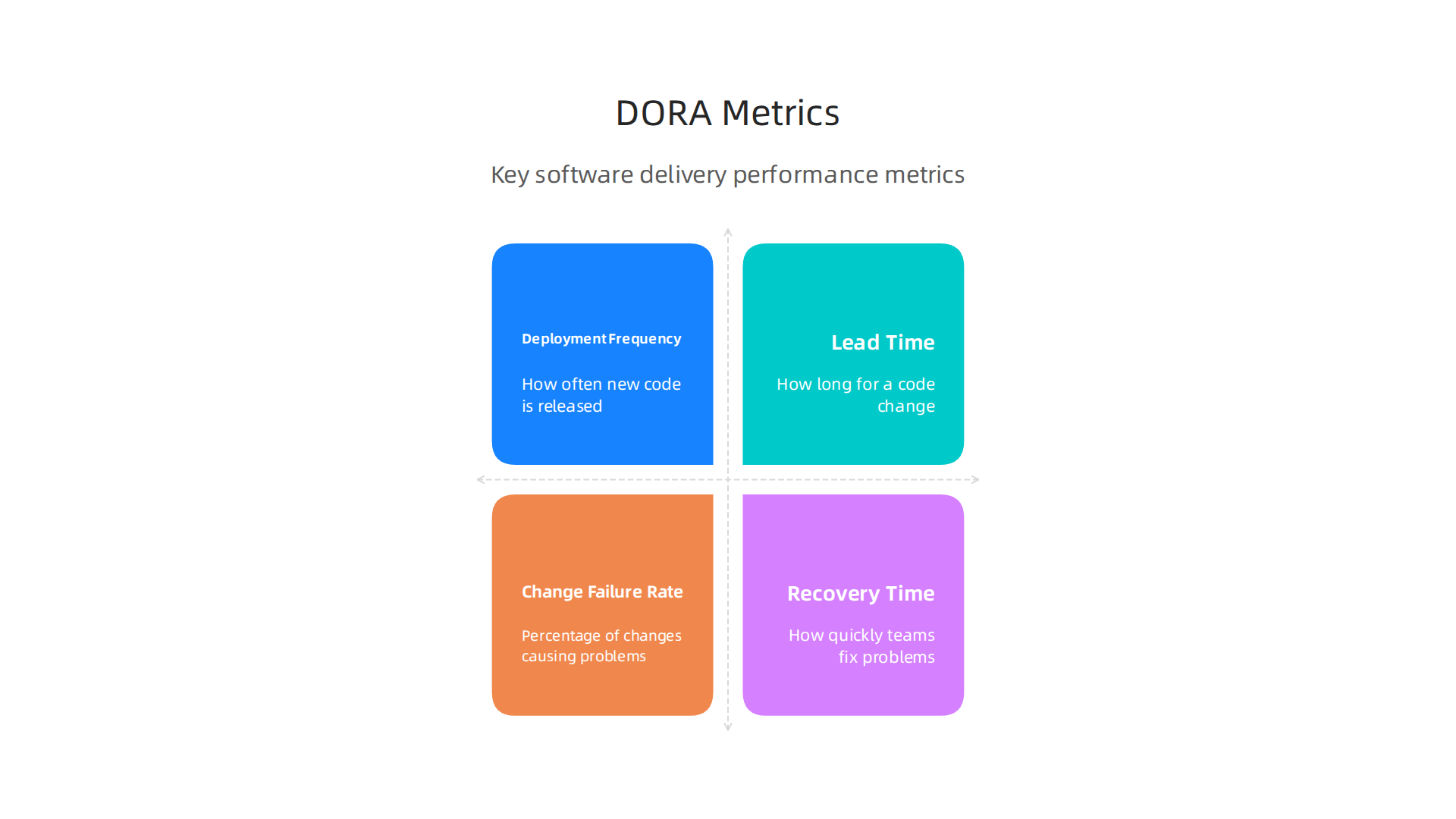
- Deployment Frequency: How often new code is released to users.
- Lead Time for Changes: How long it takes for a code change to go from being written to being used by real people.
- Change Failure Rate: The percentage of changes that cause problems in the live software.
- Failed Deployment Recovery Time: How quickly teams can fix problems when they happen.
These metrics help teams see where they can improve their processes and deliver higher quality software faster. You can find out more about these important measures in the DORA’s software delivery performance metrics guide. Elite teams aim for multiple deployments per day and a very low change failure rate in 2026, as shown by DORA Metrics Benchmarks 2026.
Making smart choices about tools and processes helps create a great Developer Experience 2026. By thoughtfully integrating testing and quality assurance into every part of the software development lifecycle, from the first idea to the final product, teams can deliver reliable and valuable software.
After making sure our software is high quality through careful testing, the next big step in our software development life cycles is getting it out to users. This is where deployment models and operations, or "ops," come in. It’s all about how we release new software and keep it running smoothly for users in 2026.
Deployment models and ops: CI/CD pipelines, release gates, and runbooks
CI/CD pipelines, which we learned about earlier, are the automated roads that take our code from development to release. But how we actually release software can vary a lot. There are different ways to send out new features or fixes, each with its own pros and cons.
Here are the main deployment models:
- Continuous Deployment: This is when every new change that passes automated tests goes straight to live users. It is super fast and helps deliver new features quickly.
- Gated Releases: With gated releases, changes need to wait for a human to give a final approval before going live. This is slower but adds an extra layer of safety, especially for very important features.
- Progressive Delivery: This smart way of releasing means sending new features to only a small group of users first. If everything works well, the feature is then slowly rolled out to everyone. This helps lower risks because fewer people are affected if a problem appears.
Progressive Delivery Techniques
Within progressive delivery, teams use special techniques to roll out changes carefully:
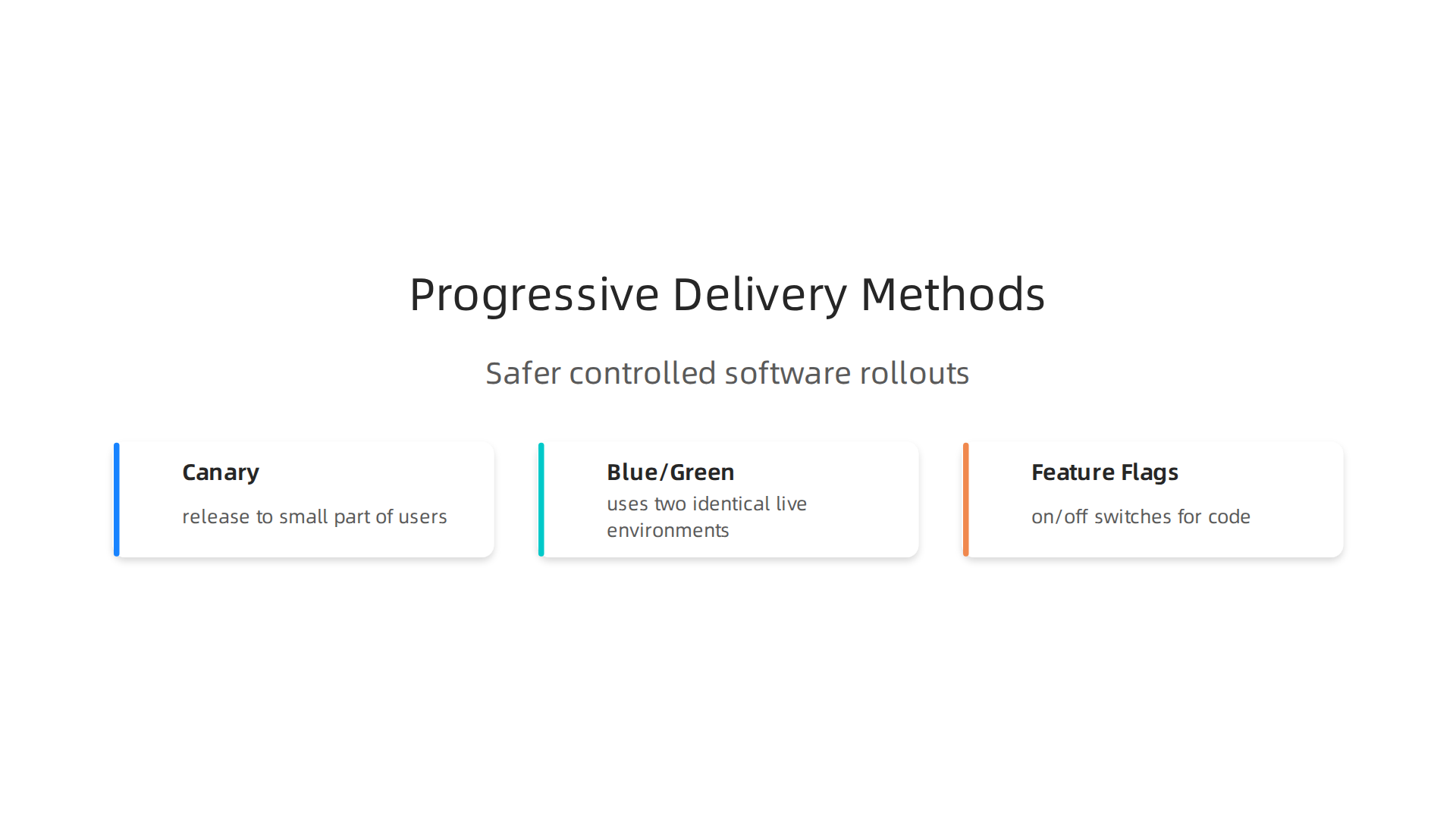
- Canary Deployments: Imagine sending a canary bird into a mine to check for danger. In software, you release a new version to a small part of your users. You watch it very closely to see how it performs. If there are no problems, you then release it to more and more users until everyone has the new version.
- Blue/Green Deployments: This method uses two identical live environments. One environment (often called "blue") runs the old version of the software, and the other ("green") runs the new one. Once the green environment is fully tested and ready, all user traffic is quickly switched from blue to green. If anything goes wrong, you can quickly switch all traffic back to the stable blue environment.
- Feature Flags: These are like on/off switches for parts of your code. A new feature can be put into the software and released to everyone, but it stays hidden behind a flag. You can then turn the flag on for a small group or for everyone without having to deploy new code. This is very helpful when using Trunk-based Development, where developers add code to the main project often. Using feature flags can make your CI/CD Pipeline Best Practices: A Production-Ready Guide for 2026 even stronger. You can learn more about this approach in a practical guide on Trunk-Based Development with Feature Flags.
Operational Controls for Smooth Running
Once software is live, keeping it running well is just as important as building it. This is where "operations" come in. Teams need strong operational controls to handle anything that might happen during the software development lifecycle.
- Runbooks: These are like detailed guides for common tasks or problems. If a server goes down or a certain error pops up, a runbook tells the team exactly what steps to take. This helps solve issues quickly and correctly, saving precious time.
- SRE Practices: SRE stands for Site Reliability Engineering. It’s a way of working that treats operations like software problems. SRE teams use core software engineering principles to make systems reliable, scalable, and efficient. They focus on automating tasks that would normally be done by hand. This helps prevent problems and makes the software more stable.
- Incident Response: Even with the best plans, things can sometimes go wrong. Incident response is the plan for what to do when something breaks. It covers how to find the problem, fix it, and tell users what’s happening. Fast and smart cloud incident resolution for engineering teams is crucial. Good incident response helps teams learn from mistakes and makes future software better. In 2026, many teams realize that your AWS console isn’t enough anymore for cloud operations to handle complex incidents effectively.
Choosing the right deployment model and having strong operational controls are vital for the success of any software development team. These choices directly affect how quickly and reliably new features reach users, making sure the software delivers value constantly. For teams looking to stay ahead with the latest in AI and tech, keeping informed is critical.
Get clear daily AI updates from The AI Newsletter Worth Reading.
After learning how to get software out to users smoothly, the next big step is knowing if all that work actually helps. This is about measuring success, making sure our software development life cycles are working well. We need to look at key numbers, handle old code problems, and make sure everyone follows the rules.
Measuring success: metrics, technical debt, and governance frameworks
To truly know if a software project is doing great, teams look at special numbers called metrics. These metrics help teams understand how fast they are working, how reliable their software is, and how quickly they can fix problems. They are like a report card for the entire software development lifecycle.
Key Metrics for Software Success
The DORA metrics are a set of widely used numbers that help teams measure their success. In 2026, many leading companies use these to see how well their teams perform.
- Lead Time for Changes: This measures how long it takes for a new idea or change in code to go from being started to actually being used by people. A shorter lead time means teams are fast and efficient, which is a key part of good software engineering. Elite teams often have a lead time of less than one day, meaning changes reach users quickly. You can explore benchmarks in the DORA Metrics Benchmarks 2026: Elite, High, Medium, Low report.
- Deployment Frequency: This tells you how often a team releases new code to users. If a team deploys often, it usually means they can deliver new features and fixes faster. Top teams deploy multiple times a day on demand. Many find that looking at DevOps Research and Assessment (DORA) metrics helps them understand their team’s speed.
- Change Failure Rate: This is the percentage of times a new release causes a problem that needs to be fixed right away. A low failure rate means the software is stable and changes are usually good. A high rate means more problems, which can make users unhappy. In 2026, a healthy change failure rate is typically 0 to 15%.
- Mean Time to Recovery (MTTR): This metric measures how long it takes to fix a problem when something goes wrong with the software. If a bug appears, how quickly can the team get things back to normal? A short MTTR means teams are great at fixing issues fast, which is very important for keeping software reliable. Sometimes this is called "Failed Deployment Recovery Time" and is a key measure of how well a team can respond to unexpected issues, as noted by DORA’s software delivery performance metrics.
These metrics help teams see where they are strong and where they need to get better, all within their ongoing software development life cycles.
Governance Approaches
Even with good metrics, every software project can collect something called "technical debt."
- Technical Debt: Think of technical debt like taking a shortcut in building a house. It might save time now, but later you have to go back and fix things. In software, this means making choices that are quicker to code but might make the software harder to change or expand later. It’s not always bad, but it needs to be managed. Teams must decide how to handle this debt to keep the software healthy in the long run.
- Compliance: This refers to following specific rules or laws that apply to the software, like how it handles private information or meets industry standards. Governance frameworks help ensure that the software is built in a way that meets all these important requirements from the start.
- Cross-functional Accountability: This is about making sure all the different teams involved in creating software work together and take responsibility. From the designers to the developers to the testers, everyone has a part in the software’s success. Clear governance helps define who is responsible for what, which improves the whole software development lifecycle and makes sure that everyone understands their role in upholding software engineering principles.
By tracking the right numbers and having clear ways to manage problems and responsibilities, teams can make sure their software is not only delivered quickly but also stays strong, reliable, and useful for a long time. This holistic approach ensures better developer experience and better software definition overall.
Summary
This article explains why understanding software development life cycles (SDLCs) remains essential in 2026 and walks engineering leaders through the practical choices that shape delivery, quality, and risk. It compares core models—Waterfall, Iterative, Agile, and DevOps-oriented lifecycles—and presents a decision framework based on risk, regulation, speed to market, and team maturity. The guide dives into Agile flavors (Scrum, Kanban, Scrumban), how DevOps practices like trunk-based development and feature flags enable fast, safe releases, and how CI/CD plus automated testing supports a shift-left quality approach. It also covers planning and release strategies across lifecycles, deployment patterns (canary, blue/green, progressive delivery), operational controls like runbooks and SRE, and the metrics (DORA) teams should track. Finally, the article shows how hybrid models, governance, and technical-debt management let teams balance flexibility with compliance so they can pick and evolve an SDLC that fits their projects and organization.


