

In today’s fast-moving world, engineering teams face a big challenge. There’s so much new information to learn, and technology changes super quickly. Think about all the new programming languages, tools, and especially the fast growth of AI. It can feel like trying to drink from a firehose, right? This huge amount of information and constant change makes it hard for engineers to keep up and learn new skills quickly.

We call this a "learning bottleneck" because it slows down how fast a team can become good at using new things.
This problem means it takes longer for engineers to become fully ready for new projects. It also means they might miss out on important new methods or tools that could make their work better. Finding the most useful learning paths among all the noise is tricky. Actually, surveys in 2026 show that a lot of developers are already turning to AI for help. About 64% of developers use AI to learn, which is a big jump from past years, according to findings on the latest trends in AI-assisted knowledge for developers.
This is where AI-powered study tools step in. These smart tools are designed to help modern engineering teams learn faster and smarter. They can reduce the time it takes for an engineer to become good at a new skill or technology. These ai-powered study tools work by looking at what you already know and what you need to learn. Then, they show you the best and most direct ways to gain that knowledge. This means less wasted time and more focus on what truly matters. Whether you’re trying to build ai applications or just keep up with the latest trends, these tools can make a big difference. For more ideas on helpful AI tools, check out these 8 notes AI tools for developers in 2026.
AI-powered study tools help engineers cut through the clutter and get to the core of what they need to know. They create clear learning paths that help engineers gain skills quickly, so teams can move forward with new ideas and projects without delay.
Get clear daily AI updates from The Deep View Newsletter.
The AI Newsletter Worth Reading
AI-powered study tools do more than just show you information; they change how developers learn. These smart tools speed up learning by using clever methods that fit each person.

This means less time wasted and more focused skill building for everyone on the team.
Here’s how these tools help engineers learn faster:
Personalized Learning Paths
Imagine a teacher who knows exactly what you know and what you need to learn next. That’s what AI does. AI-powered study tools look at your current skills and how you learn best. Then, they create a special learning plan just for you. This helps you focus on what’s important and not waste time on things you already understand. Studies show that using generative AI for learning in programming education can be very effective in improving knowledge and skills, along with problem-solving ability and code quality, making it easier to build AI applications and more efficient workflows overall Learning, Behavior, and Pedagogy: A Systematic Review of Generative AI Use in Programming Education.
Smart Practice and Recall
These tools also help you remember what you learn for a long time. They use something called "retrieval practice." This means they’ll ask you questions and give you small quizzes at just the right time. It’s like reviewing flashcards, but smarter. This helps to really cement the new information in your mind, ensuring you have durable knowledge.
Explanations for Code and Real Examples
For developers, understanding code is key. AI-powered study tools can look at actual code and explain it in simple terms. They can show you examples that are like the real work you do every day. This makes complex ideas easier to grasp and helps you see how new skills fit into your projects. Whether you are working on a durable AI website builder or learning new frameworks, these explanations are a big help.
Common Ways Engineers Use These Tools
AI-powered study tools are useful in many parts of an engineering team’s day-to-day work:
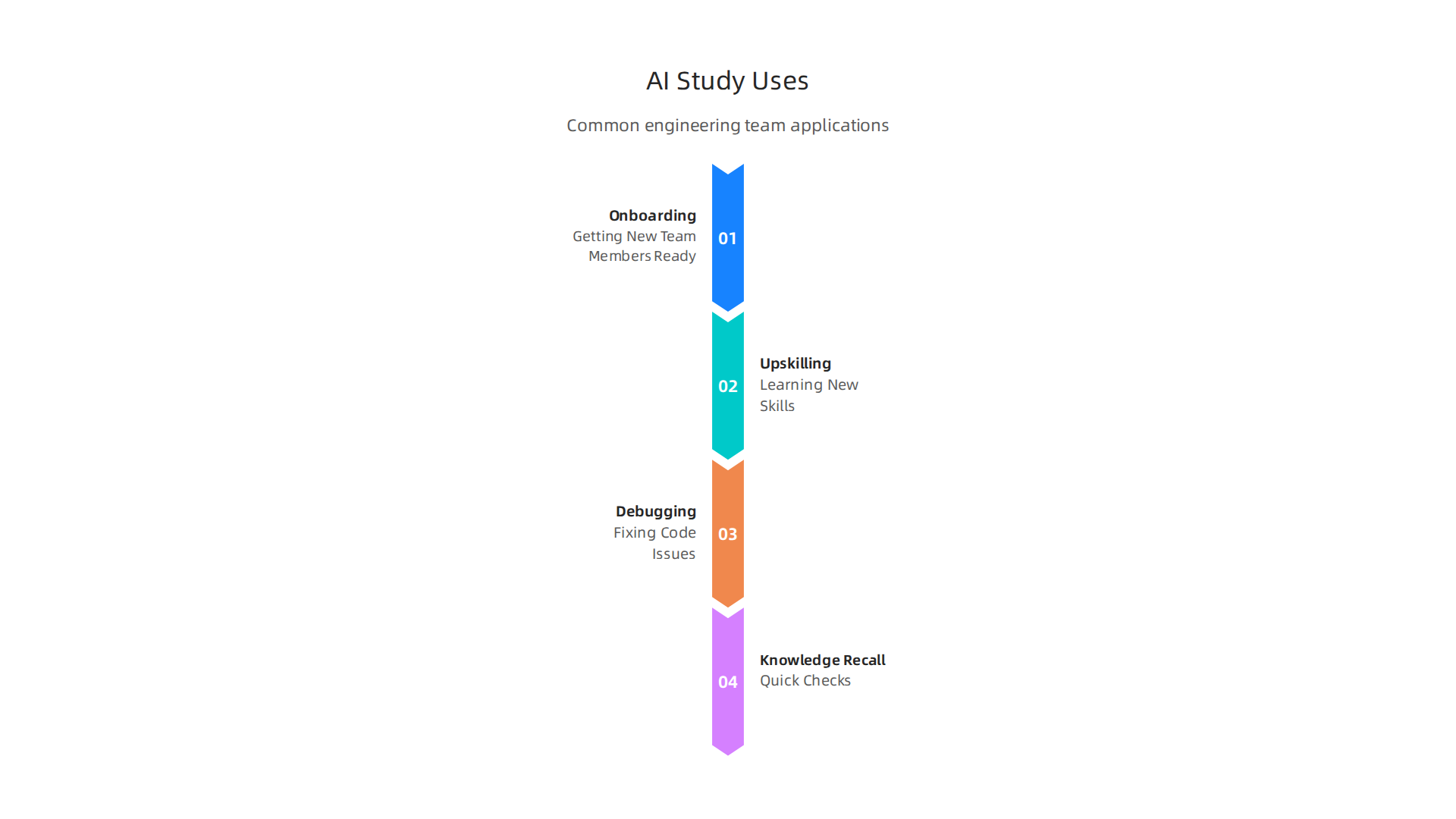
- Getting New Team Members Ready (Onboarding): When someone new joins the team, these tools can quickly teach them about the team’s projects and tools. This makes sure new hires can start contributing faster.
- Learning New Skills (Upskilling): The tech world is always changing. AI tools help engineers learn new programming languages, frameworks, or how to build AI models. This keeps the team’s skills fresh and ready for what’s next. If you are looking to advance your skills, consider taking some best AI certification courses in 2026 to boost your career.
- Fixing Code Issues (Debugging Tutorials): When code doesn’t work right, AI can act like a tutor. It can guide developers through figuring out what’s wrong and how to fix it, making the process smoother.
- Quick Checks (Knowledge Recall): Sometimes you just need to remember a specific command or concept. These tools provide quick answers, so you don’t have to spend a lot of time searching. This is especially helpful for quick checks on things related to deepsite AI or how to pitch AI ideas effectively.
By using these advanced features, AI-powered study tools are helping engineering teams everywhere overcome learning hurdles and stay ahead in the fast-paced world of technology.
Moving from how engineers use AI tools, it’s clear these smart helpers are changing the game. But with so many choices, picking the right AI-powered study tools for your team can feel tricky.

It’s like choosing the best tool for building a house; you need to think about what you want to build and what materials you have.
Key Things to Look For
When you’re picking AI-powered study tools, think about these important points:
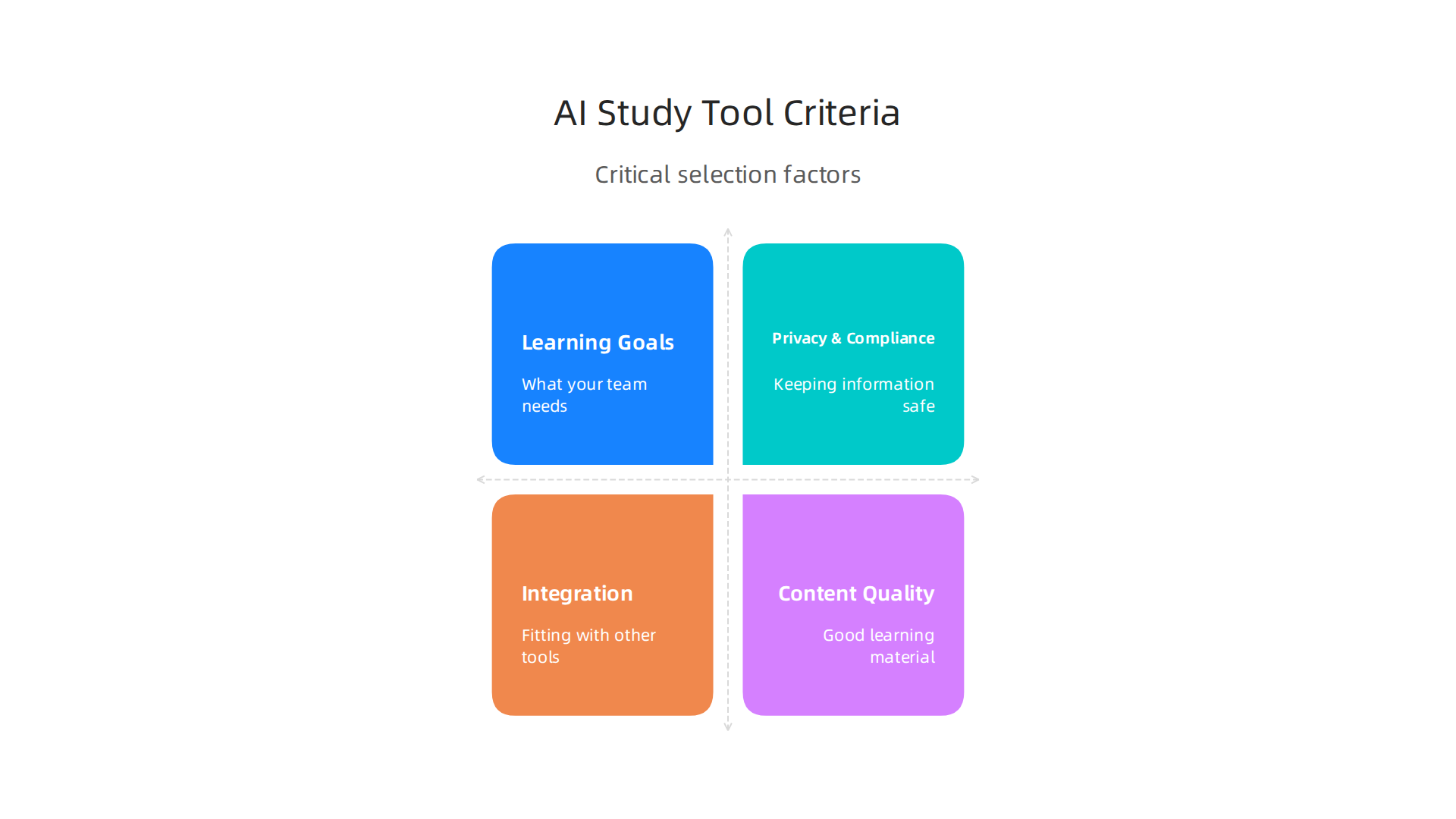
- What Your Team Needs to Learn (Learning Goals): First, ask yourself, "What new skills does our team need?" Are you aiming to help junior developers understand basic coding, or do you need senior engineers to learn how to build AI models or even a durable AI website builder? The best tools will match your team’s specific goals.
- Keeping Information Safe (Privacy and Compliance): Your team’s learning data and any code examples they use are important. Make sure the AI tools you pick keep this information private and follow all company rules about data safety. Look for tools that explain how they handle data and if they store it in safe places, as noted in expert advice on selecting AI vendors AI Vendor Selection Checklist and other checklists AI Vendor & Tool Approval Checklist 2026.
- Fitting with Other Tools (Integration with Developer Tools): Your team already uses many tools, like code editors and project managers. The best AI study tools should work well with these existing tools. This makes it easier for your team to use them every day without extra steps. Experts suggest checking how the tool connects to your current systems and its API abilities AI Vendor Selection Guide: How to Choose the Right Tools for Your.
- Good Learning Material (Content Quality): The study materials must be correct, easy to understand, and up-to-date for 2026. Look for tools that use real-world examples and clear explanations, especially when dealing with complex topics like deepsite AI or how to pitch AI ideas.
Choosing Between Ready-Made (Vendor) and Build-Your-Own (Open-Source)
When choosing AI-powered study tools, you’ll often see two main paths:
- Vendor Tools: These are tools made by companies that you pay to use. They often come with full support, regular updates, and many features already built-in. This can be easier for teams who want something ready to go.
- Open-Source Tools: These are tools where the code is free for anyone to use and change. Your team can make them fit your exact needs, but you’ll need skilled people to set them up and keep them working. This can be good for teams who want full control and have the know-how.
To make a smart choice, many technical teams use a checklist to evaluate AI tools. This helps them look at things like how well the tool works, its features, and how it fits into their daily work. Some important points from an AI vendor evaluation scorecard include looking at core AI features, how well the model performs, and how it can be customized AI Vendor Evaluation Scorecard. You might also want to look at a CTO AI Coding Tool Evaluation Checklist (2026) to consider things like security and how easy it is for teams to use.
Making the right choice means really thinking about what your team needs today and what it might need tomorrow. For a deeper dive into making these important decisions, consider reading about how to evaluate and integrate generative AI platforms for developer teams.
Stay ahead of the curve in this fast-changing field. Get clear daily AI updates from The AI Newsletter Worth Reading.
Choosing the right AI-powered study tools is only half the battle. The next big step is fitting these tools into how your team already works every day. We want to make sure these smart helpers make things easier, not harder. This means thinking about where and how your team members will use them.
Integrating AI Study Tools into Developer Workflows
To really make AI-powered study tools shine, we need to put them where engineers spend most of their time. This means connecting them directly to common developer tools and tasks.
- IDE Plugins: An IDE is like a special notepad for coders. If an AI-powered study tool can plug right into this notepad, engineers can get help as they code. Imagine an AI tutor popping up with a hint if a developer gets stuck on a new coding problem or explaining a complex concept right where they need it. This kind of "learning-in-context" is super helpful because it doesn’t break their flow.
- PR Review Helpers: "PR" stands for "Pull Request." It’s when a developer asks others to check their code. AI tools can help here too. They can give tips on improving code, explain parts of the code to reviewers, or even suggest ways to fix small mistakes. This turns code review into a learning chance. For example, generative AI can be very effective in helping with programming knowledge and skills, improving problem-solving, and even the quality of code, as found in a review of its use in programming education Learning, Behavior, and Pedagogy: A Systematic Review of Generative AI Use in Programming Education.
- Learning-in-Context Flows and Team Knowledge Bases: Sometimes, an engineer needs to learn something new right away for their project. AI tools can help by providing quick explanations or examples. If they are linked to the team’s knowledge base (a place where all the team’s shared knowledge is kept), the AI can point to specific company guidelines or past solutions. This helps everyone learn from each other and build smarter.
- Minimizing Friction for Easy Adoption: No one likes tools that are hard to use. To make sure developers actually use these AI-powered study tools, we need to make them as smooth as possible.
- Single Sign-On (SSO): This means using one username and password to log into many tools. It makes starting with a new AI tool much faster. Many companies look for SSO support when evaluating new AI tools AI Vendor & Tool Approval Checklist 2026.
- Data Sync: The AI tool should work well with other systems, like project management tools. This way, learning progress or skill improvements can be seen across different platforms.
- Developer Experience Patterns: This is all about making the tool pleasant to use. Clear instructions, helpful feedback, and simple ways to find information make a big difference. When developers have a good experience, they are more likely to keep using the tool. For more on improving how developers work with tools, you can check out a guide on Developer Experience 2026: A Practical Roadmap for Engineering Teams.
By making AI-powered study tools a natural part of the daily workflow, teams can learn new things and get better at skills like how to build AI models or even make a durable AI website builder. This integration helps developers grow without feeling like learning is a separate, extra task.
To really know if your new smart helpers are working, you need to check their results. This means looking at how much they improve things for your team.

It’s like checking if a new tool in a workshop helps build things faster or better. For AI-powered study tools, we want to measure their "Return on Investment" or ROI. This simply means figuring out if the benefits are bigger than the cost.
Metrics That Matter
When using AI-powered study tools, some numbers are more important than others. These help you see if the tools are truly making a difference:
- Time-to-first-PR: A "PR" (Pull Request) is when a new piece of code is ready to be added to a project. If new team members can submit their first PR faster because AI tools helped them learn, that’s a big win.
- Ramp Time: This is how long it takes for a new engineer to get good enough to work on projects on their own. If AI-powered study tools help new hires learn faster, their ramp time will go down.
- Number of Knowledge Gaps Closed: Teams often have gaps in what they know. AI tools can help fill these gaps by teaching new skills or explaining complex topics. You can track how many new skills developers gain or how many questions the AI answers that lead to better code.
- Qualitative Developer Satisfaction: This is about how happy your developers are with the tools. Do they feel the tools truly help them learn? Do they enjoy using them? Surveys and feedback sessions are good ways to find this out. High satisfaction means people will keep using the tools, which is key to long-term success.
Designing Measurements
To see if these AI-powered study tools are really working, you can set up a small test. This is often called a pilot or an A/B test.
- Baseline: First, you need to know where you’re starting. Before anyone uses the AI tools, collect data on the metrics listed above. For example, how long does it usually take new engineers to submit their first PR? This is your "before" picture. You can set clear starting points using metrics like how long a code change takes or how many times code needs to be redone How to Measure and Scale AI ROI for Engineering Teams.
- Treatment: Next, let one group of developers use the AI-powered study tools while another group (the control group) does not, or uses traditional learning methods.
- Duration: Run this test for a set amount of time, maybe 4 to 8 weeks. This gives enough time to see real changes.
- Signals to Track: During the test, keep an eye on the metrics from both groups. See if the group using the AI tools shows better results in time-to-first-PR, ramp time, or knowledge gaps closed. For example, research suggests carefully defining what you want to achieve, mapping out how to track it, and running a pilot for a few months Measure ROI for AI-Assisted Learning in Tech Teams. Also, don’t forget to ask the developers directly about their experience.
By carefully measuring these things, you can clearly see the value that AI-powered study tools bring to your team. This helps you avoid common pitfalls that lead to why AI projects fail. It shows that these tools can truly help your team members get better at their jobs, whether they are learning to build AI models, use a durable AI website builder, or understand how to pitch AI ideas.
Want to stay informed about the latest advancements in AI that impact software engineering?
The AI Newsletter Worth Reading
Using new AI-powered study tools can bring many good things, but we also need to use them carefully. Just like with any powerful tool, having clear rules and ways to check things helps avoid problems. This is about making sure these tools are safe, fair, and give good information.
Good Rules for AI Tools: Governance and Data Privacy
When you bring AI into learning, you need good "governance." This means having a plan for how to use and manage the tools responsibly. Here’s a simple checklist:
- Access Controls: Make sure only the right people can get to and change the learning materials or settings for the AI tools. This keeps everything secure.
- Content Review: Always check what the AI tools are teaching. Is it correct? Is it fair? AI can sometimes have "bias," meaning it might favor one thing over another without meaning to. Organizations should test for unintended bias and follow rules about fair treatment, as noted in general BEST PRACTICES for AI.
- Versioning of Learning Materials: Technology changes fast. If you update a course or a code example, keep track of older versions. This helps you go back if needed and shows how things have changed over time. Good governance plans for 2026 should set up clear ways to do this, as mentioned in guides like AI Governance Frameworks Updated March 2026.
Data privacy is also very important. These tools might use information about your team members. You need to protect that information. For 2026, companies need to be careful about what data goes into AI systems. This means limiting sensitive data and making sure to classify information before the AI uses it, to tag personal details like PII (Personally Identifiable Information). You can learn more about Data Governance for AI in 2026: Privacy, Residency. Also, it is a smart move to keep detailed records of all AI systems and where their data comes from, which is a key part of responsible AI governance, according to Data Privacy Day 2026: Privacy as the Foundation of Responsible AI Governance. In fact, a major trend for 2026 is mapping all personal data processing activities, as discussed in Privacy Trends 2026: AI Governance & GDPR Enforcement. This helps you know what information you have and how it is being used. You can also explore specific tools for managing AI data privacy risks in 2026.
Ensuring Content Quality
Beyond safety and privacy, the learning content from AI-powered study tools must be top-notch.
- Human-in-the-loop Validation: This means humans should always check what the AI produces. The AI can help a lot, but a human eye is still best for making sure the information is truly accurate and easy to understand.
- Provenance Tracking: Know where the AI gets its information. This helps you trust the content and check its sources if something seems off.
- Updating Code Examples: The world of software engineering, especially when you build AI models or use a durable AI website builder, moves very quickly. Learning materials and code examples must be updated often to stay current. This helps engineers learn the newest and best ways to do things. Balancing new AI tools with good, responsible practices is key to success, especially as you aim to balance AI productivity with responsible AI practices for software teams. Sometimes, understanding how to bridge the AI to human gap in your code is vital for maintaining high quality.
By following these best practices, you can make sure your AI-powered study tools are not just smart, but also safe, fair, and effective for everyone.
Using new AI-powered study tools can bring many good things, but we also need to use them carefully. Just like with any powerful tool, having clear rules and ways to check things helps avoid problems. This is about making sure these tools are safe, fair, and give good information. By following these best practices, you can make sure your AI-powered study tools are not just smart, but also safe, fair, and effective for everyone.
Mini Case Studies: How Teams Use AI Study Tools
It’s helpful to see how real teams are using AI-powered study tools every day. These mini case studies show how these tools can make a big difference, from helping new people learn fast to keeping seasoned engineers sharp. We’ll look at some common situations where AI training tools truly shine.
Scenario 1: Quick Onboarding for New Software Engineers
Imagine a new engineer joining a big tech company in 2026. Instead of spending weeks reading old documents and asking countless questions, they use an AI-powered study tool. This tool is specially trained on the company’s own code, best practices, and project histories. It acts like a personal tutor, explaining complex parts of the codebase, suggesting relevant examples, and even helping them understand internal tools. This speeds up their learning, making them productive much faster. The goal is to improve the overall Developer Experience 2026: A Practical Roadmap for Engineering Teams from day one.
Scenario 2: Staying Updated During Cloud Migrations
Many companies are moving their services to the cloud. This means engineers need to learn new systems and tools quickly. One company, let’s call them "Cloud Innovators," used an AI-powered study tool to help their team learn about new cloud platforms like Azure. The AI created custom learning paths based on each engineer’s current skills and the specific cloud services they needed to master. It offered interactive lessons, quick quizzes, and simulations. This helped the team get ready for the migration efficiently, preventing delays and making sure everyone was on the same page.
Scenario 3: Just-in-Time Help for Debugging and Coding
Sometimes, engineers get stuck on a tricky bug or need to use a new coding library. An AI-powered study tool can act as an instant assistant. For instance, engineers at "Code Wizards" use a tool that can analyze their code, suggest fixes for bugs, or explain how a certain function works. This helps them understand complex systems or even learn how to build AI features into existing products. The tool doesn’t just give answers; it helps engineers learn why something is done a certain way, improving their skills on the spot. For teams wanting to be at the forefront, understanding how to evaluate and integrate generative AI platforms for developer teams is a key skill in 2026.
How to Measure Success with AI Study Tools
To know if these tools are really working, you need to track how well they perform. When doing a pilot or trying out a new AI tool, think about these things:
- Time Saved: How much quicker are new hires becoming productive? How much faster are engineers solving problems or learning new skills?
- Skill Improvement: Are team members scoring better on tests or showing they understand new concepts more deeply?
- User Satisfaction: Do engineers find the tool helpful and easy to use?
- Error Reduction: Are there fewer mistakes in code or configurations after using the tool?
Companies should set clear goals before they start, just like when evaluating any new technology. A good starting point is to look at a detailed AI Vendor Evaluation Scorecard to understand core AI features, speed, and customization options. You might also consider what criteria are used in a CTO AI Coding Tool Evaluation Checklist (2026) to make sure the tool meets high standards. By capturing these metrics, teams can clearly see the value these AI-powered study tools bring.
Want to stay informed about the latest in AI and technology?
The AI Newsletter Worth Reading
Future Trends and a 12-Month Adoption Roadmap for Engineering Teams
As we learn how to measure the good things that AI-powered study tools bring, it’s also helpful to look at what’s coming next. These tools are getting smarter every day. Knowing what’s on the horizon can help engineering teams plan how they will use AI even more in 2026. This also includes thinking about how to build AI features into their own products.
Upcoming Capabilities to Watch
In the near future, we can expect some big leaps for AI-powered study tools:
- Smarter Code Understanding: Soon, AI will not just help with simple code. It will get much better at understanding how complex code works and why certain parts are there. This means it can offer even better help for finding tricky bugs or improving how code is written. Think of it as having a super-smart coding mentor always by your side.
- Learning from Everything: Imagine AI that can learn not just from text, but also from diagrams, videos, and spoken words. This is called multimodal learning. It will make AI-powered study tools much more powerful because they can use all kinds of information to teach you. This could help engineers learn new concepts faster by seeing, reading, and hearing explanations.
- AI Right Inside Your Coding Tools: We’ll see AI tools working even more smoothly within the software engineers use every day, like their Integrated Development Environments (IDEs). This tighter link means AI help will be available exactly when and where it’s needed, without having to switch between different apps. This helps improve the overall developer experience 2026 by making AI a natural part of the workflow.
A Practical 12-Month Adoption Roadmap
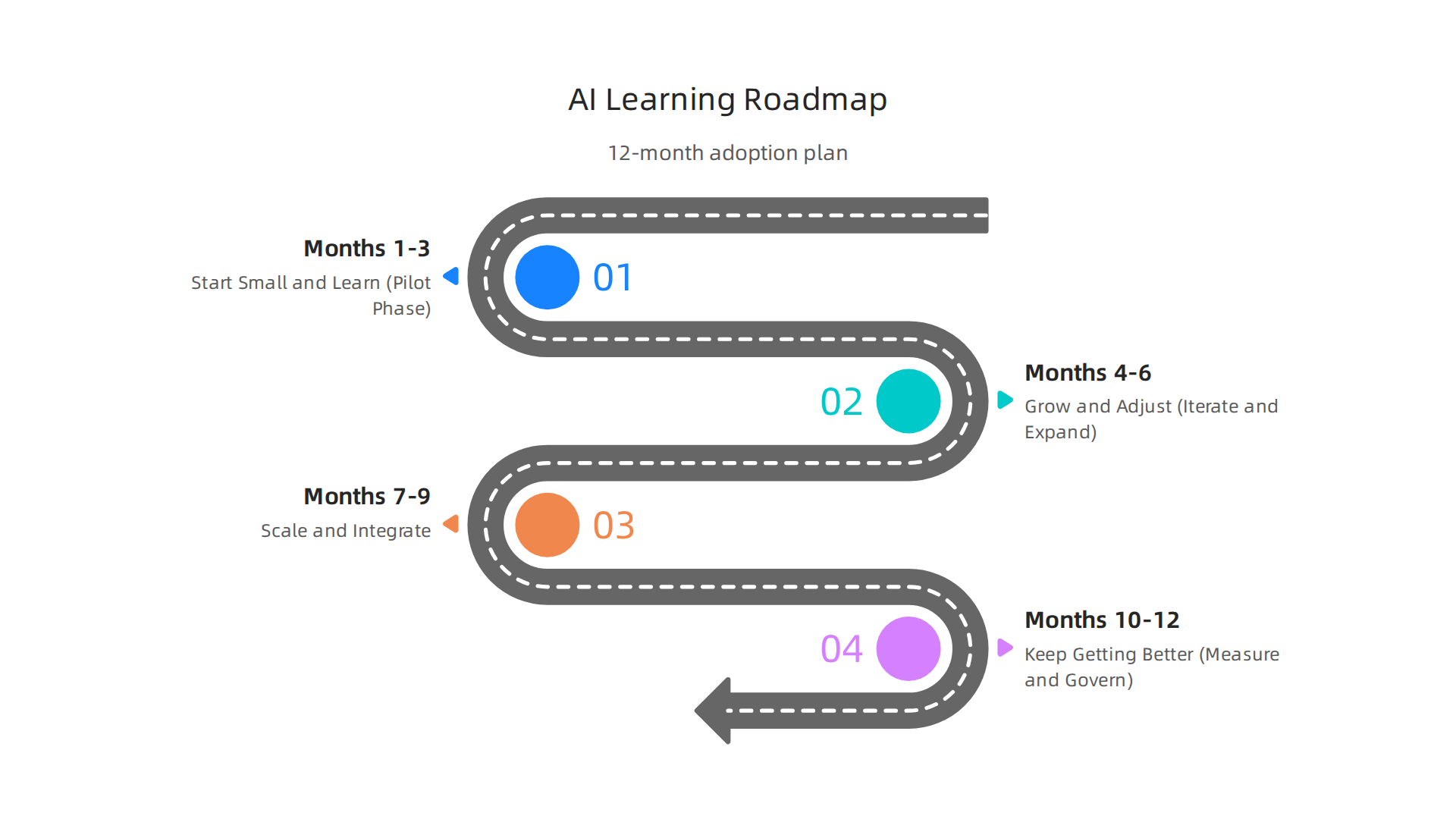
For any engineering team wanting to bring in AI-powered study tools, a clear plan is key. Here’s a simple 12-month roadmap for 2026:
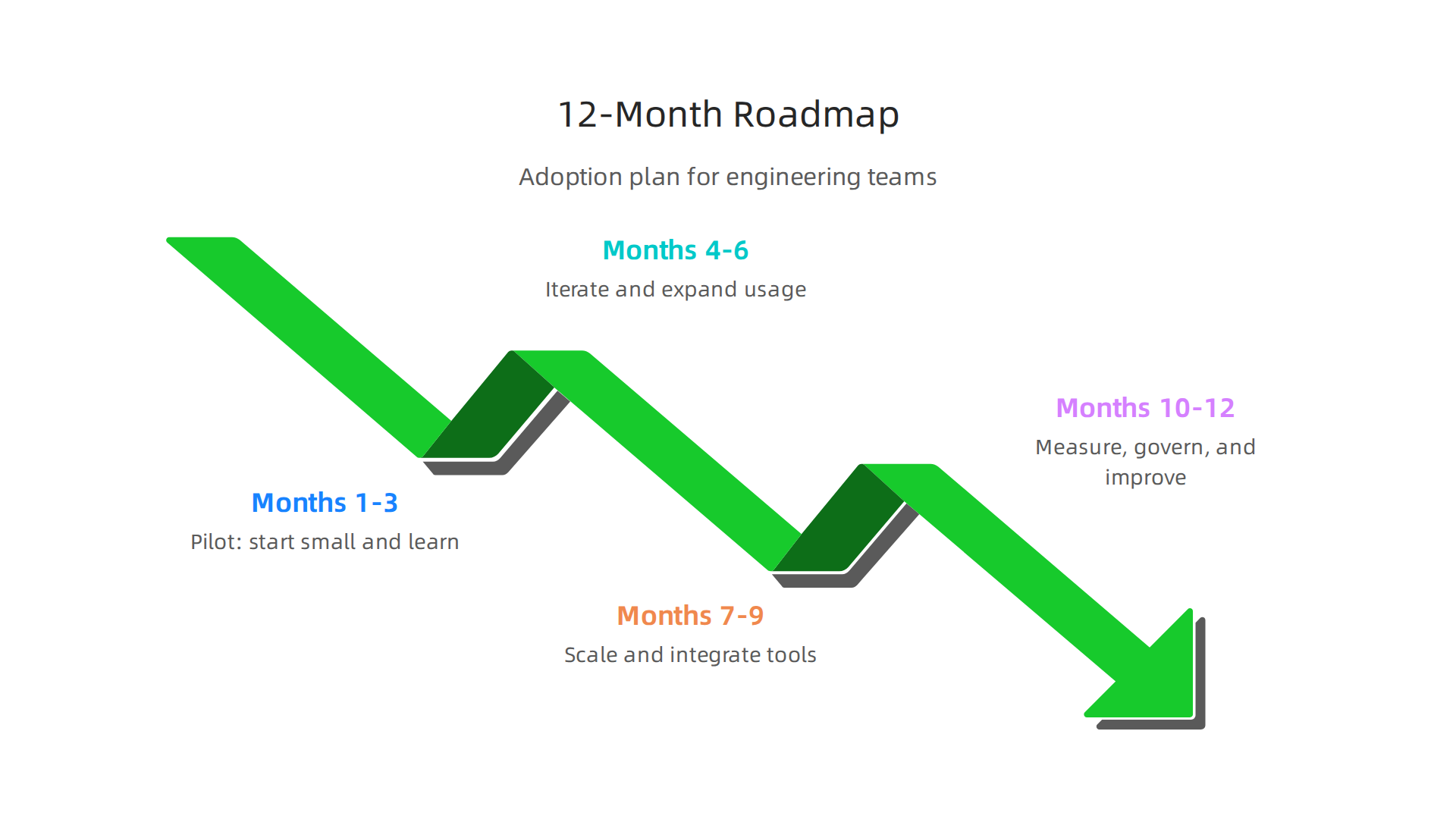
- Months 1-3: Start Small and Learn (Pilot Phase)
- Choose a Test Group: Pick a small team or project that could really benefit from AI tools.
- Set Clear Goals: Decide what you want to improve, like faster new employee training or quicker bug fixes.
- Pick a Tool: Select one or two AI-powered study tools to try.
- Measure First: Before starting, check your team’s usual speed and how they work. This is called setting a baseline. Many experts agree that setting these pre-AI baselines is vital for showing real improvement later on How to Measure and Scale AI ROI for Engineering Teams.
- Try It Out: Let the test group use the tools and gather their feedback.
- Months 4-6: Grow and Adjust (Iterate and Expand)
- Review What Happened: Look at the feedback and the numbers from your test group. What worked well? What didn’t?
- Make Changes: Adjust how the tools are used or even try different features based on what you learned.
- Bring in More Teams: If the pilot went well, slowly bring in more teams or projects.
- Months 7-9: Make it a Standard (Scale and Integrate)
- Connect Tools: Make sure the AI-powered study tools work well with your other systems. This might mean custom setups or even learning how to build AI bridges.
- Train Everyone: Offer training for all engineers on how to use the tools best.
- Create Rules: Set up clear rules for how to use AI tools responsibly and ethically, especially about data privacy.
- Months 10-12: Keep Getting Better (Measure and Govern)
- Check Performance: Keep measuring how the tools are helping. Are engineers still learning faster? Are projects moving quicker? Tools like an AI ROI Measurement Frameworks for Software Dev Teams can help quantify these benefits.
- Update Rules: As technology changes, update your guidelines for AI use to keep up with new privacy and safety needs. Establishing AI governance best practices is crucial for 2026, especially regarding data quality and sensitive information protection AI Governance: Data Best Practice and Solutions in 2026.
- Look Ahead: Plan for the next set of AI advancements and how they can further help your team.
This roadmap helps make sure that using AI-powered study tools is not just a quick try, but a thoughtful and lasting change that helps everyone grow and succeed.
Want to stay informed about the latest in AI and technology? The AI Newsletter Worth Reading delivers clear daily AI updates.
Summary
This article explains how AI-powered study tools solve the modern "learning bottleneck" that slows engineering teams by surfacing focused learning paths, just-in-time help, and contextual code explanations. It covers core features—personalized curricula, spaced retrieval practice, code walkthroughs—and concrete use cases like faster onboarding, targeted upskilling, and debugging assistance. The guide shows what to evaluate when choosing a vendor or open-source solution, including integration, privacy, and content quality. It also explains how to embed these tools into IDEs, PR reviews, and team knowledge bases to reduce friction. The piece recommends measurable metrics (time-to-first-PR, ramp time, knowledge gaps closed) plus a pilot-based approach to prove ROI. Governance advice covers access controls, human review, provenance, and data classification. Finally, it offers a practical 12-month roadmap to pilot, scale, and govern AI study tools responsibly across engineering teams.


