

Why cloud, AI, and no-code together matter now
Today in 2026, the world of technology is changing at a breathtaking speed. For leaders like CTOs and engineering managers, it’s a big job to keep up. But there are three main types of tools that, when used together, can make a huge difference: cloud platforms, popular AI tools, and no-code builders. These aren’t just separate technologies anymore; they’re becoming a powerful team that helps engineering groups build better things, faster.
Think of it this way: cloud platforms give your projects a strong home and all the power they need over the internet. You don’t have to buy and set up your own big computers. Then, popular AI tools are like smart helpers. They can do many tasks, from finding patterns in data to helping write code. It’s no wonder that by 2026, about 84% of developers are already using or planning to use AI tools in their daily work, showing how common these helpers have become in the development process AI Coding Assistant Statistics 2026: Adoption & Trust.
Finally, no-code builders let anyone create apps, websites, and useful tools without writing a single line of complex code. This means more people on your team can bring ideas to life, even if they aren’t expert coders. When you bring these three together, cloud platforms provide the sturdy foundation, AI adds the intelligence, and no code app builder tools make it easy for almost anyone to create. This blend helps engineering teams work much faster and smarter.
The practical benefits for your team are huge. You can build and test new ideas in a fraction of the time it used to take. Your engineers can focus on the truly hard and creative problems, while popular AI tools and no code app builder solutions handle the routine tasks. This leads to higher productivity and allows teams to deliver more value. We’re also seeing a significant increase in the use of AI. For example, chatbots are very popular, with almost half of organizations using them widely The State of AI: Global Survey 2026. This shows how much companies rely on AI to help with daily tasks.
Of course, some people still have worries. You might hear concerns that no-code isn’t strong enough for big projects, or that AI is too complex to use properly. However, these are often misconceptions. Modern no-code platforms and popular AI tools are very advanced and secure. They are designed to help teams grow, not to replace valuable skills. The real challenge for CTOs and engineering managers is learning how to combine these powerful tools in the best way.

It’s about making smart choices for your company’s future, ensuring your team has the right strategies for integrating top AI tools into cloud native applications and building effectively.
To stay on top of all the fast changes in AI and technology, it helps to have clear, up-to-date information every day.
Get clear daily AI updates from The AI Newsletter Worth Reading.
Landscape: Popular AI tools for developers in 2026
Moving past the "why" and into the "what," let’s explore the specific popular AI tools that engineering teams are using right now in 2026. These tools are changing how developers work, making tasks easier and faster. They often fall into a few main groups, each designed to help with different parts of building software.
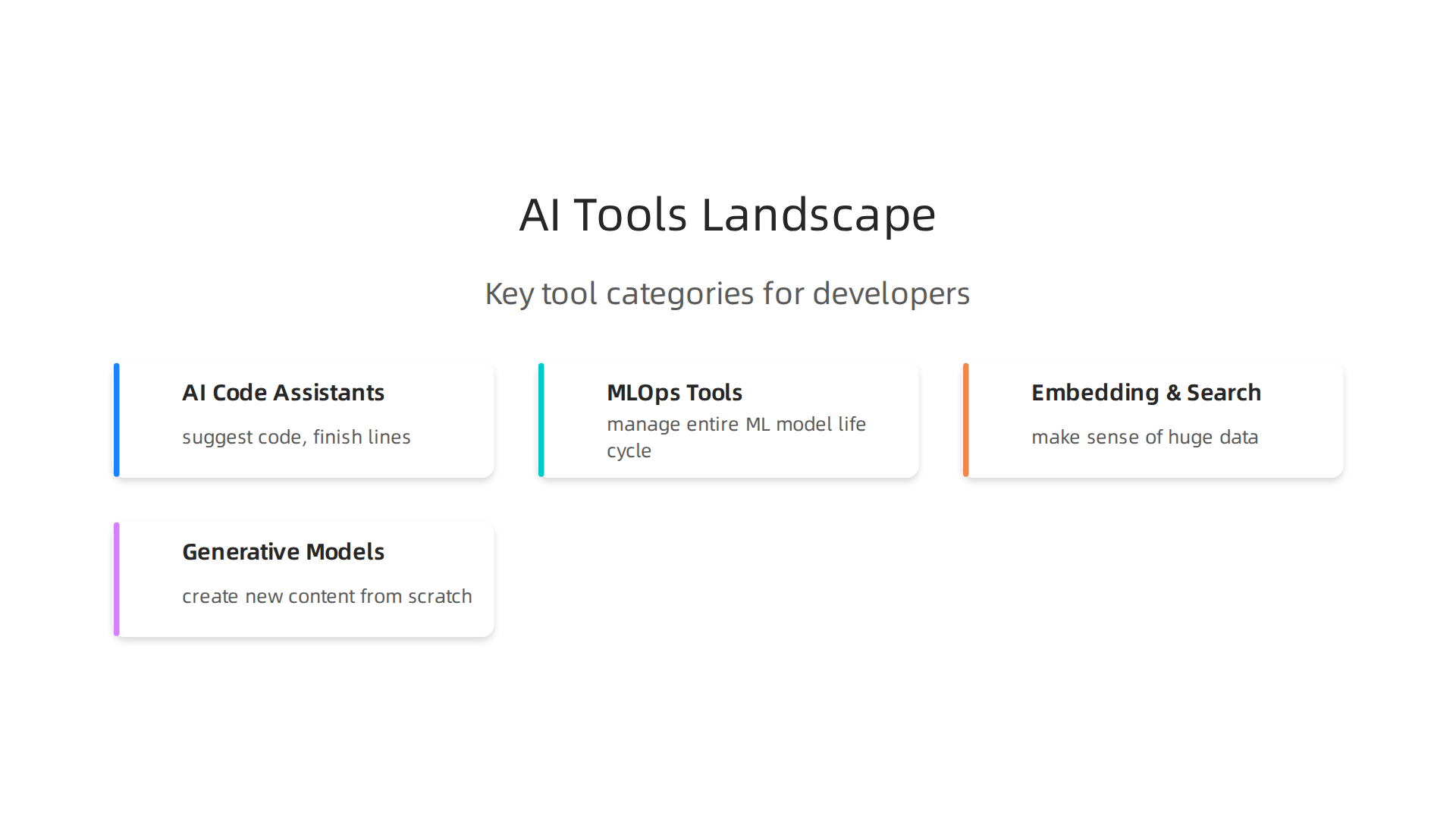
First, we have AI code assistants. These are perhaps the most common popular AI tools directly helping developers. They can suggest code as you type, finish lines of code for you, and even find mistakes in your existing code. Tools like Claude Code and Cursor are very popular, leading the way in daily use among developers according to recent data Which AI Tools Do People Actually Use? Real Data from …. The market for AI code assistants is growing fast, showing how much developers rely on these helpers to make their work more efficient AI Code Assistants Market Report 2025. These tools help to maximize developer productivity, allowing your team to focus on bigger challenges. If you want to learn more, check out these clever AI engineering tools maximize developer productivity.
Next are MLOps tools. MLOps stands for Machine Learning Operations. These tools help teams manage the entire life cycle of machine learning models. This means everything from getting the data ready, training the model, putting it into use, and keeping an eye on it to make sure it works well over time. They make it much simpler to build and maintain smart systems that learn and adapt. To learn how to make the most of these, consider how to augment AI development with Lightning AI MLOps.
Then, there are embedding and search tools. These popular AI tools help make sense of huge amounts of data. They can turn complex information into simple numerical representations, called "embeddings," which makes it much easier to search for specific items or find similar pieces of information very quickly. Think of smarter search engines or recommendation systems for your products.
Finally, generative models are creating entirely new possibilities. These are AI tools that can create new content, such as text, images, or even code, from scratch. For instance, generative AI is widely used for creating written or spoken language The use of artificial intelligence (AI) technologies in the …. These tools can help kickstart projects by generating initial designs, drafting content, or even helping with code generation within an app builder no code environment. To use these effectively, you need to understand how to evaluate and integrate generative AI platforms into your existing setup.
These popular AI tools often live hand-in-hand with cloud platforms. Cloud services provide the powerful computing and storage needed for AI to run smoothly. Integrating these tools with the cloud allows for easy scaling, meaning you can use more power when you need it and less when you don’t. Services like AWS SageMaker in 2026 are examples of how cloud platforms make it easy to build, train, and deploy machine learning models. Cloud schedulers can also automate when these AI tasks run, saving time and resources. This mix of popular AI tools and robust cloud infrastructure helps engineering teams build amazing things.
No-code and low-code platforms: Where they help — and where they don’t
While we just looked at popular AI tools and how they make software development easier, another big shift is happening with no-code and low-code platforms. These platforms are all about letting people build applications and automate tasks with little to no actual coding. They often work hand-in-hand with AI features, making them very powerful.
No-code platforms, often called an app builder no code, let you make apps with visual drag-and-drop tools. You can create whole applications without writing a single line of code. Low-code platforms, on the other hand, give you visual tools but also let developers add custom code when needed. This mix can make development faster while still allowing for special features.
Where No-Code and Low-Code Shine
These platforms really help teams quickly try out new ideas. Imagine you need to build a simple tool for your sales team, like an easy way to track customer feedback. With a no-code platform, someone who isn’t a coder can build this in a few days, not weeks. This speed makes prototyping and testing new ideas much faster.
They also make it easier for different teams to work together.

Business people can build their own solutions, which means engineers can focus on more complex, core systems. This is often called "citizen development." Many companies use these tools for things like customer portals, human resources management systems, and inventory tracking. By 2026, experts predict that about 70% of new enterprise applications will use no-code or low-code approaches, showing how important they are becoming for businesses No-Code Transformations Usage Trends — 45 Statistics …. If you want to dive deeper, you can find many enterprise use cases for low-code/no-code platforms.
These platforms are also getting smarter with AI. Many now have built-in AI tools that can help create better apps or automate more complex workflows. This makes them even more effective at speeding up work. To learn more about how to set up your teams for success with these tools, check out how to master design and no-code tools for engineering teams.
Hidden Costs and What to Watch Out For
While no-code and low-code platforms offer many good things, engineering leaders need to be careful. They come with their own set of challenges and costs.
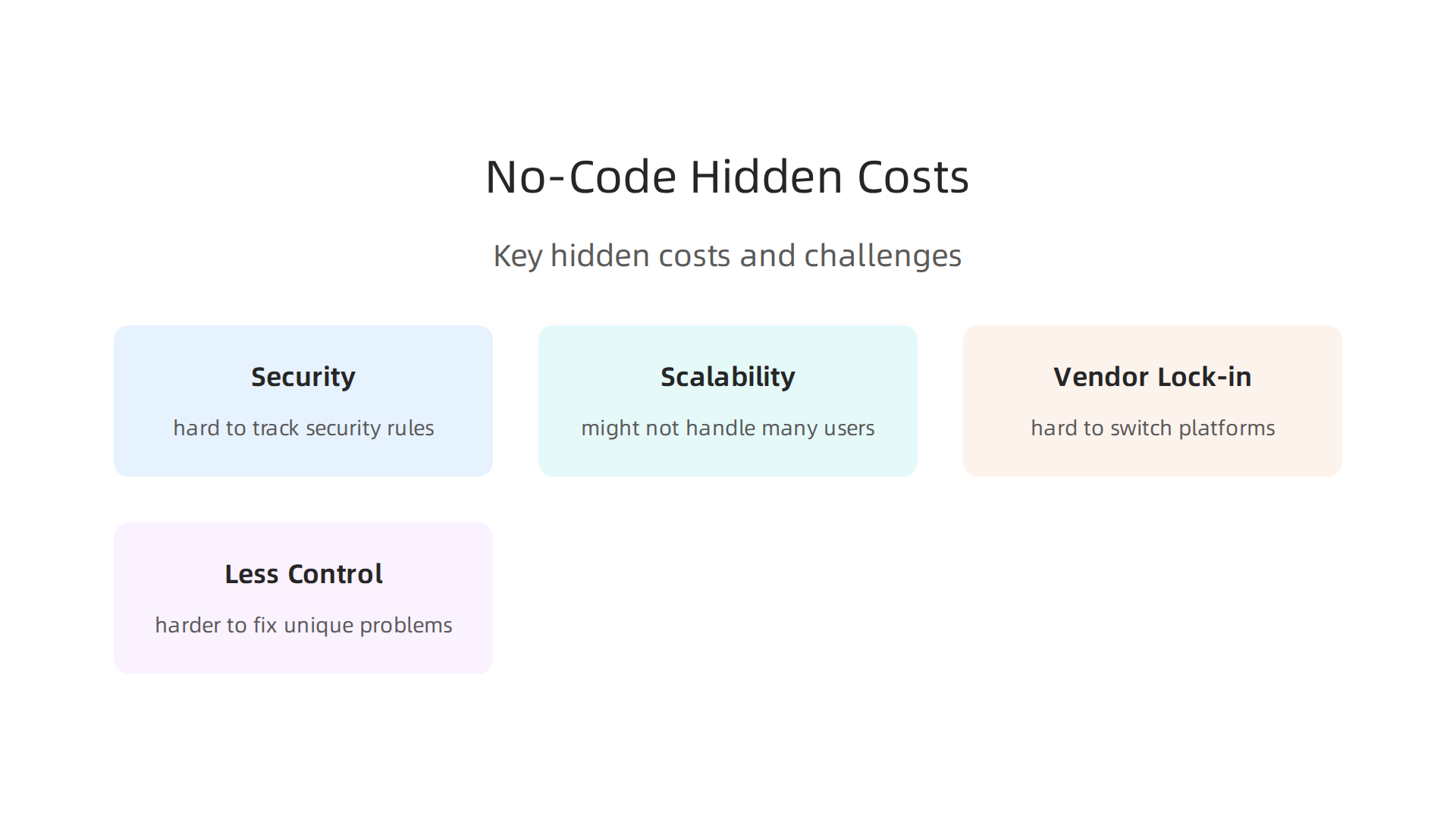
One big concern is security. When many people across different teams are building applications, it can be hard to keep track of security rules for every app. This can open doors for risks if not managed well. Another issue is scalability. A simple app built quickly might not handle a lot of users or complex data as your company grows. This means you might need to rebuild it later with traditional code, which can be costly and slow.
There’s also the risk of vendor lock-in. If you build many critical systems on one no-code platform, it can be very hard and expensive to switch to another platform later on. This means you depend heavily on that one company. These platforms can also lead to less control over the code, making it harder for engineers to fix unique problems or customize things exactly how they want them. Studies have highlighted that issues like security, scalability, and integration are major challenges with these platforms (PDF) Low-Code/No-Code Platforms and Their Impact on ….
In short, no-code and low-code platforms are powerful tools for speeding up development and helping non-developers create solutions. But it’s important for engineering teams to plan carefully. They need to understand where these tools fit best and where traditional coding is still needed to avoid bigger problems down the road. If you’re looking for a guide on how to approach this, consider this no-code development platform strategic guide for engineering teams 2026.
Want to stay on top of the latest AI trends impacting software development? Get clear daily AI updates from The AI Newsletter Worth Reading.
Cloud platforms are key to making popular AI tools and no-code workflows work together smoothly, especially for large companies. The cloud helps solve many challenges, like making sure an app can grow with your business and connecting different tools without a lot of hassle. It’s like having a superpower that lets your no-code solutions become much stronger and smarter.
Cloud-Native Services Remove the Hard Work
One of the biggest advantages of cloud platforms is that they offer special services designed to remove operational friction. This means you don’t have to worry about setting up and maintaining servers or complex software. Here are some examples:
- Compute Services: Think of these as the brains of your cloud operations. Services like serverless computing (AWS Lambda, Azure Functions, Google Cloud Functions) let your code run without you needing to manage any servers. You just upload your code, and the cloud handles everything else. This is great for making things scalable and cheaper, as you only pay for what you use How to answer migration questions in cloud interviews.
- Managed Machine Learning (ML) Infrastructure: These are ready-to-use tools for AI. Platforms like AWS SageMaker provide all you need to build, train, and deploy machine learning models. This makes it much easier to use advanced AI without being an ML expert. You can learn more about how to use these tools for AI app development in 2026 by exploring AWS Sagemaker in 2026.
- Storage and Databases: Cloud platforms offer super scalable ways to store your data and make it available to your AI tools and no-code apps. This helps keep everything organized and fast. For a broader look at these offerings, check out cloud services examples.
These cloud services help engineering teams adopt new technologies more quickly and efficiently. For a full picture of how companies are planning for this, a Cloud Adoption Strategy 2026 can be very useful.
Connecting No-Code Builders with AI at Scale
The real magic happens when you combine no-code platforms with these powerful cloud AI services. Imagine building a simple no code app builder for your customers that needs to understand their voices or analyze their pictures. Instead of coding all of that AI from scratch, your no-code tool can simply connect to a cloud AI service.
Here’s how they connect:
- APIs and Webhooks: These are like special messengers that let different software talk to each other. Your no-code app can send information to an AI service in the cloud (like a picture to be analyzed) and get the results back, all without writing complex code.
- Pre-built Connectors: Many no-code platforms already have special connections for popular cloud AI services. This makes it super easy to "toolify ai" into your no-code apps. For example, a no-code platform might have a connector for a cloud service that can translate languages or find faces in photos. Many no-code AI tools manage this deployment automatically.
- Workflow Automation Tools: Tools that automate workflows, often called "no code AI workflow automation tools," help set up these connections easily. They allow users to build, deploy, and manage AI-driven processes using visual tools instead of code, making it simpler to combine powerful AI with your applications Top 11 No Code AI Workflow Automation Tools in 2026.
With a good cloud scheduler, you can even set these AI tasks to run automatically at certain times. This way, your no-code apps can use advanced AI features and handle many users or a lot of data, growing as your business grows. This integration makes it possible to build very capable applications without getting bogged down in traditional coding complexities. To explore more about bringing these technologies together, read about integrating top AI tools into cloud-native applications.
Connecting no-code tools and popular AI tools in the cloud offers amazing power, but we must also think about keeping things safe and making sure everything follows the rules. When you bring different tools and services together, new security risks can pop up. It’s really important to plan for these things from the start.

Common Security Risks to Watch Out For
When you use third-party AI tools and no-code platforms with cloud systems, you need to be careful about a few key things:
- Data Privacy Concerns: AI systems often need a lot of data to work. If this data includes personal information, there’s a risk of it being exposed or used in ways it shouldn’t be. AI can sometimes even create new privacy risks by figuring out private details from data that seemed harmless Both ends of artificial intelligence impacting privacy: a review. It’s vital to limit what data is collected and get proper consent Exploring privacy issues in the age of AI.
- Third-Party Vulnerabilities: When you use an app builder no code platform or integrate outside AI services, you’re trusting other companies with your data and processes. If their systems aren’t secure, it could affect yours. This also includes the risks linked to allowing others access to your AI systems AI System Access For Researchers and Other Third Parties.
- Bias in AI Models: Sometimes, AI models can learn unfair patterns from the data they are trained on. This can lead to biased or wrong decisions, which can be a problem for your customers or business. Algorithms trained on bad data can worsen real-world biases AI in Data Privacy Protection.
- Cloud Infrastructure Security: Even though cloud providers offer strong security, you still need to make sure your own cloud setup is safe. This means protecting secrets, setting up networks correctly, and managing who can access what. Protecting these systems is a crucial part of your cloud adoption strategy 2026.
Your Operational Checklist for Safe AI and No-Code Use
To keep your operations secure and compliant when you toolify AI into your systems, here’s a simple checklist to follow in 2026:
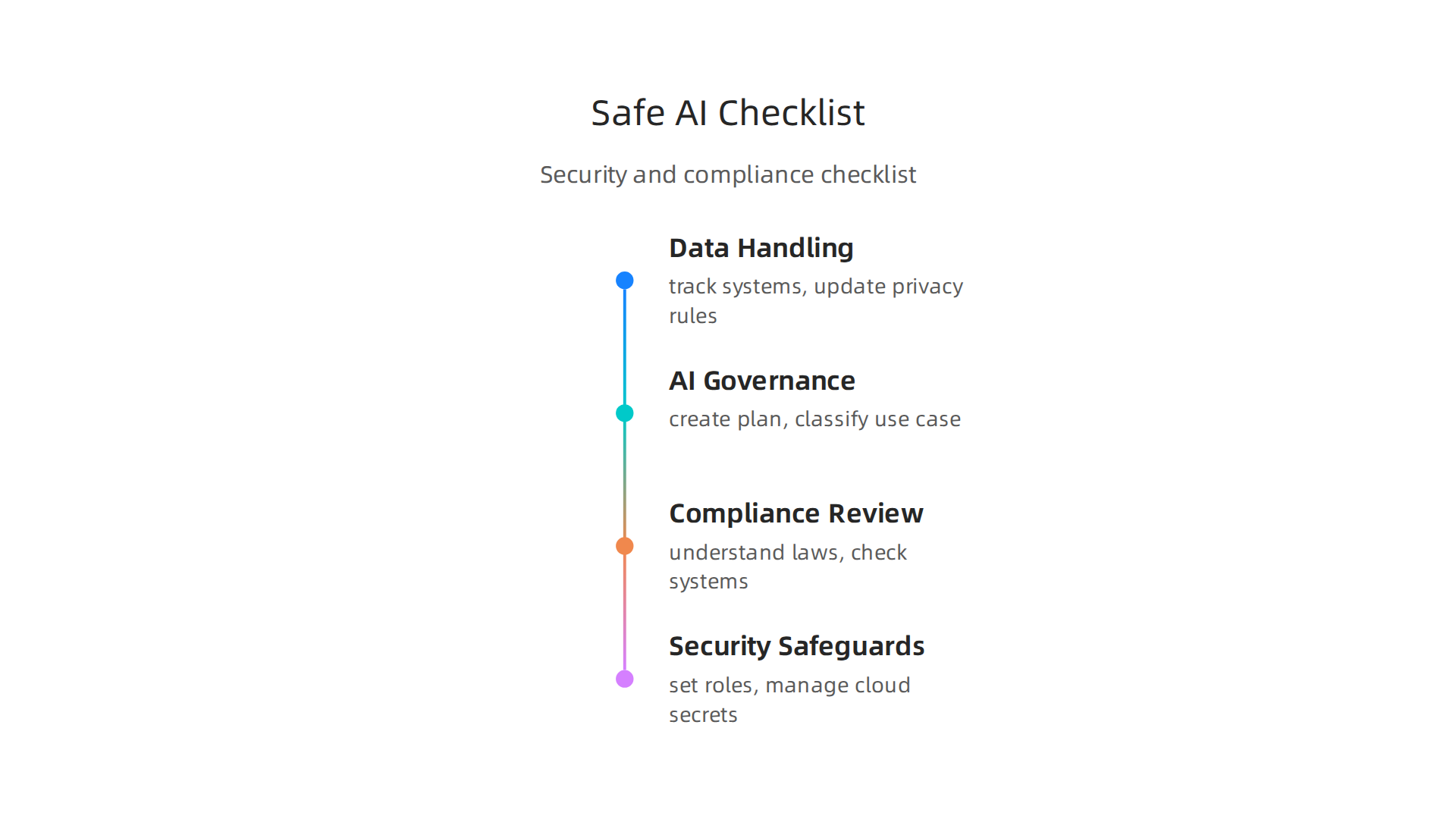
- Data Handling and Privacy:
- Keep track of all data and AI systems you use.
- Update your privacy rules and notices regularly 2026 Data Security and Privacy Compliance Checklist.
- Make sure people can easily opt-out if they don’t want their data used.
- Carry out regular risk assessments for your data.
- AI Governance Framework:
- Create a plan for how you design, build, and use AI. This is called an AI governance framework AI Governance Checklist.
- Classify each AI use case based on its possible impact and risk level AI Governance Checklist for Software Companies.
- Publicly share an inventory of your AI use cases to be transparent AI strategies and compliance plan.
- Compliance Review:
- Understand all the AI laws and rules that apply to your business in 2026. These are constantly changing, with new laws and executive orders coming out 2026 AI Compliance: Upcoming Laws Every Organization Needs to Know.
- Regularly check if your AI systems meet these rules.
- Security Safeguards:
- Set up clear roles and permissions for who can create, approve, and deploy no code app builder workflows or AI systems Governance for Zero-Code AI Orchestration.
- Use tools that help manage cloud secrets, like API keys, which are critical for security. You can find more information about AWS Secrets Manager best practices for cloud security.
- Implement and test security measures, including safeguards during AI deployment 2026 AI deployment checklist: avoid the mistakes others made.
- Think about how to balance using AI for productivity with responsible AI practices.
By following these steps, you can build powerful no-code solutions with popular AI tools while keeping your data and systems safe and compliant. Staying informed about the latest in AI is key to managing these considerations. Get clear daily AI updates by subscribing to The AI Newsletter Worth Reading.
When you bring in new technology like popular AI tools and no-code platforms, it’s not just about making sure they are safe and follow the rules. It’s also super important to know if these tools are actually helping your business grow and save money. This is what we call measuring Return on Investment, or ROI. It means checking if the benefits you get are bigger than the money and effort you put in.
How to Measure What Matters
To see if your AI and no-code investments are truly paying off in 2026, you need to look at clear numbers. Here are some simple ways to measure success:
- Productivity Boosts:
- Cycle Time: This is how long it takes to complete a task, from start to finish. If your engineering team can develop new features faster using an app builder no code tool or by integrating popular AI tools, that’s a big win. Some reports in 2026 show that AI coding assistants can make tasks much faster for developers, with some teams seeing over 50% faster task completion rates AI Automation ROI Benchmark Report 2026. This can also be seen in the full lifecycle from code to release Measuring the productivity impact of AI coding tools.
- Defect Rates: How many errors or bugs show up in your work? If AI helps reduce mistakes, your quality goes up, which saves time and money later.
- Time-to-Prototype: How quickly can you build a first version of a new idea or product to test it out? No-code tools and AI can help speed up this process a lot, letting you try more ideas faster.
Companies are really focused on showing how much AI improves productivity. In fact, a 2026 survey found that 92% of development teams saw better productivity when using AI coding assistants Enterprise AI Coding ROI Case Studies: 2026 Pilots.
Looking at Costs Versus Savings
When you decide to toolify AI or use a no-code app builder, you’ll have some costs. These can include:
- License Fees: The money you pay to use the software for popular AI tools or no-code platforms.
- Usage Costs: For many AI services, you pay based on how much you use them, like the number of questions you ask the AI or how much data it processes.
But these costs can be offset by big savings. Think about how much time your team saves because they’re working faster. This means they can do more with the same amount of time, or you might need fewer hours for certain tasks. An AI coding tools ROI calculator can help you figure out these trade-offs.
It’s also important to think about the long-term impact on your team. Happy developers who feel productive are more likely to stay with your company. Tools that make their work easier and more rewarding contribute to a better developer experience 2026, which is a huge win for any engineering team.
By carefully watching these numbers, you can show the real value that popular AI tools and no-code solutions bring to your business.

This helps you make smart decisions about where to invest your resources and keep your team at the top of their game.
Once you know how to measure the value of new tools, the next big step is to actually bring them into your company in a smart way. You can’t just throw popular AI tools or a new no-code app builder at everyone and hope for the best. You need a plan. This is called an adoption roadmap, and it helps you go from trying out a small pilot project to using these tools widely across your whole company.
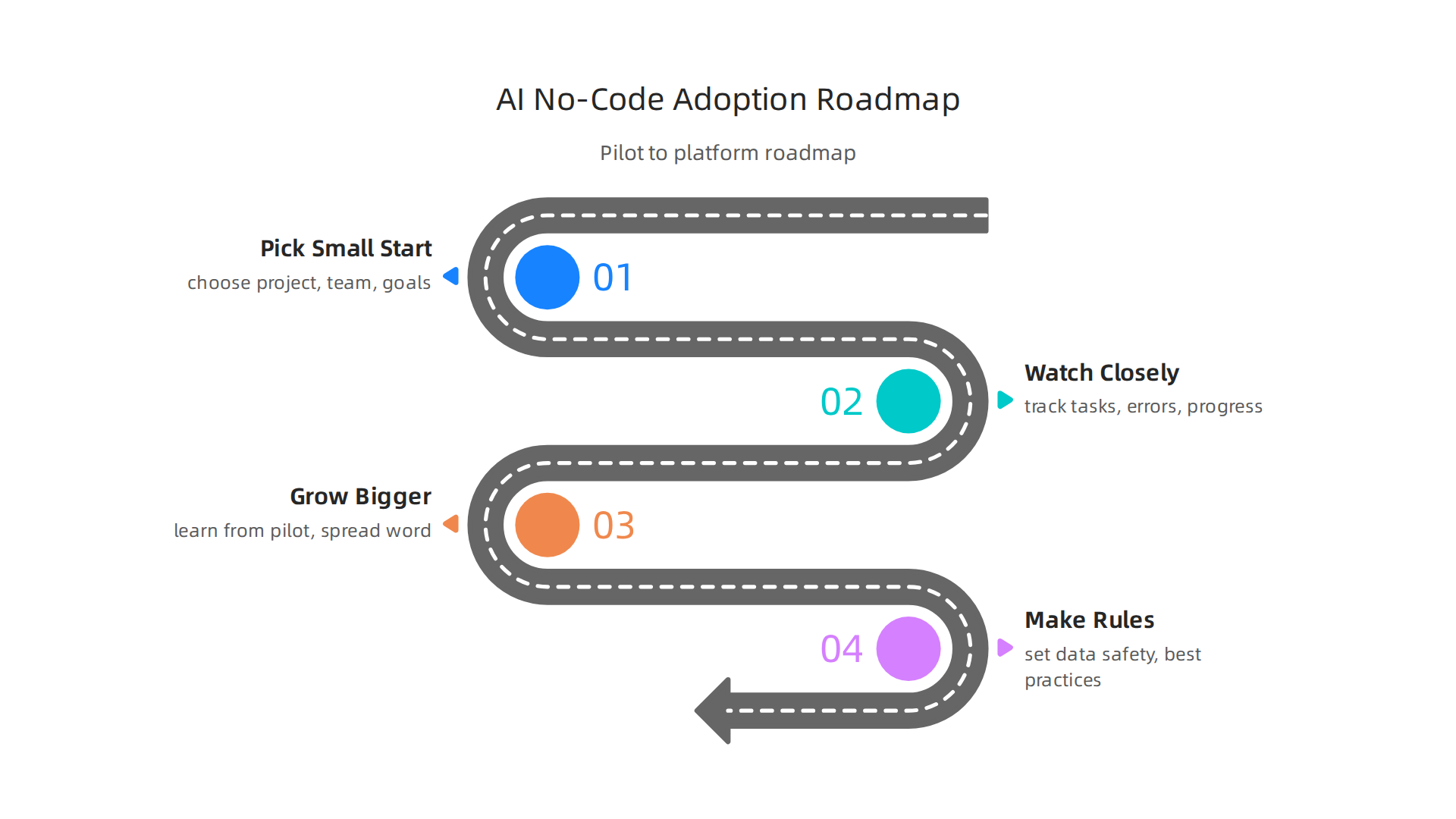
Adoption roadmap: pilot to platform
Bringing in new technology like popular AI tools or a no-code app builder should be done in steps. Think of it like a journey with clear stops along the way.
Step 1: Pick a small start (Pilot Selection)
First, choose a small group or a single project to try out the new tools. This is your pilot. The goal here is to learn and fix problems on a small scale before you go big.
- Choose the right project: Pick a project that’s important but not super critical. It should be something where popular AI tools or a no code app builder can clearly help.
- Pick the right team: Find a team that is excited to try new things and open to change. They will be your champions.
- Set clear goals: What do you hope to achieve in this pilot? Faster work? Fewer mistakes? Write these down. This helps you track progress. For example, some companies aim to deploy AI coding assistants to a small group of developers for 30-90 days to establish baseline metrics AI Playbook for Software Industry.
Step 2: Watch closely (Measurement)
During the pilot, you need to keep a close eye on how things are going. The measurements we talked about earlier, like how fast tasks are completed or how many errors pop up, are very important here. This helps you understand if the tools are really making a difference.
Step 3: Grow bigger (Scaling)
If your pilot project shows good results, it’s time to think about using the tools more widely.
- Learn from the pilot: What worked well? What didn’t? Use these lessons to make the next steps smoother.
- Spread the word: Show off the successes of your pilot project to other teams. This helps build excitement and gets more people on board.
- Provide training: As more people start using the tools, make sure they get the right training. This might include how to best use an app builder no code platform or integrating top AI tools into their daily work. You might need to design high impact software developer training programs to ensure everyone is ready.
Step 4: Make rules (Governance)
When everyone is using these new tools, you need rules to make sure everything runs smoothly and safely. This is called governance.
- Safety first: Set rules for how data is used with popular AI tools. Make sure you are protecting private information.
- Best ways to work: Share tips and best practices so everyone uses the tools effectively. This might include how to apply AI in software development strategies for engineering teams.
- Keep learning: The world of AI and no-code changes fast. Keep looking for new and better ways to use these tools.
What helps you succeed (Common Success Criteria)
When you are scaling up, look for these good signs:
- Teams are happy: Developers feel more productive and enjoy using the new tools.
- Work gets done faster: Projects are completed more quickly, and new ideas can be tried out without long delays.
- Fewer mistakes: The quality of work improves, meaning less time spent fixing problems later.
- Clear savings: The money saved from faster work or fewer mistakes is more than the cost of the tools. In 2026, a healthy ROI on AI coding tools is often seen as 2.5-3.5 times the investment, with top companies seeing even higher returns Developer Productivity Benchmarks 2026.
- People share knowledge: Teams talk about how they use the tools and help each other learn. An AI-Driven Engineering Adoption Playbook suggests implementing usage analytics and ROI tracking across all teams.
Watch out for these problems (Common Failure Signals)
Not every adoption goes perfectly. Here are some red flags:
- No one uses the tools: If people aren’t using the tools, or they go back to old ways of working, that’s a problem.
- Things get slower: If using the new tools actually makes work take longer or creates more problems, you need to stop and rethink. Sometimes, studies show AI tools can even hinder developer speed if not used correctly Measuring the Impact of AI on Experienced Open-Source Developer.
- Too many errors: If the quality of work goes down, or new kinds of mistakes appear, something is wrong.
- High costs, low gains: You’re spending a lot of money, but not seeing much benefit.
- No clear plan: If there’s no path for how to use the tools or manage them over time, things can get messy. This is why understanding why AI projects fail is so important.
By having a good plan, watching for these signs, and being ready to adjust, you can successfully toolify AI and no-code solutions across your engineering teams.
Want to keep up with the fast-moving world of AI and technology? Get clear daily AI updates from The AI Newsletter Worth Reading.
Summary
This article explains why combining cloud platforms, popular AI tools, and no-code builders is a strategic advantage for engineering teams in 2026, and how to do it safely and effectively. It surveys the main categories of AI tools—code assistants, MLOps, embeddings/search, and generative models—and shows how cloud services like managed ML, compute, and storage make those tools scalable. The piece details where no-code and low-code excel (rapid prototyping, citizen development) and where they fall short (security, scalability, vendor lock-in), then maps practical integration patterns using APIs, connectors, and workflow automation. It outlines common security risks and gives an operational checklist for privacy, governance, and secrets management. The article also covers how to measure productivity and ROI, then provides a four-step adoption roadmap from pilot to governance and scaling. Readers will finish with concrete steps to choose tools, run pilots, and govern safe, high-impact deployments.


